
Upload documents to train your AI Assistant
To upload documents to train your AI Assistant:
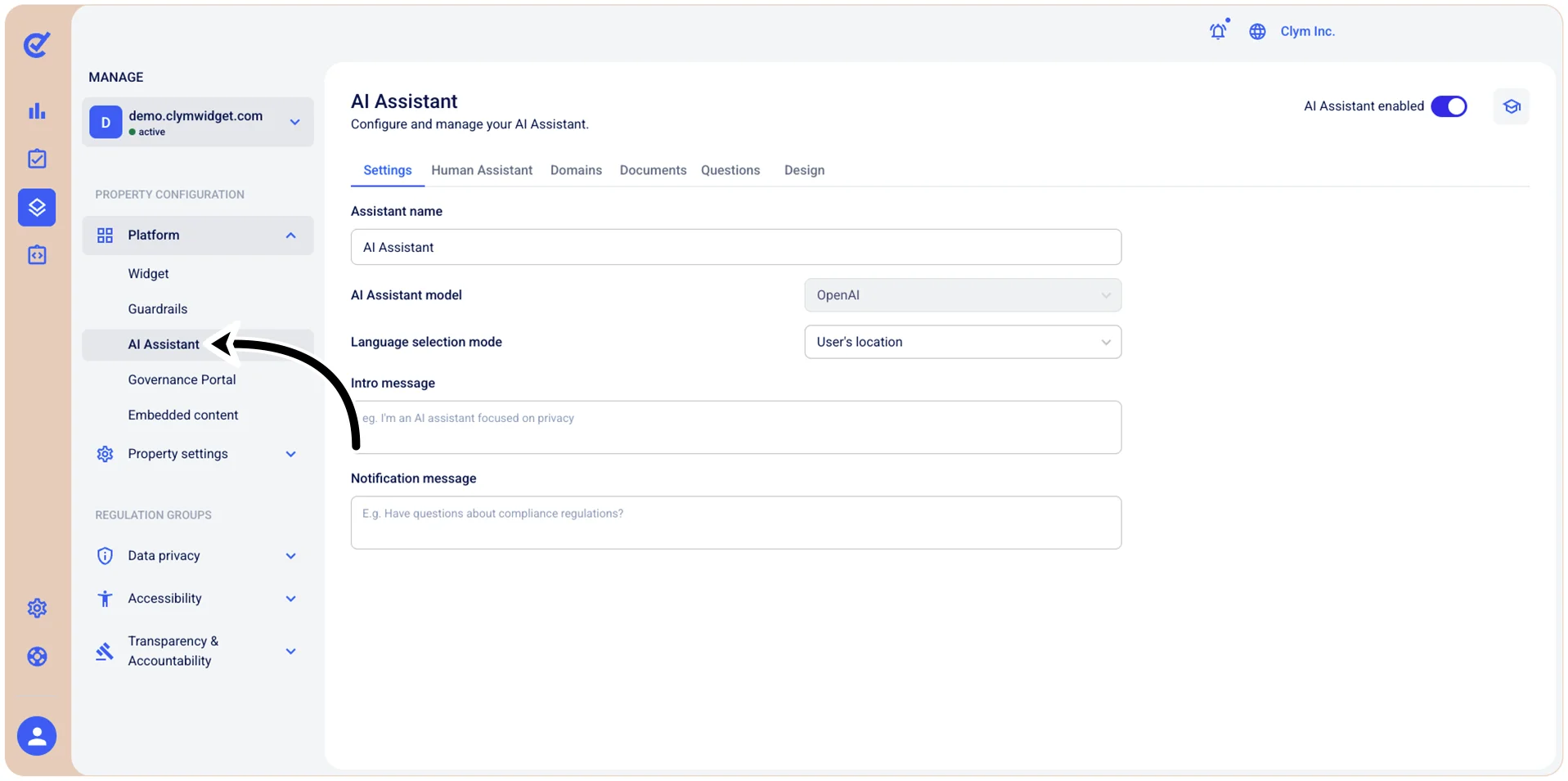
- Go to
 Manage>Platform>AI Assistant.
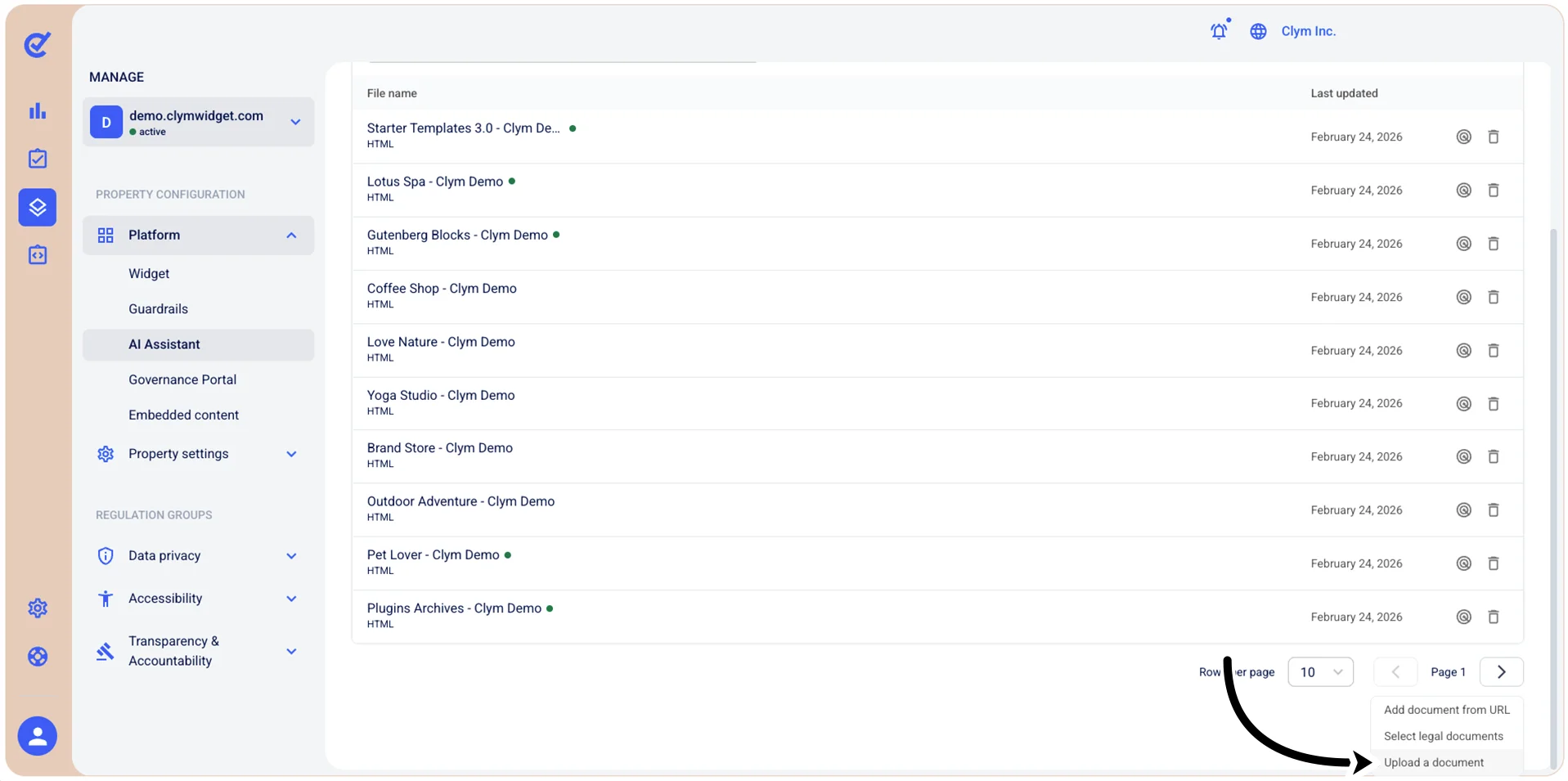
- In the Documents section, select +Add document.
- On the shortcut menu, select Upload a document.
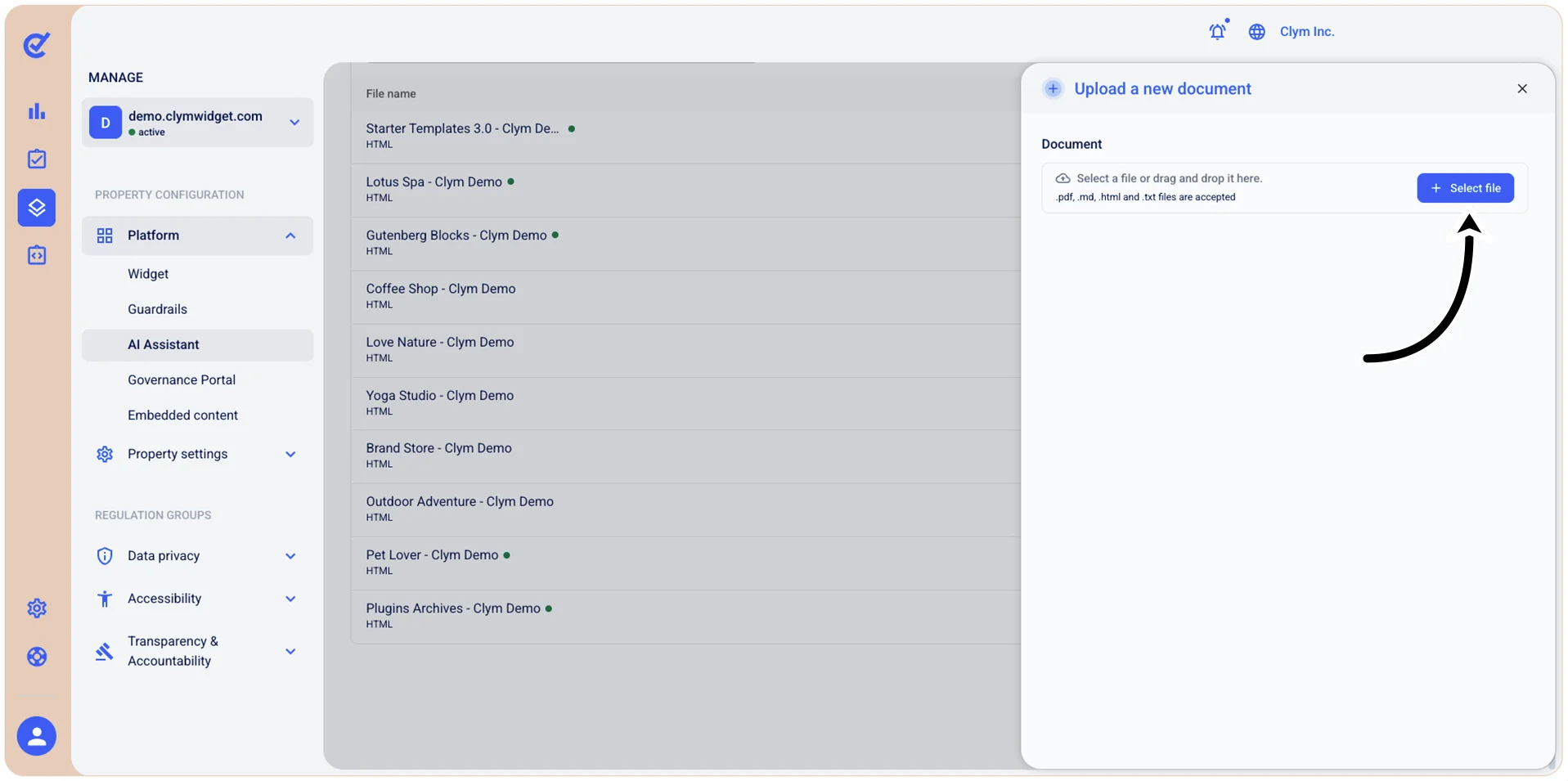
- In the Upload a new document section, choose +Select file and then browse and select the desired document. The supported formats are: .pdf, .md, .html, and .txt files. To upload the document, select Open.
- To add the document to the library, select Upload. Your newly-added document is displayed in the AI Assistant section.