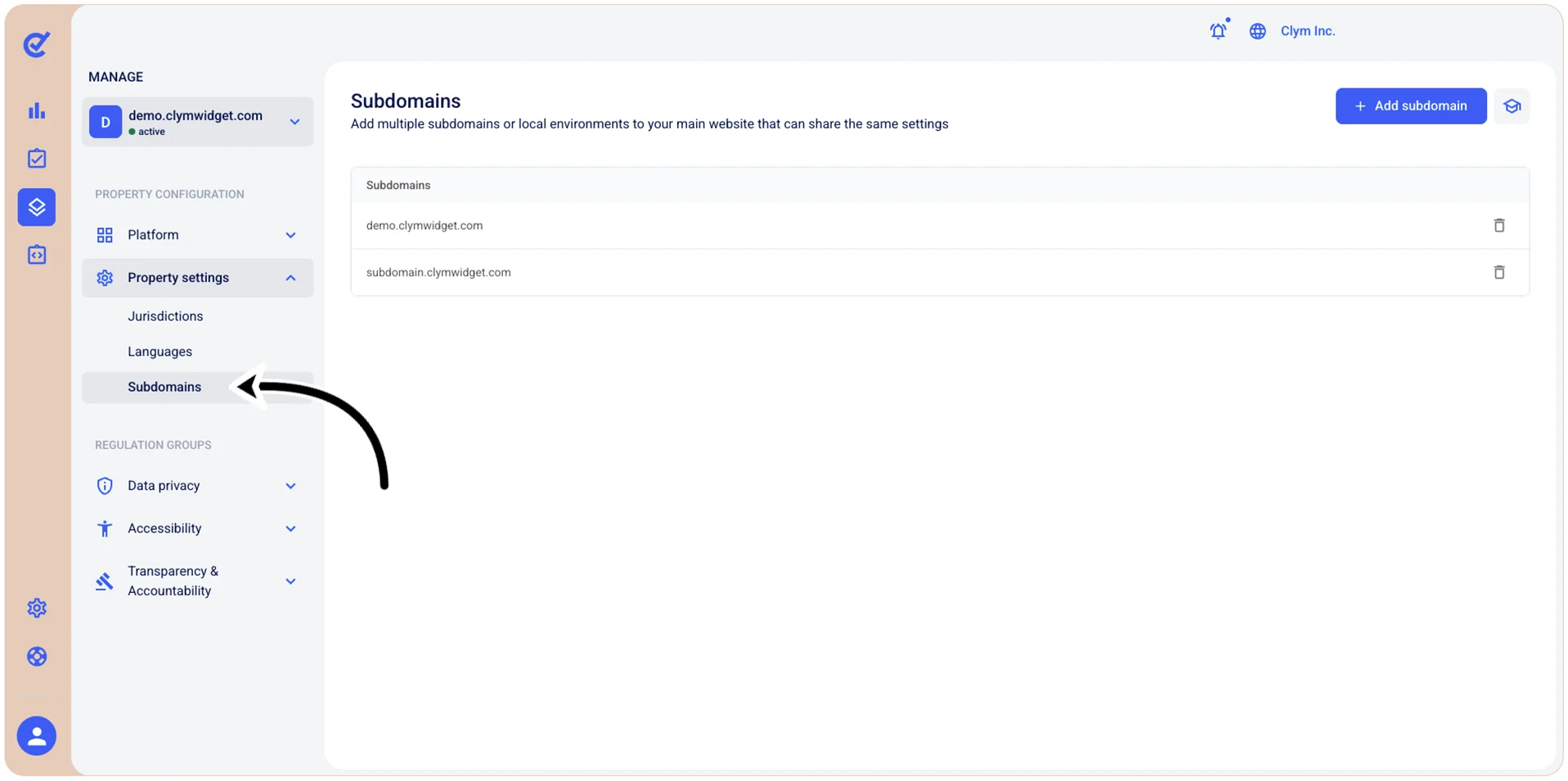
Manage Property Settings: Manage your website’s subdomains
If you have more than one domain that needs to be covered with your Clym widget, you can easily add subdomains in the Control Center. For example, you may wish to add a subdomain for a development or staging site, where you can test the Clym widget before fully implementing it on your website. When adding a subdomain to your Clym account, it will share the same settings that are configured for that domain, which helps to understand how the Clym widget will display. You can add and remove subdomains from your website.
To access the subdomains management section, go to  Manage>Property Settings>Subdomains.