
Configure the settings of your AI Assistant
In the Control Center, you need to configure the general settings of the AI Assistant.
Note: After editing any parameters in this section, select Save on the tab you just configured before moving on to another tab, otherwise the updated parameters will not be saved.
To configure the general settings of your AI assistant:
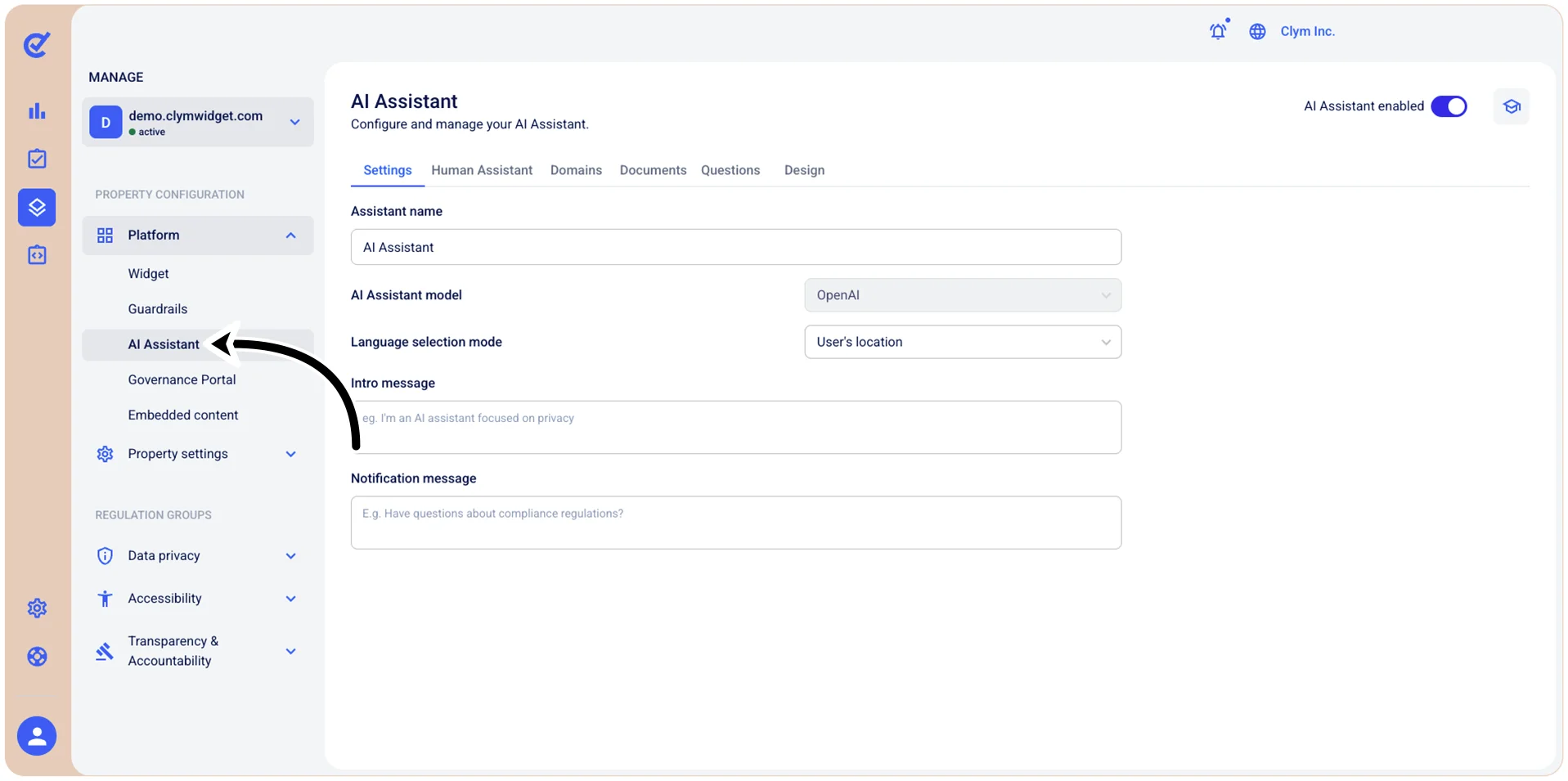
- Go to
 Manage>Platform>AI Assistant.
- In the AI Assistant section, select the Settings tab and then configure the parameters, as follows:
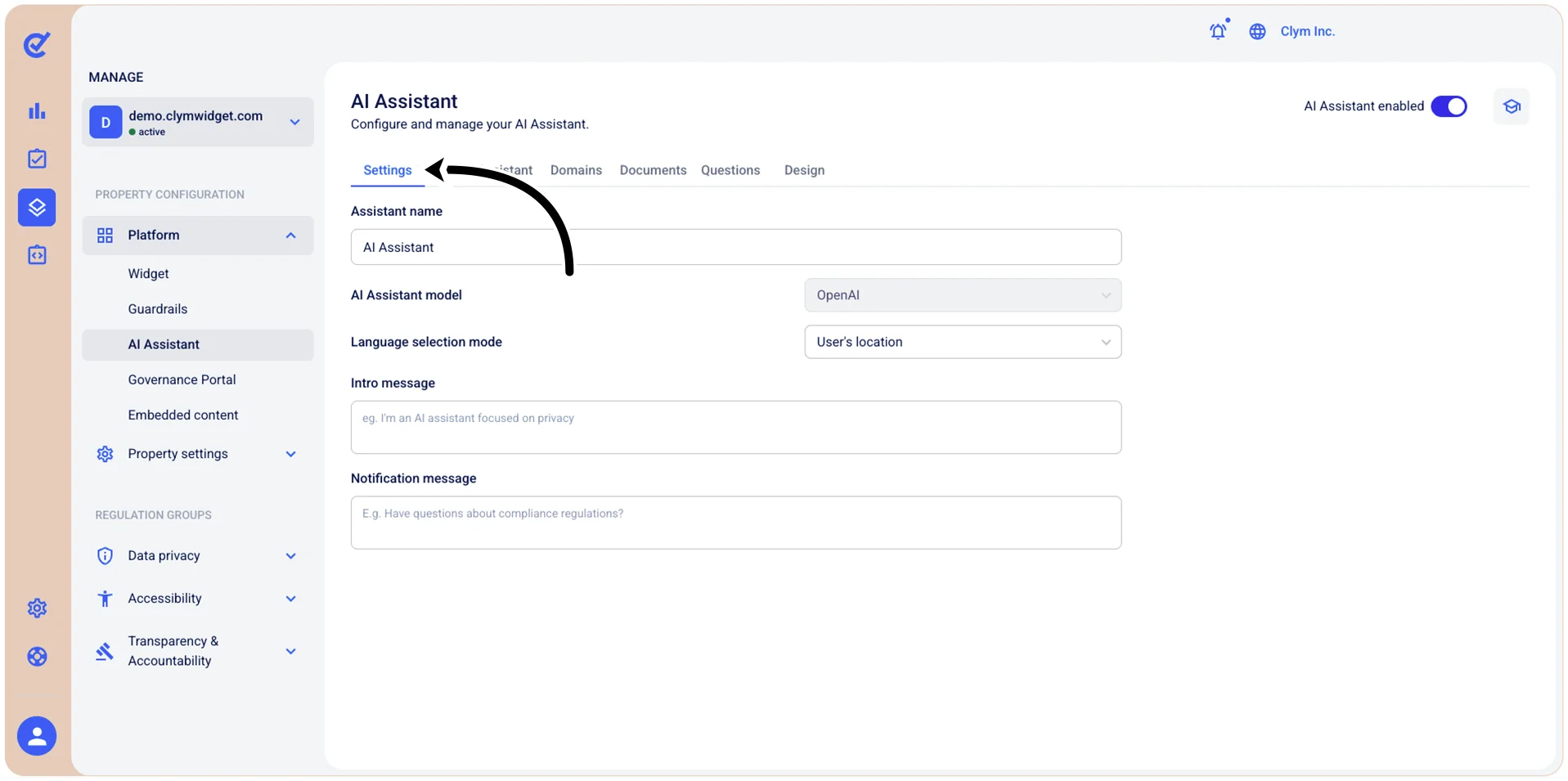
- Assistant name: Enter a display name for your AI assistant (for example, Support Bot, or VirtualHelper).
- AI Assistant model: Displays which AI language model powers the assistant.
- Language selection mode: Select how you want the system to determine which language to use when communicating with users:
- User's browser: Automatically uses the language detected in the user's web browser
- Default language: Uses the predefined default language
- User’s location: Uses the language based on the user's geographic location which will be displayed to users by default when they first interact with the widget, unless overridden by the language selection method or user preferences.
- Intro message: Enter the initial greeting or welcome message that users see when they first interact with the AI assistant.
- Notification message: Enter the message displayed in notifications or prompts that invite users to engage with the assistant (for example, "Need help? Chat with us!").
- When finished, select Save.
Next, you can move on to other configurations in the AI Assistant section.