
Configure the escalation of the AI Assistant to a human assistant
Whenever the AI Assistant fails to provide the answers to the user’s queries, you can escalate the conversation to a human assistant for Support. In this section, you can see how to configure the escalation process.
Note: After editing any parameters in this section, select Save on the tab you just configured before moving on to another tab, otherwise the updated parameters will not be saved.
To configure the escalation process to a human assistant:
- Go to
 Manage>Platform>AI Assistant.
 - In the Human Assistant tab, toggle on Enable "Talk to a human" option to enable users to escalate from the AI assistant to a human support representative and then configure the fields, as follows:
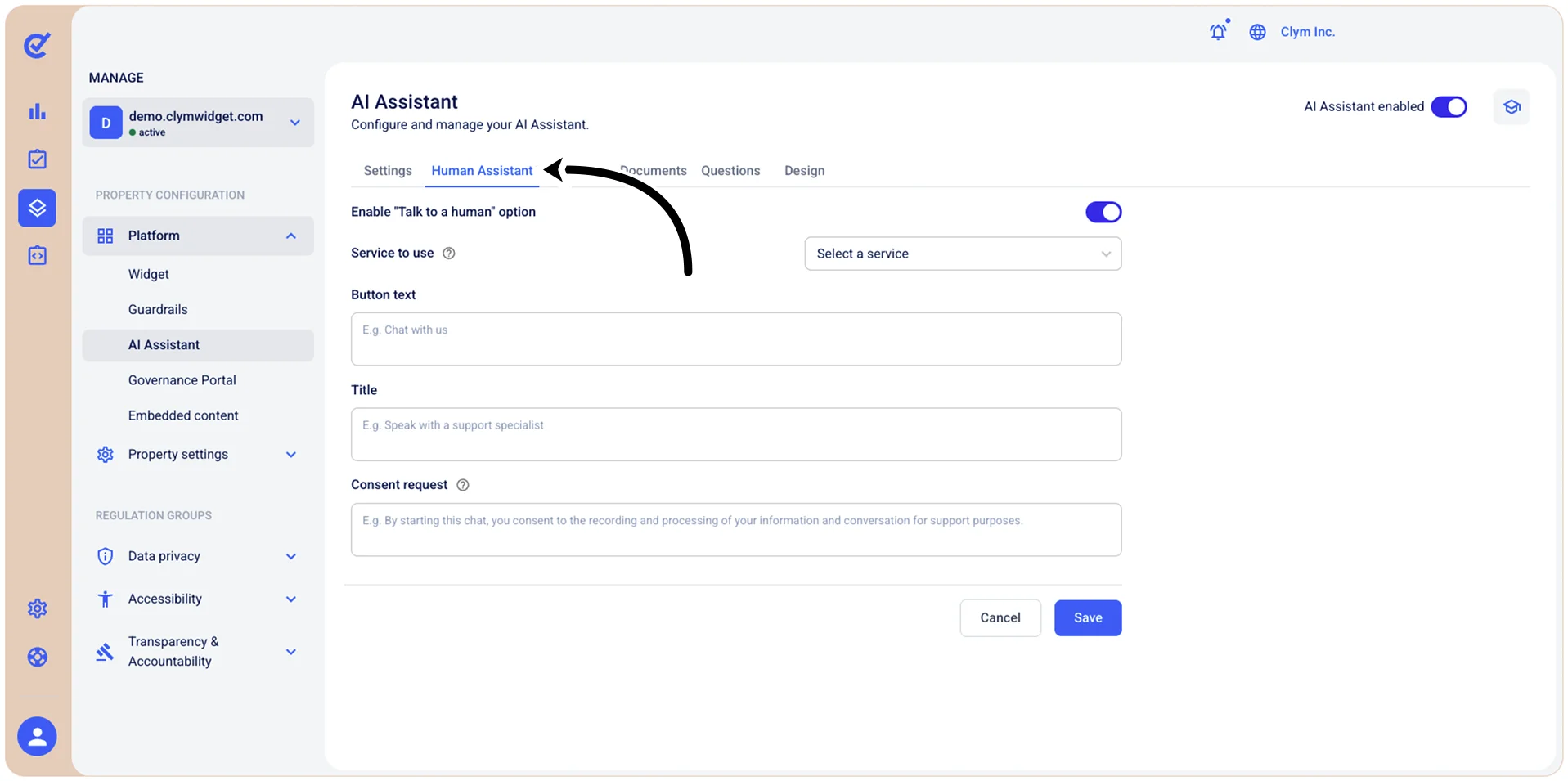
- Service to use: Select which communication channel will handle human chat requests when users escalate from the AI assistant, such as Facebook Messenger, Zendesk, Google Analytics and so on.
- Button text: Enter the label that appears on the button used for requesting human assistance (for example, "Speak with a human agent").
- Title: Enter the heading or title that appears when users access the human chat option (for example, "Speak with a human support specialist").
- Consent request: Enter the consent message that users must acknowledge before connecting to a human representative. This message should inform users about how their conversation data will be recorded, processed, or used.
- When finished, select Save.
Next, you can move on to other configurations in the AI Assistant section.