
Delete a document or a domain used to train your AI Assistant
In the Control Center, you can easily remove a redundant domain or document used to train your AI Assistant.
Warning: Removing domains or documents is a permanent action and cannot be reversed. We recommend that you make sure no vital information is deleted.
To delete a domain or a document used to train your AI Assistant:
- Go to
 Manage>Platform>AI Assistant.
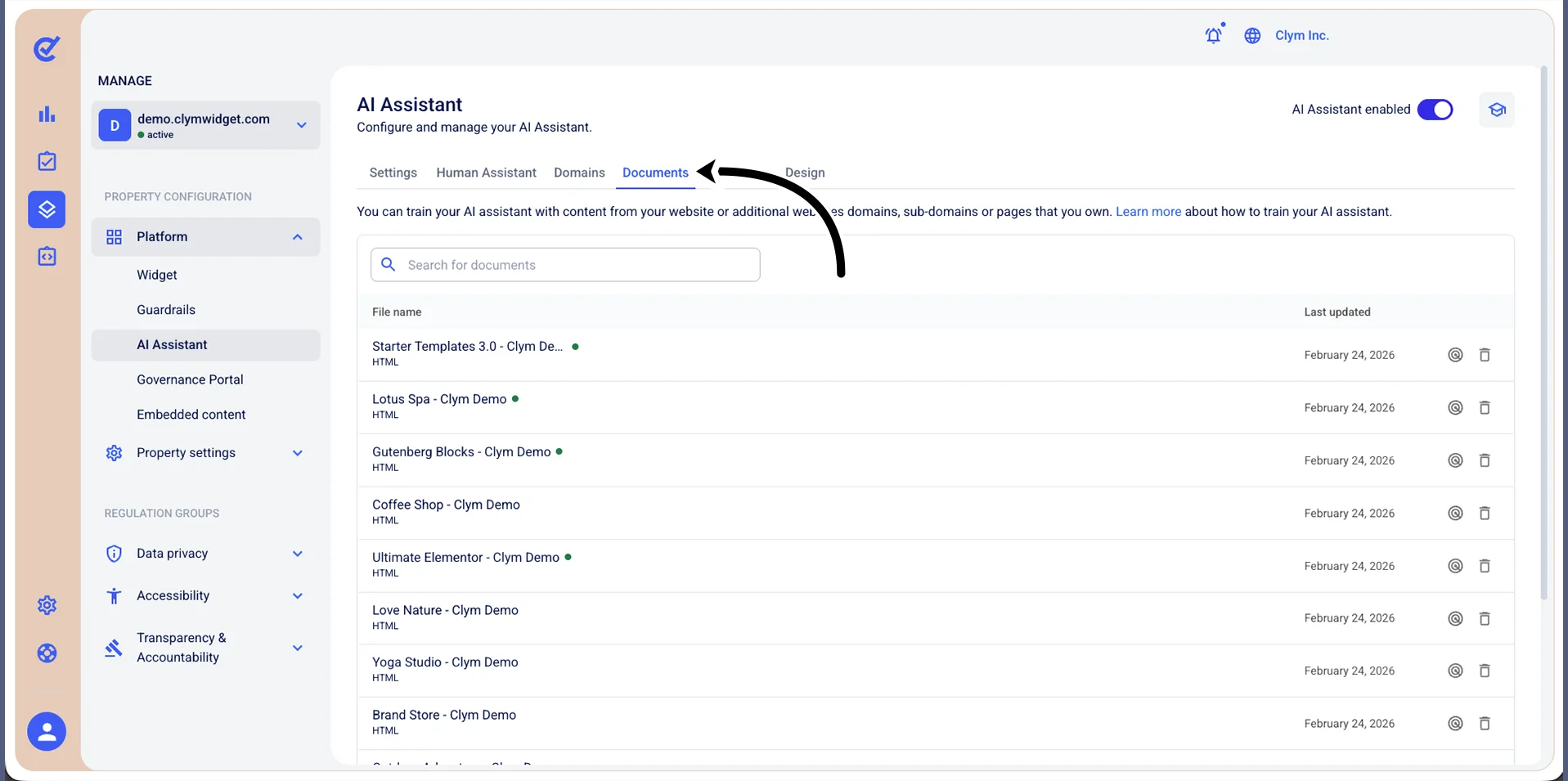
- In the Documents tab, select
 Delete next to the desired document/URL.
 - In the confirmation message, select Confirm.