Manage the Control Center
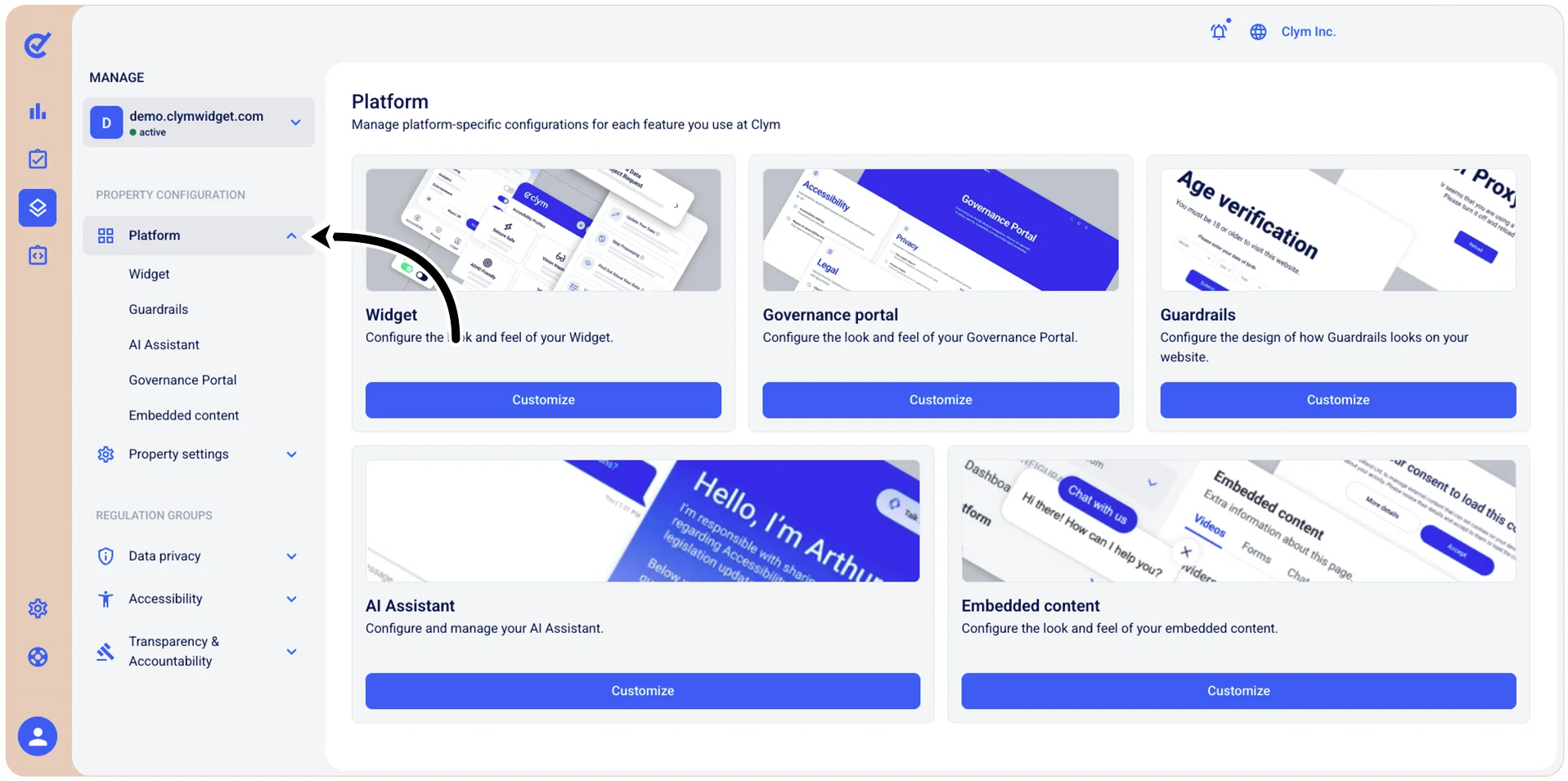
In the Control Center, the Manage section enables you to customize the design and functionality of the solutions you are utilizing on your website.
In the Platforms section, you can customize the parameters of these components:
- Widget
- Guardrails
- AI Assistant
- Governance Portal
- Embedded content.
You can customize these components either from the Dashboard section or by navigating to the desired component on the left-side menu. For the sake of consistency, the procedures described hereafter refer to accessing these sections from the left-side menu.
In the Property settings, you can configure the:
- Jurisdictions
- Available languages
- Subdomains that your website might have.
The Data privacy section enables you to configure the:
- Settings
- Services
- Signals
- Cookies
- Vendors
- Data points
- Bounty hunting
- Data subject requests
- Legal documents.
In the Accessibility section, you can configure the reports on Accessibility issues, your website sitemap and the legal documents that you need to add to facilitate compliance.
The Transparency & Accountability section enables you to configure the parameters for:
- Whistleblowing
- Content takedown
- Company data
- Legal documents.
To access the Manage section, go to  Manage.