
Configure Company data: How company data drives your regulatory settings
The Company data section of your Clym Control Center collects the information that determines which rules and regulations apply to a given website. These settings matter, because compliance with privacy, accessibility and other laws often depends on facts about the organization, such as where it is, how many personal records it processes, what it earns.
Of everything in the Generic settings part of Company data, only your Company Name is displayed publicly. The rest stays inside the Control Center and is used solely to verify whether your organization meets the criteria set by applicable laws, so that the right rules are applied while sensitive details stay private.
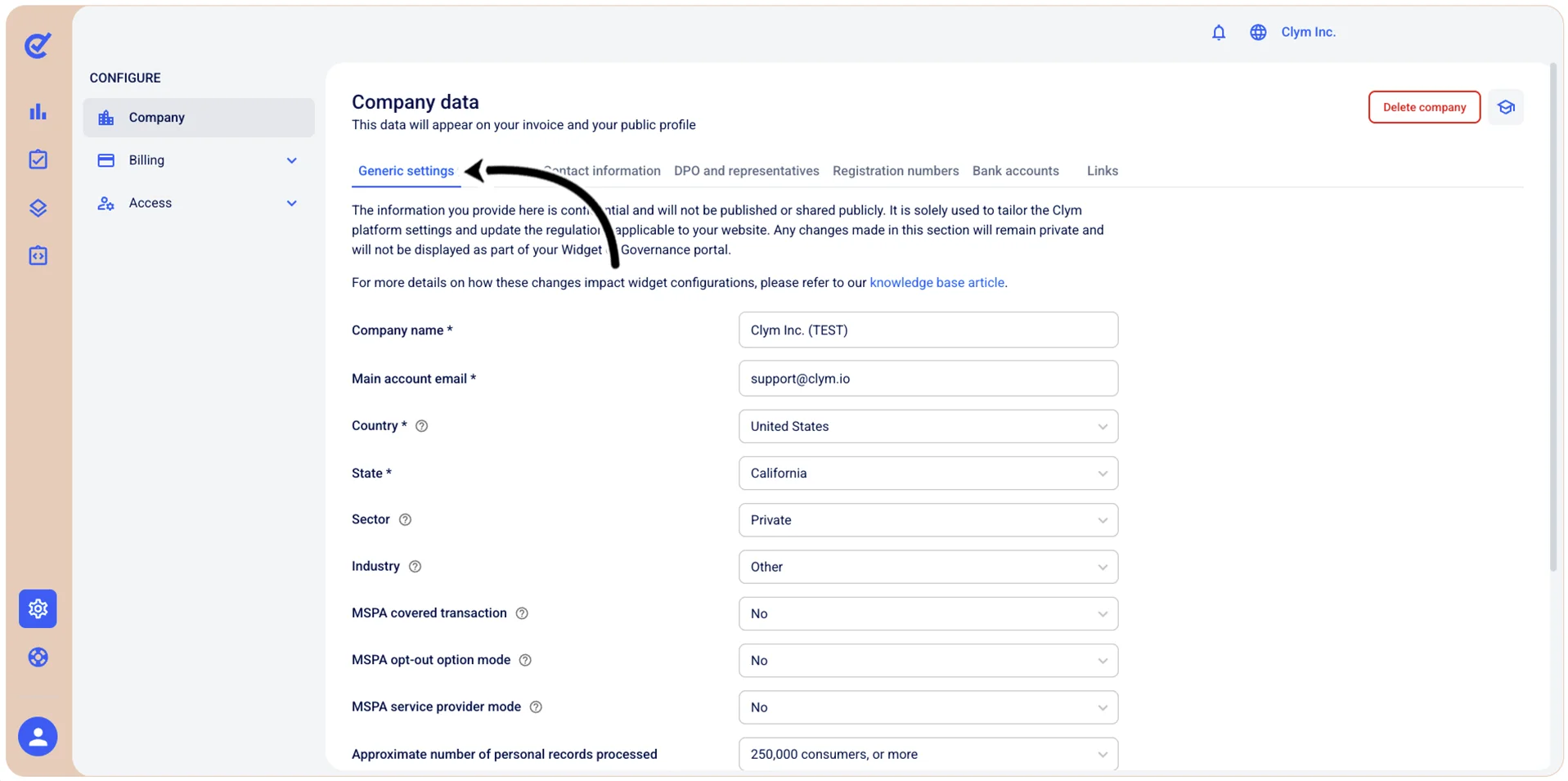
Fields left as not specified attract no industry-specific rules. Any change you make here updates your Jurisdictions settings to match, either adding rules or removing them where your organization no longer qualifies under a given criterion. If you indicate that your organization is an NGO or NPO, for example, it may fall outside the definition of a "business" under the CCPA, and CCPA-related settings will stop appearing in your widget configuration.
The Addresses, Contact information, DPO and representatives, Registration numbers, Bank accounts and Links tabs are configured dynamically from the rules that apply to your location. Global configurations make most of these fields optional, but some countries require particular details to be published: a Bank Account, an Email Address or a VAT Number. A field can therefore be optional, required or hidden entirely, depending on local requirements.