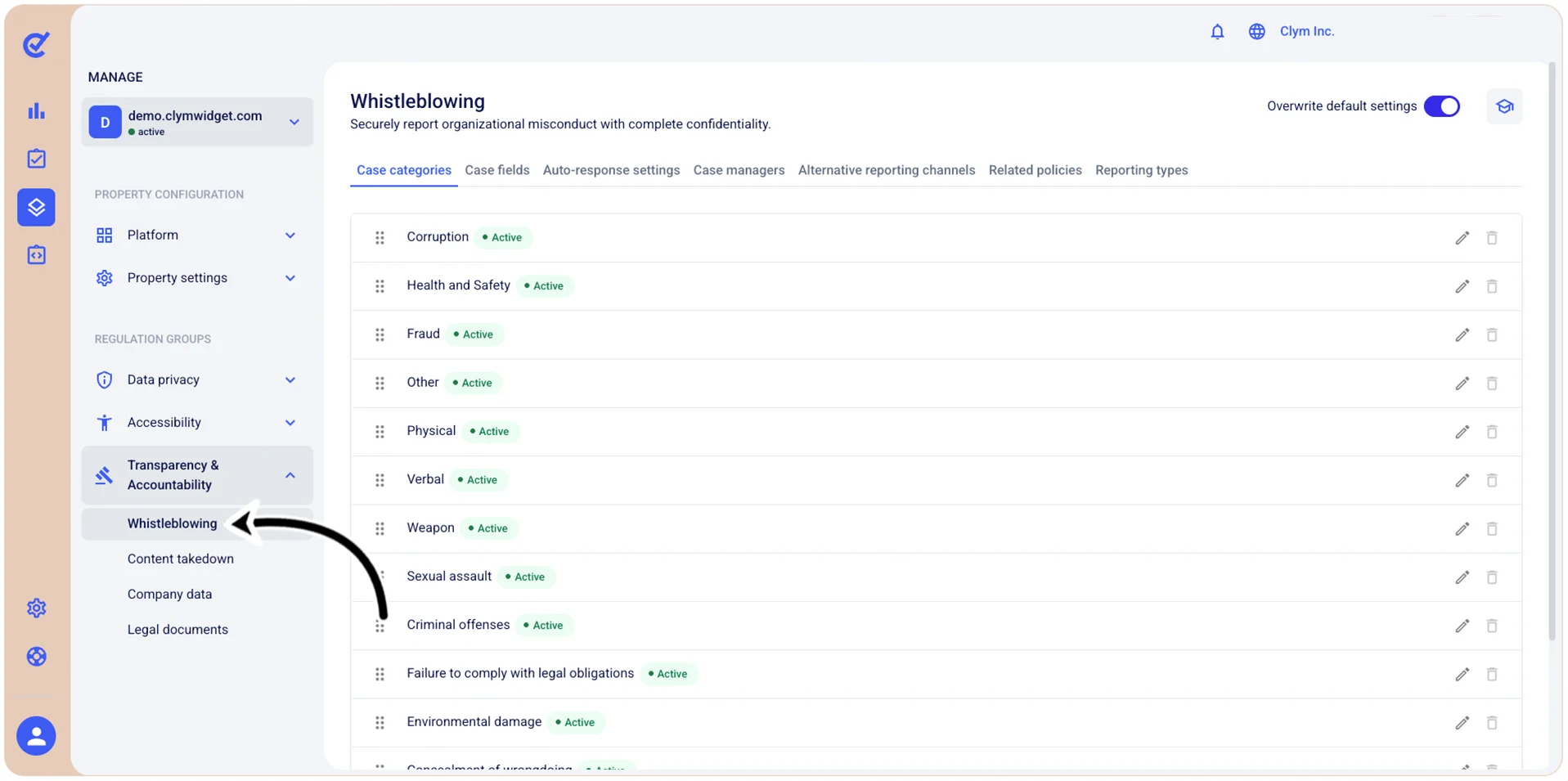
Manage Transparency & Accountability: Whistleblowing reports
The Whistleblowing section provides you with tools that enable you to manage Transparency & Accountability reports submitted through your whistleblowing program. Here you can manage Whistleblowing case categories and their parameters, auto-response settings, configure additional reporting channels and so on. This centralized system helps you efficiently handle Whistleblowing disclosures while maintaining clear records of all reported issues and your response actions.
Important!
- To be able to customize this section, you need to toggle on Overwrite default settings.
- When configuring this section, make sure that you select Save on the tab you just configured before moving on to another tab.
To access the Transparency & Accountability Whistleblowing section, go to  Manage>Transparency & Accountability>Whistleblowing.