
Select one or more legal documents to train your AI Assistant
To add one or more legal documents to train your AI Assistant:
- Go to
 Manage>Platform>AI Assistant.
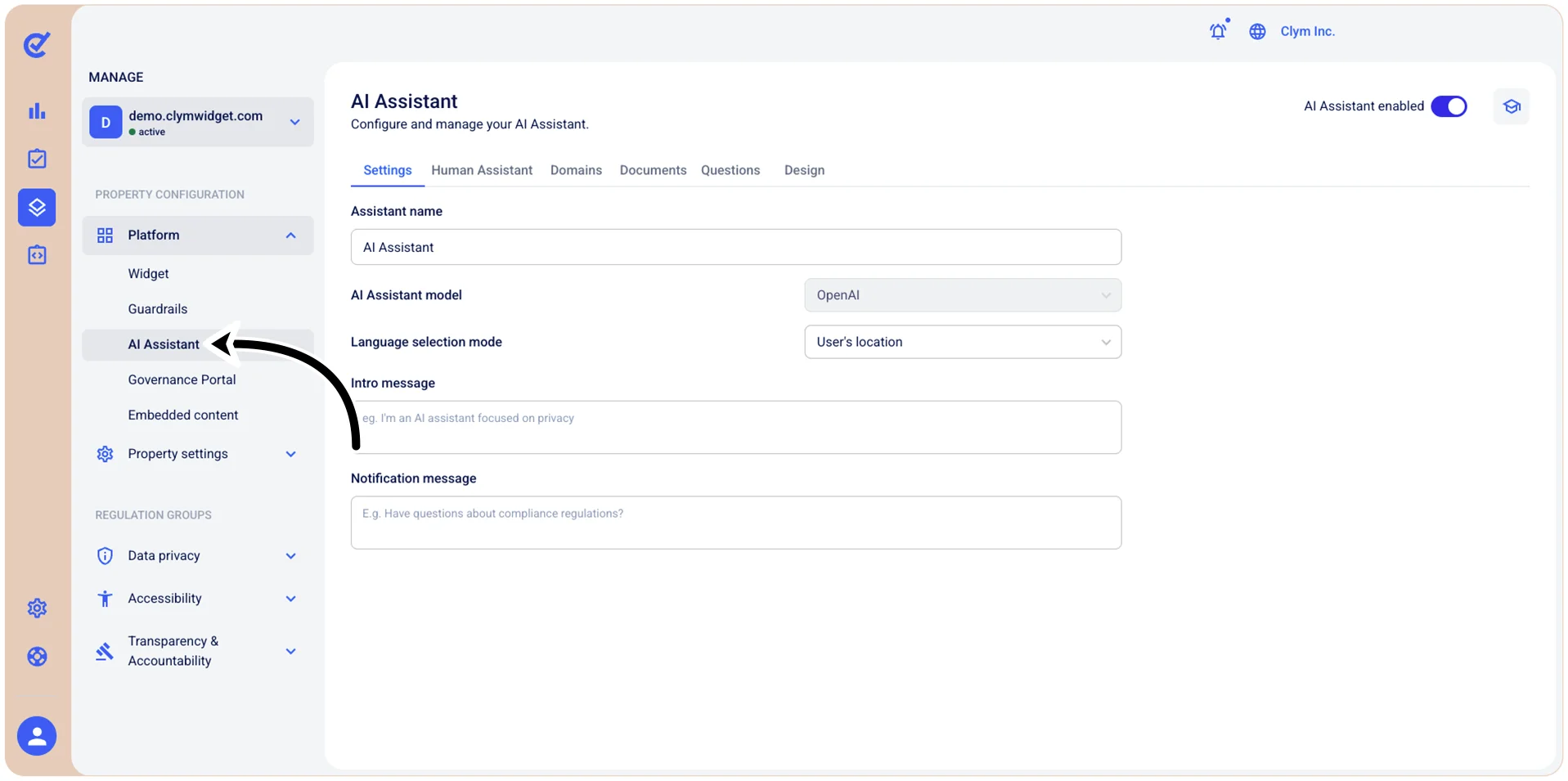
- In the Documents tab, select +Add document.
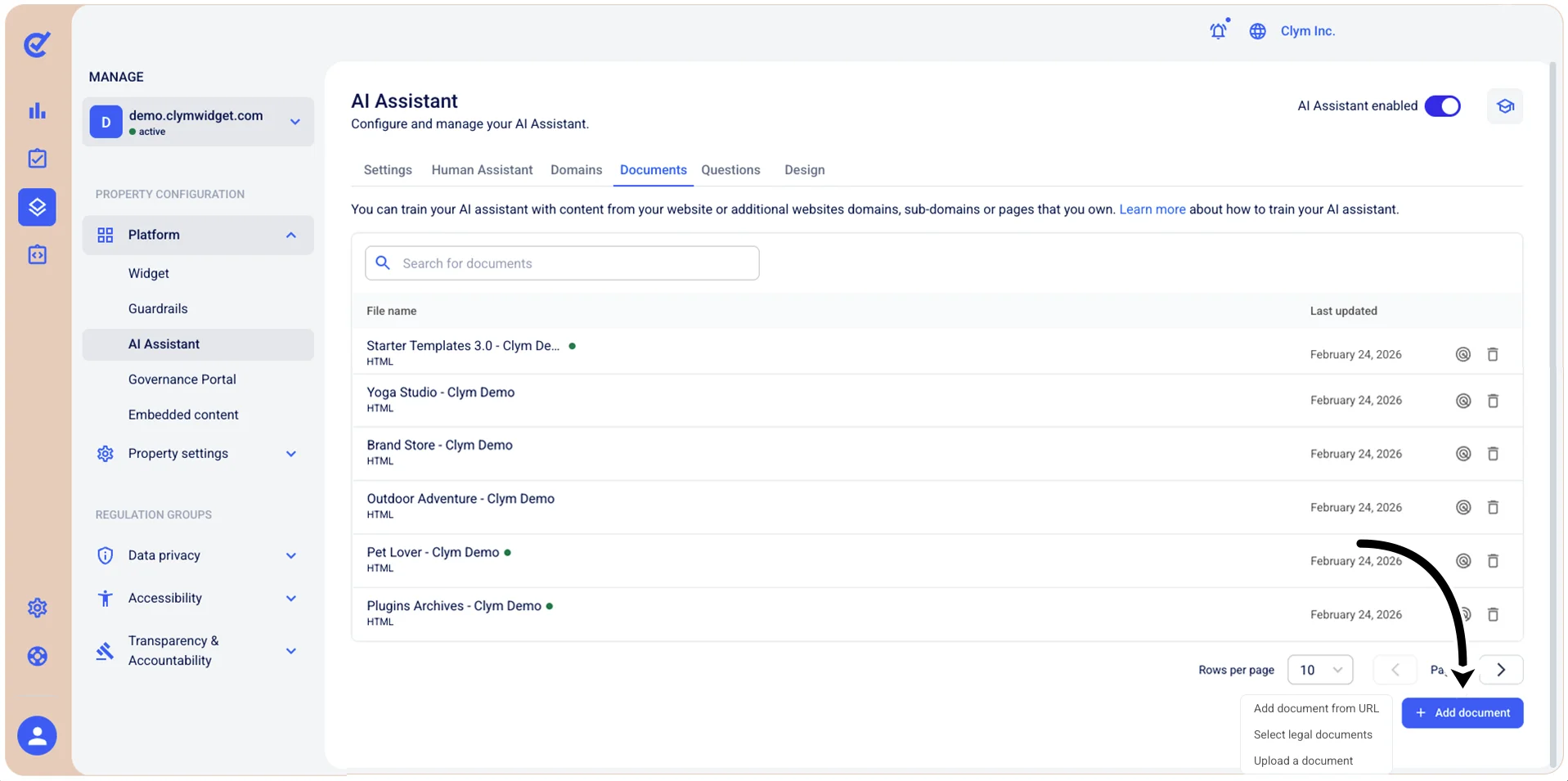
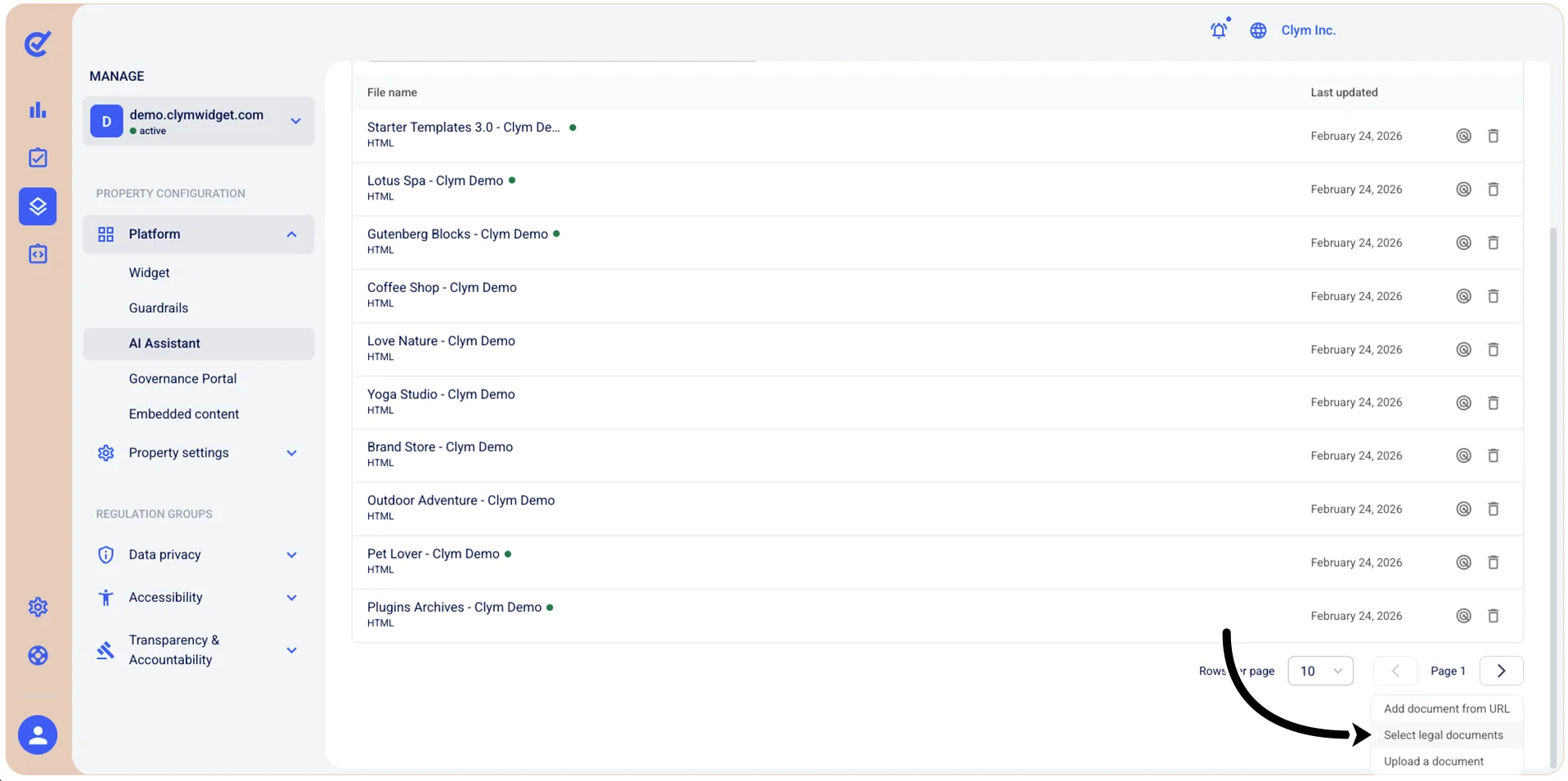
- On the shortcut menu, select Add legal documents.
- In the Add a policy document section, select the policy that the document describes and then select Add.
- Your newly-added legal document is displayed in the AI Assistant section.