
Edit the questions displayed by your AI Assistant
In the Control Center, you can easily modify the questions displayed by your AI Assistant. To do so:
- Go to
 Manage>Platform>AI Assistant.
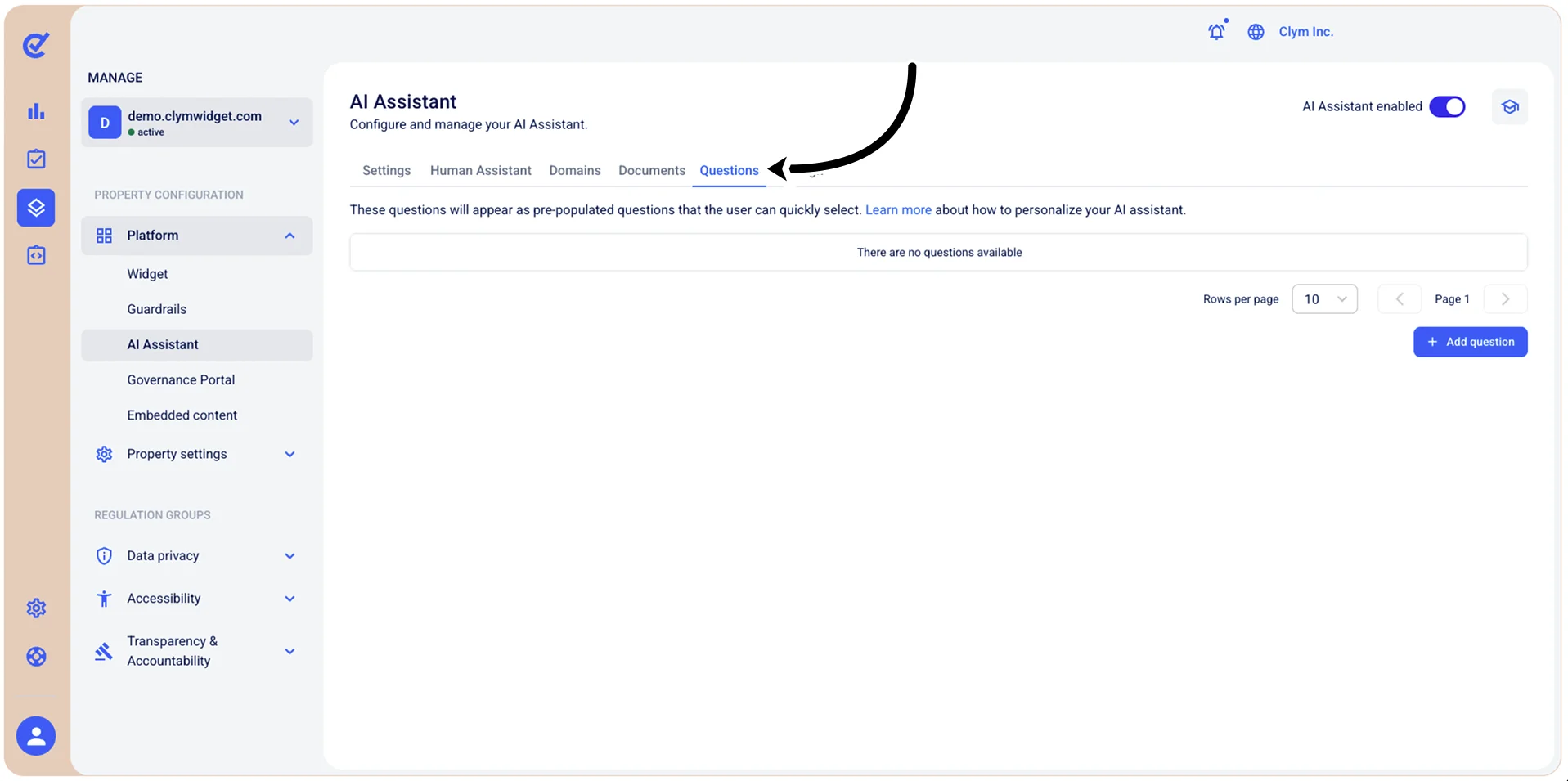
- In the Questions tab, select
 Edit next to the desired question.
 - In the Edit question section, modify the existing question, as desired.
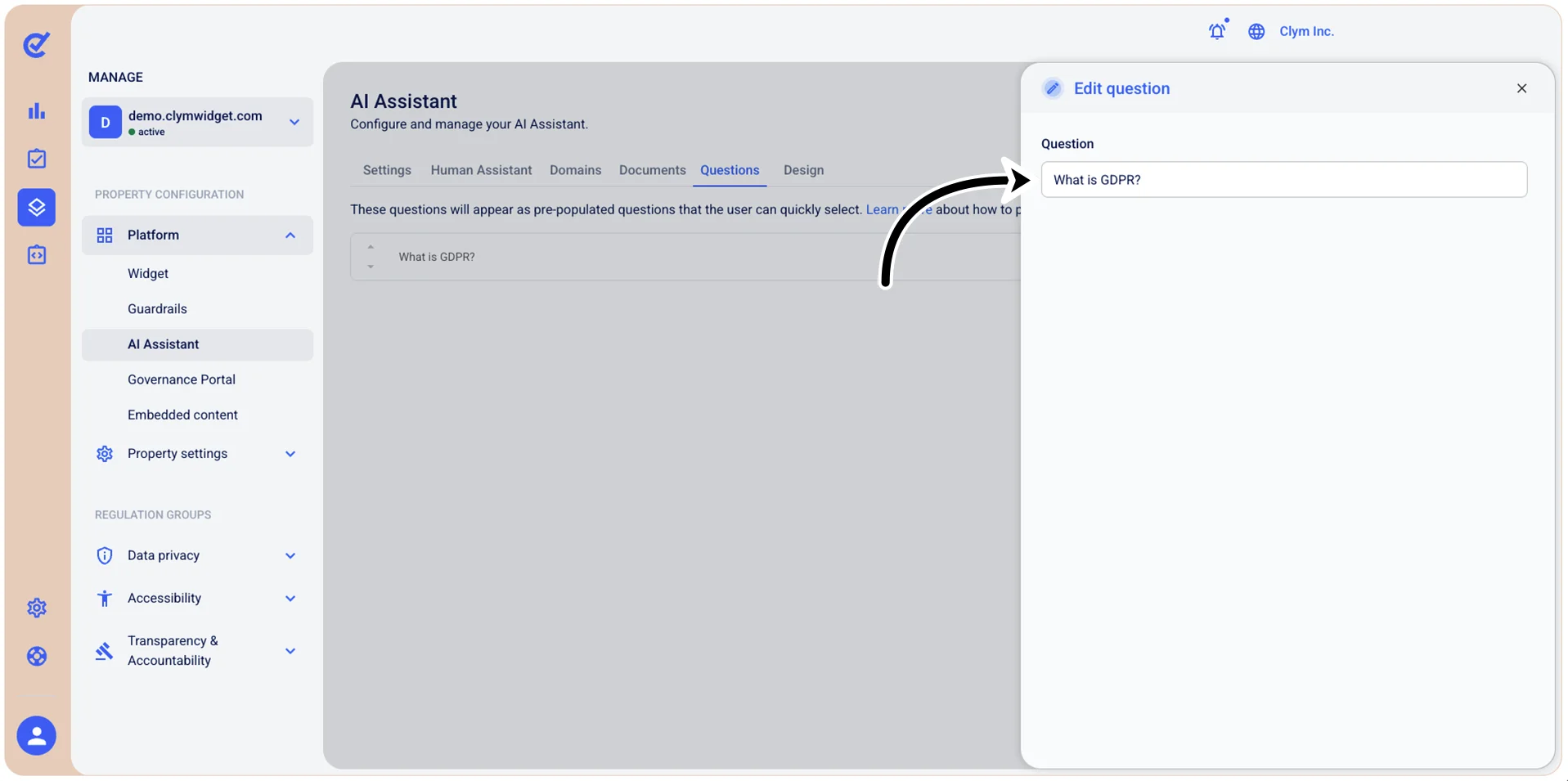
- When finished, select Save. The modified question is displayed in the Questions list.