Delete the questions displayed by your AI Assistant
In the Control Center, you can easily remove a question displayed by the AI Assistant if the question is no longer relevant to your users.
Warning: Removing questions is a permanent action and cannot be reversed. We recommend that you make sure no vital information is deleted.
To delete a question displayed by your AI Assistant:
- Go to
 Manage>Platform>AI Assistant.
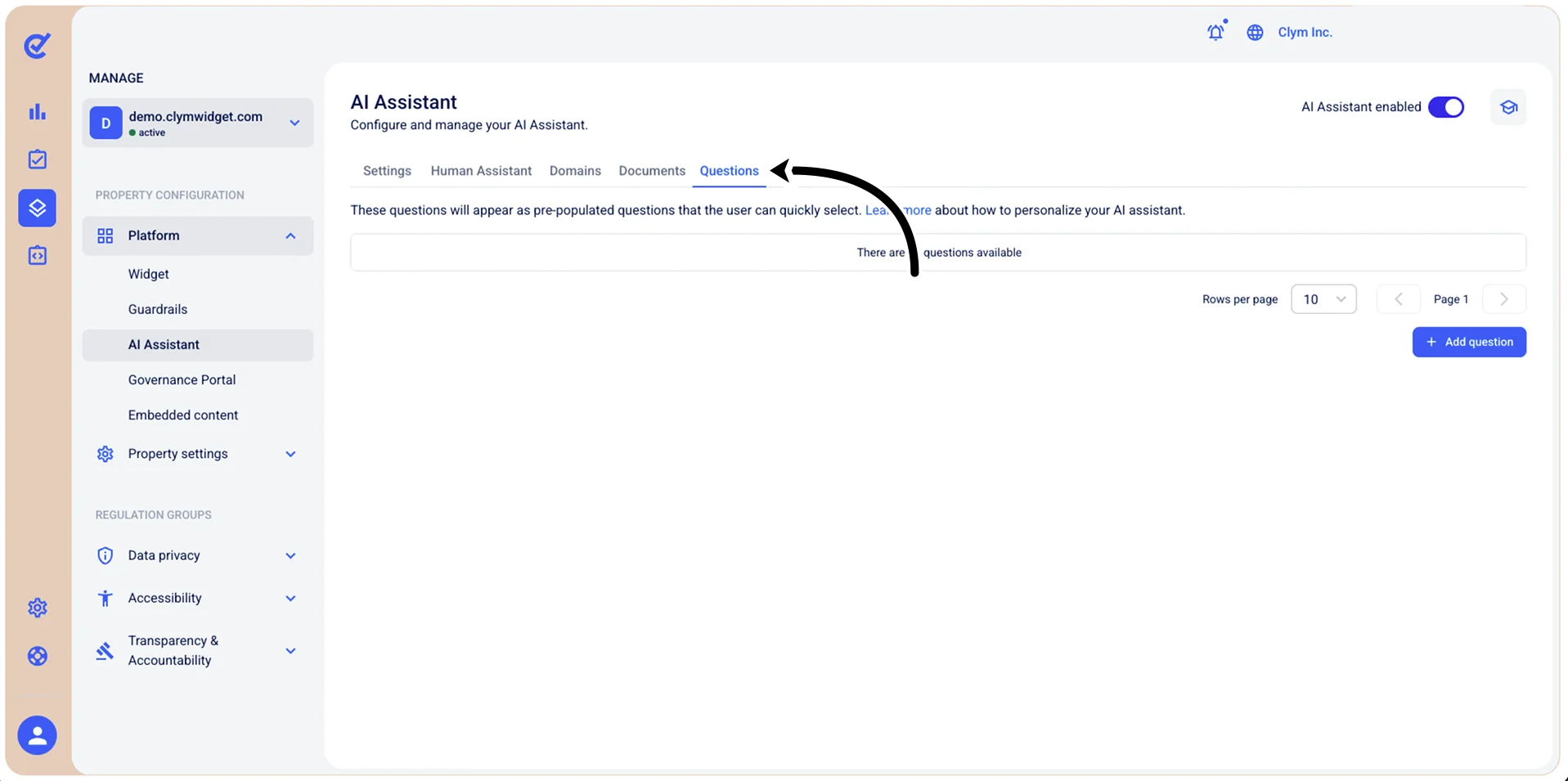
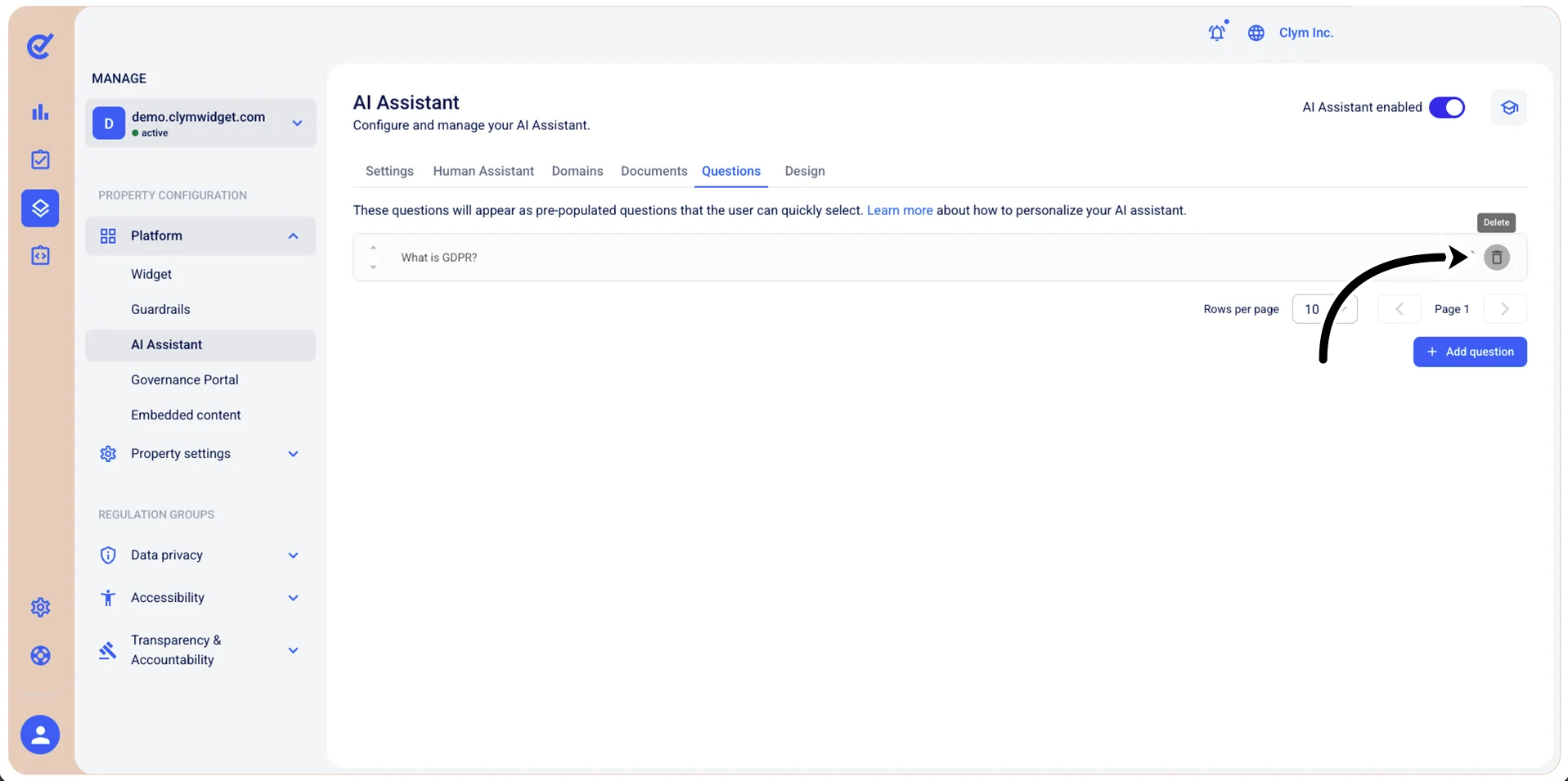
- In the Questions tab, select
 Delete next to the question that you want to remove.
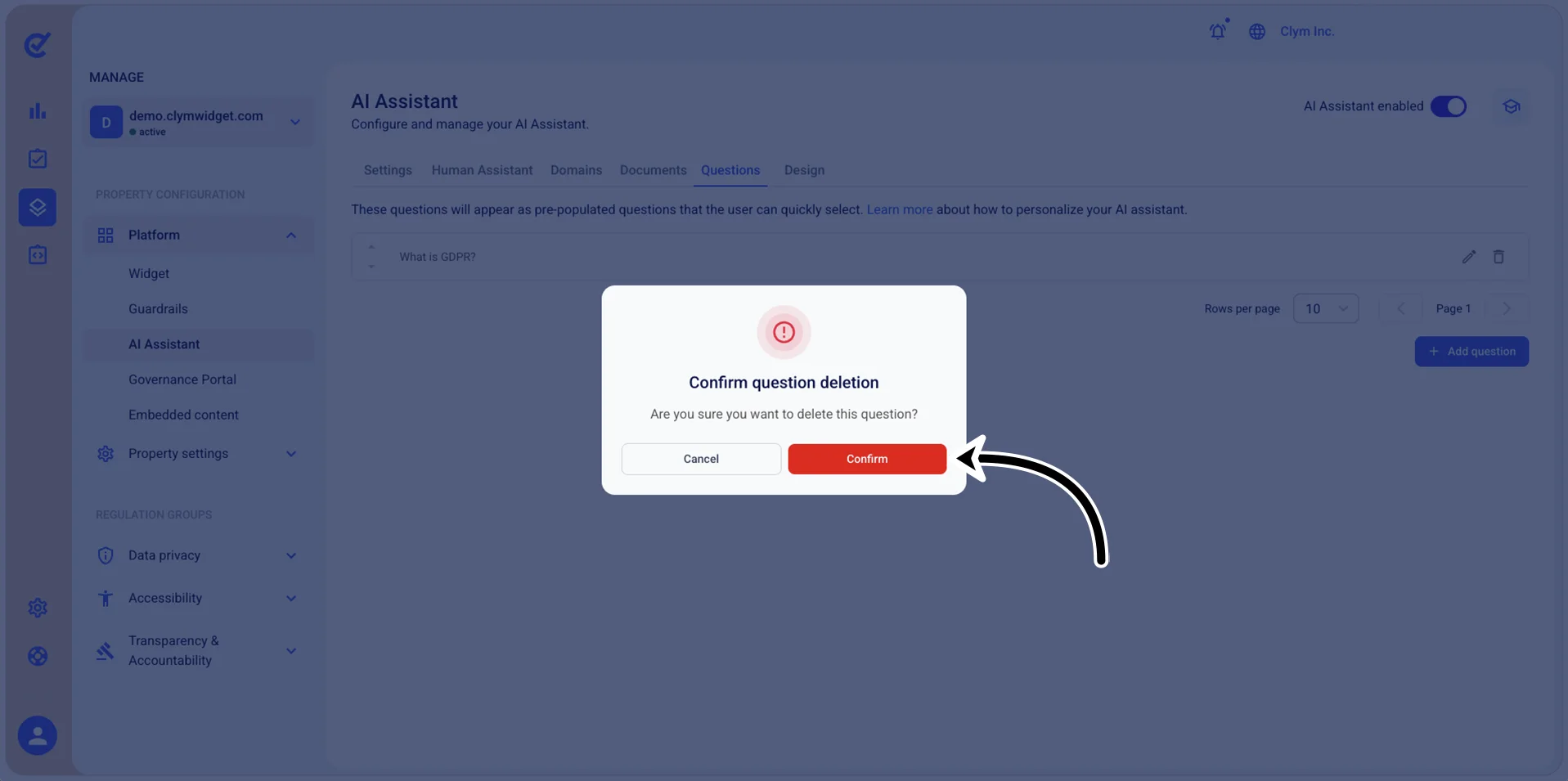
- In the confirmation message, select Confirm.