
Add a question displayed by your AI Assistant
To add a question displayed by your AI Assistant:
- Go to
 Manage>Platform>AI Assistant.
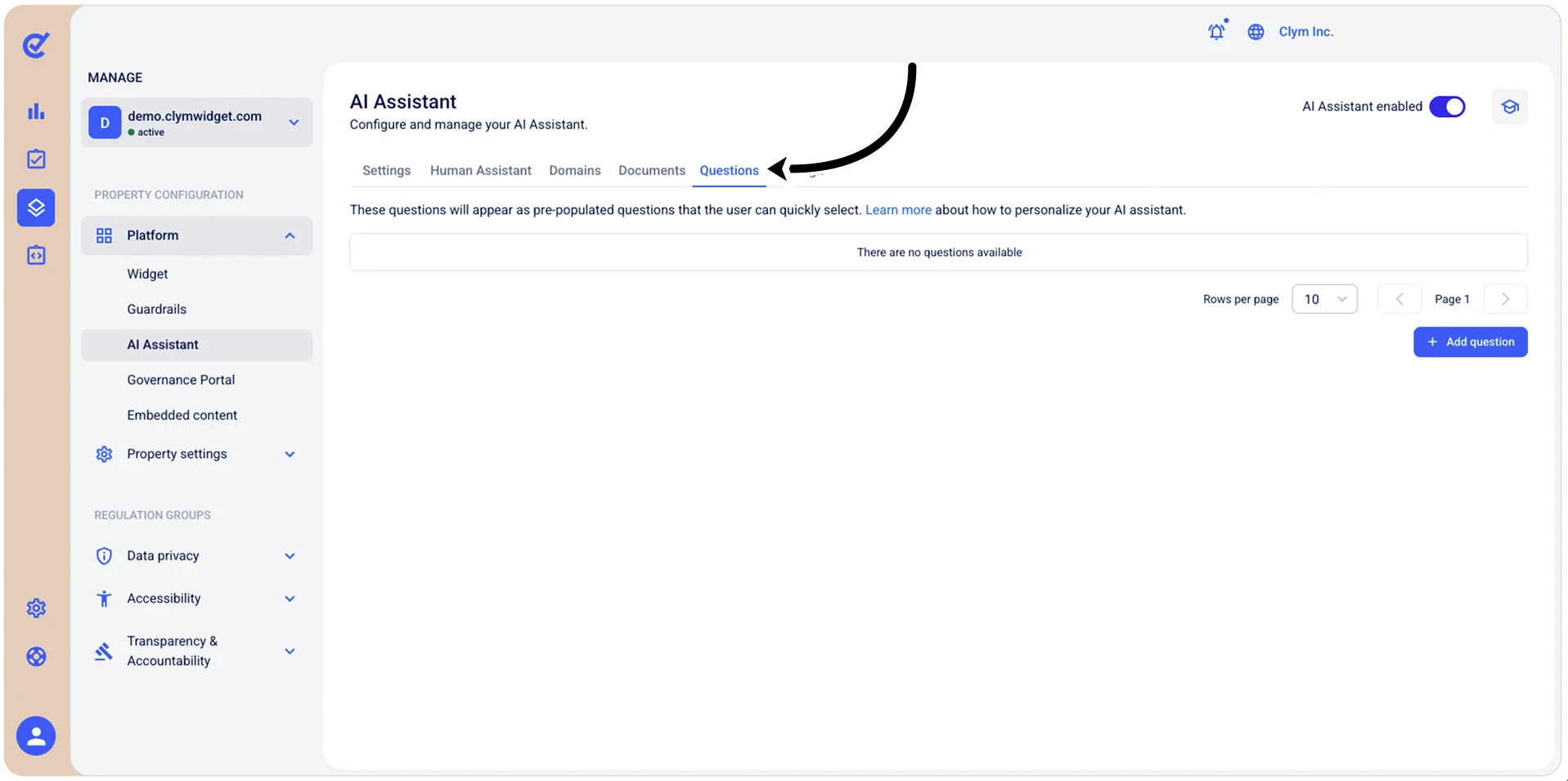
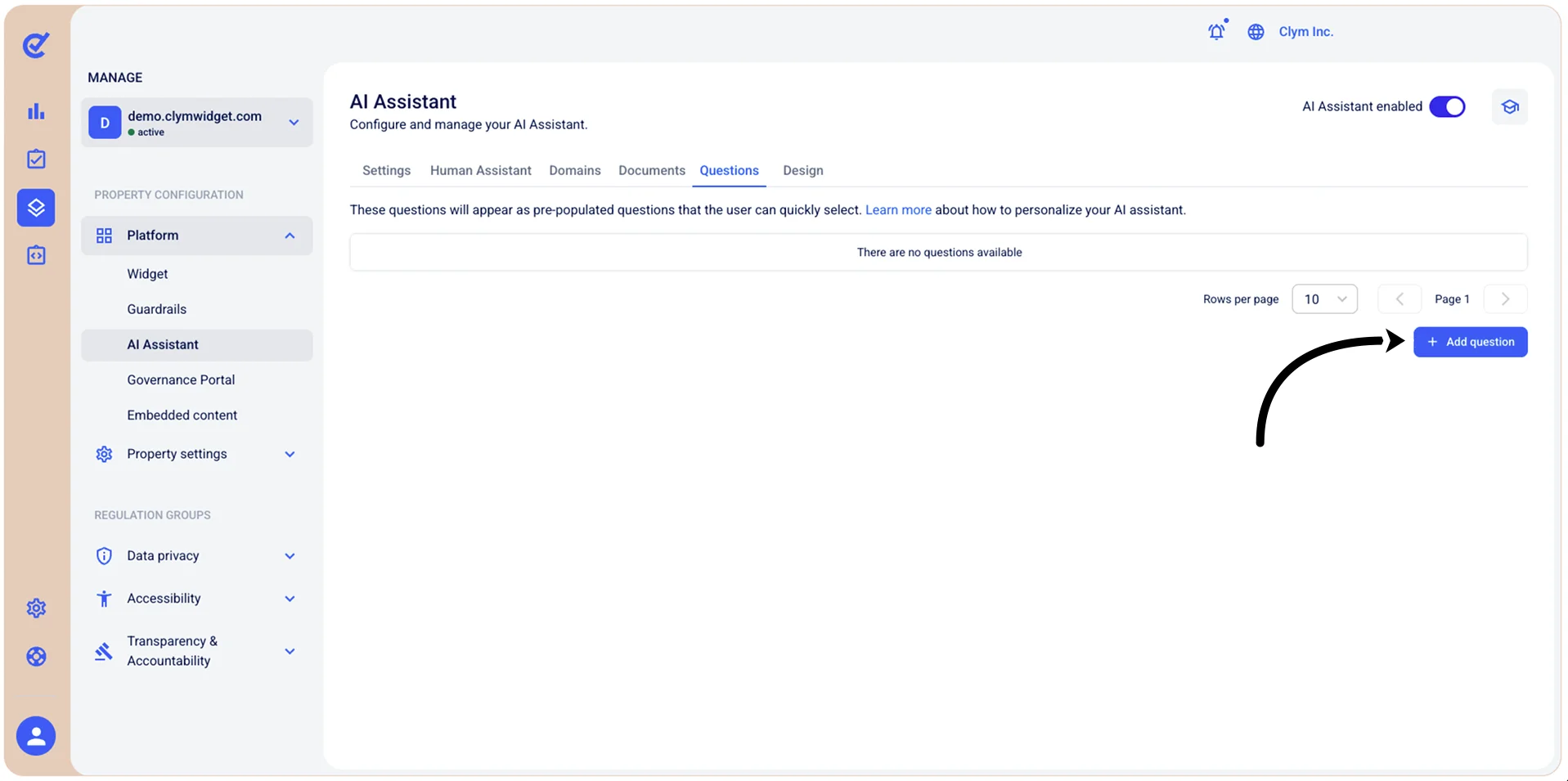
- In the Questions tab, select +Add question.
- In the +Add a new question section, in the Question field, enter the desired content.
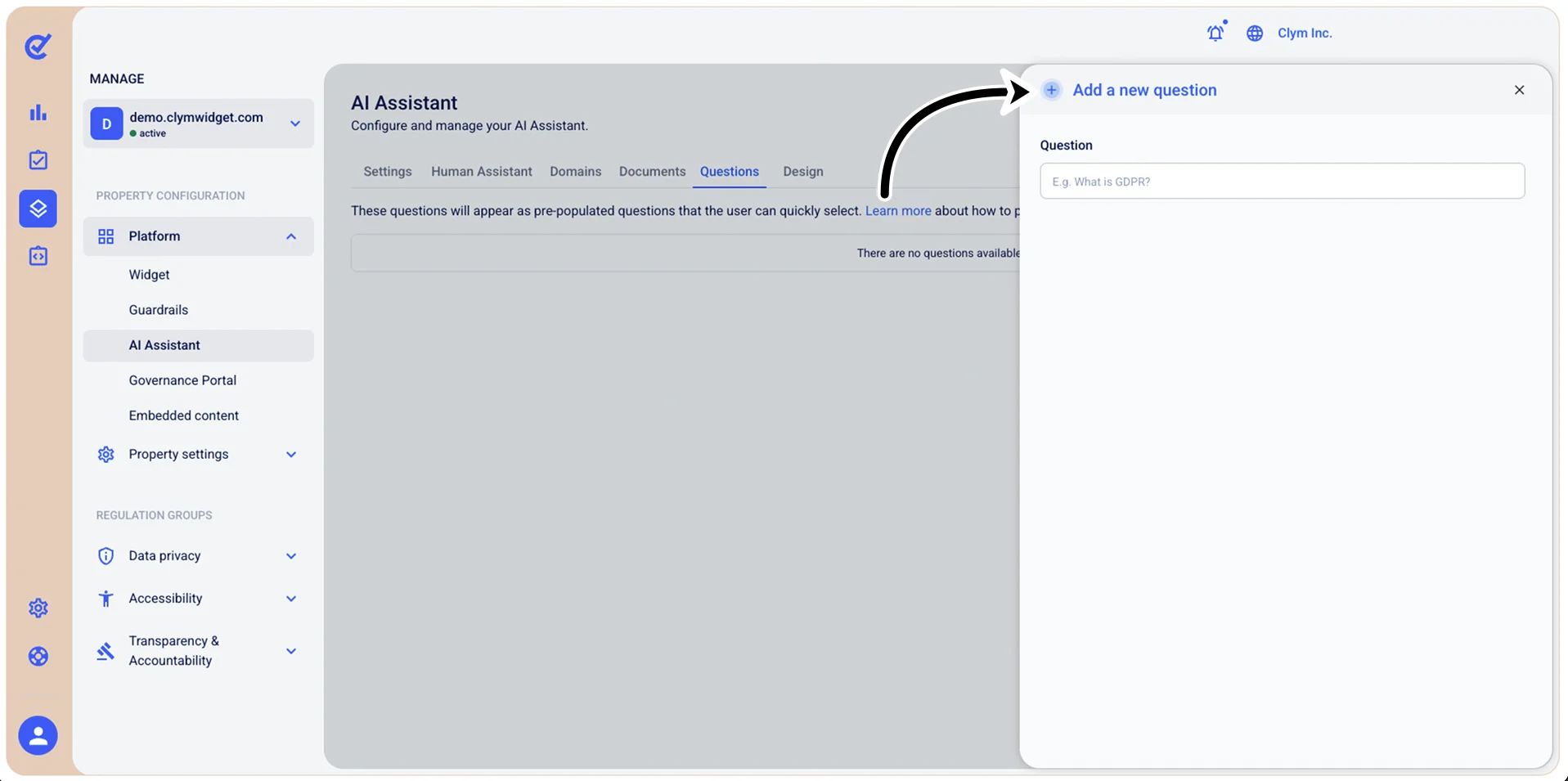
- When finished, select Add. Your newly-added question is displayed in the Questions list.