
View a Transparency & Accountability legal document
In the Control Center, you can make a quick visual check of a legal document to make sure it delivers on the needs of your organization.
To view a legal document template:
- Go to
 Manage>Transparency & Accountability>Legal documents.
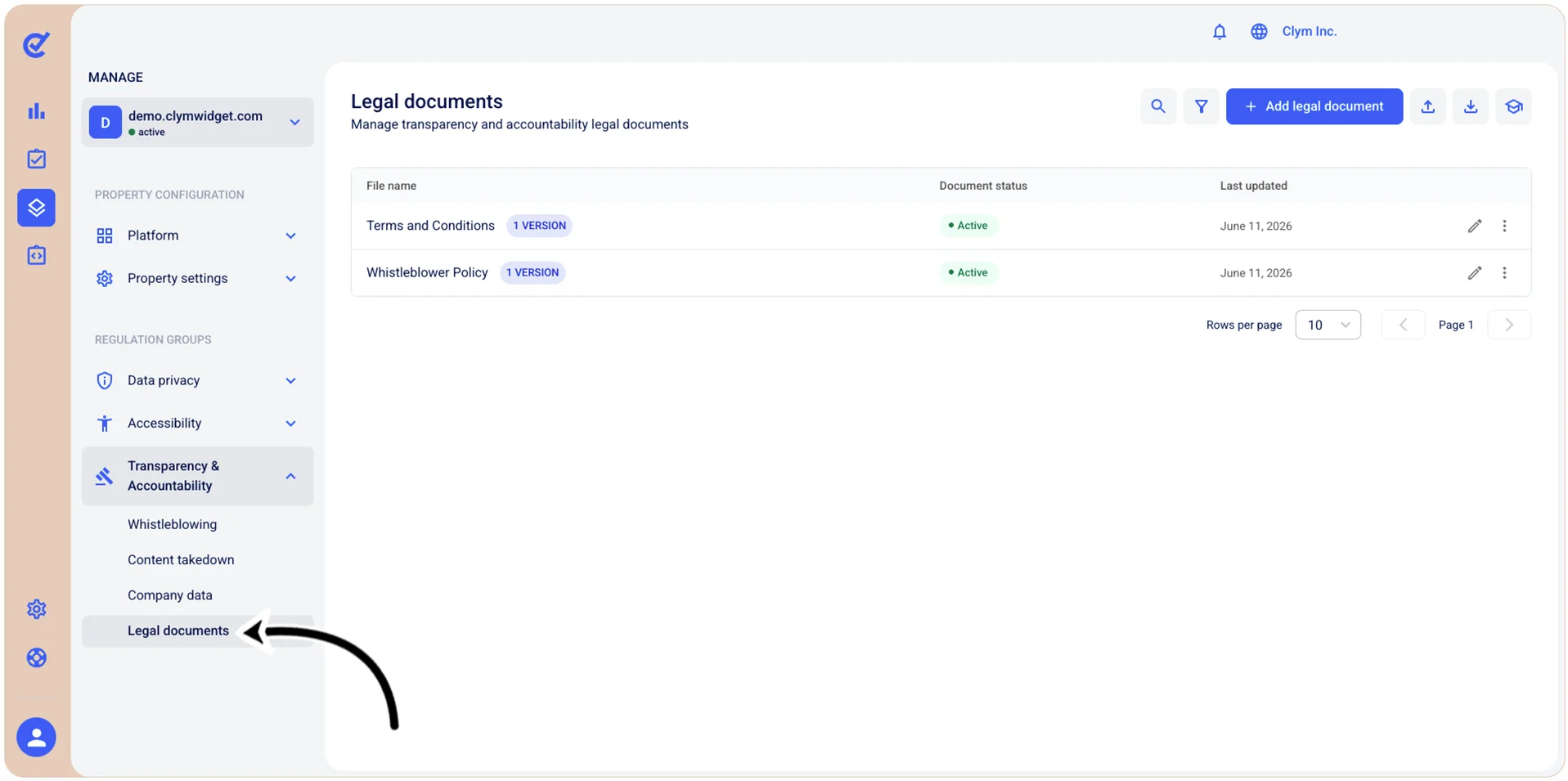
- In the Legal documents section, select ⋮ Settings next to the desired document and then select View versions. Then, select ⋮ Settings next to the desired document and, on the shortcut menu, select Edit to view the existing document information.