
Deactivate/Reactivate a Transparency & Accountability legal document
Depending on your organization’s needs, you can deactivate or reactivate a legal document. The legal documents that you can deactivate must be labeled with the Active label. The legal documents that you can reactivate must be labeled with the Inactive label.
Note: Deactivating a legal document does not remove it, but only makes it unavailable until you reactivate it. For information on how to delete a document, see Delete a Transparency & Accountability legal document.
To deactivate a legal document:
- Go to
 Manage>Transparency & Accountability>Legal documents.
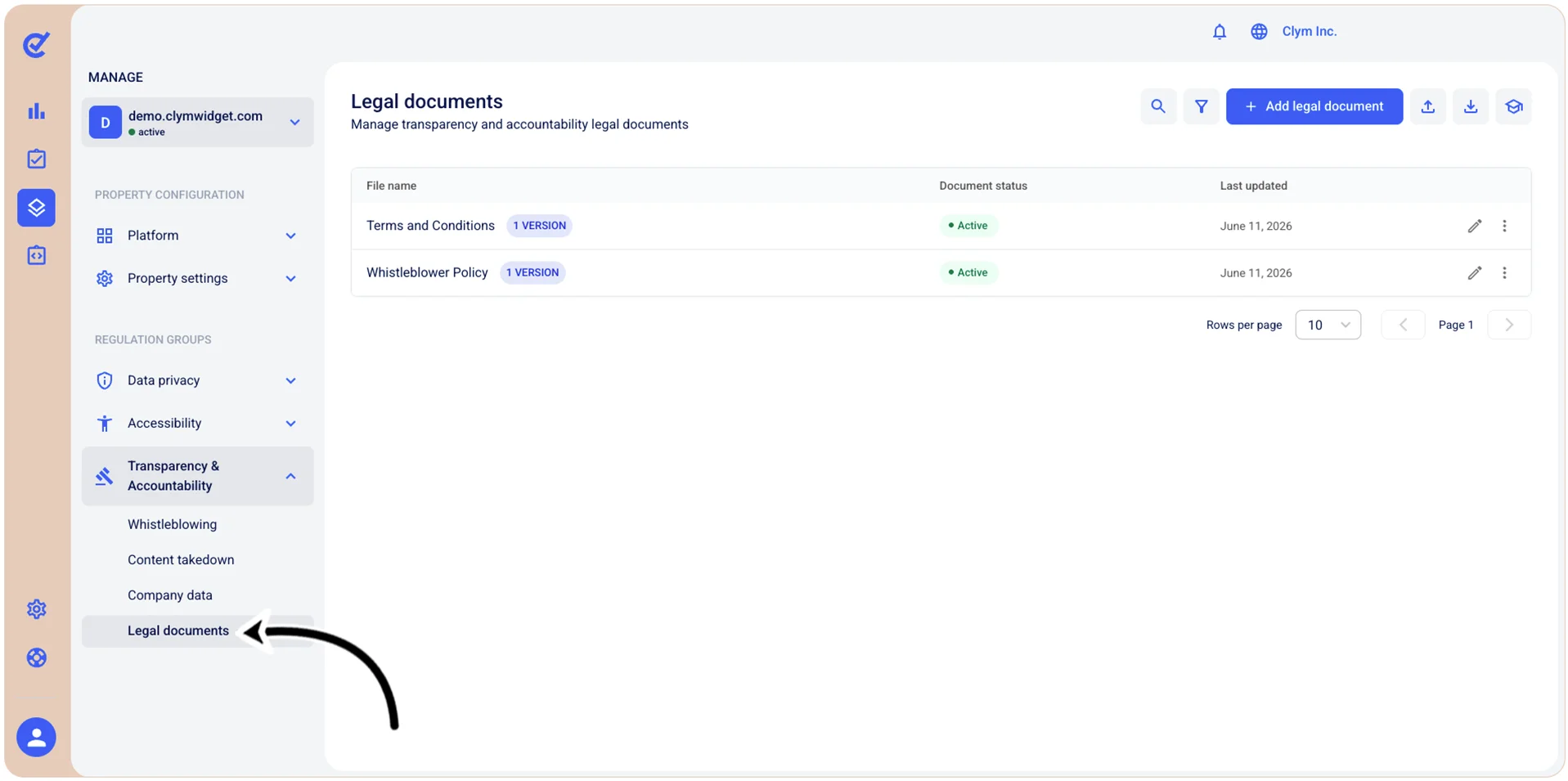
- In the Legal documents section:
- The documents you can deactivate are marked with the Active label. To deactivate a legal document, select ⋮ Settings and then View versions next to the desired legal document. Next, select ⋮ Settings again and then select Unpublish document. In the confirmation message, confirm your selection. - The deactivated documents you can reactivate are marked with the Unpublished label. To reactivate a legal document, select ⋮ Settings and then View versions next to the desired legal document. Next, select ⋮ Settings again and then select Publish document. In the confirmation message, confirm your selection.