Publish/Unpublish a Transparency & Accountability legal document
The legal documents available in the Control Center can be either published, which means they are available for use, or unpublished, which means the document is no longer being used.
To publish or unpublish a document:
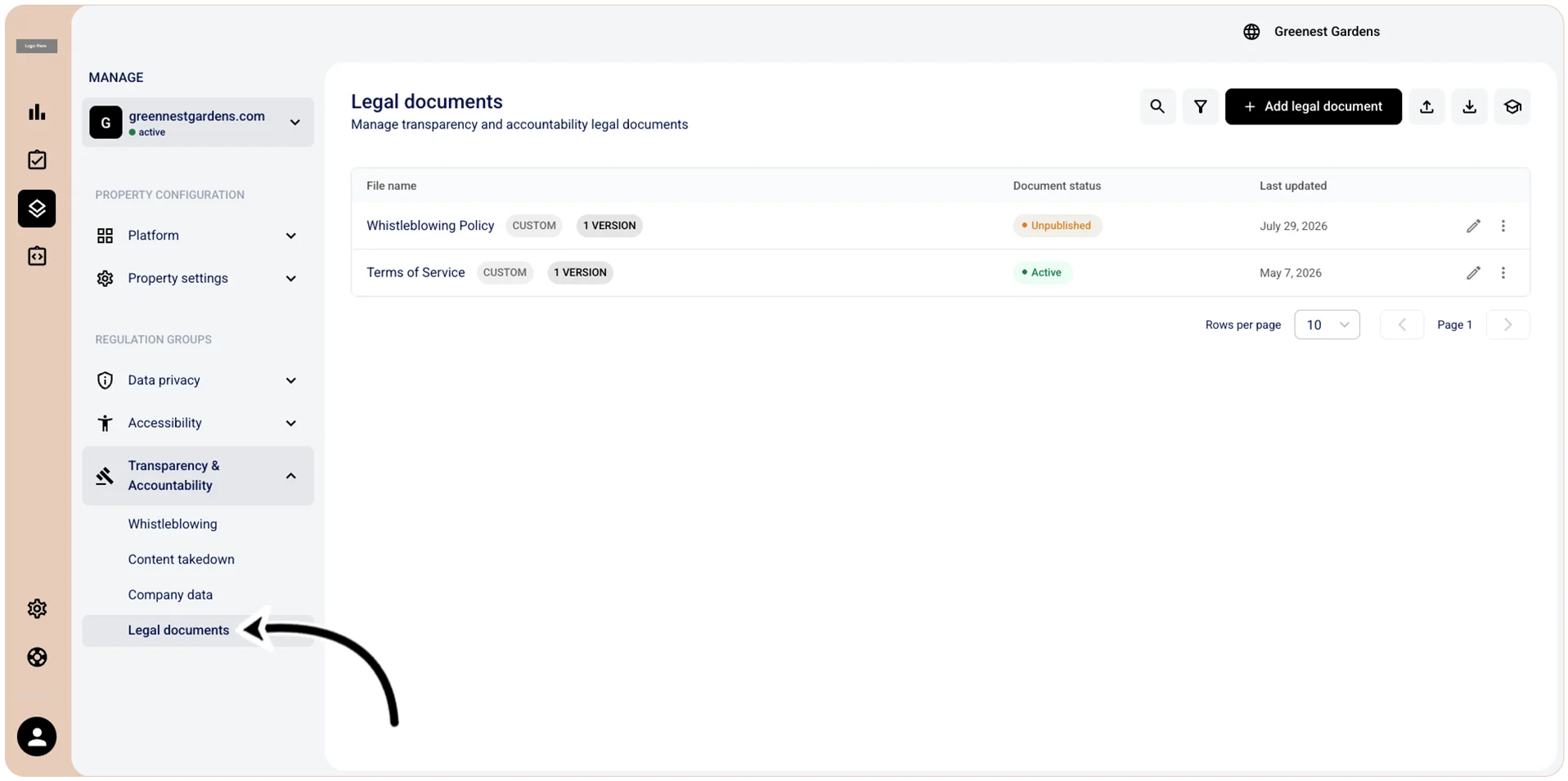
- Go to
 Manage>Transparency & Accountability>Legal documents.
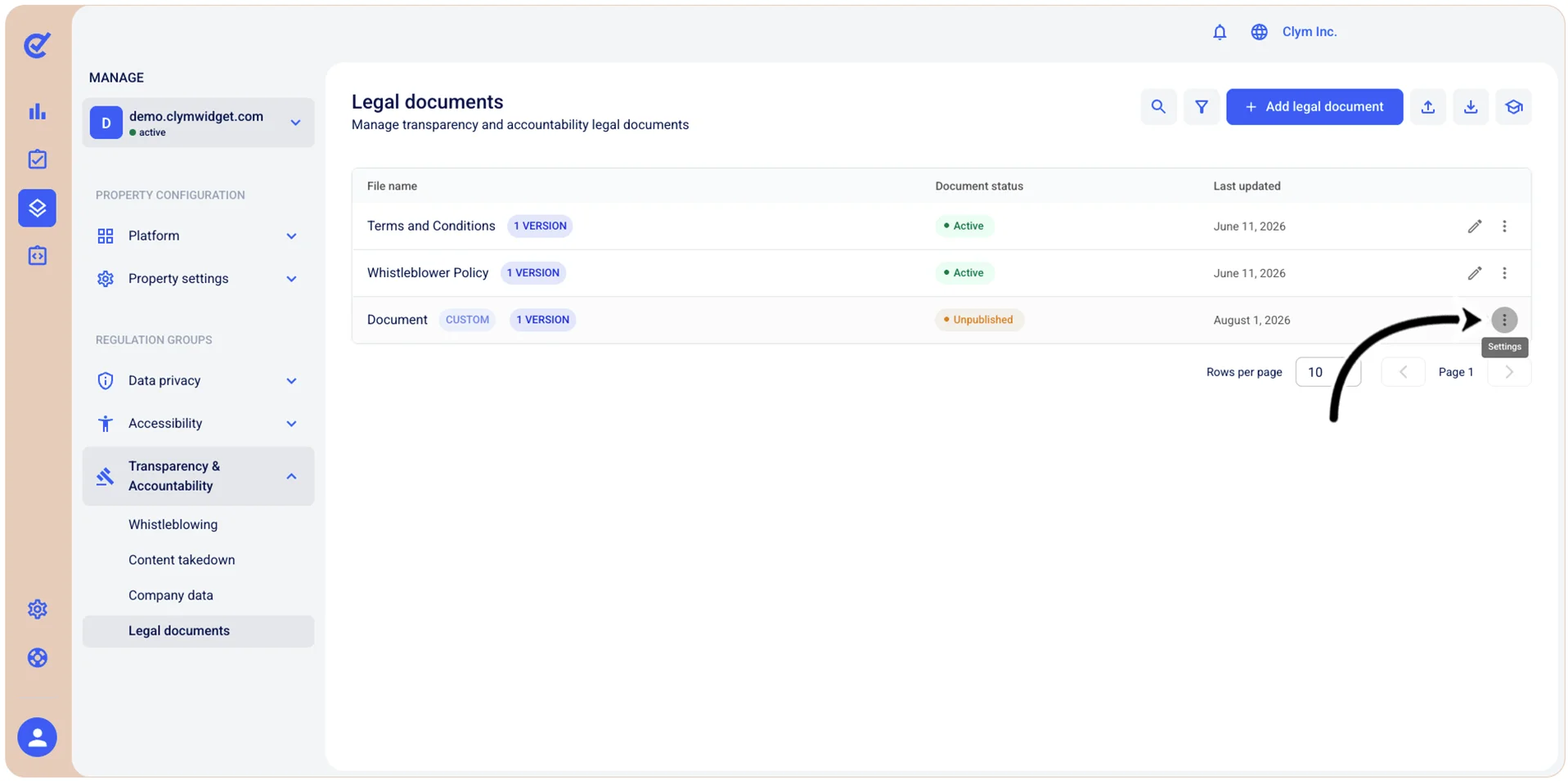
- In the Legal documents section, select ⋮ Settings and then View versions next to the desired legal document.
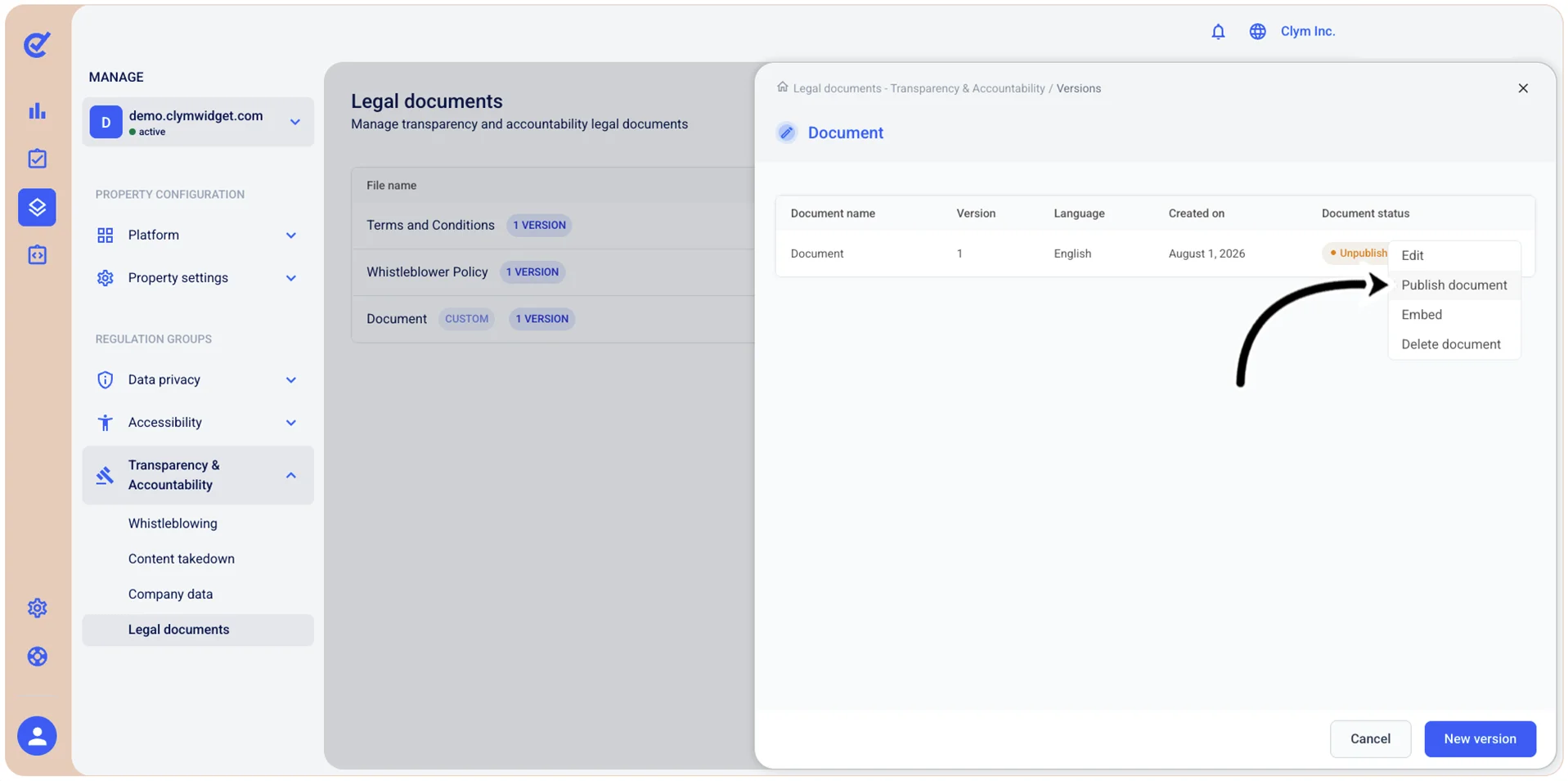
- In the <Legal document name> screen, select ⋮ Settings and point to Publish document (if the document is unpublished) or Unpublish (if the document is published).
- In the confirmation message, confirm your selection.