Create another version of a Transparency & Accountability legal document
Per various regulatory requirements, it is important to regularly update and date your documents; therefore, in the Control Center, you can create a new version of an existing document, to keep your library up to date with the latest legislative changes. Moreover, you can allow your website visitors to access previous versions of your legal documents, such as your Privacy Policy or Terms of Service, providing full visibility into your document archive.
To add another version of a document:
- Go to
 Manage>Transparency & Accountability>Legal documents.
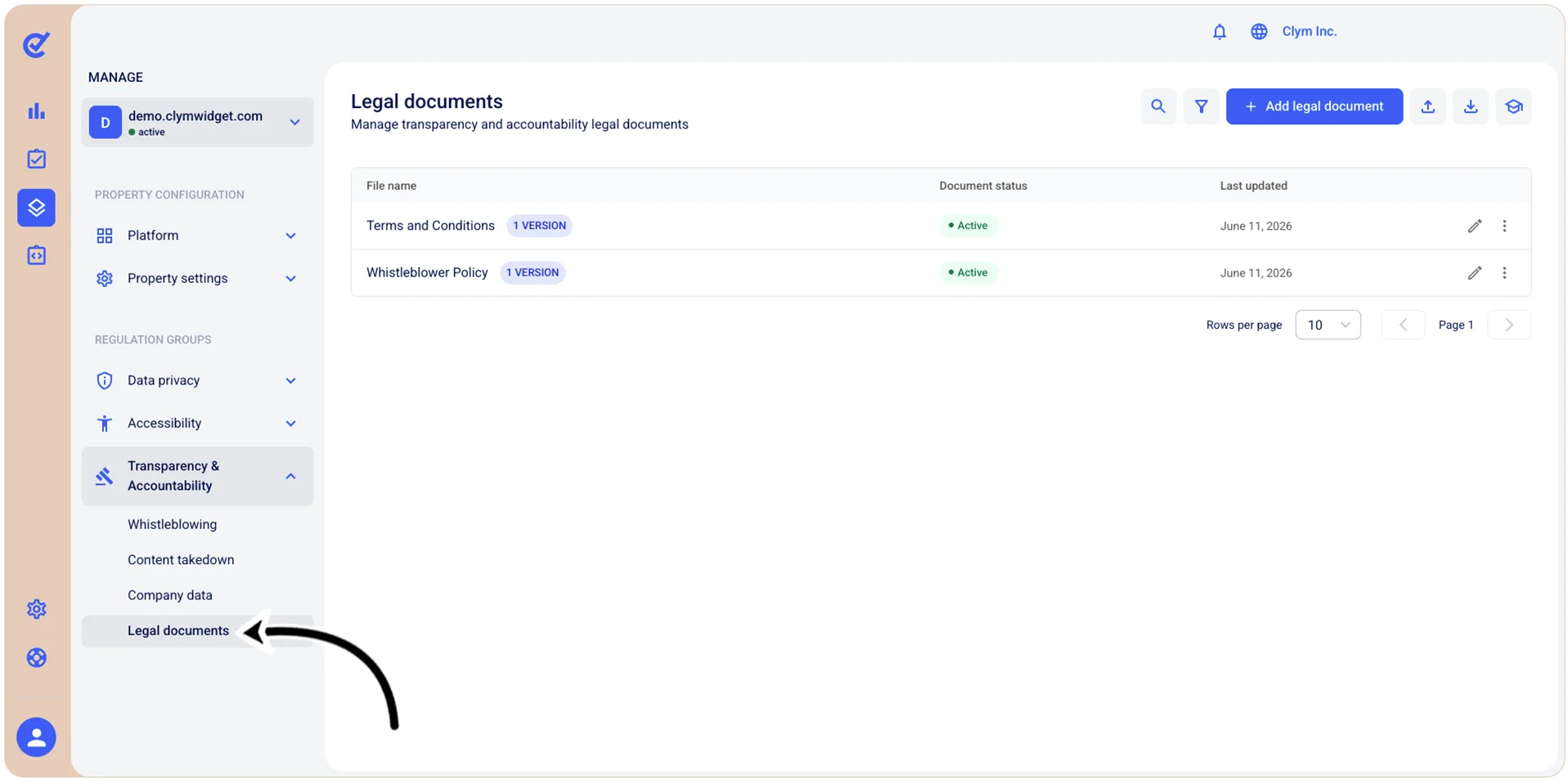
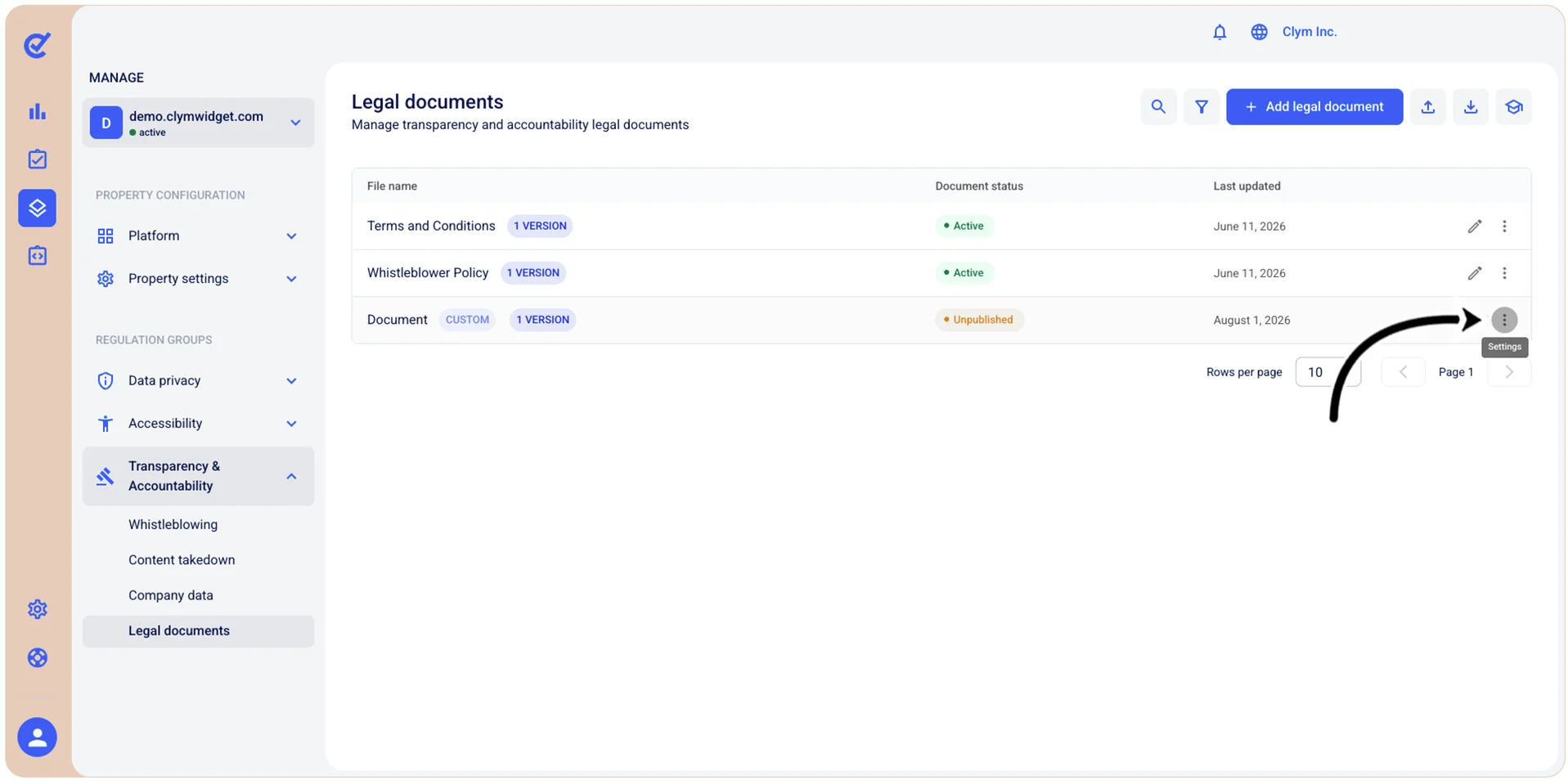
- In the Legal documents section, select ⋮ Settings and then select View versions next to the desired legal document.
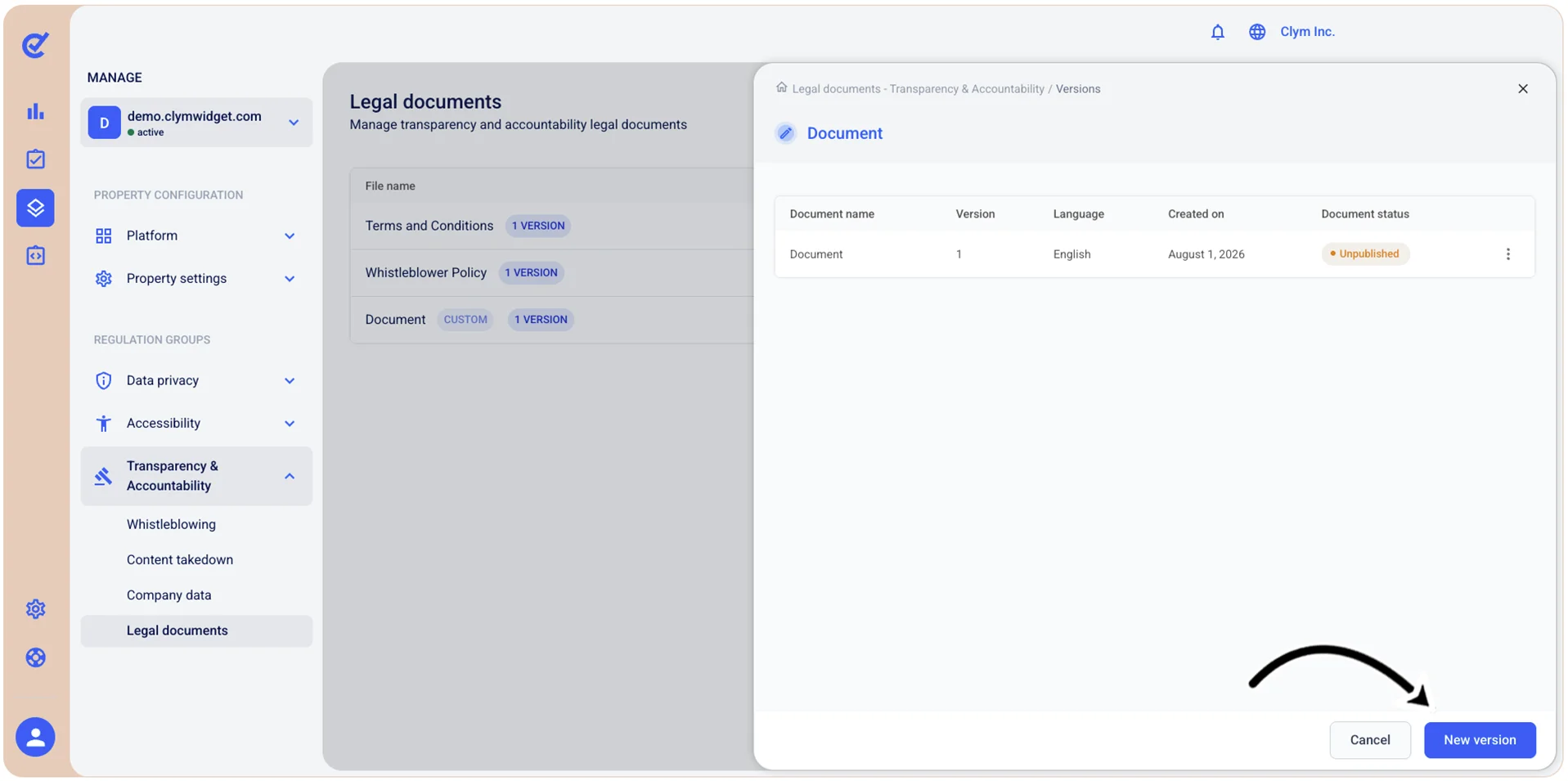
- In the <Legal document name> screen, select New version.
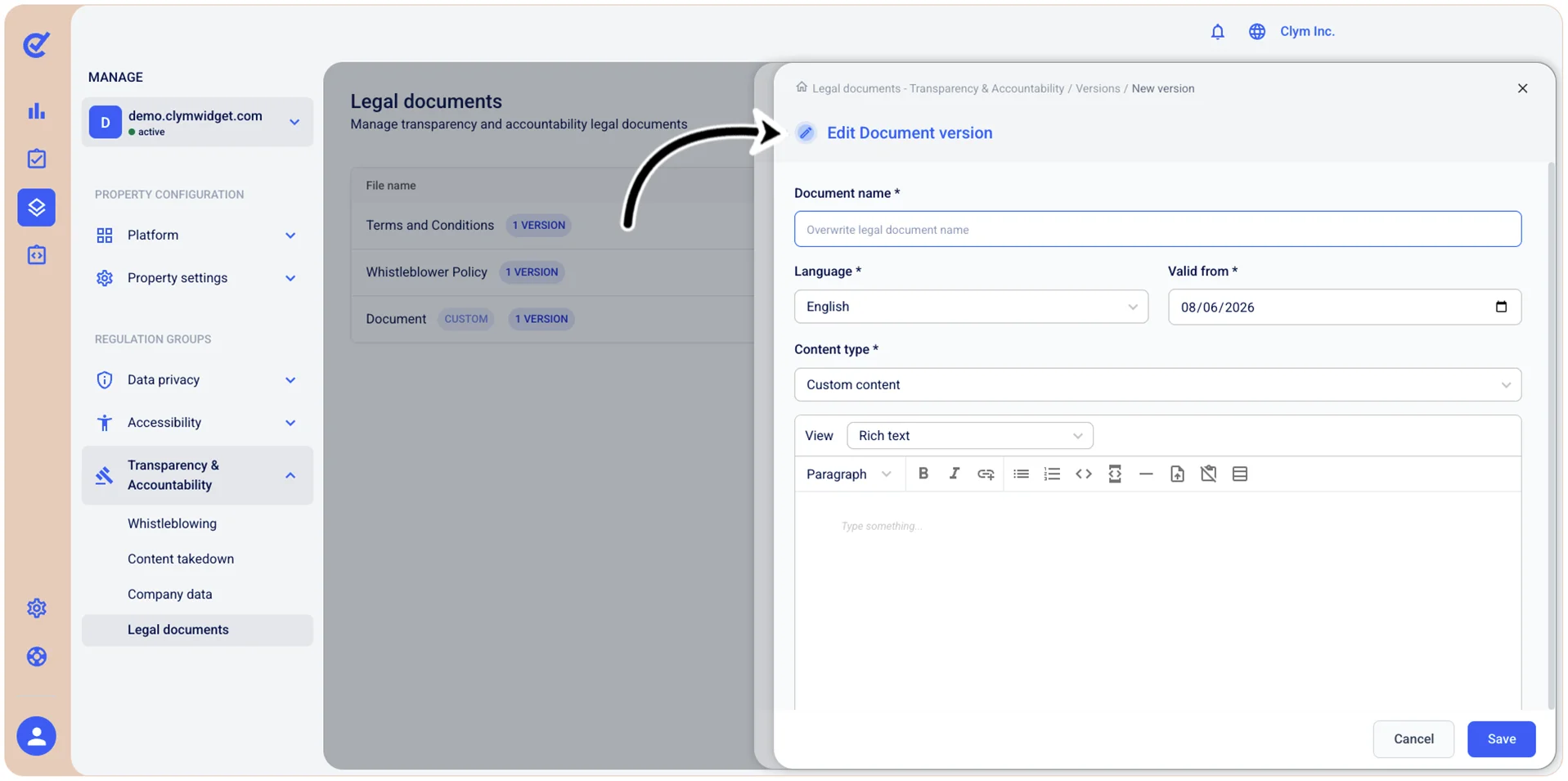
- In the Edit <Document name> document version screen, configure the parameters of the new version.