
Add a domain to train your AI Assistant
To add a new domain to train your AI Assistant:
- Go to
 Manage>Platform>AI Assistant.
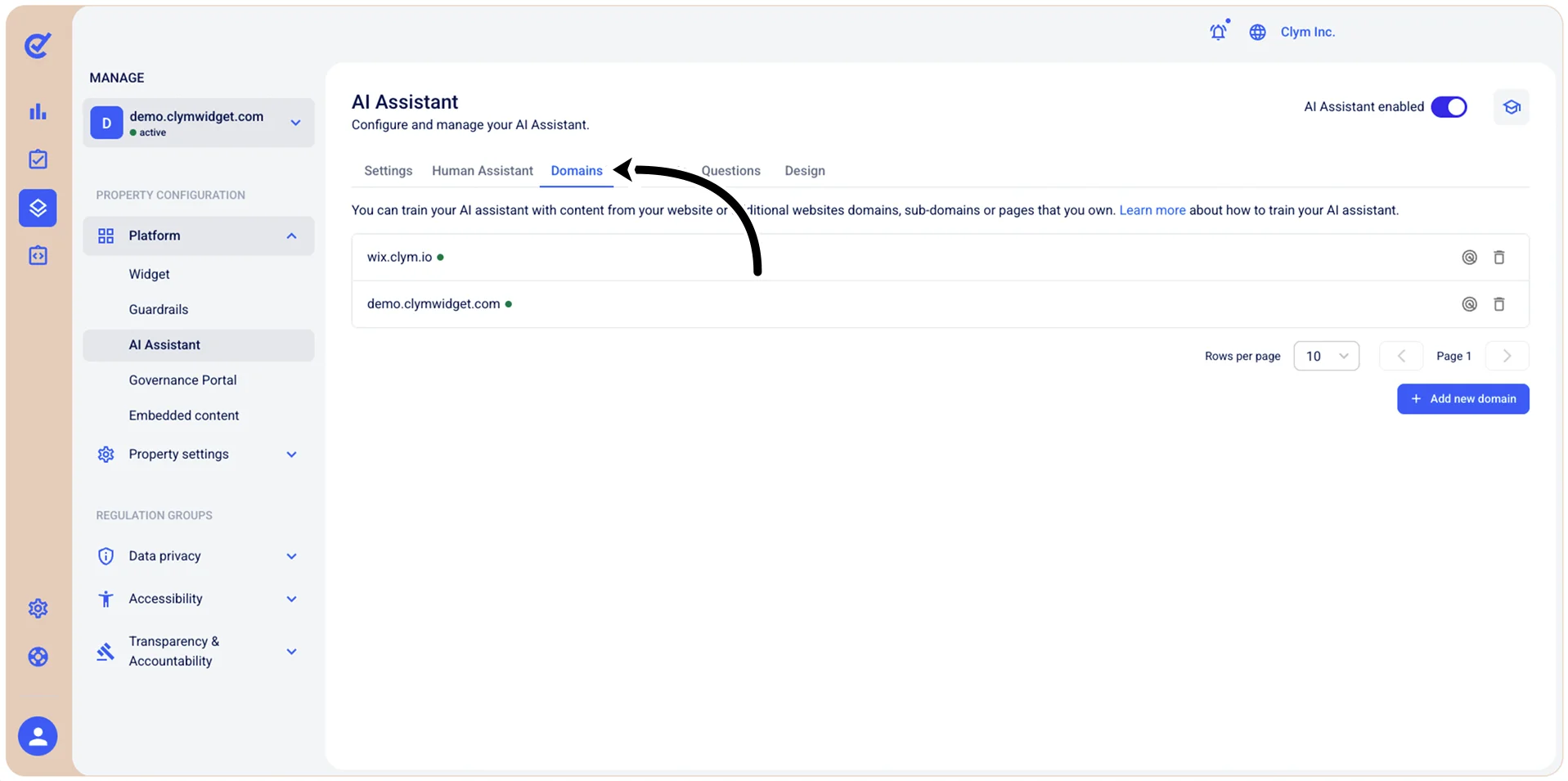
- In the Domains tab, select +Add new domain.
- In the Add a new domain section, enter the new domain in valid format and then select Add.
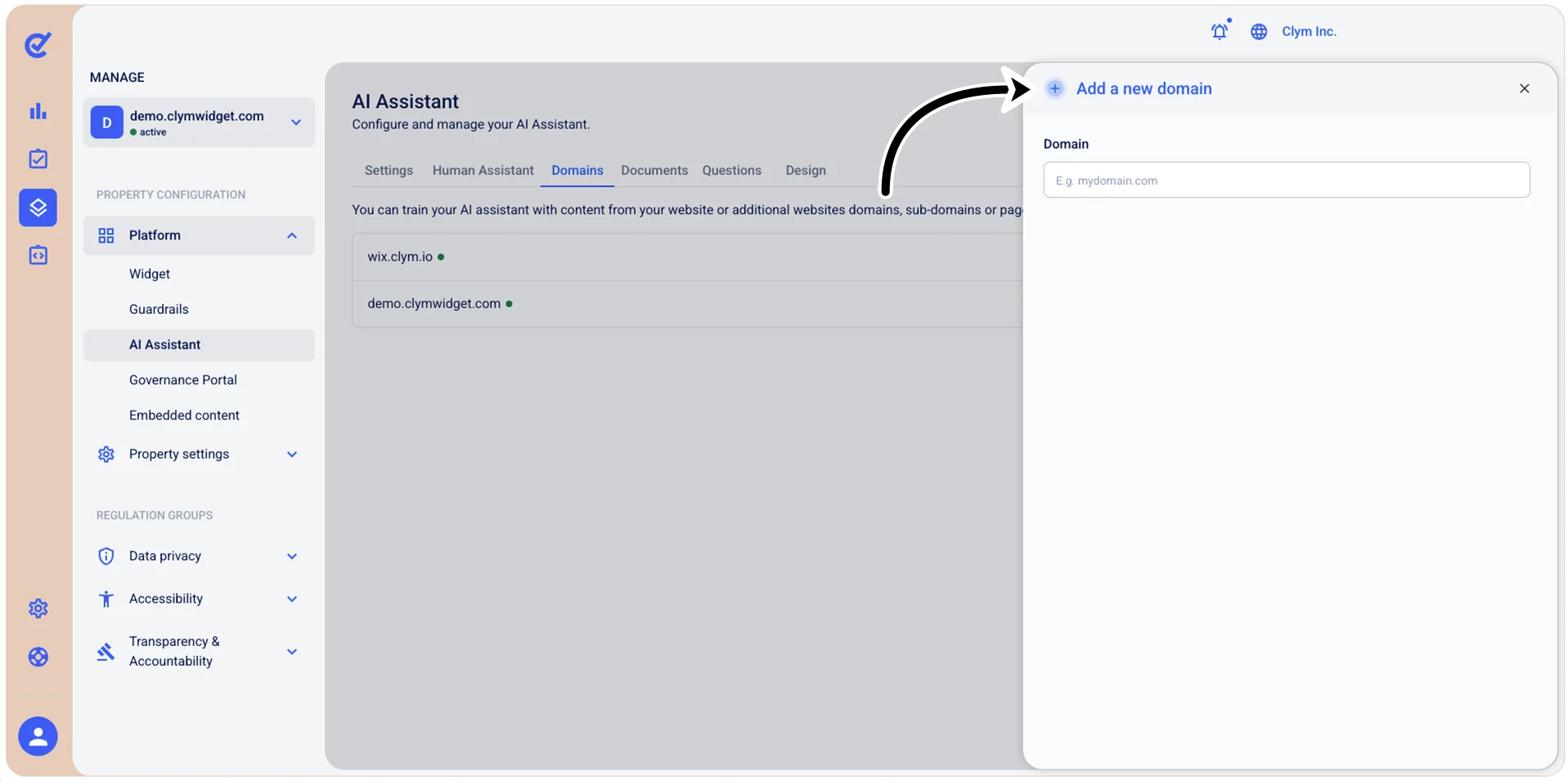
- If valid, your newly added domain is available in the Domains tab, marked with a tiny green dot.