
Configure the Governance Portal's Transparency and Accountability settings
In the Transparency and Accountability section, you can configure the transparency and accountability settings of the Governance Portal. Depending on the selections you make at this stage, the UI and the features available to you may vary.
Important! When configuring this section, make sure that you select Save on the tab you just configured before moving on to another tab.
To configure the Transparency and Accountability settings of the Governance Portal:
- Go to
 Manage>Platform>Governance Portal.
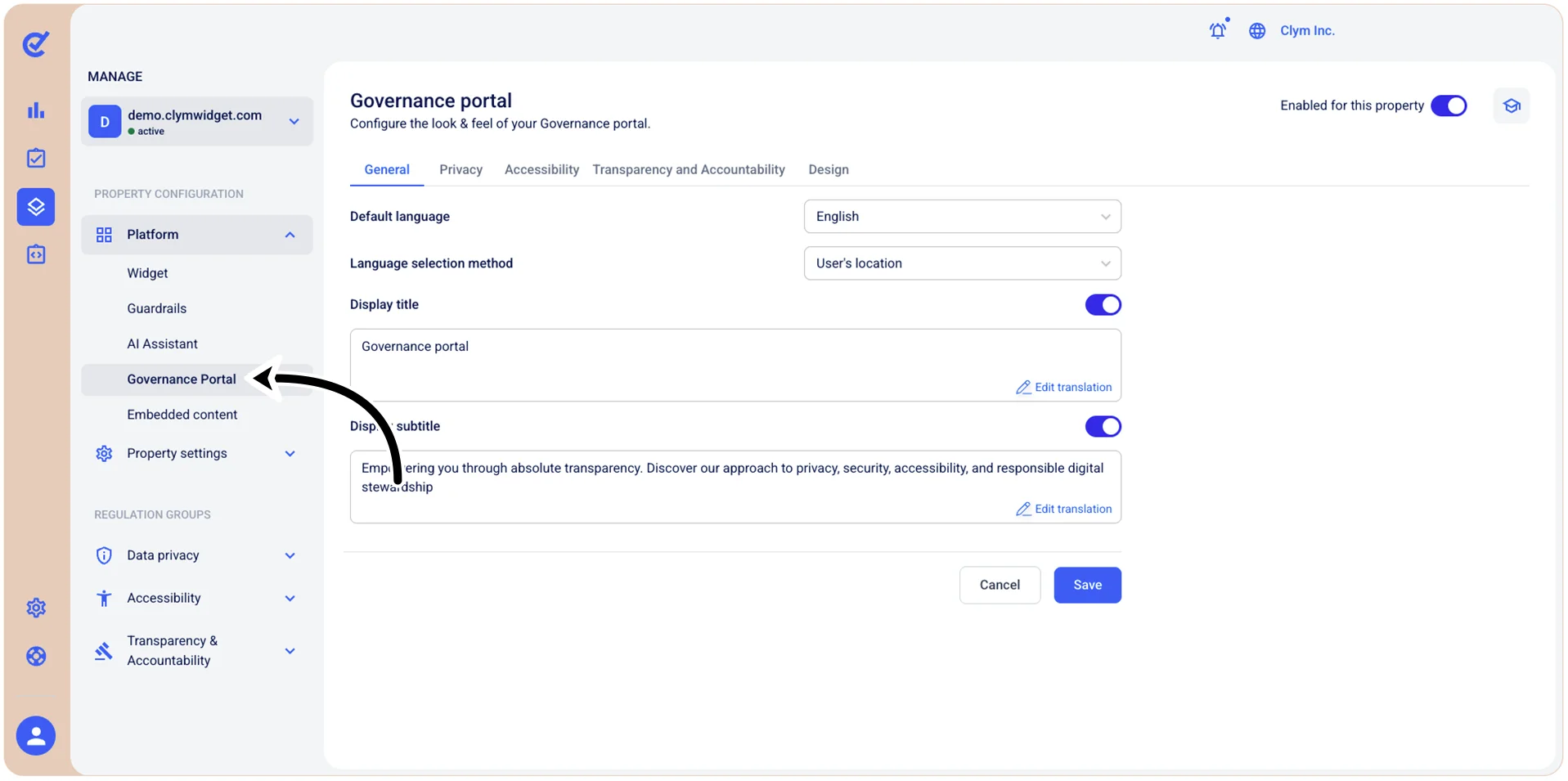
- In the Governance Portal section, go to the Transparency and Accountability tab and configure the parameters, as follows:
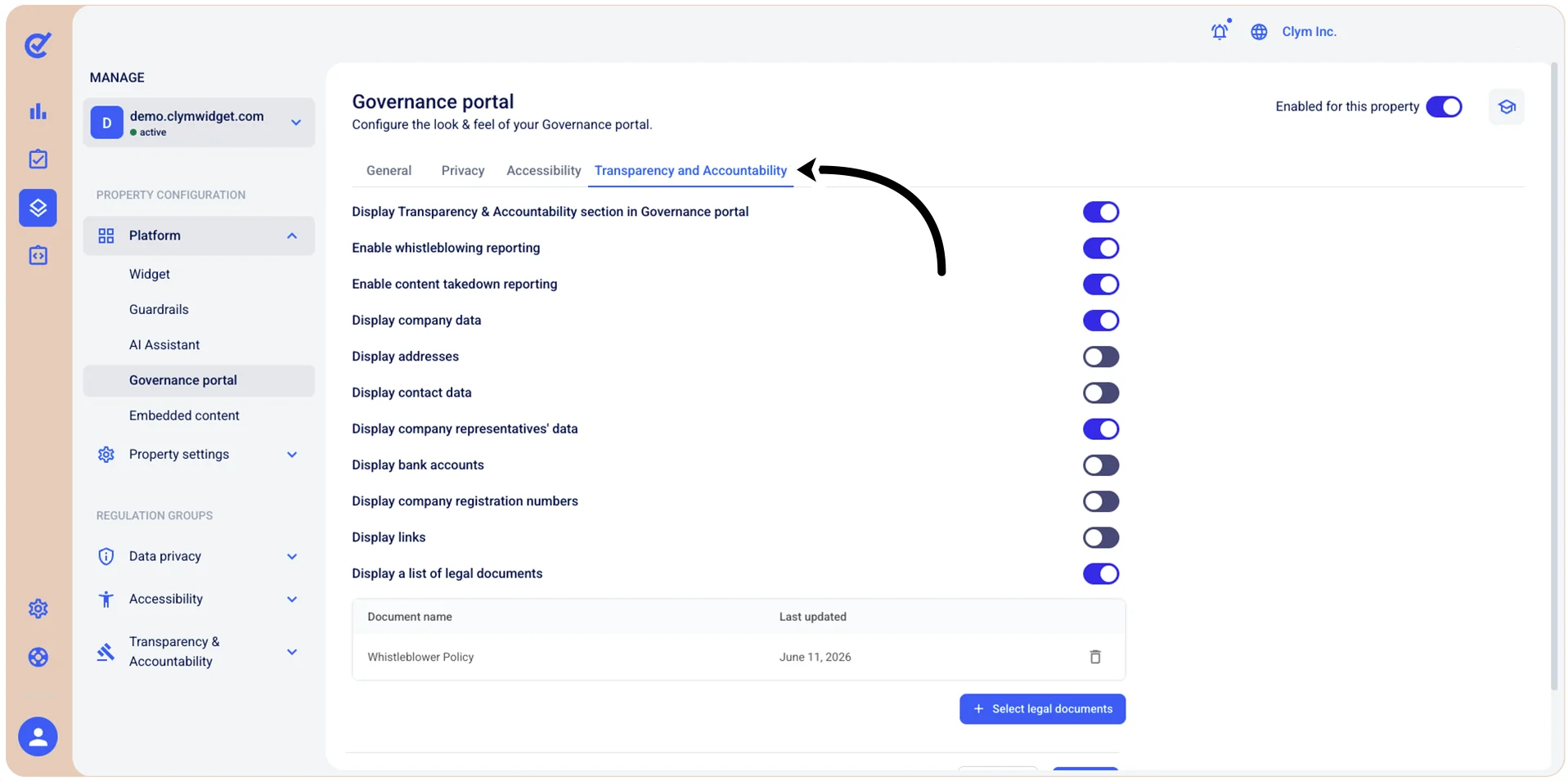
- Display Transparency & Accountability section in Governance Portal: Toggle to display the Transparency & Accountability section within the Governance Portal.
- Enable whistleblowing reporting: Toggle on to activate the whistleblowing reporting feature on the Governance Portal.
- Enable content takedown reporting: Toggle on to activate the content takedown reporting feature reporting feature on the Governance Portal.
- Display company data: Toggle on to display general company information in the Governance Portal, so that users can view your company name, sector, and other organizational information.
- Display addresses: Toggle on to display your organization's registered addresses, office locations, or contact addresses.
- Display contact data: Toggle on to display your contact information in the Governance Portal, such as email addresses, phone numbers, or other communication channels.
- Display company representatives' data: Toggle on to display information about company representatives in the Governance Portal, such as data protection officers, legal representatives, or other designated contacts.
- Display bank accounts: Toggle on to display the bank account information of your organization in the Governance Portal.
- Display company registration numbers: Toggle on to display the company registration numbers in the Governance Portal, such as business registration numbers, VAT numbers, tax IDs and so on.
- Display links: Toggle on to display relevant links in the Governance Portal, such as related resources, websites, or references.
- Display a list of legal documents: Toggle on to display legal and transparency documents in the Governance Portal, such as transparency reports, accountability statements, or other legal materials. If toggled on, you can add or remove Transparency and Accountability legal documents displayed in the Governance Portal.
- When finished, select Save.