
Edit a content service provider
To modify an embedded content service provider:
- Go to
 Manage>Data privacy>Services.
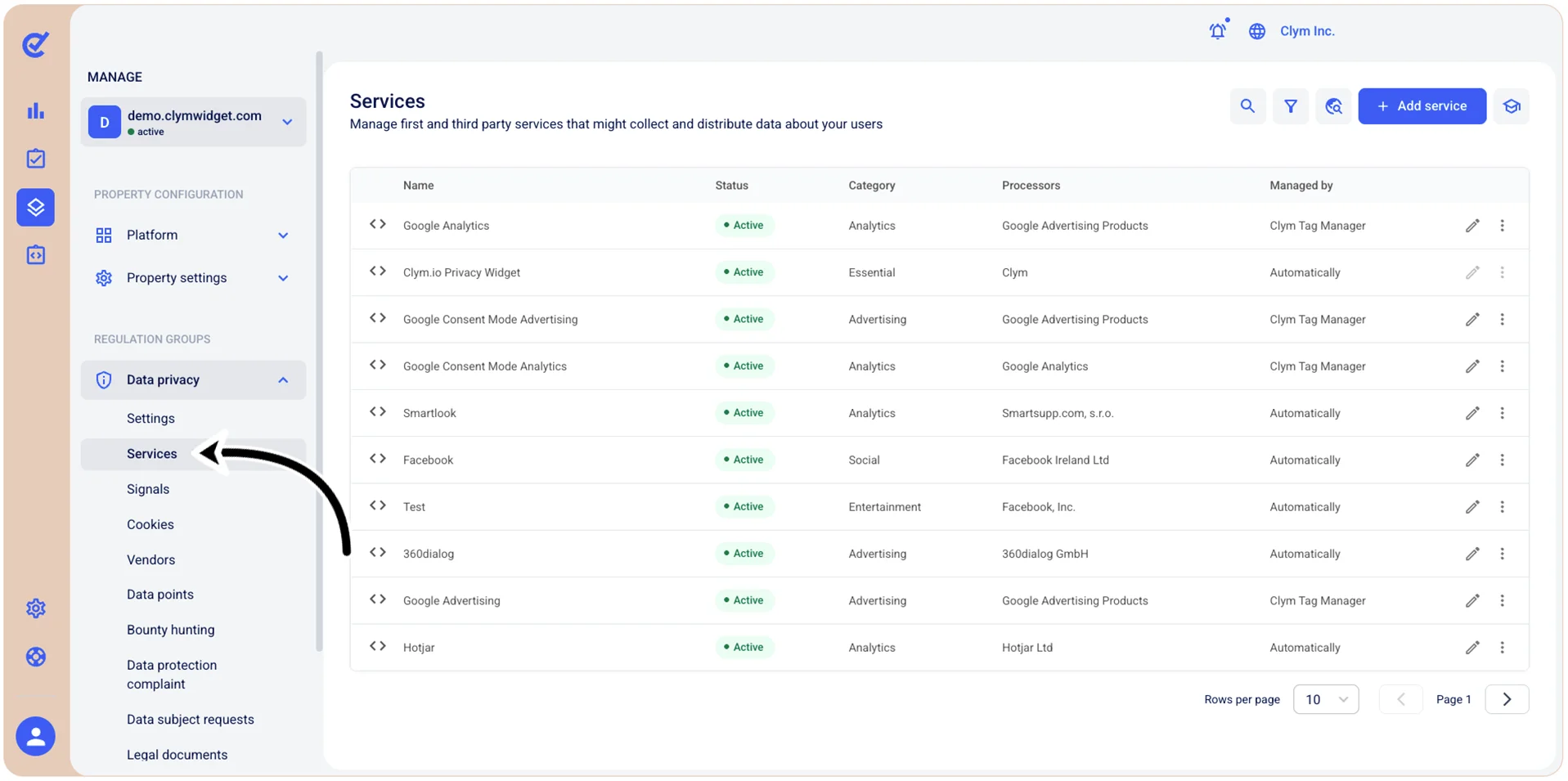
- In the Services section, select
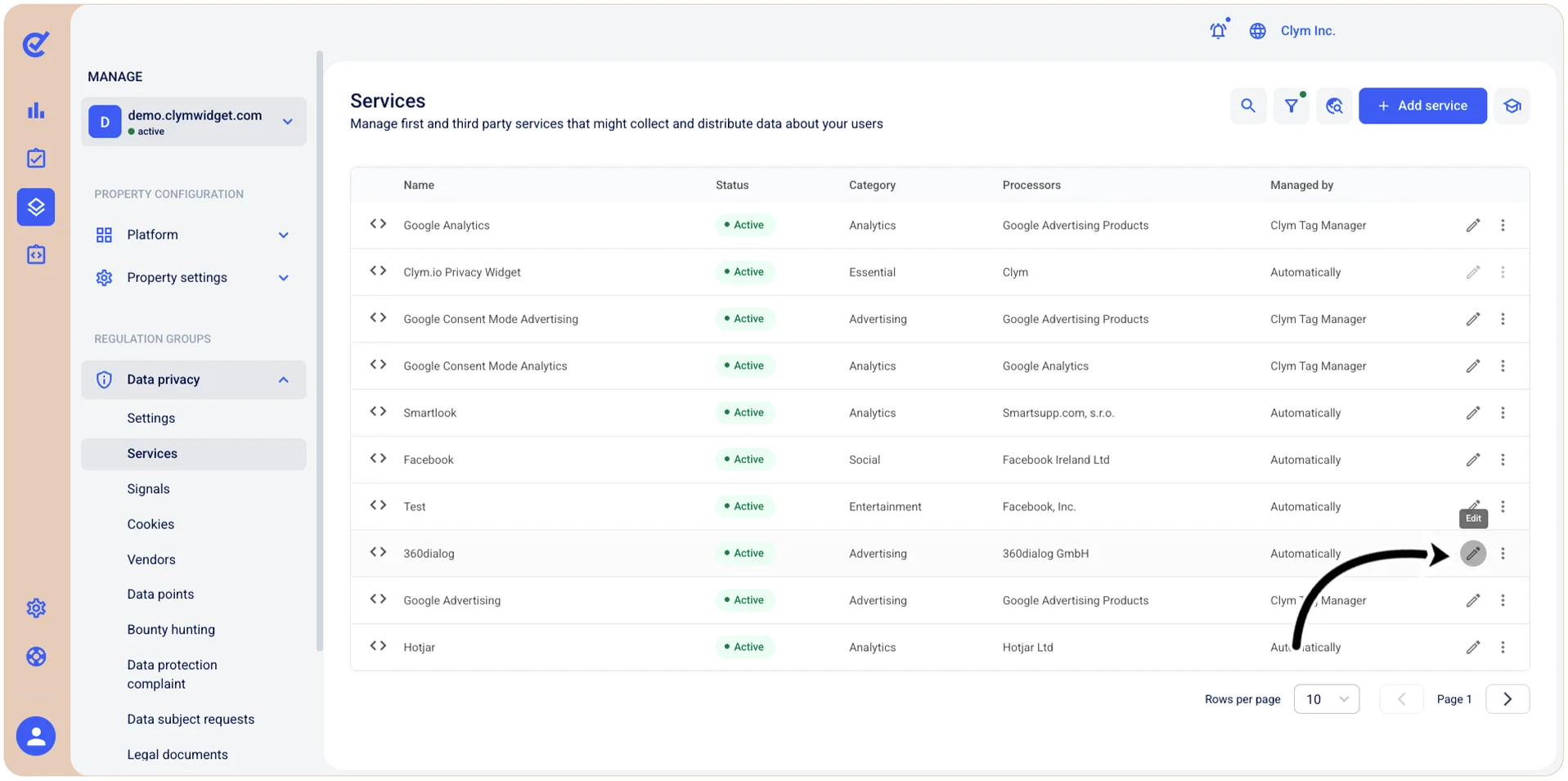
 Edit next to the desired service and proceed to modify its parameters, as desired. The procedure hereafter differs on whether you want to modify an embedded content third-party services provider or a JavaScript tag service provider.
- When finished, select Save.