
Enable a previously disabled service
To reactivate a deactivated service:
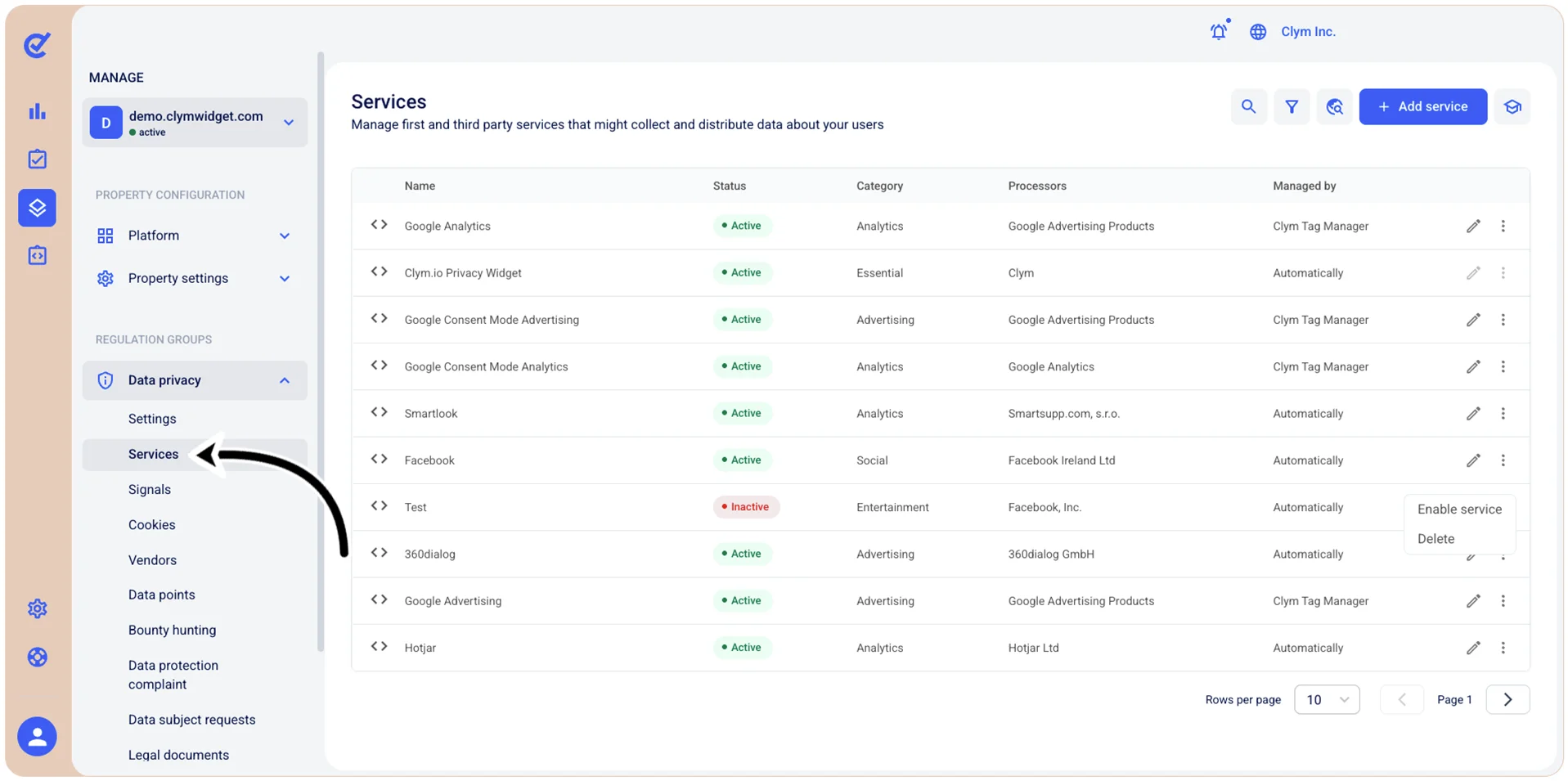
- Go to
 Manage>Data privacy>Services.
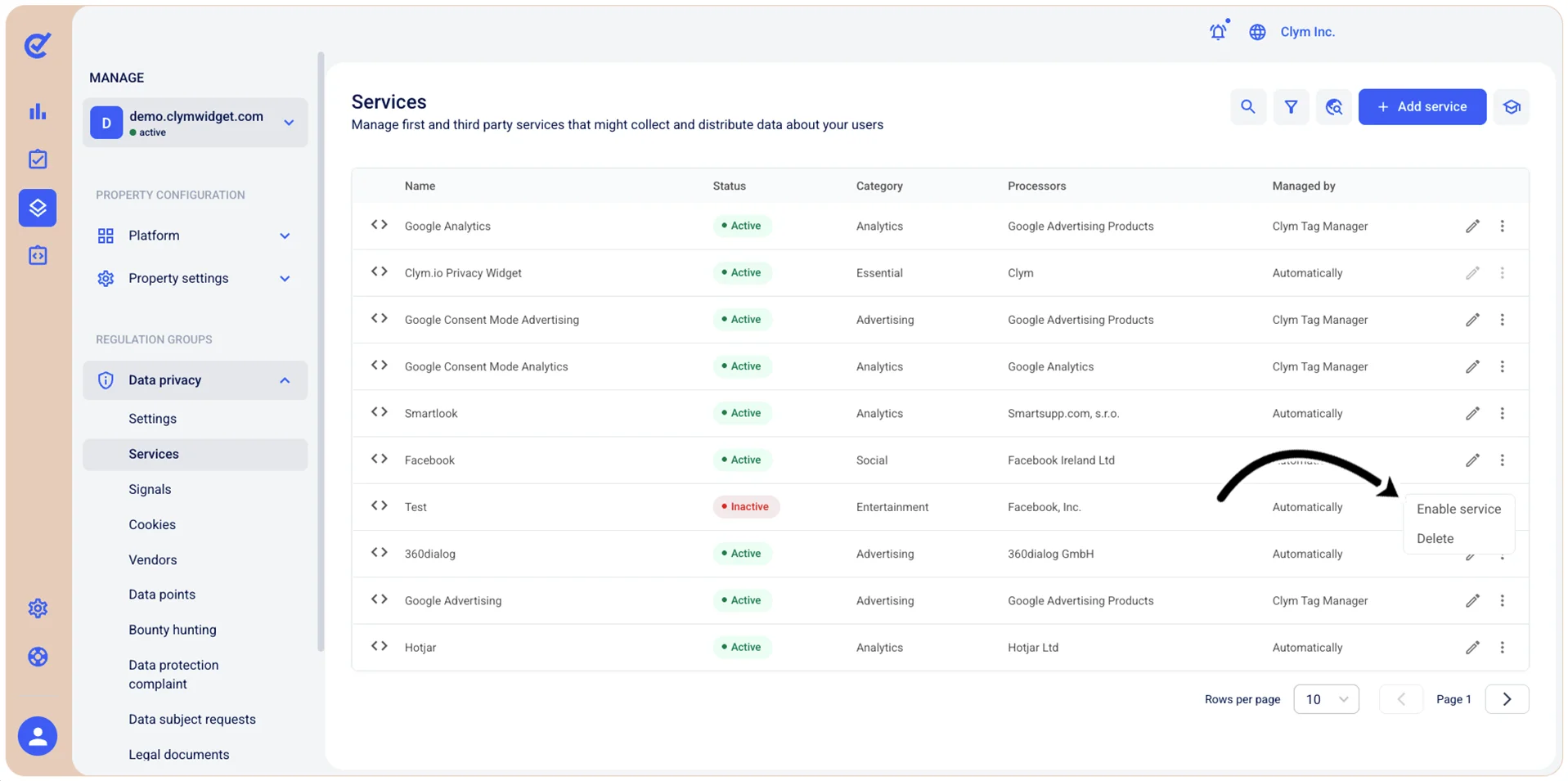
- In the Services section, select ⋮ Services next to the desired service and then select Enable service.
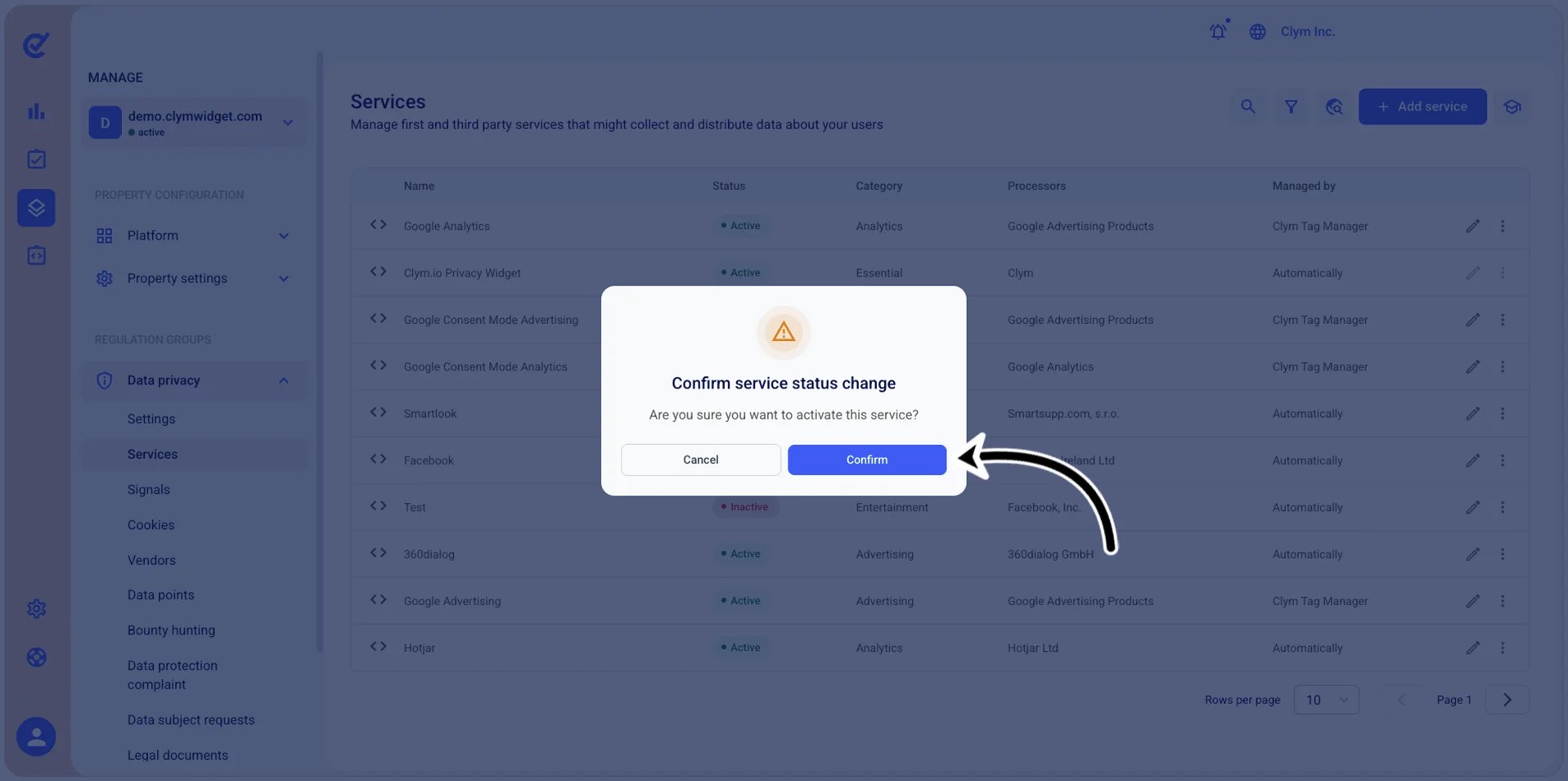
- In the confirmation message, select Confirm.
- The service is now deactivated and is marked with Active in the Status column.