
Jurisdictions: Add a new jurisdiction
To add a jurisdiction, you need to configure several parameters, such as country, state, and then the particularities you want to set for each region you selected.
To add a new jurisdiction:
- Go to
 Manage>Property Settings>Jurisdictions.
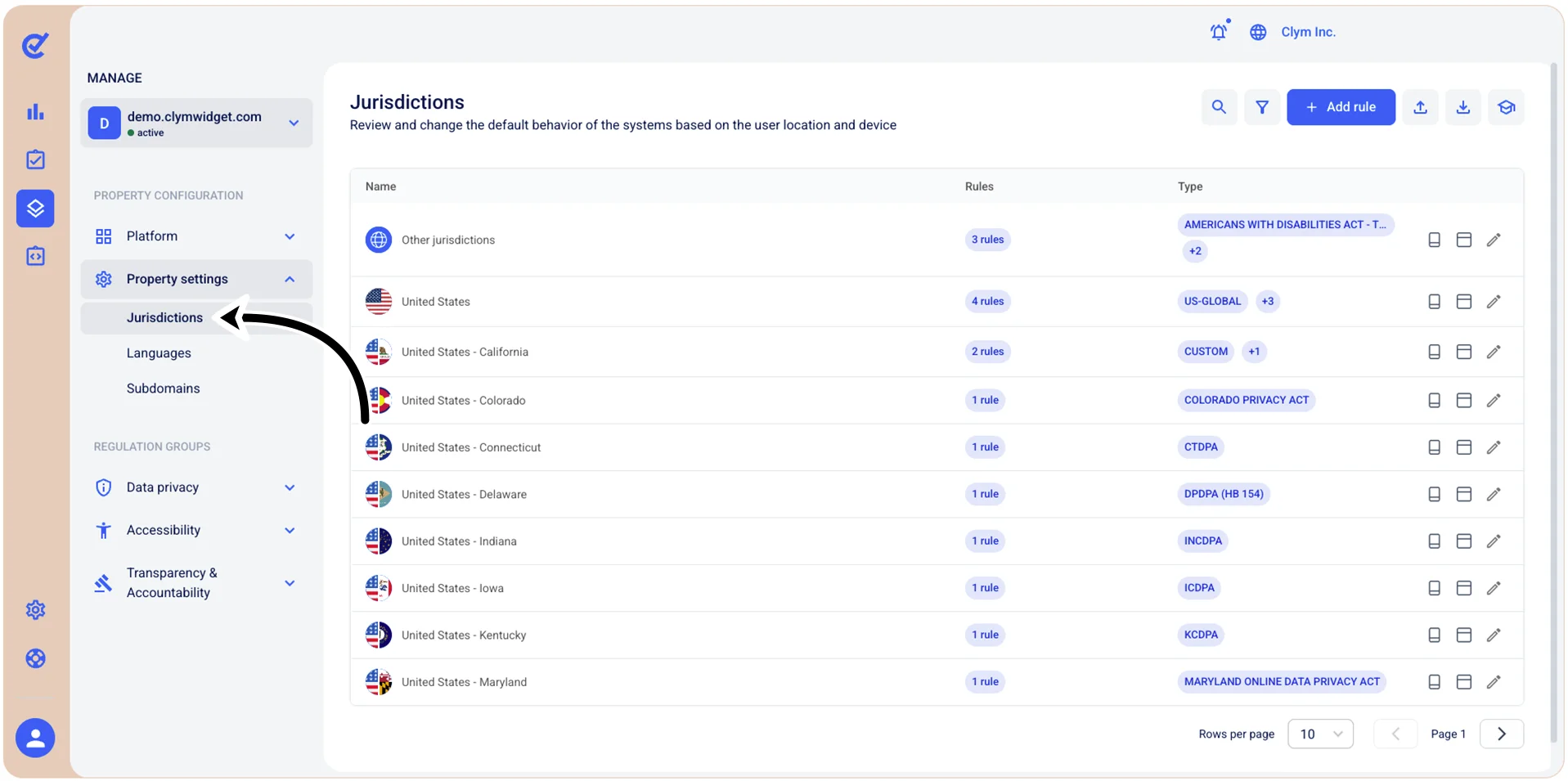
- In the Jurisdictions section, select Add Rule and then, in the Add rule section, select the desired country, then (if applicable) the desired state or province from the respective lists.
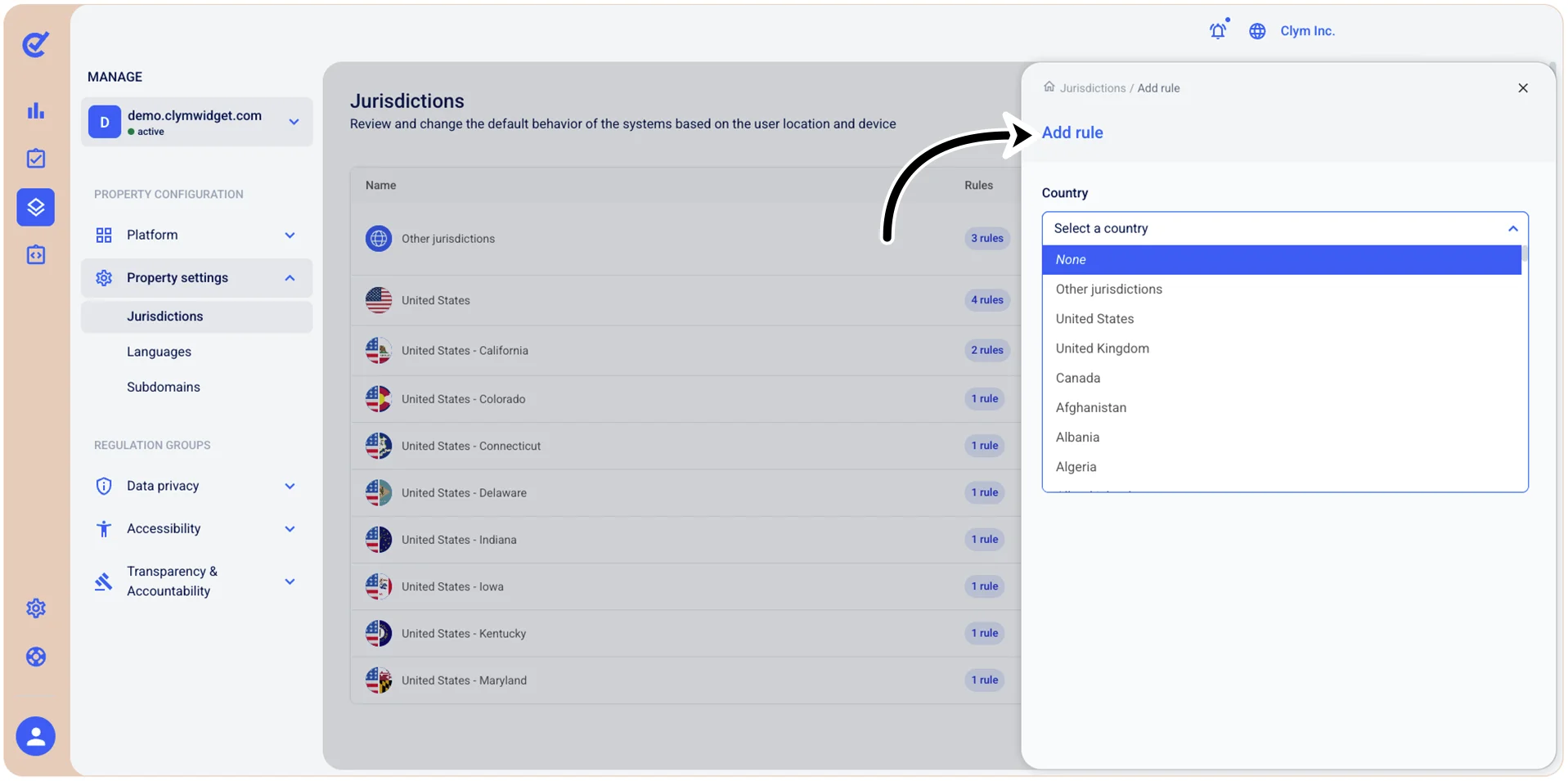
Next, depending on the regulatory settings you wish to create, configure the parameters such as the general settings, data privacy, accessibility, and so on.