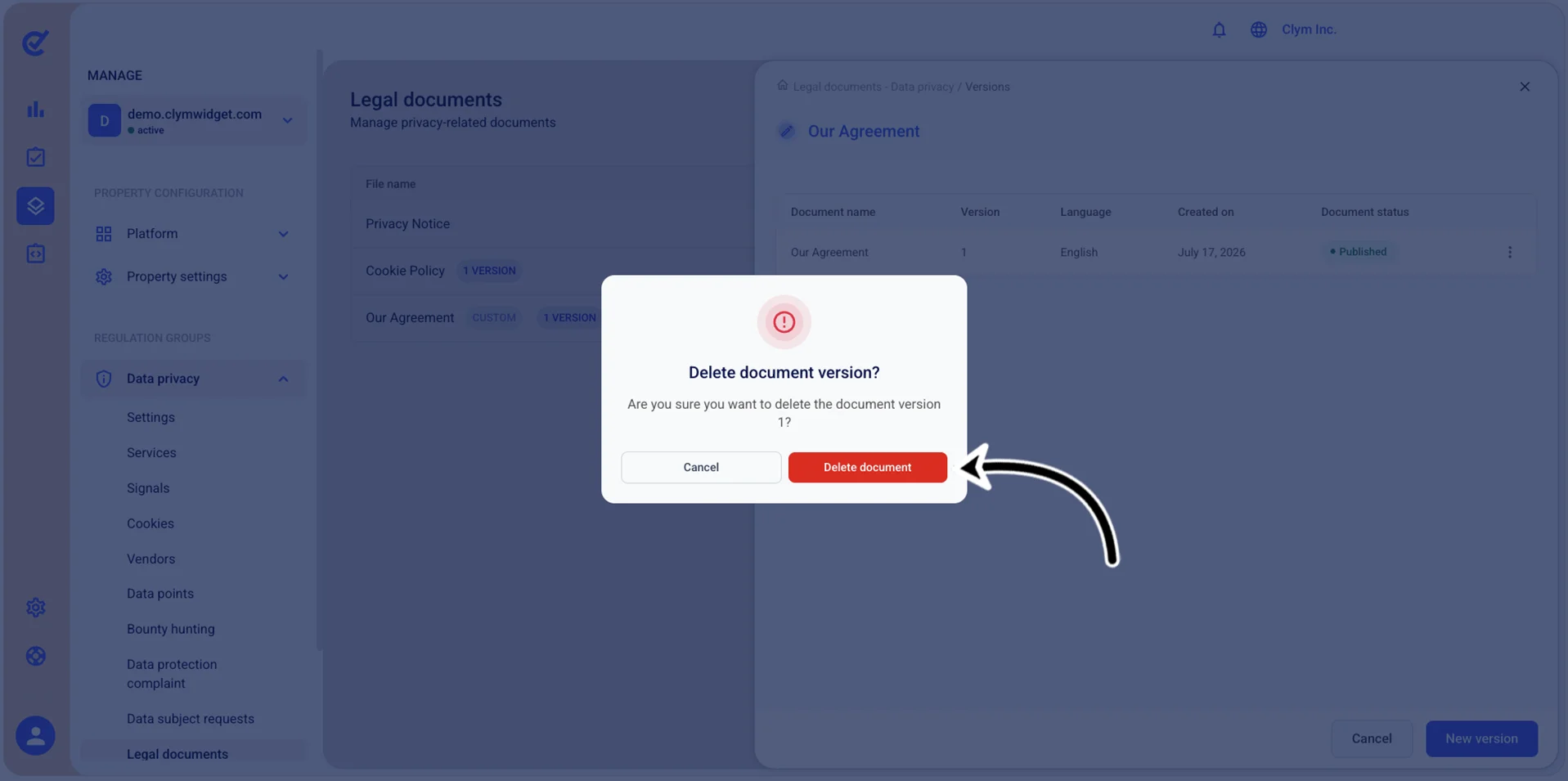
Delete a legal document
In the Control Center, you can remove the legal documents that your organization no longer needs.
To delete a legal document:
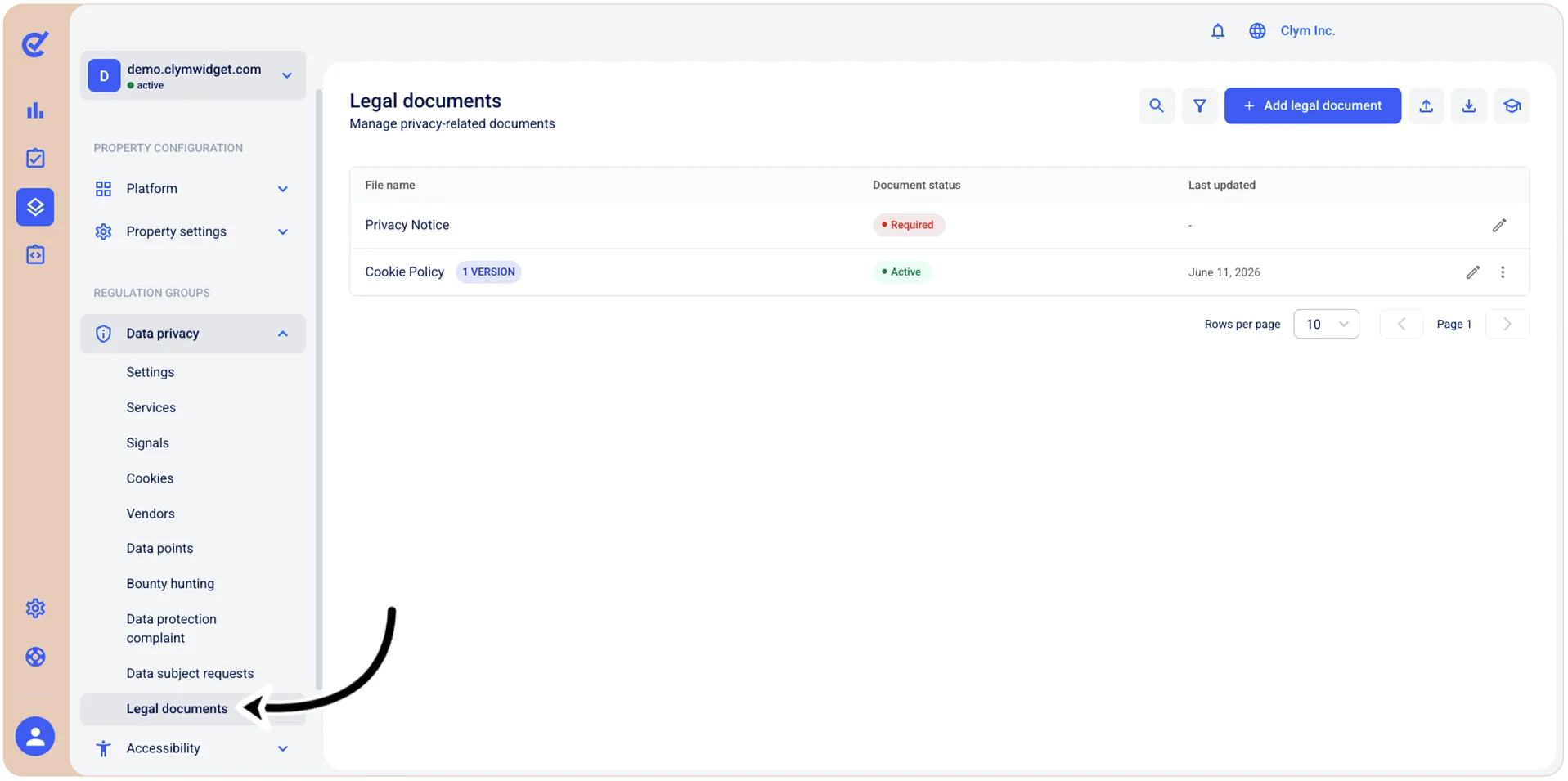
- Go to
 Manage>Data privacy>Legal documents.
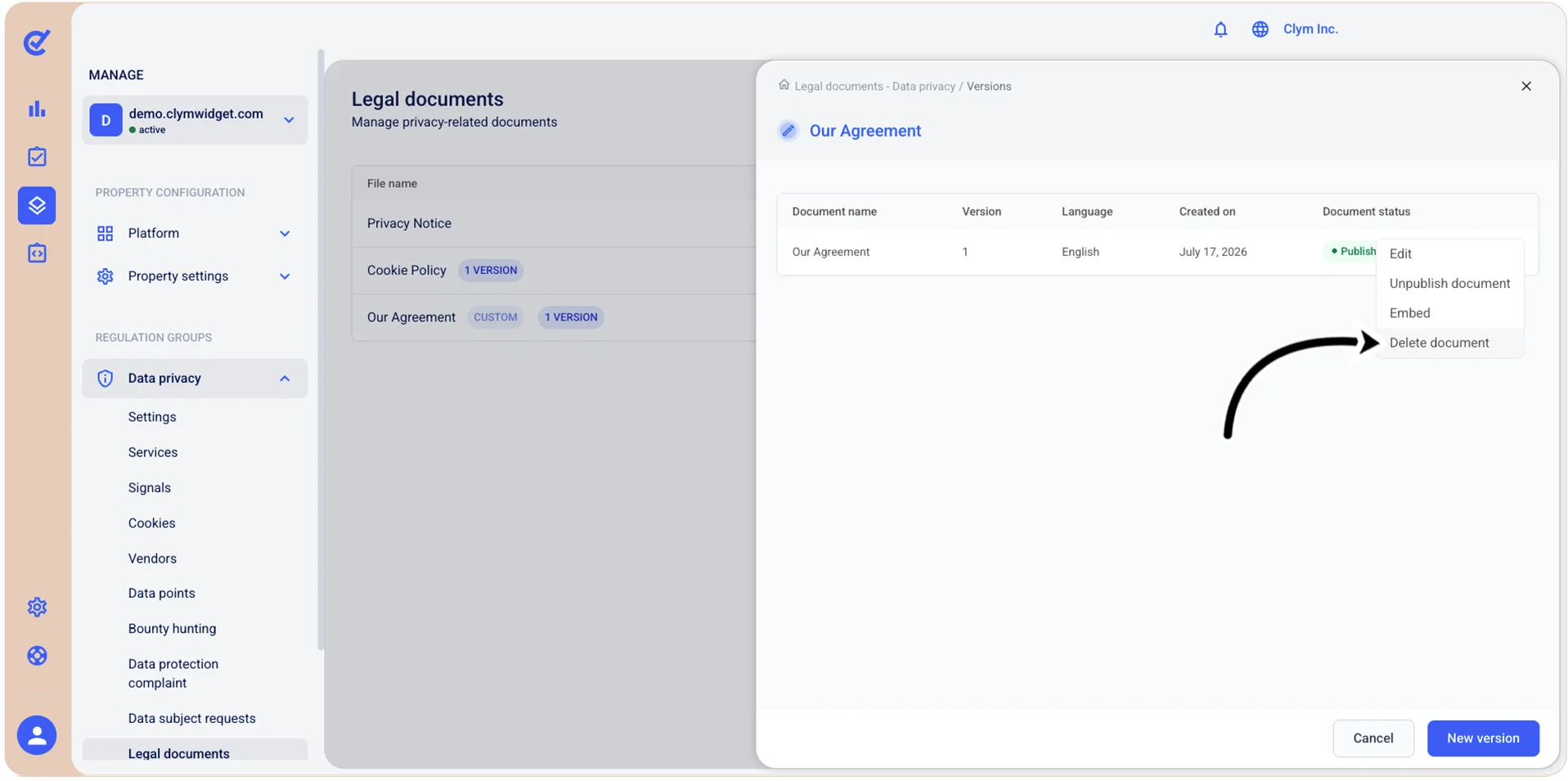
- Select ⋮ Settings next to the desired document version and, on the shortcut menu, select Delete document.
- In the confirmation message, select Confirm to delete the selected document version.
- Repeat this procedure for any document version if you want to eliminate the document completely.