Legal documents: Clear a filtered query
After performing a search using filters, you can clear the filtered parameters to revert to the default display on the page.
To clear a filtered query and view all the available legal documents:
- Go to
 Manage>Data privacy>Legal documents.
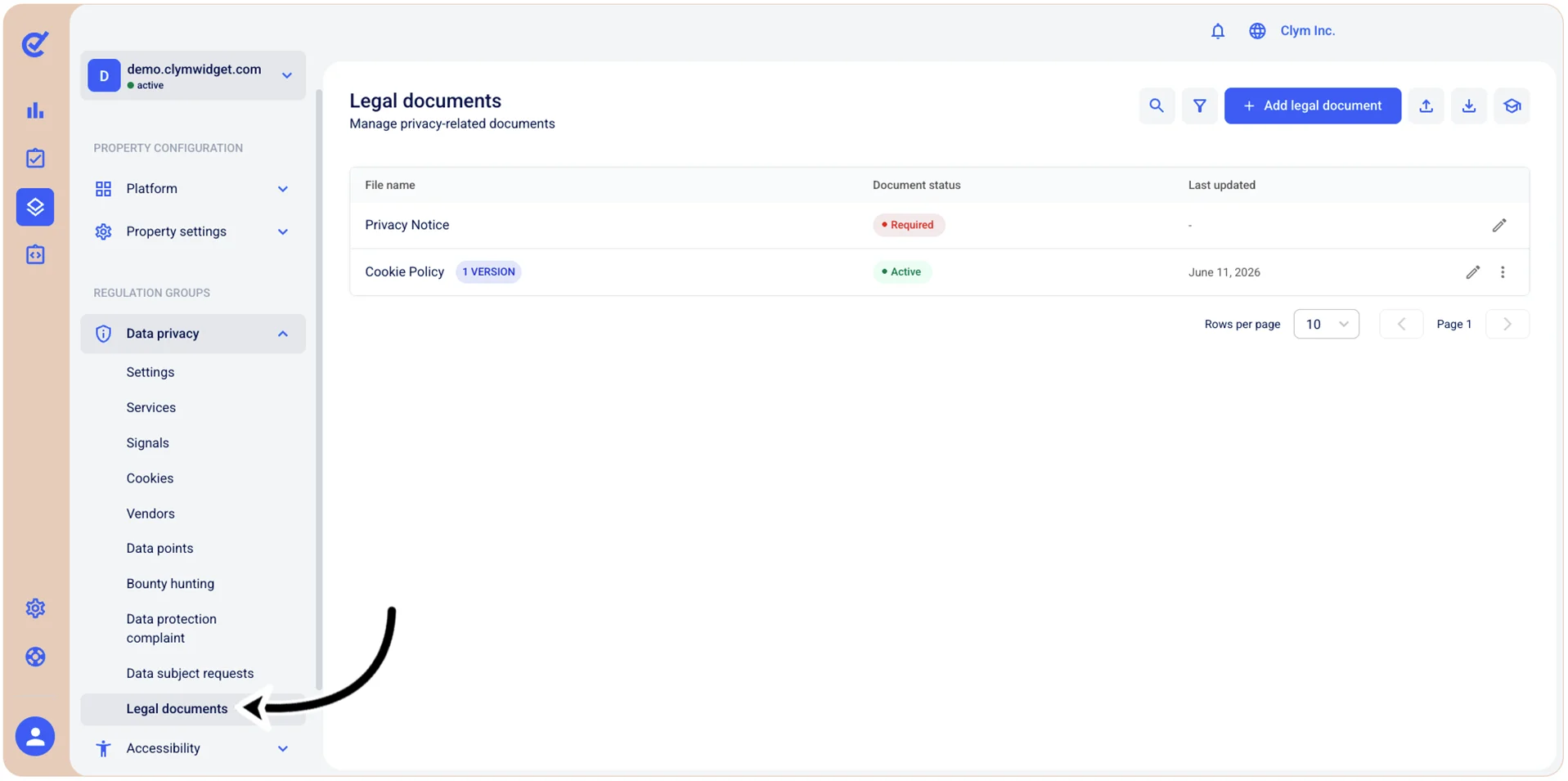
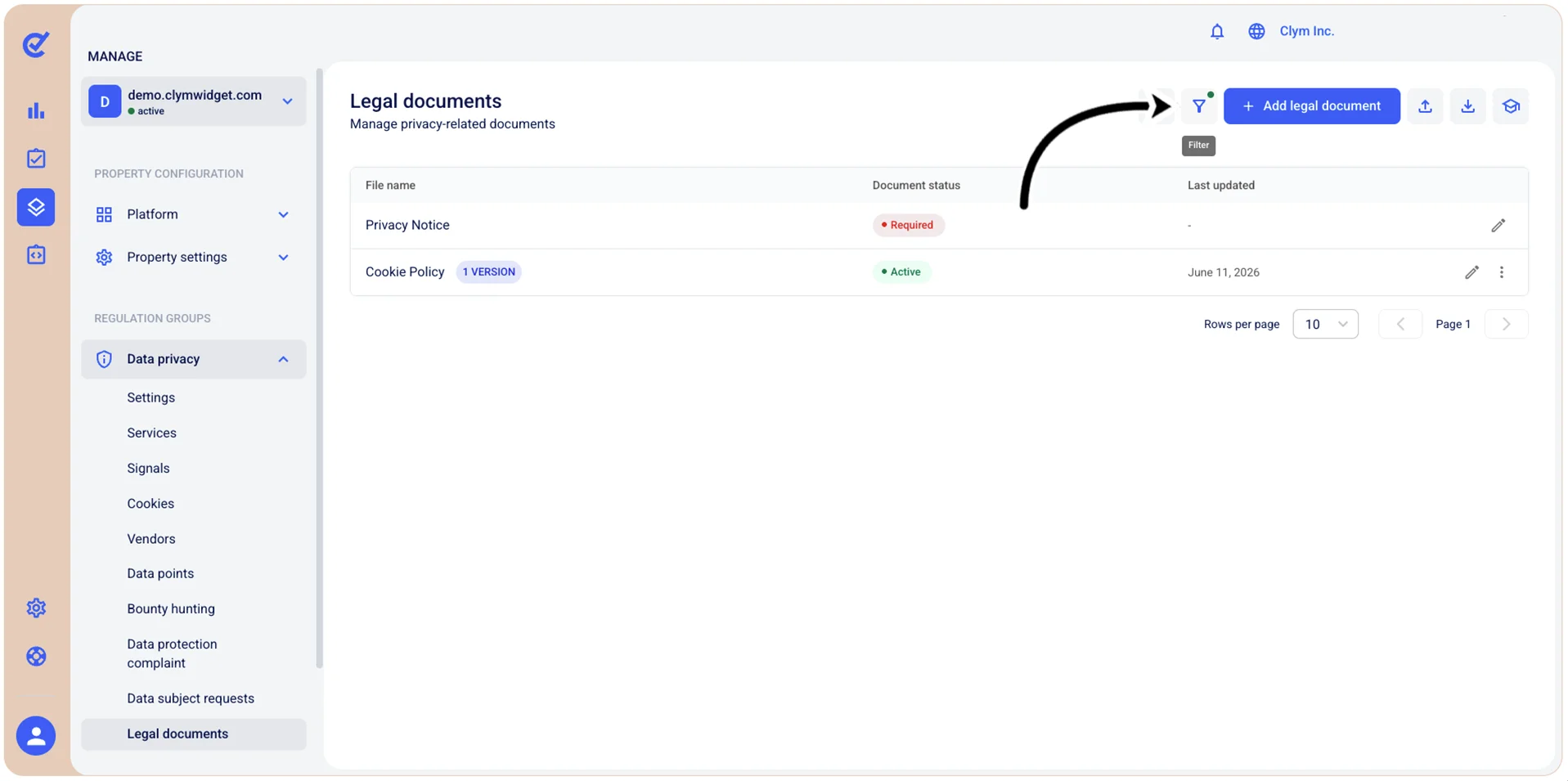
- In the Legal documents section, select
 Filter. If the filter is applied, the filter icon is marked with a green dot.
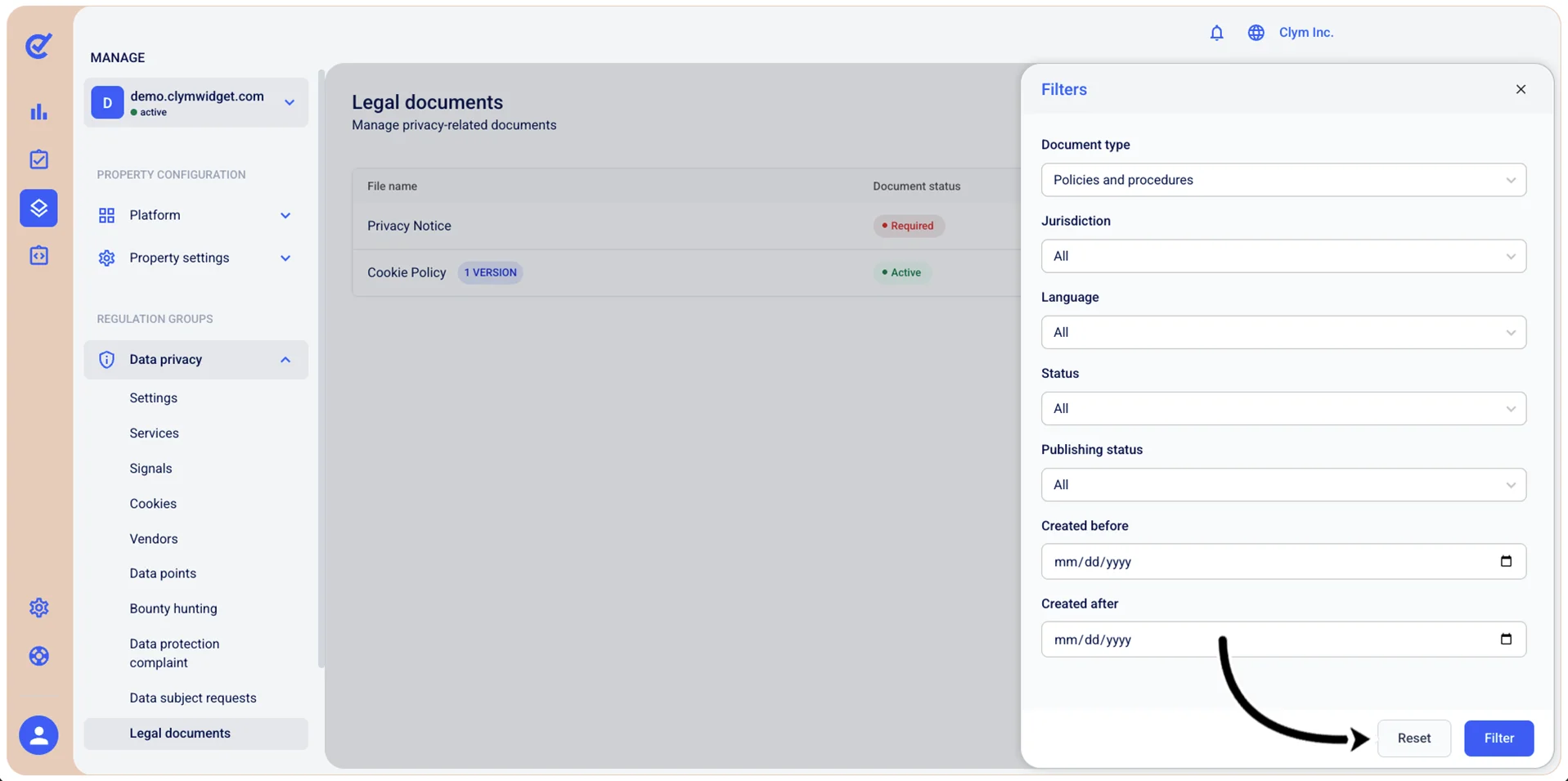
- In the Filters section, select Reset.