
Configure DSR email notifications
In the Control Center, you can include details of the DSR in the email set for notifications.
To configure DSR email notifications:
- Go to
 Manage>Data privacy>Data subject requests.
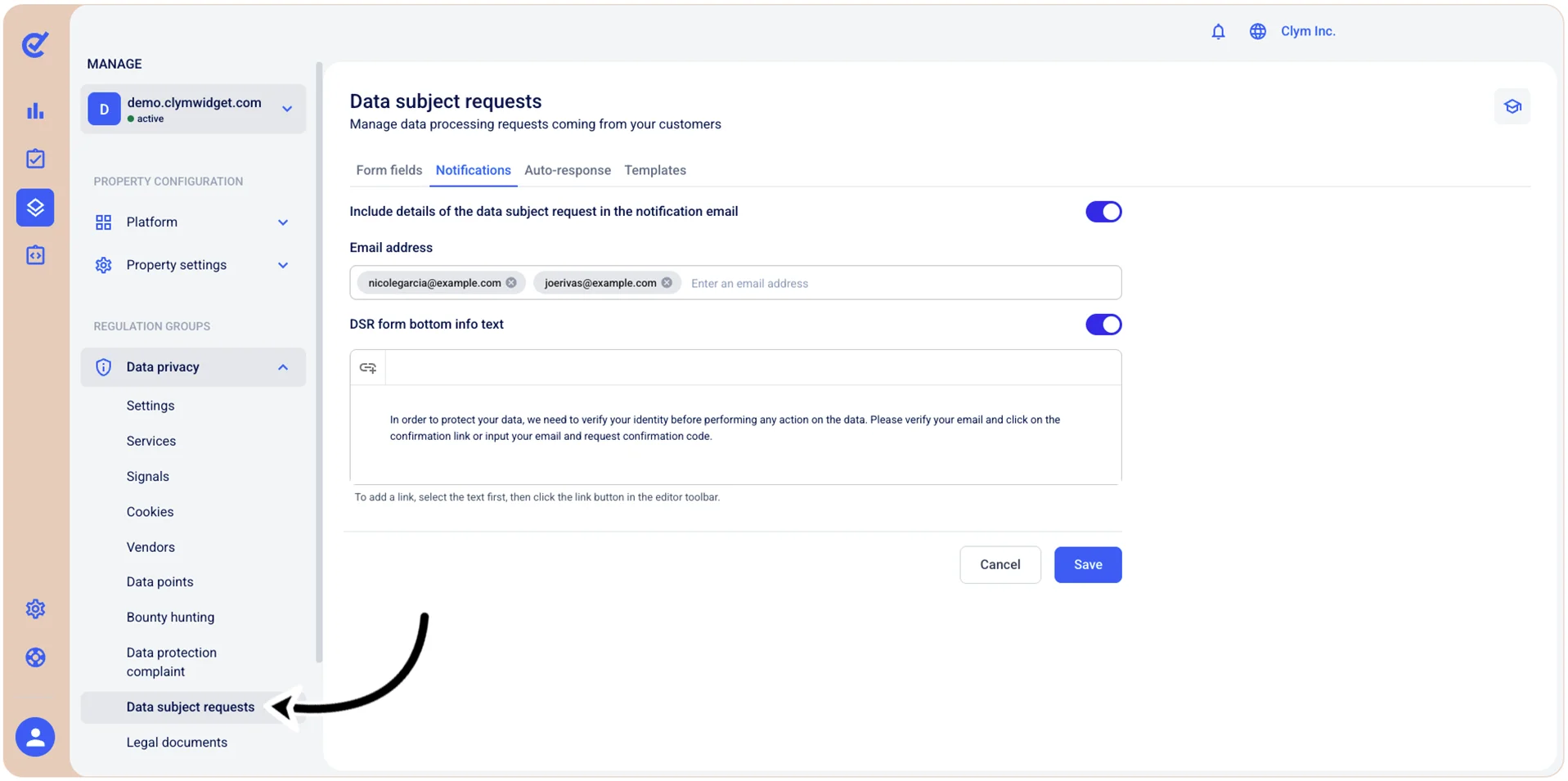
- In the Notifications tab, configure the notification email parameters, as follows:
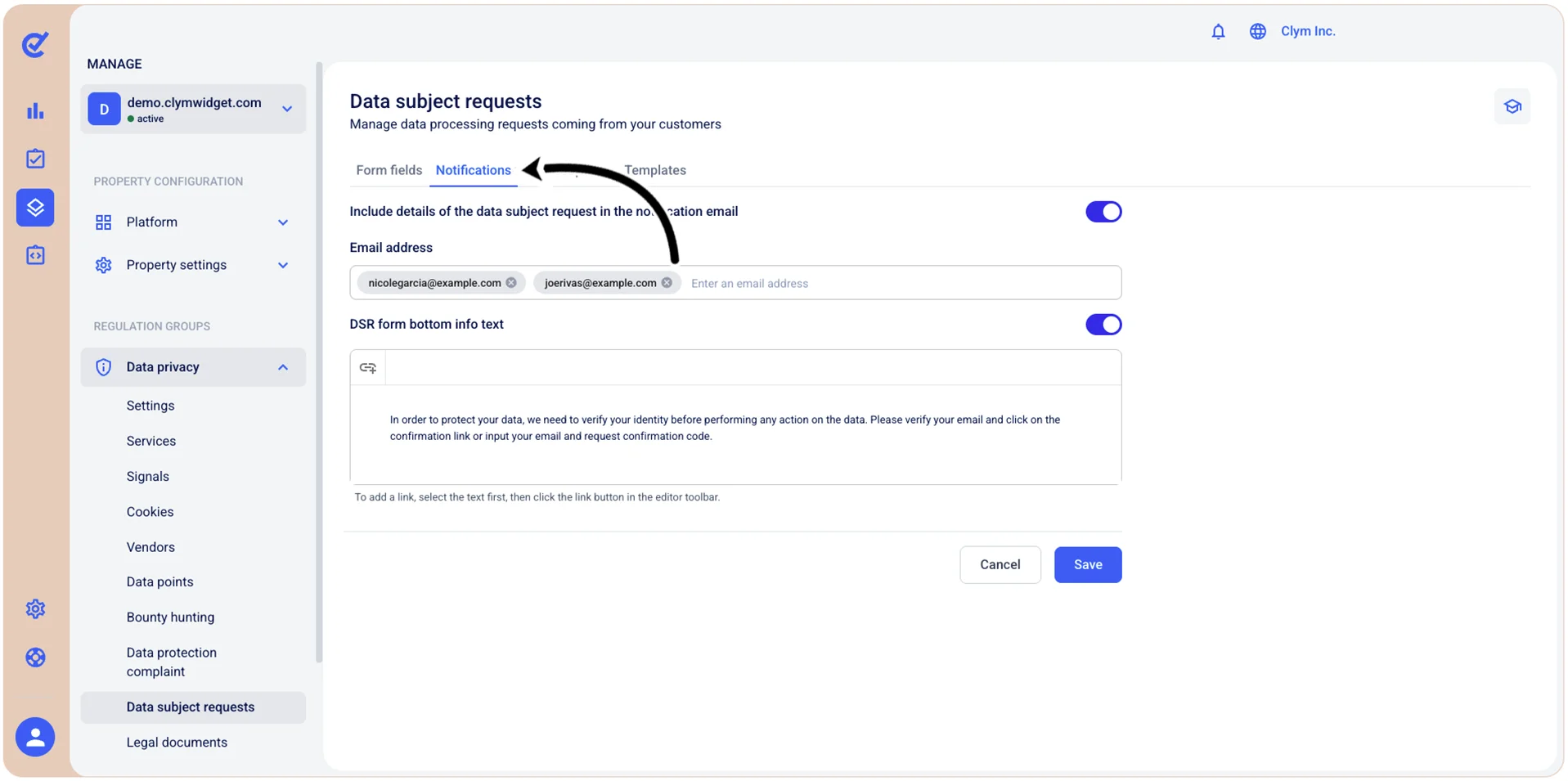
- Include details of the data subject request in the notification email: Toggle on if you want the email conversation to include the initial DSR details.
- Email address: Enter the recipient email address to receive DSR notifications.
- Email signature: Enter a signature if you want to personalize your email.
- When finished, select Save.