
Publish/Unpublish an accessibility legal document
Published documents are documents that describe your company’s accessibility policies and they are available on your website for your visitors to consult. Depending on your needs, you may need to temporarily unpublish some documents until you update them into newer versions which contain your newest policies or the latest governmental regulations.
To publish/unpublish a legal document:
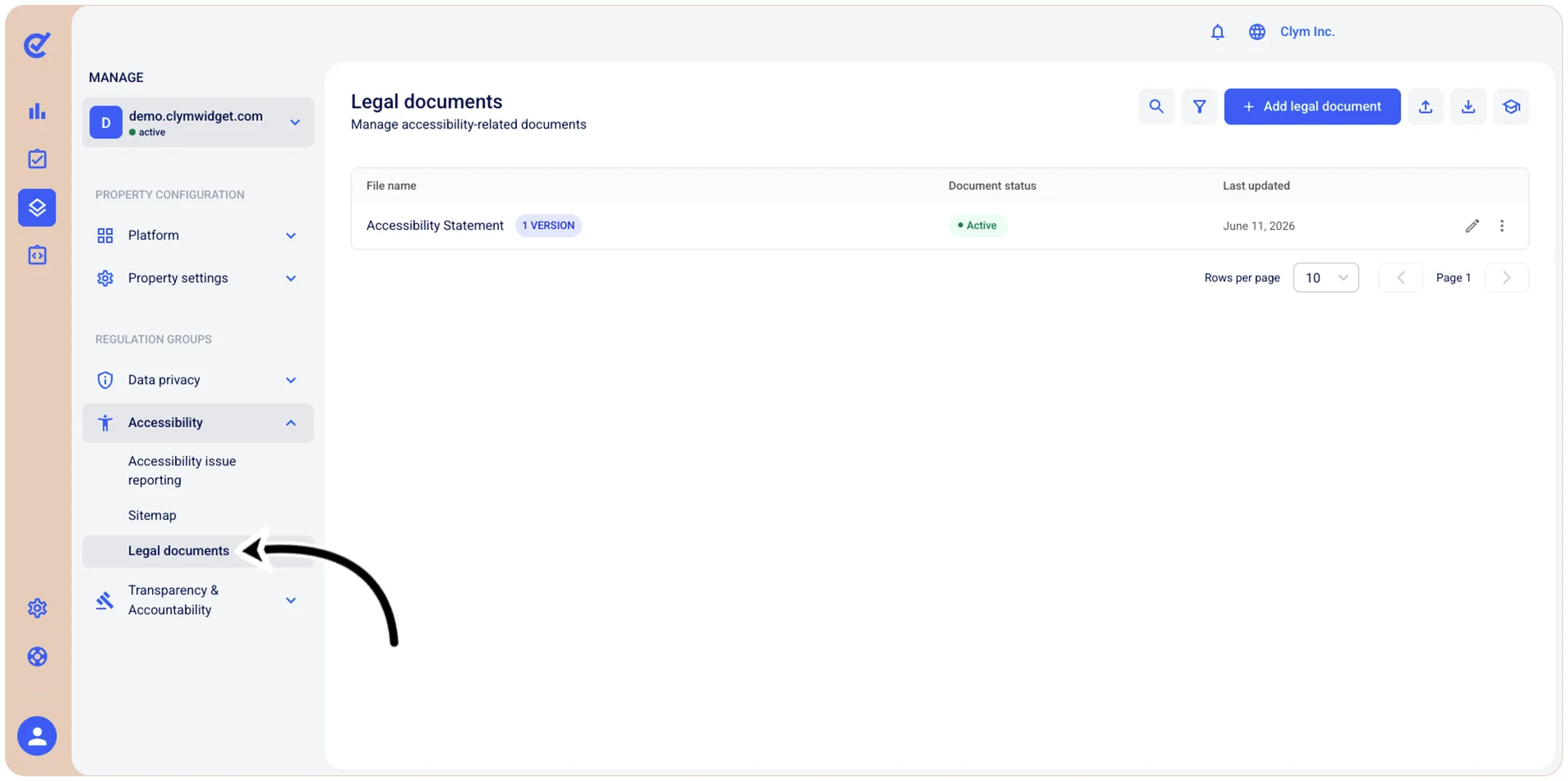
- Go to
 Manage>Accessibility>Legal documents.
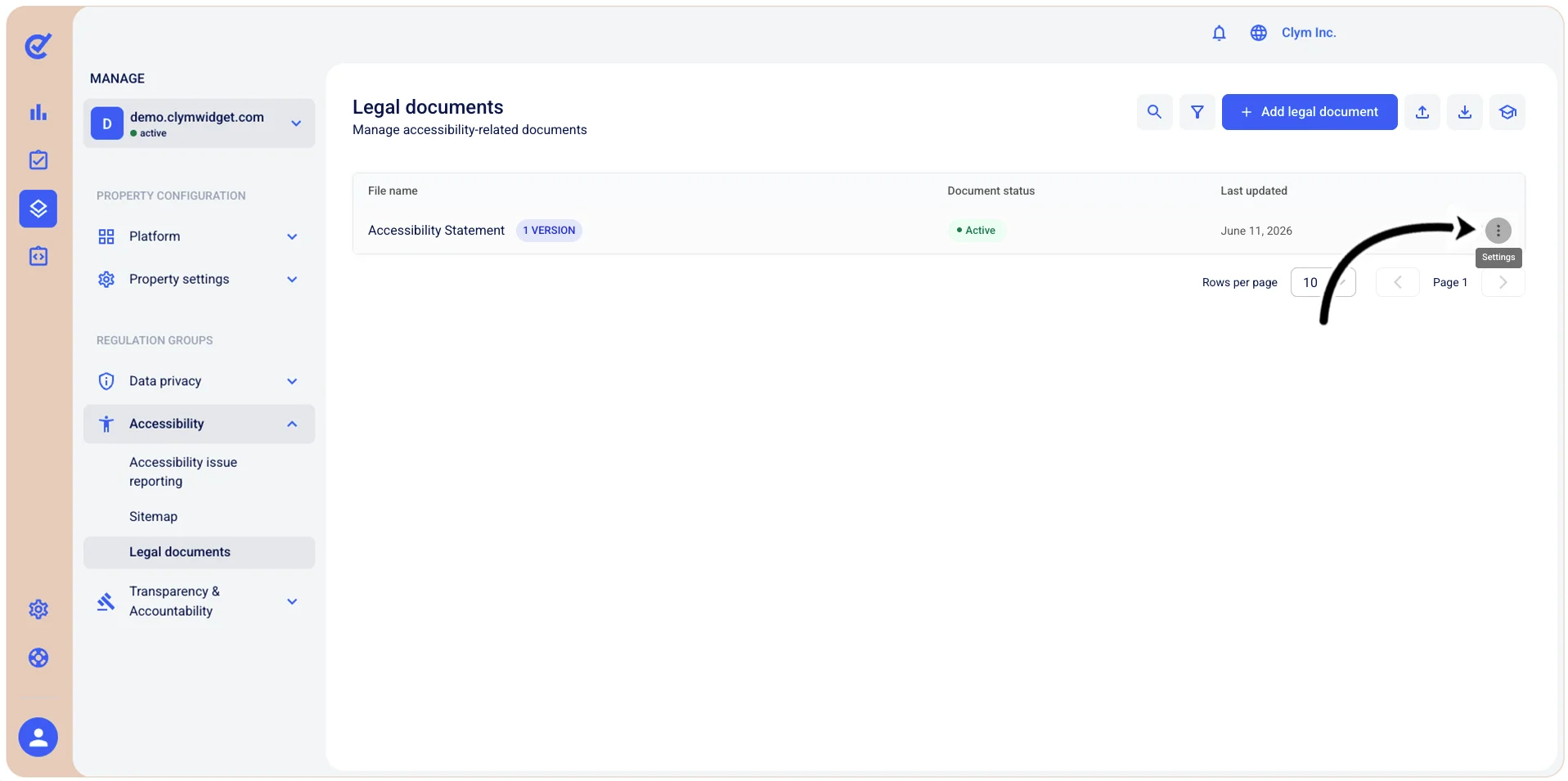
- In the Legal documents section, select ⋮ Settings and point to View versions.
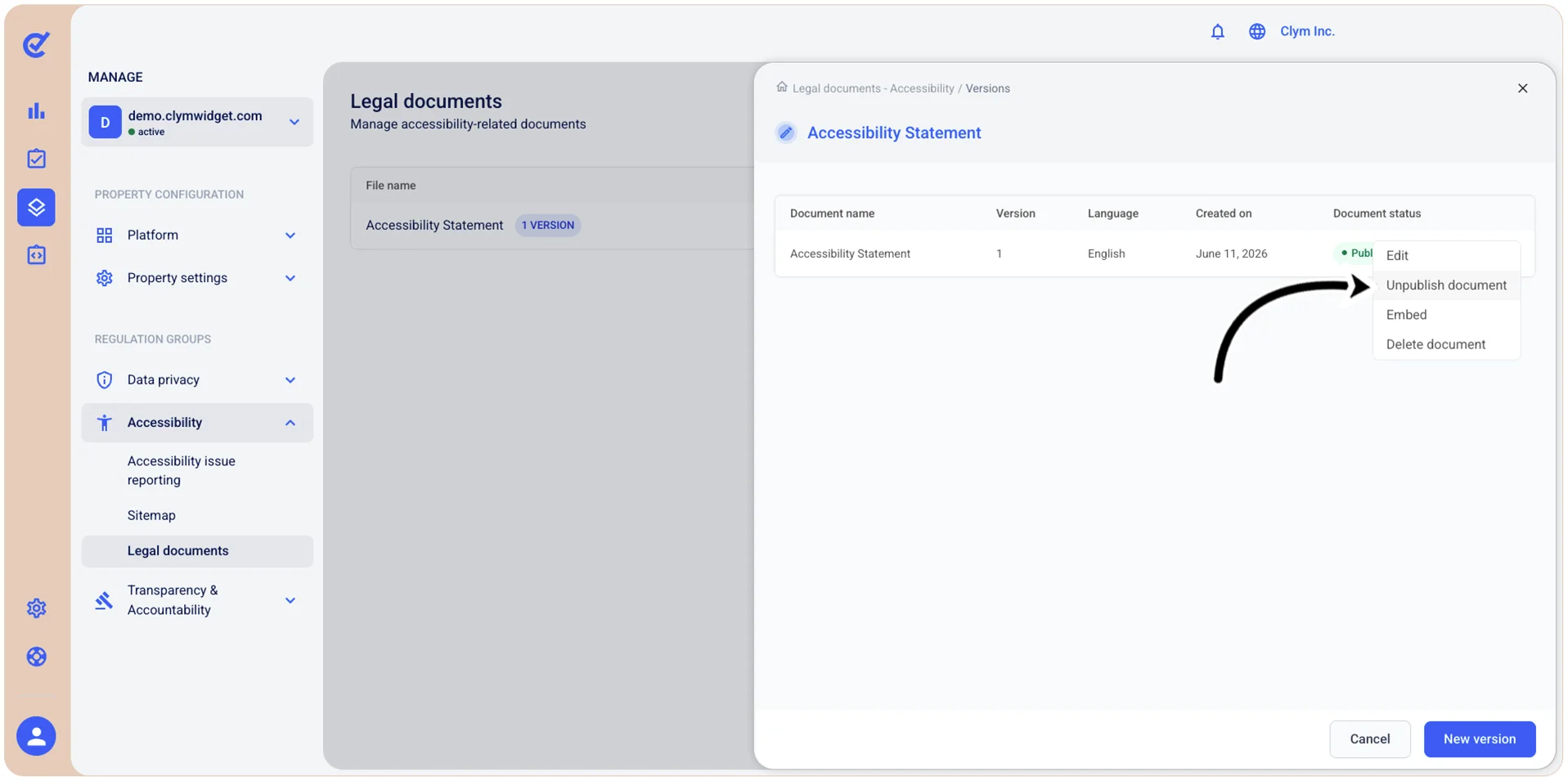
- In the <Legal document name> section, select ⋮ Settings and then, on the shortcut menu, select either Publish document or Unpublish document.
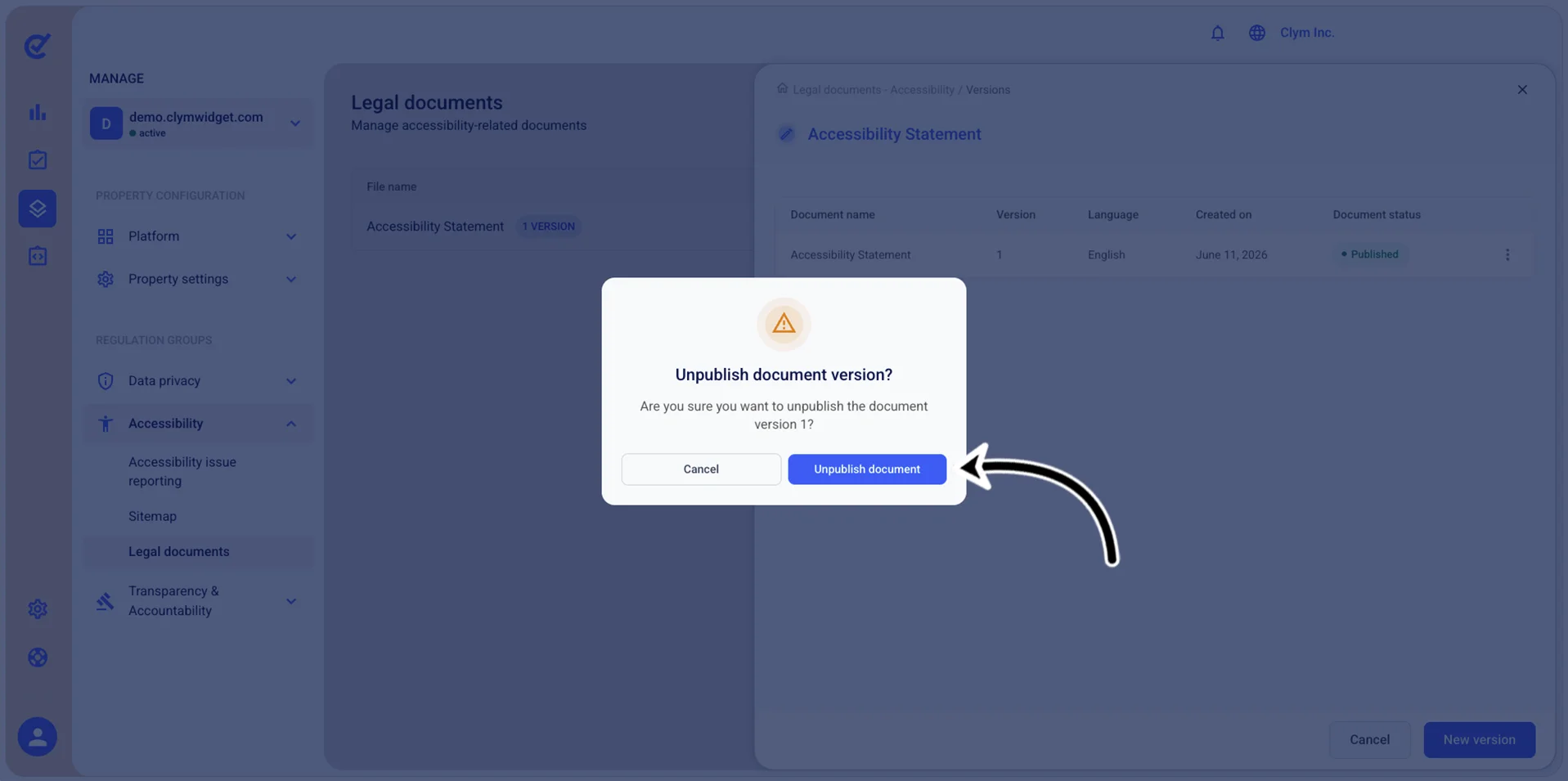
- In the confirmation message, confirm your selection.
The published/unpublished document is displayed with the respective label (Active or Unpublished) in the Legal documents section.