Delete an accessibility legal document
In the Control Center, you can remove the accessibility-related legal documents that your organization no longer needs.
Note: You can only delete the legal documents you added, not the built-in ones.
To delete a legal document:
- Go to
 Manage>Accessibility>Legal documents.
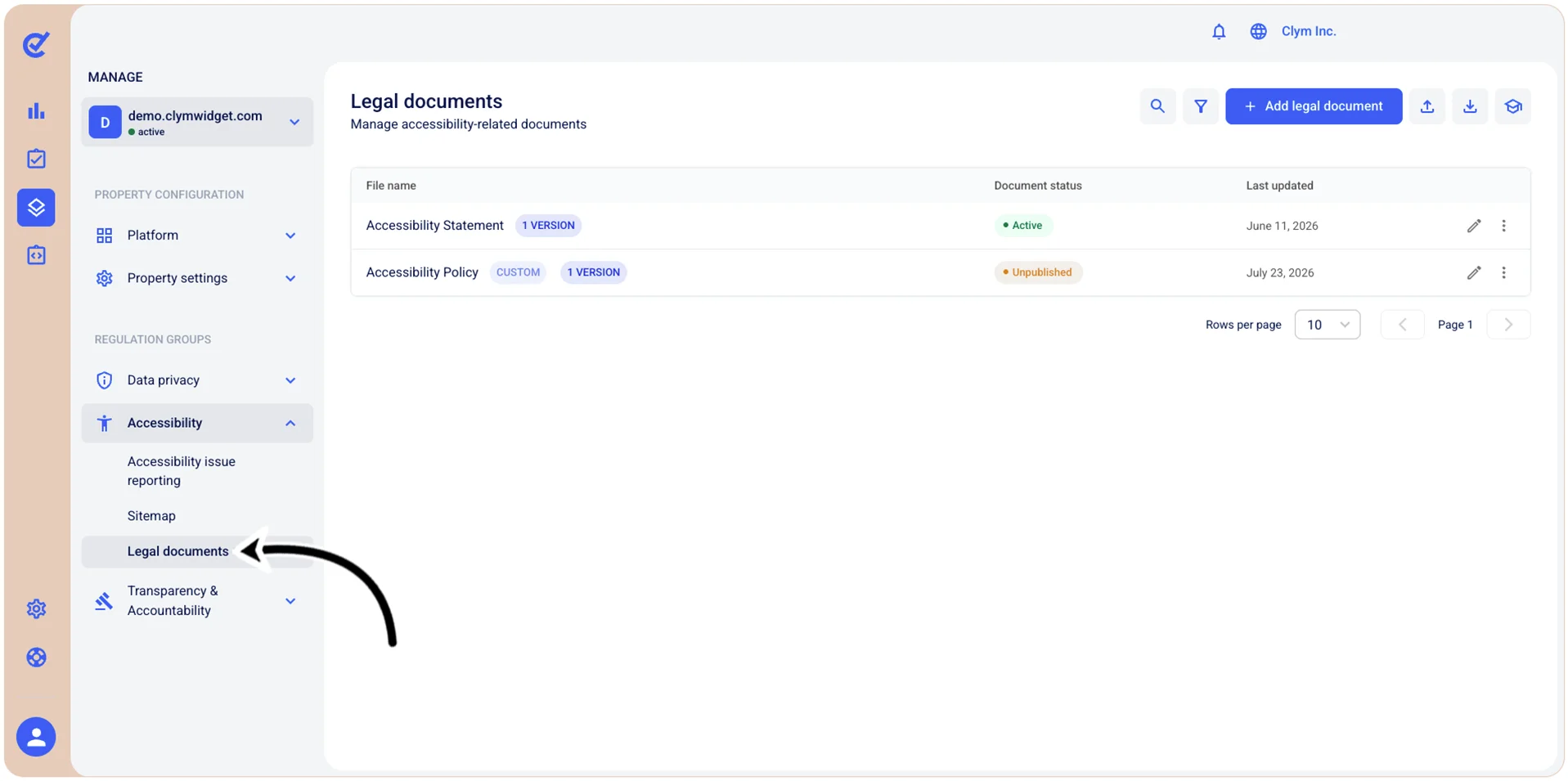
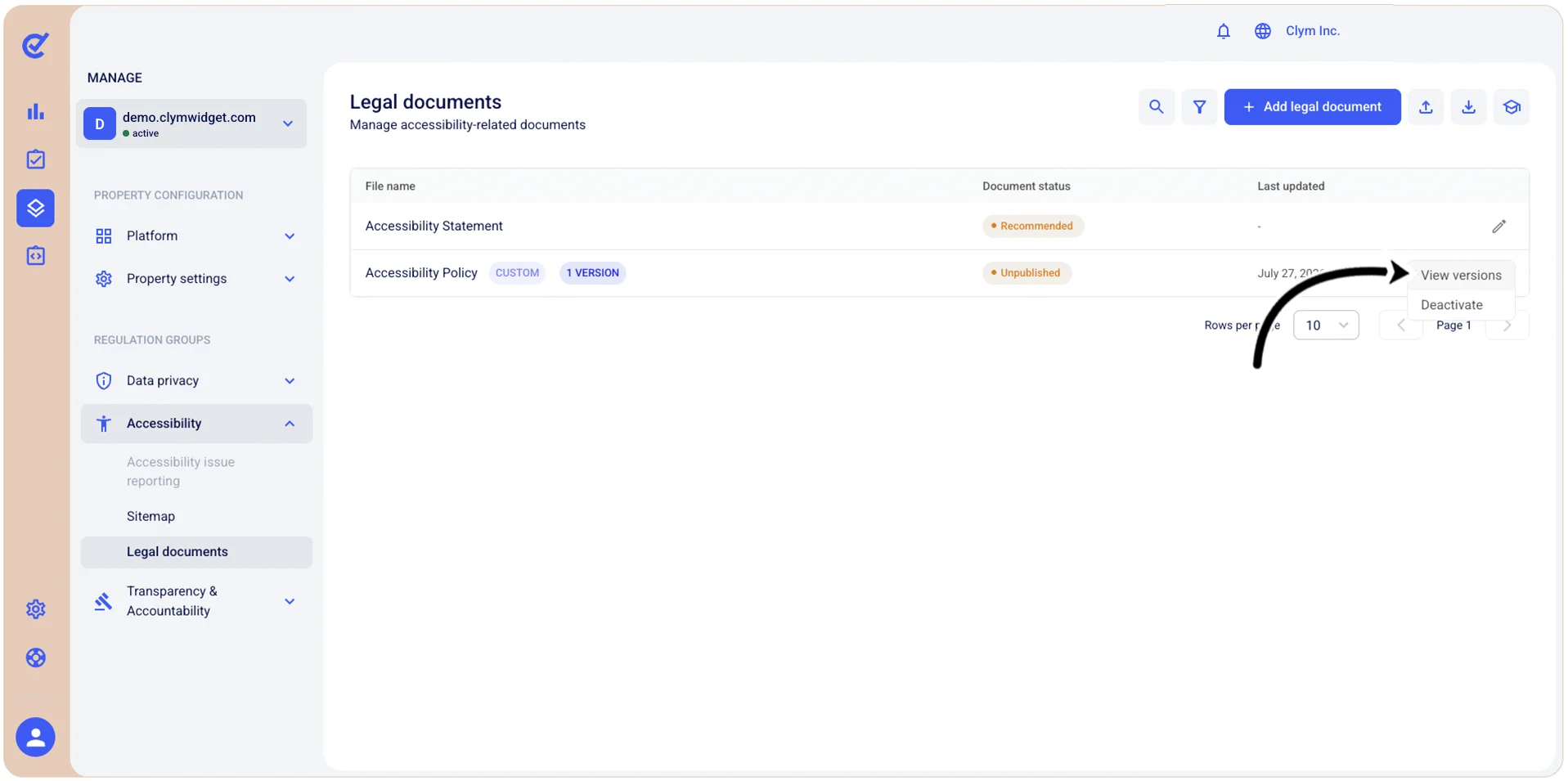
- In the Legal documents section, select ⋮ Settings and then point to
 View versions next to the desired legal document.
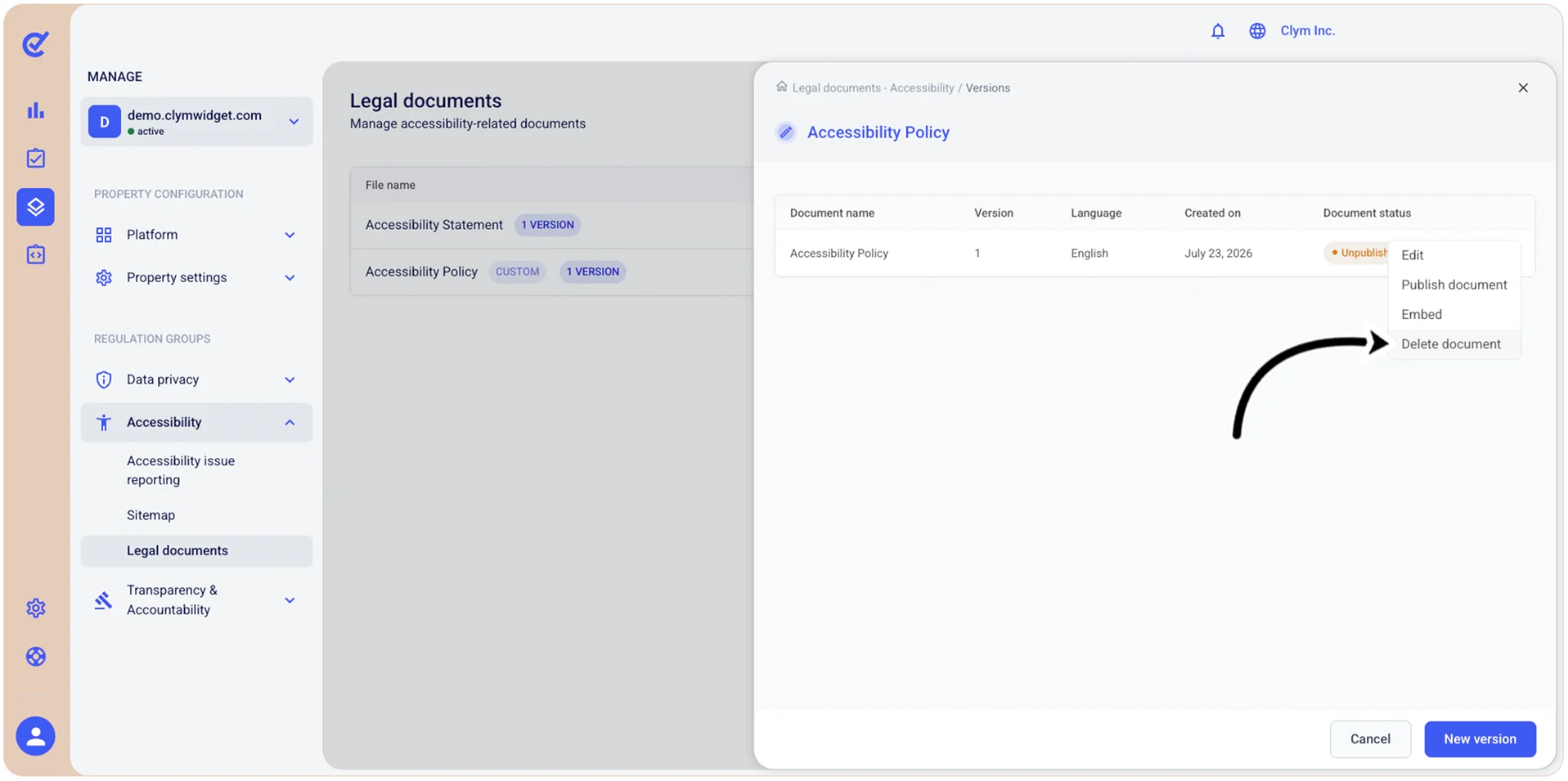
- Select ⋮ Settings next to the desired document version and then, on the shortcut menu, select Delete document.
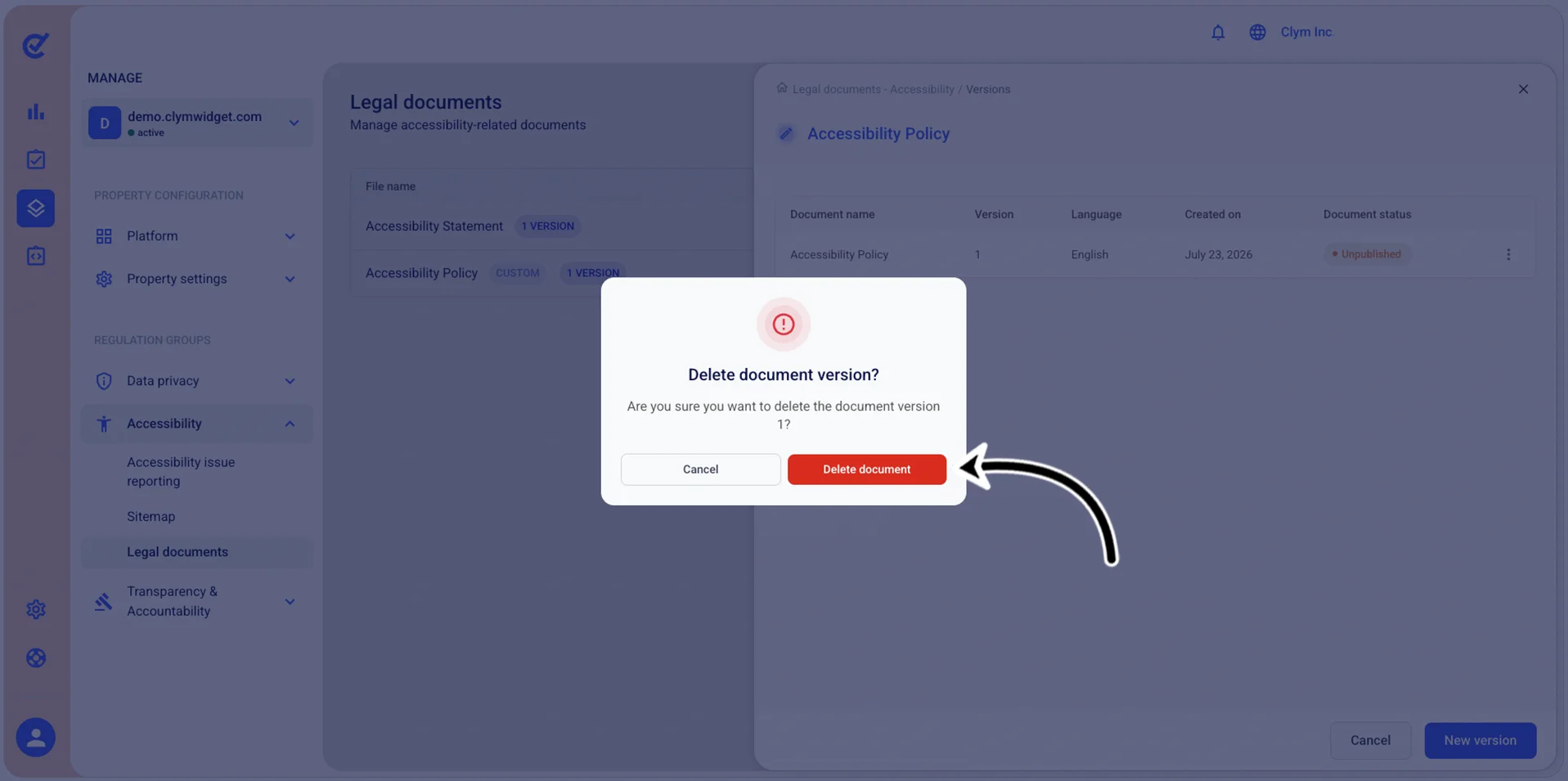
- In the confirmation message, select Confirm.