
Delete DSR types from the Widget
You can easily remove a DSR type from your widget. Once removed, the DSR type is no longer available in your Widget.
Important! Before removing a DSR type from your widget, note that doing so may go against certain regulatory requirements in force, which could put your website at risk of non-compliance. However, by keeping default settings for your jurisdictions, the system will make sure that each user sees the required DSR options based on the regulation that protects them.
To remove a DSR type:
- Go to
 Manage > Property settings > Jurisdictions.
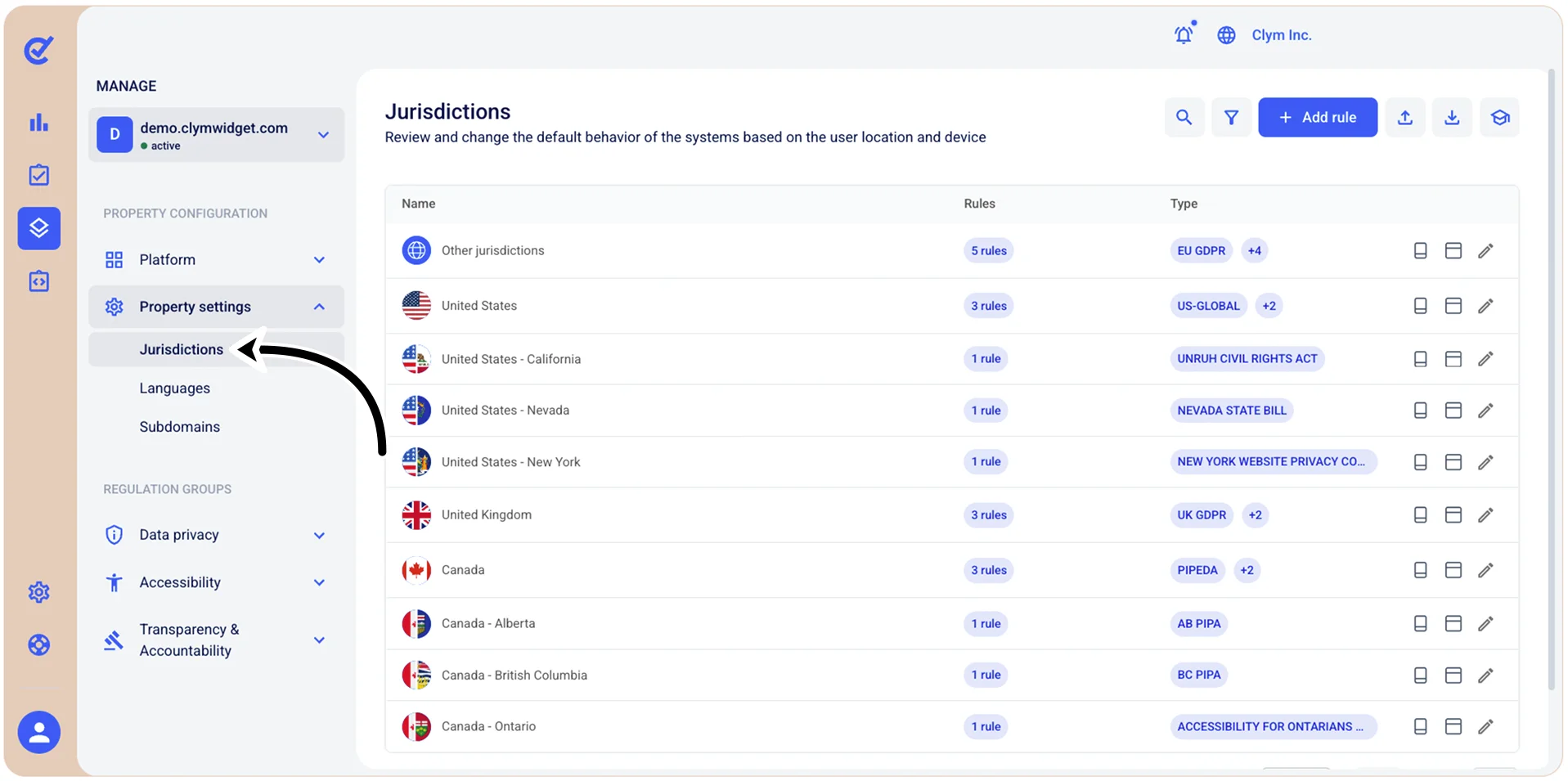
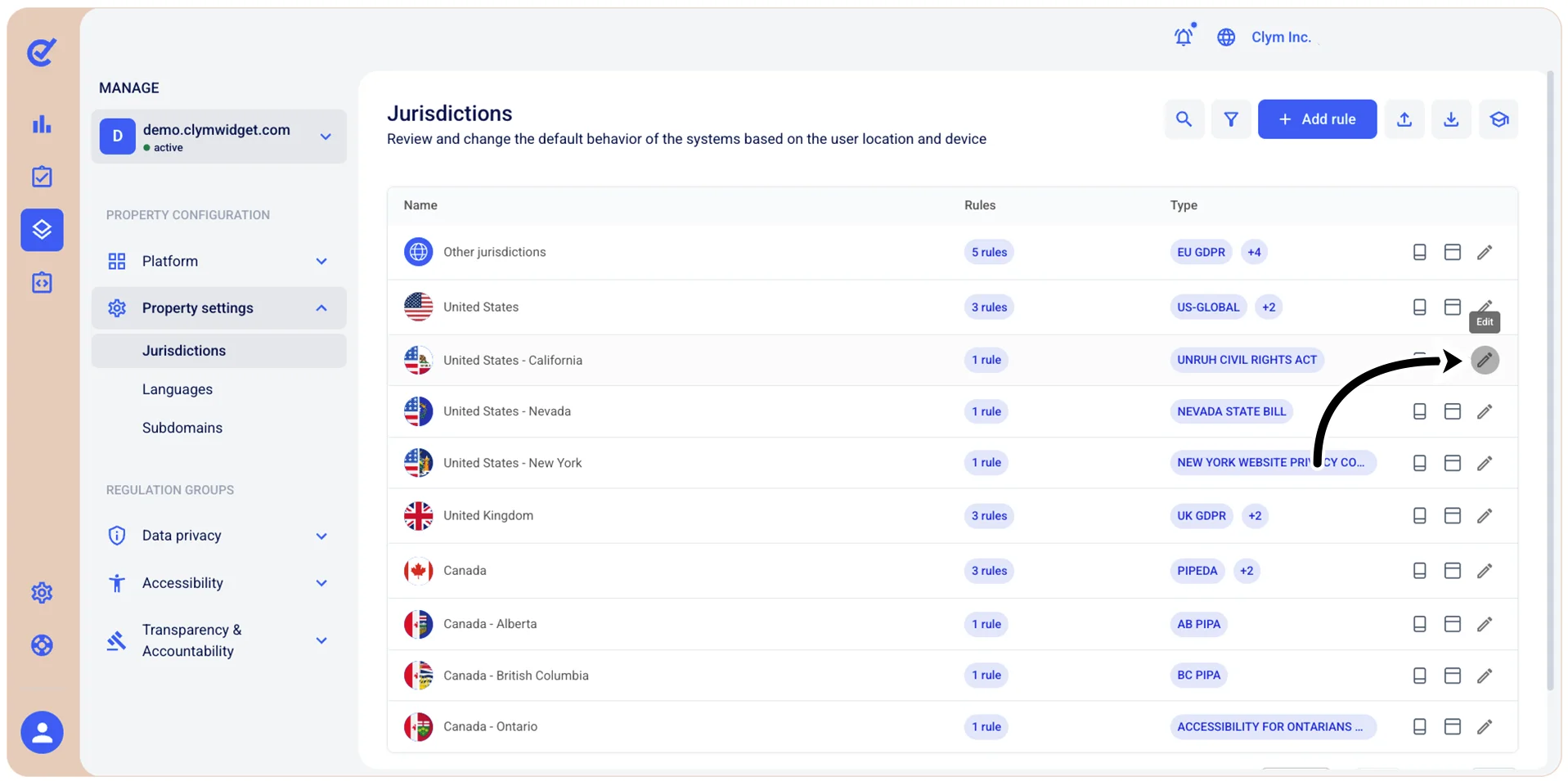
- In the Jurisdiction section, select
 Edit next to the Jurisdiction that contains the DSR type that you want to delete.
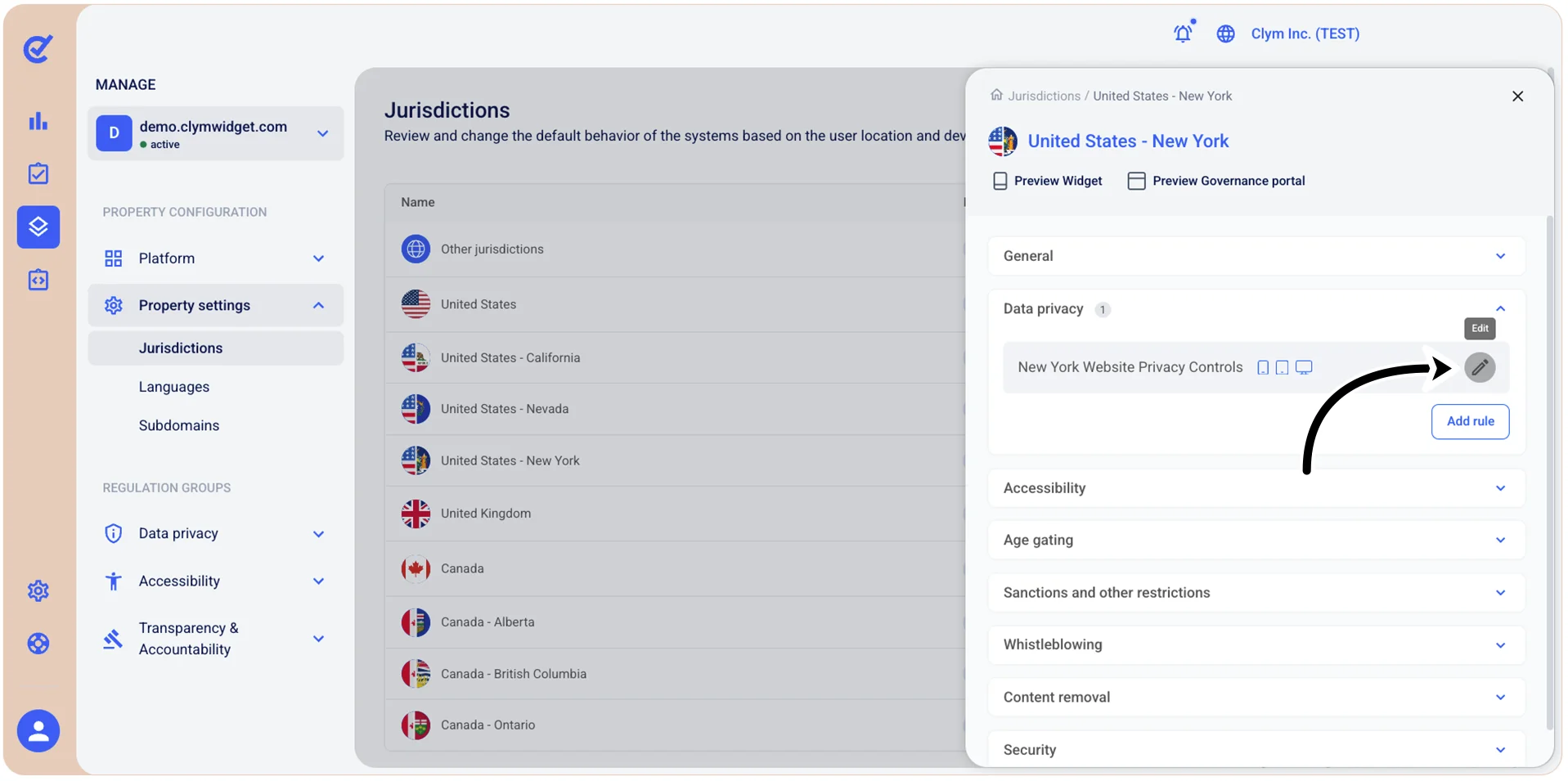
- In the
section, expand Data privacy and select Edit.
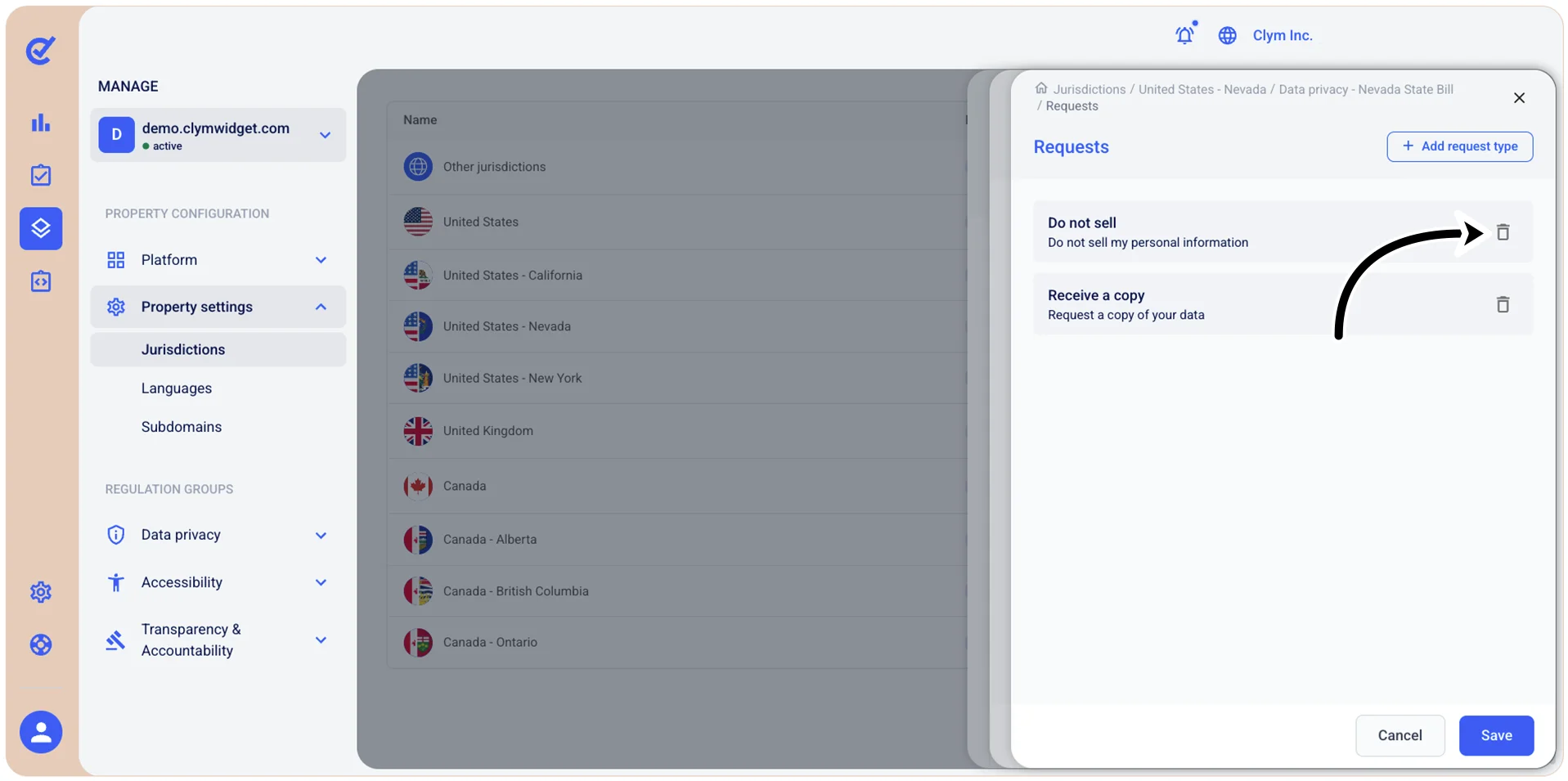
- Select Requests.
- In the Requests section, select
 Delete next to the DSR type that you want to remove.
- When finished, select Save.