
Change the DSRs notification email address
Handling DSRs promptly is critical for your organization's compliance with certain data privacy laws. To this end, you can set one or multiple email addresses that will be notified each time your organization receives a new DSR, helping to keep you on top of approaching deadlines.
To change the DSRs notification email:
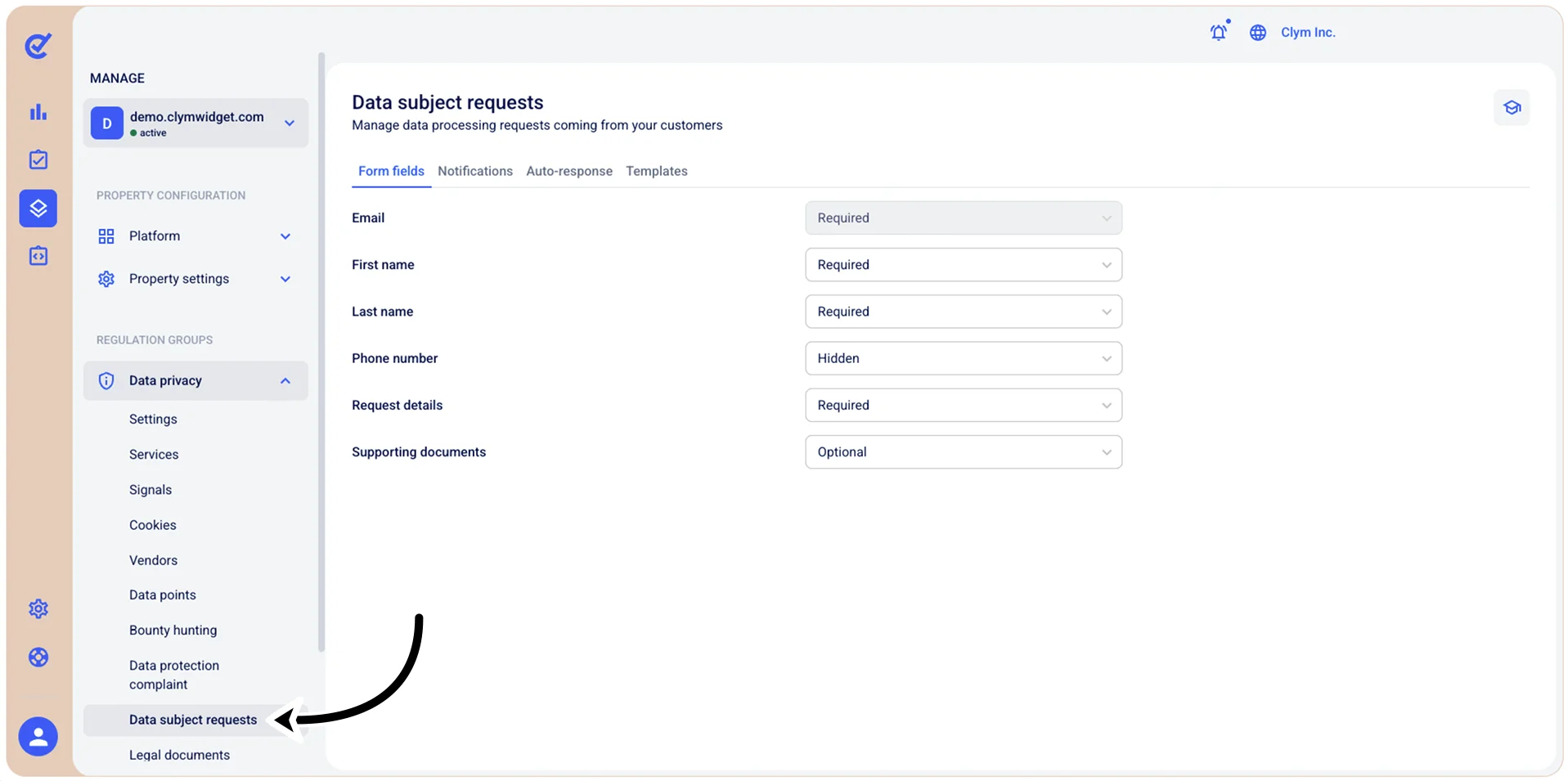
- Go to
 Manage>Data privacy>Data subject requests.
- Select the Notifications tab.
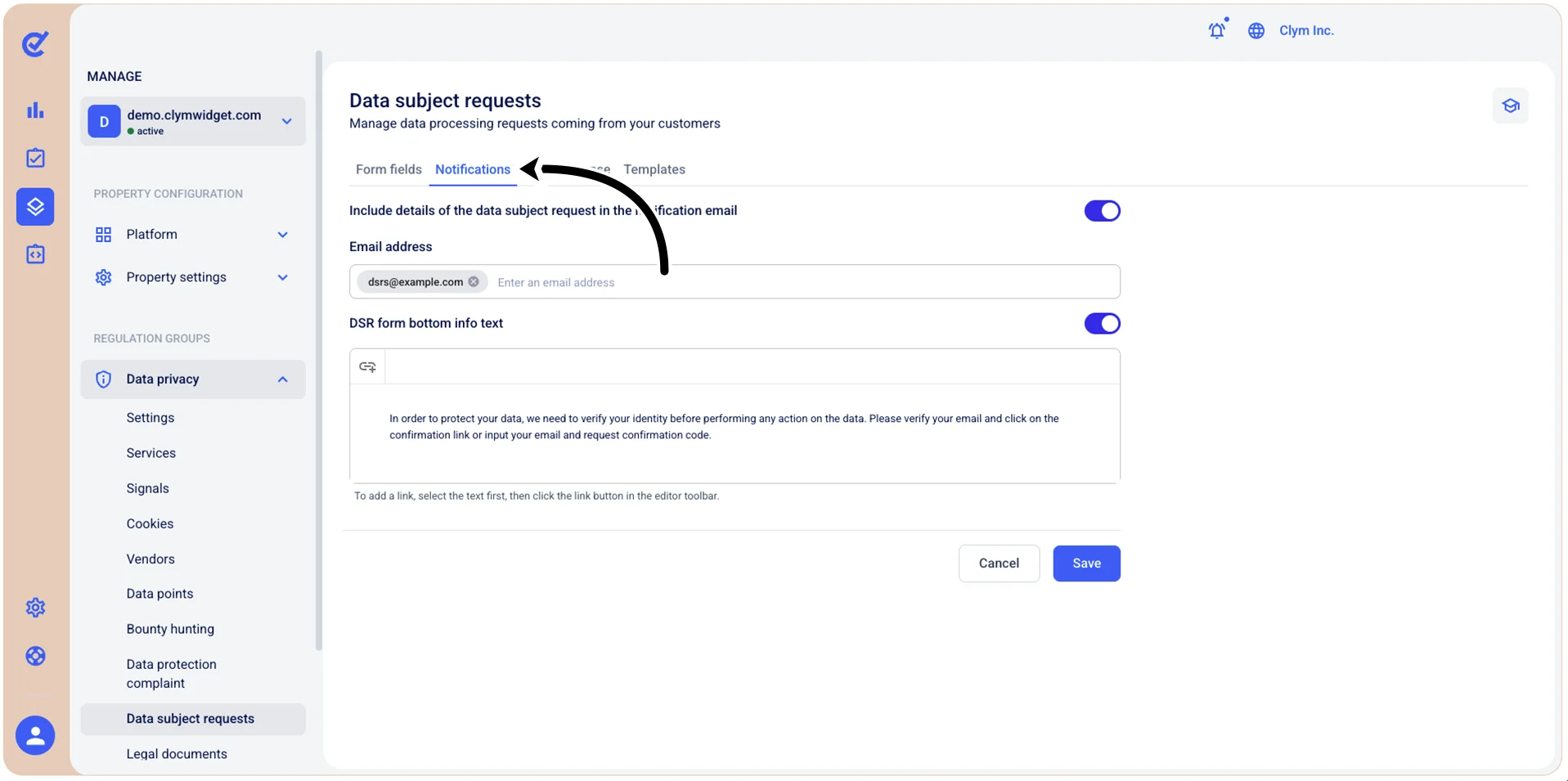
- In the Email address field, enter the email address(es) that you would like to set to receive notifications whenever your organization has received a new DSR. Press Enter after every individual email. To include details of the data subject request in the notification email, toggle this option on.
- When finished, select Save.