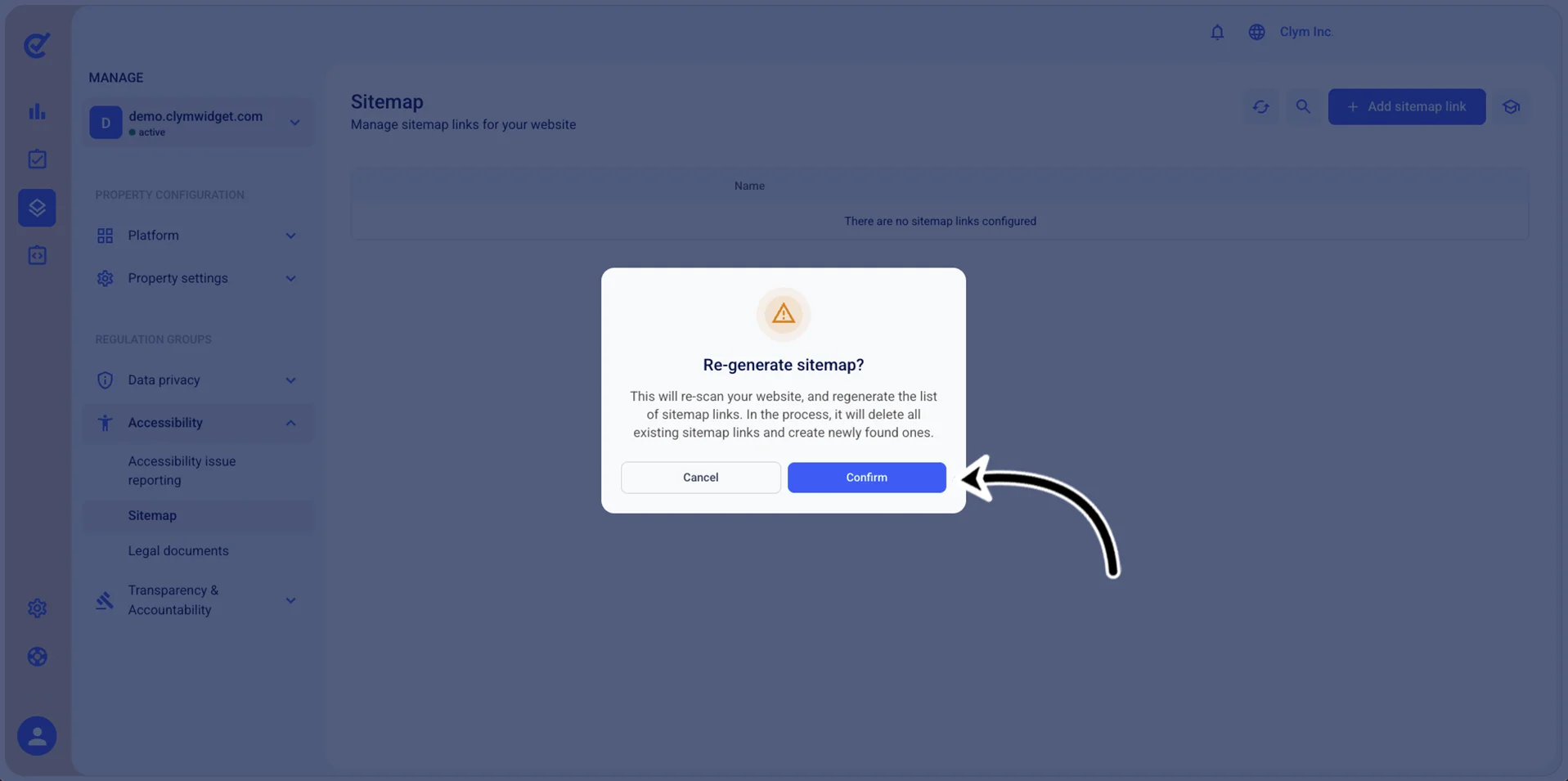
Regenerate the sitemaps
In the Control Center, you can rescan your website and regenerate the list of sitemap links, replacing all existing sitemap links with updated ones.
To refresh the existing sitemaps:
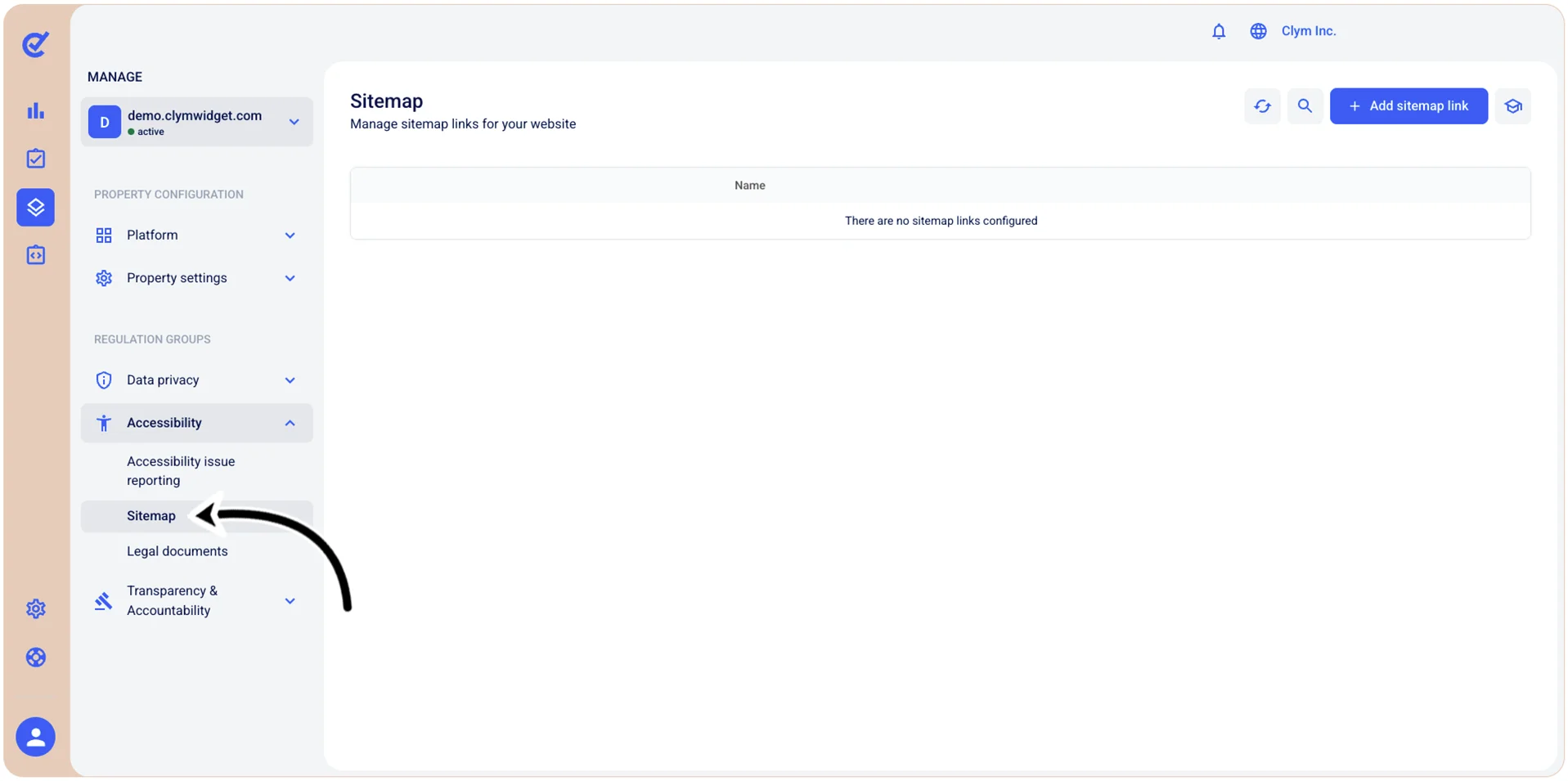
- Go to
 Manage>Accessibility>Sitemap.
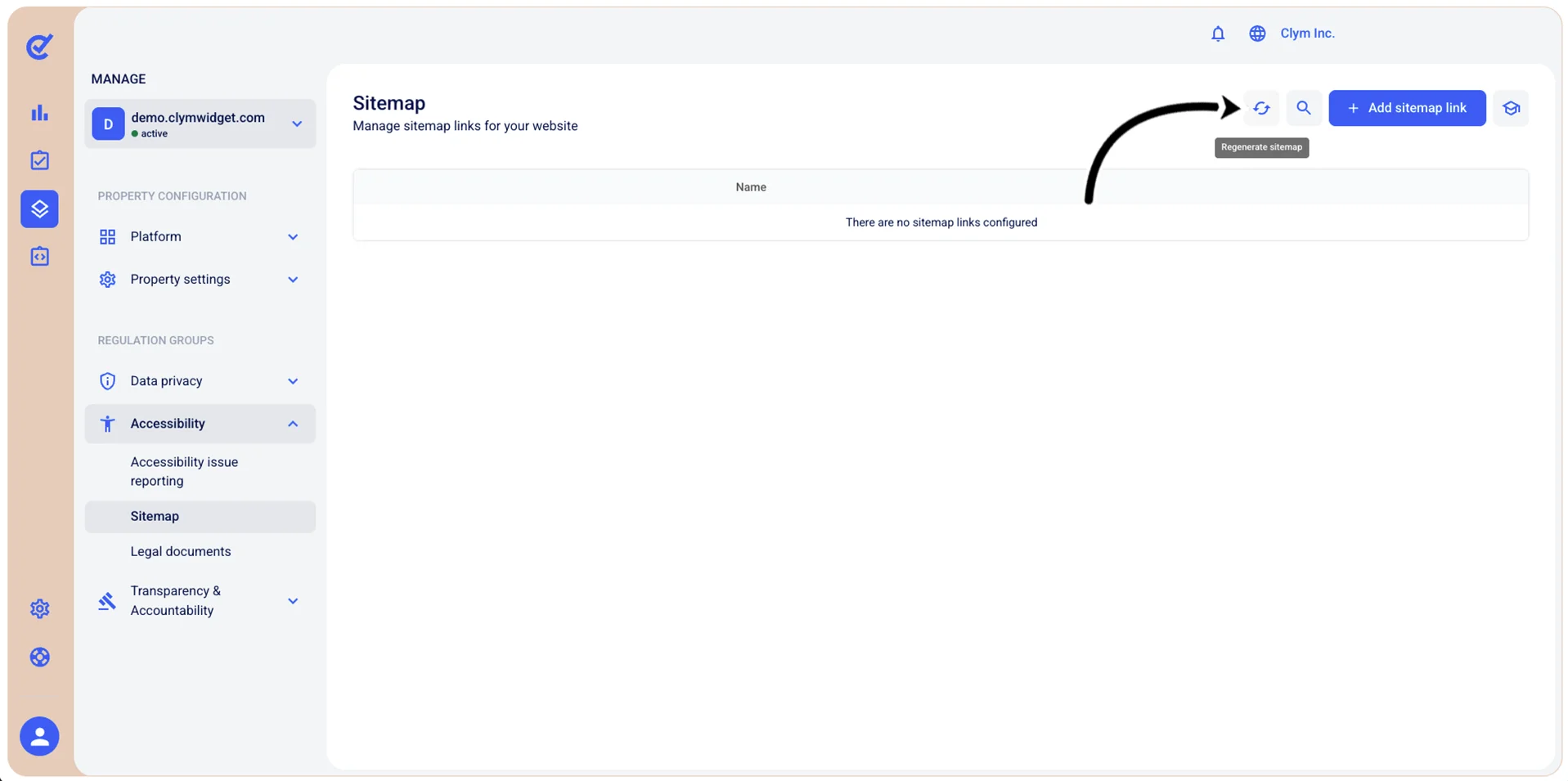
- In the Sitemap section, select
 Regenerate.
- In the confirmation message, select Confirm. The updated list of sitemaps is available in the Sitemap section.