
Add a sitemap
To add a new sitemap to the Control Center:
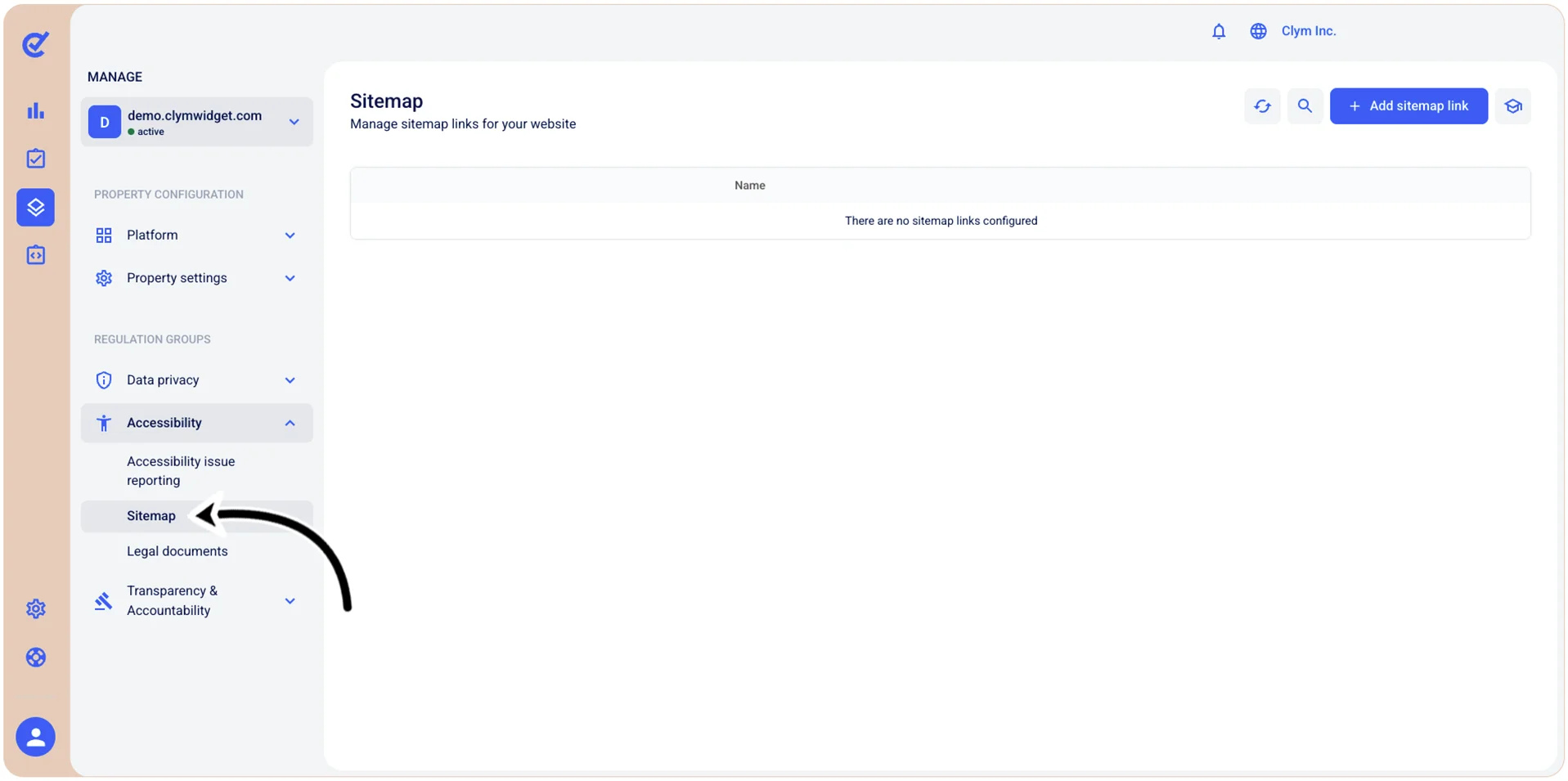
- Go to
 Manage>Accessibility>Sitemap.
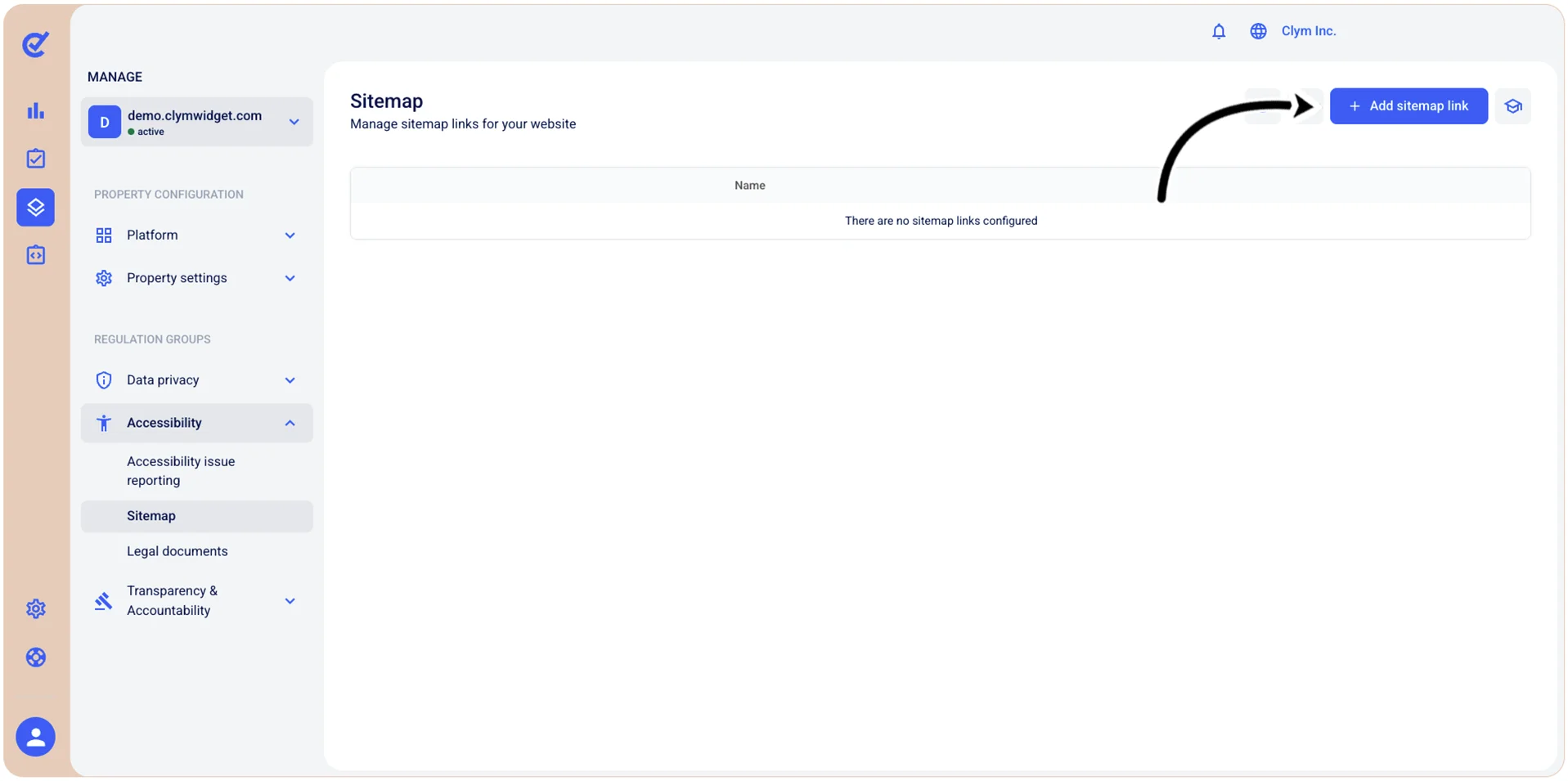
- Select +Add sitemap link.
- In the +Add sitemap link section, configure the new sitemap parameters, as follows:
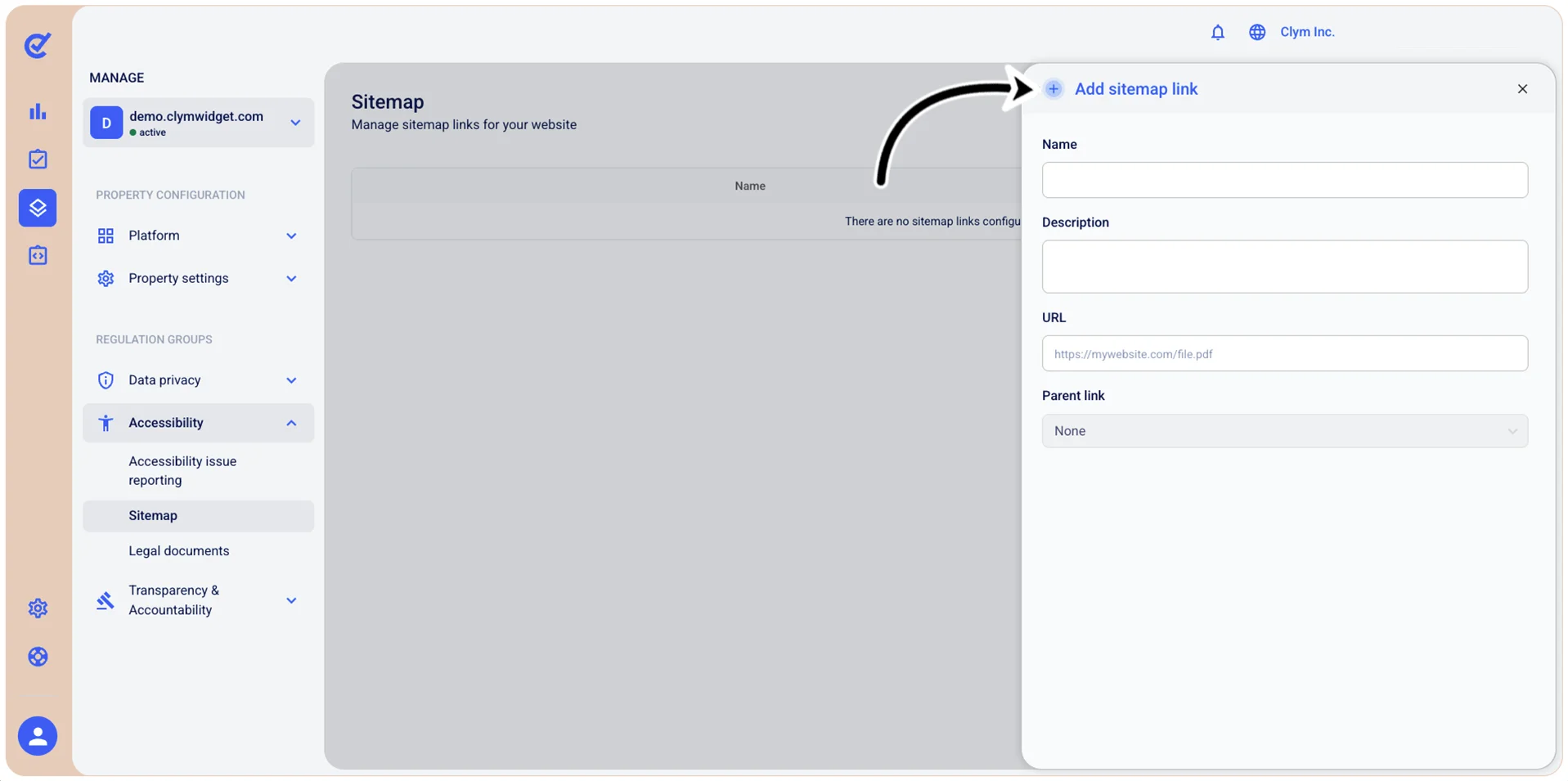
- Name: Give your sitemap a descriptive name.
- Description: Give your sitemap a meaningful description.
- URL: Enter the URL of the sitemap.
- Parent link: Select the parent URL, if this is a secondary/child sitemap.
- When finished, select Add. Your newly-created sitemap is displayed in the Sitemap section.