Edit a sitemap
To modify a sitemap in the Control Center:
- Go to
 Manage>Accessibility>Sitemap.
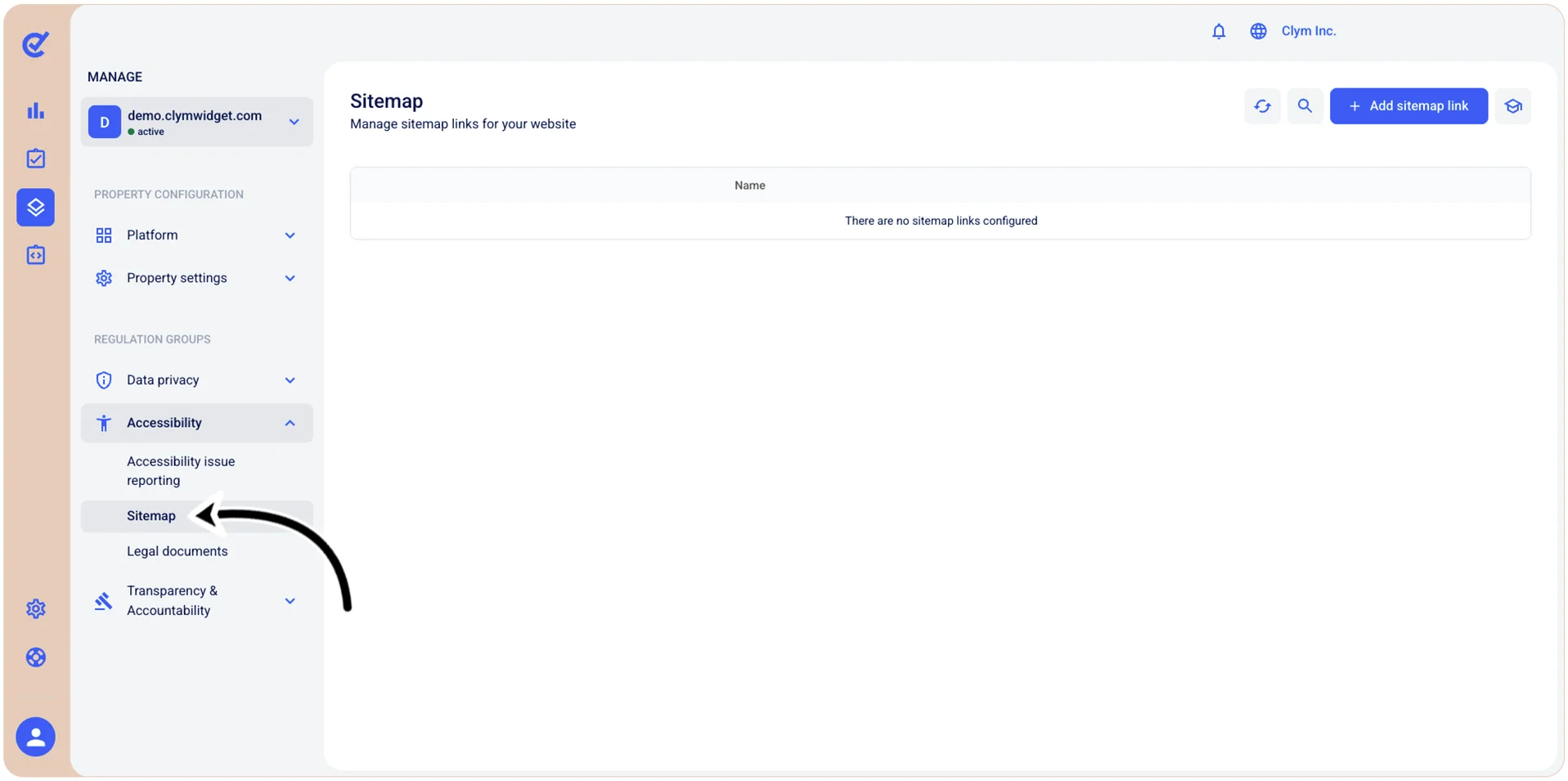
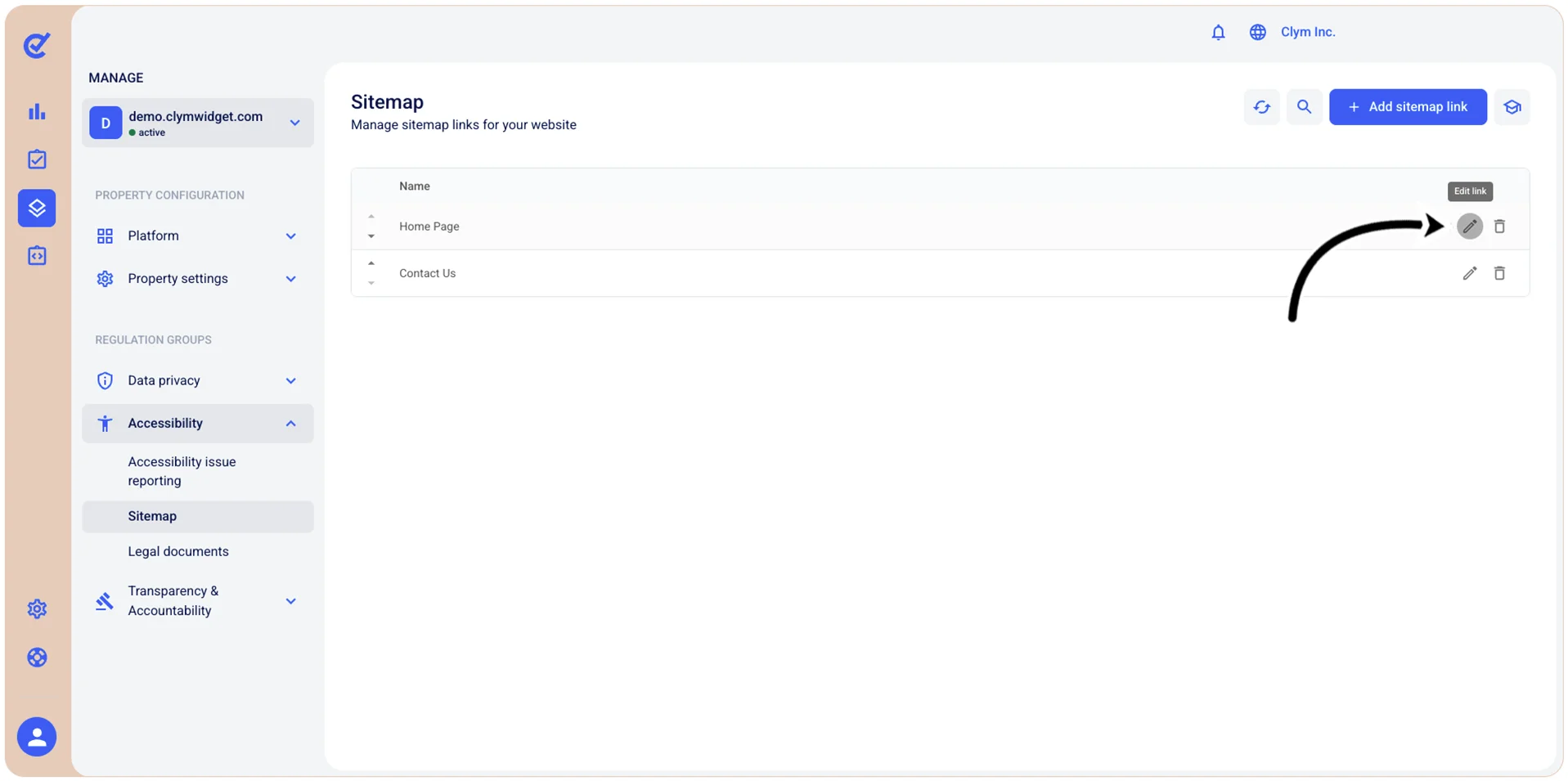
- In the Sitemap section, select
 Edit next to the desired sitemap.
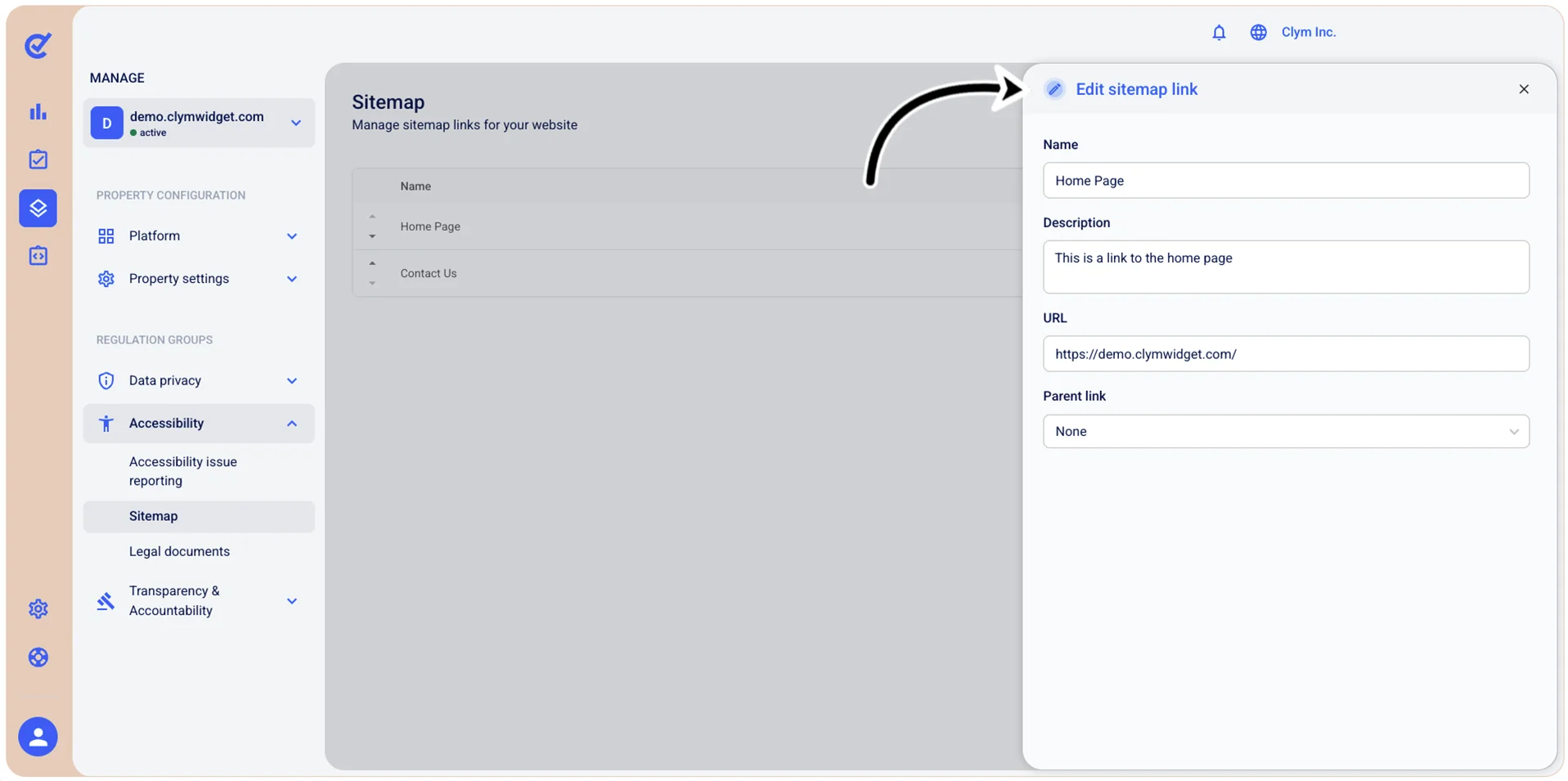
- In the Edit sitemap link section, configure the selected sitemap. For more information on the options available to you at this stage, see Add a sitemap.
- When finished, select Save.