Deactivate a language
To disable a language in the Control Center:
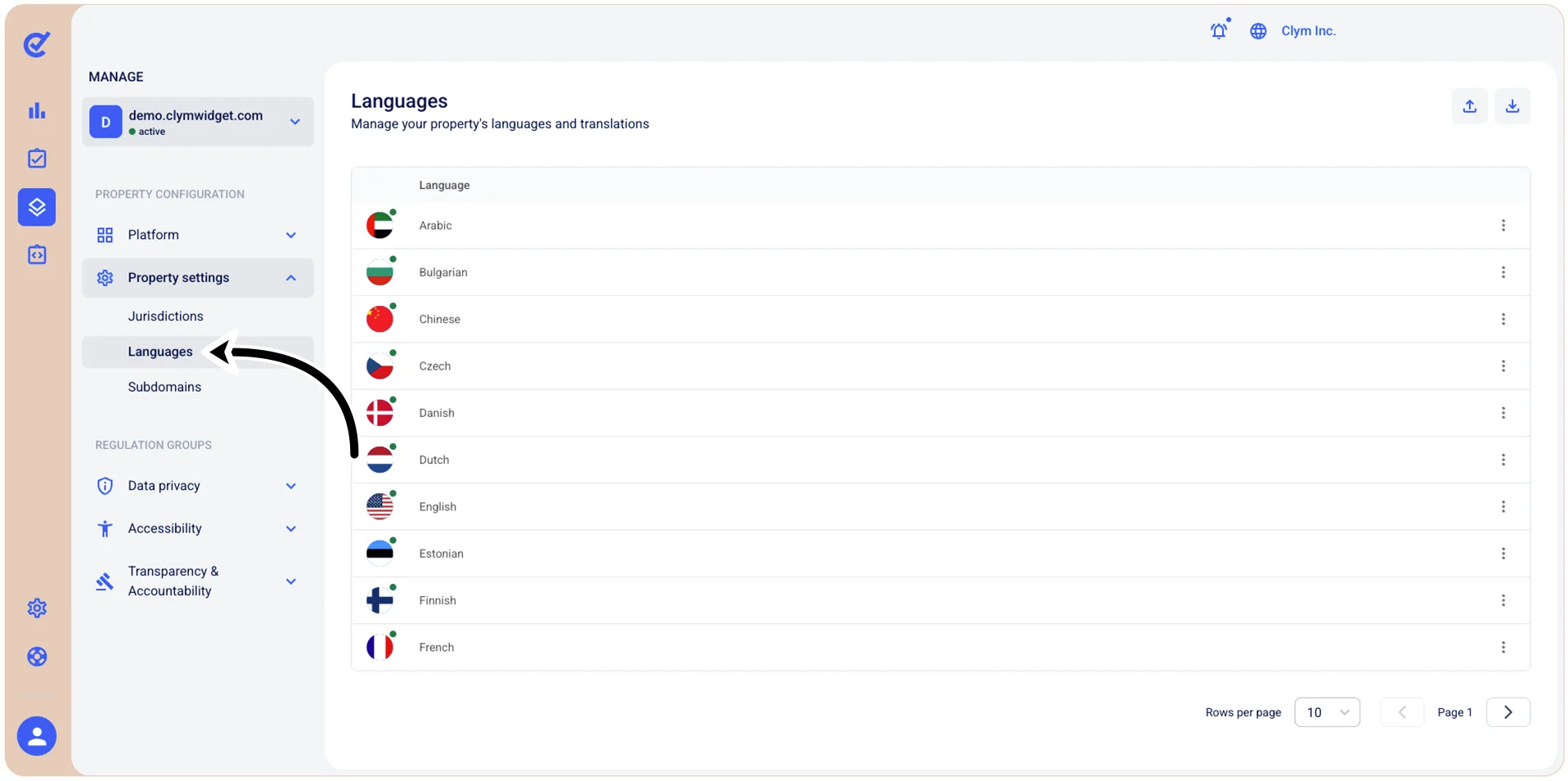
- Go to
 Manage>Property Settings>Languages.
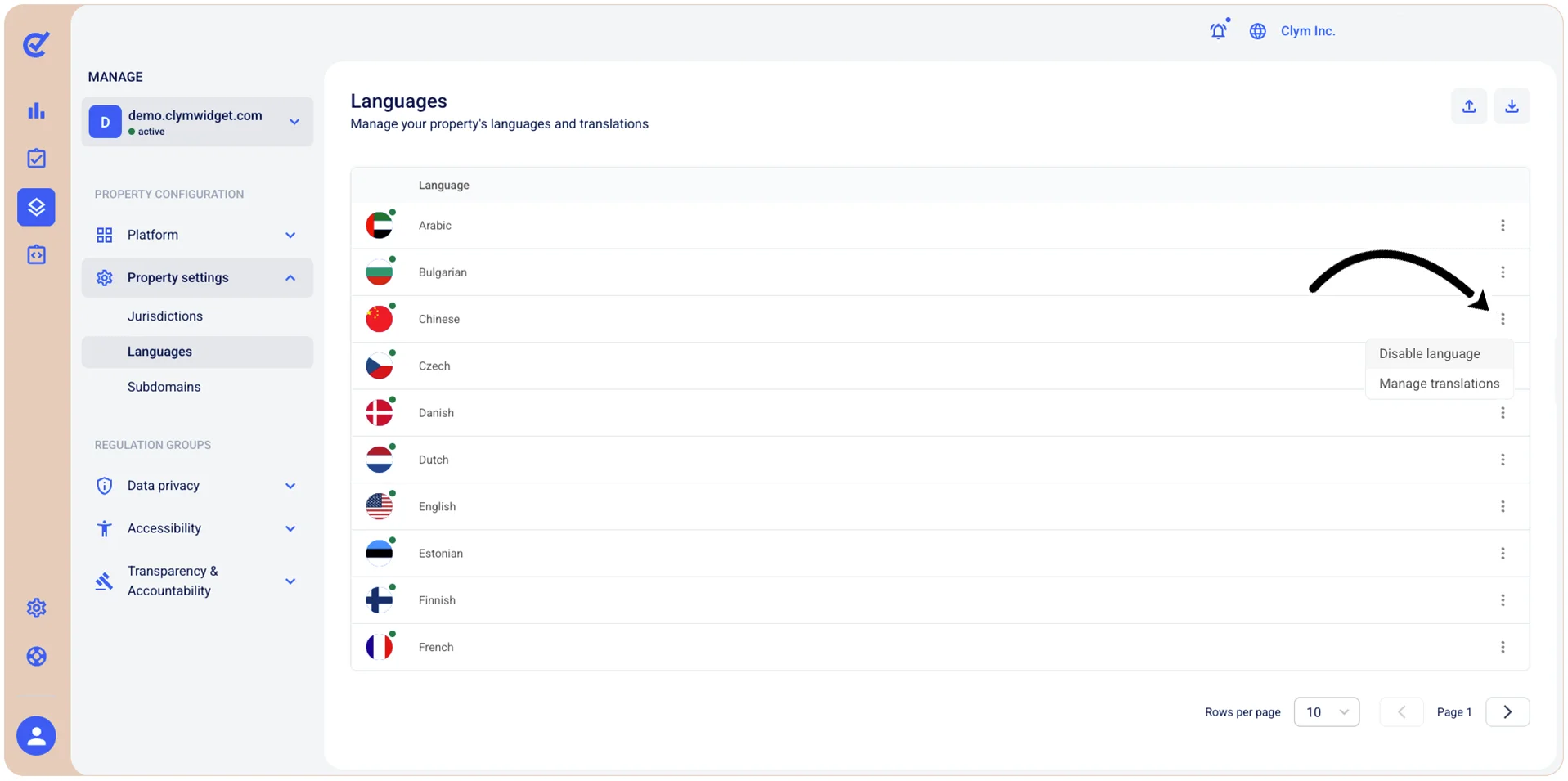
- In the Languages section, select ⋮ Settings next to the desired language and then select Disable language on the shortcut menu.

To disable a language in the Control Center:
Manage>Property Settings>Languages.