
Embedded content: Manage the look and feel of your embedded videos
In the Control Center, you can configure the way embedded videos behave and are displayed on your website by configuring their displayed parameters, according to your needs.
Important! When configuring this section, make sure that you select Save on the tab you just configured before moving on to another tab/section.
To manage the video embed section:
- Go to
 Manage>Platform>Embedded content.
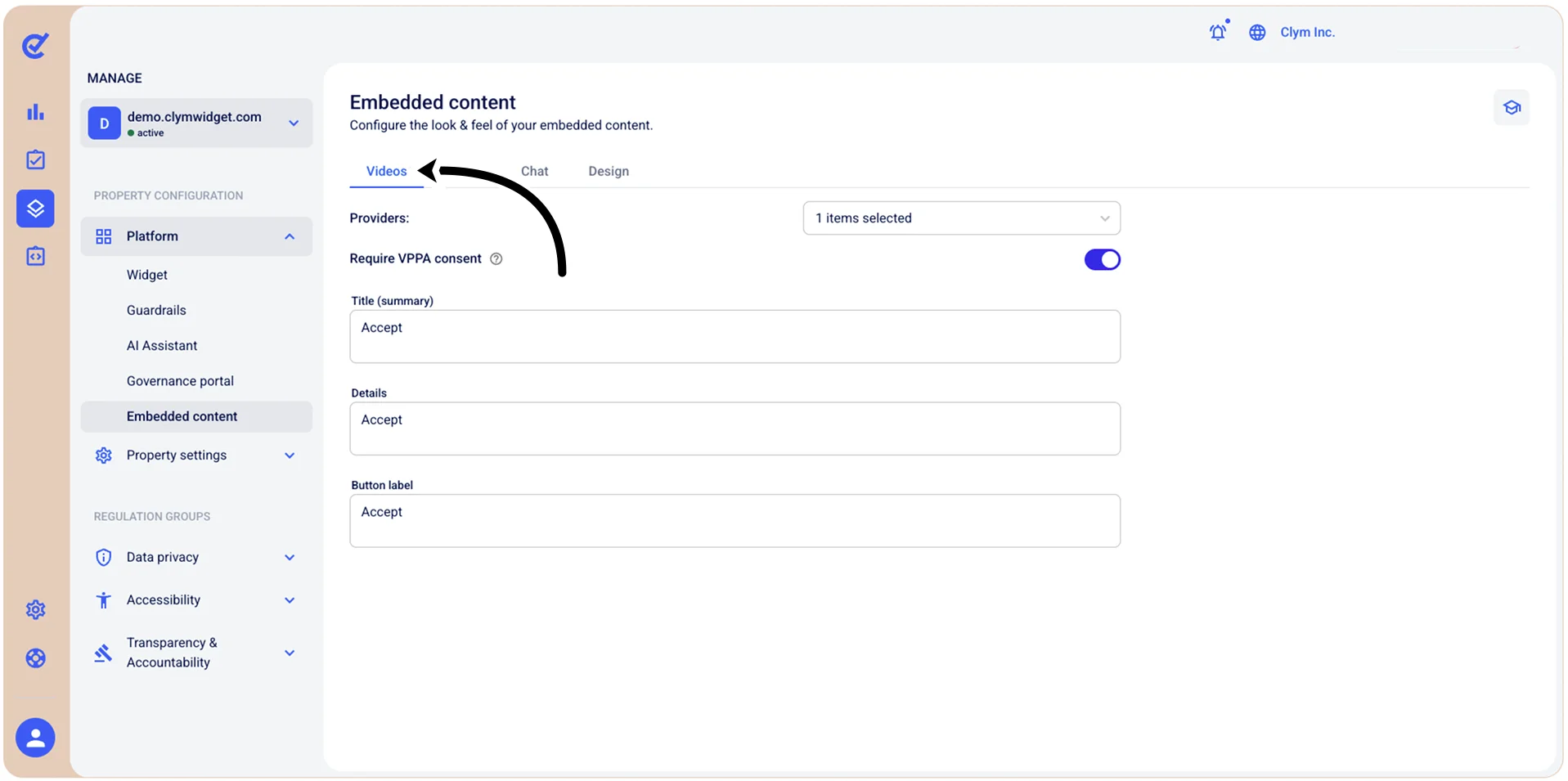
- In the Videos tab, configure the fields, as follows:
- Providers: Configure the embedded video providers.
- Require VPPA consent: Toggle on if the embedded content requires VPPA consent.
- Title: Select the title of the embedded video.
- Details: Add the details of the embedded video.
- Button label: Configure the button label of the embedded video.
- When finished, select Save.