
Add a subdomain
Adding a subdomain in the Control Center extends the Widget functionalities across the subdomain as well.
To add a new subdomain to your website:
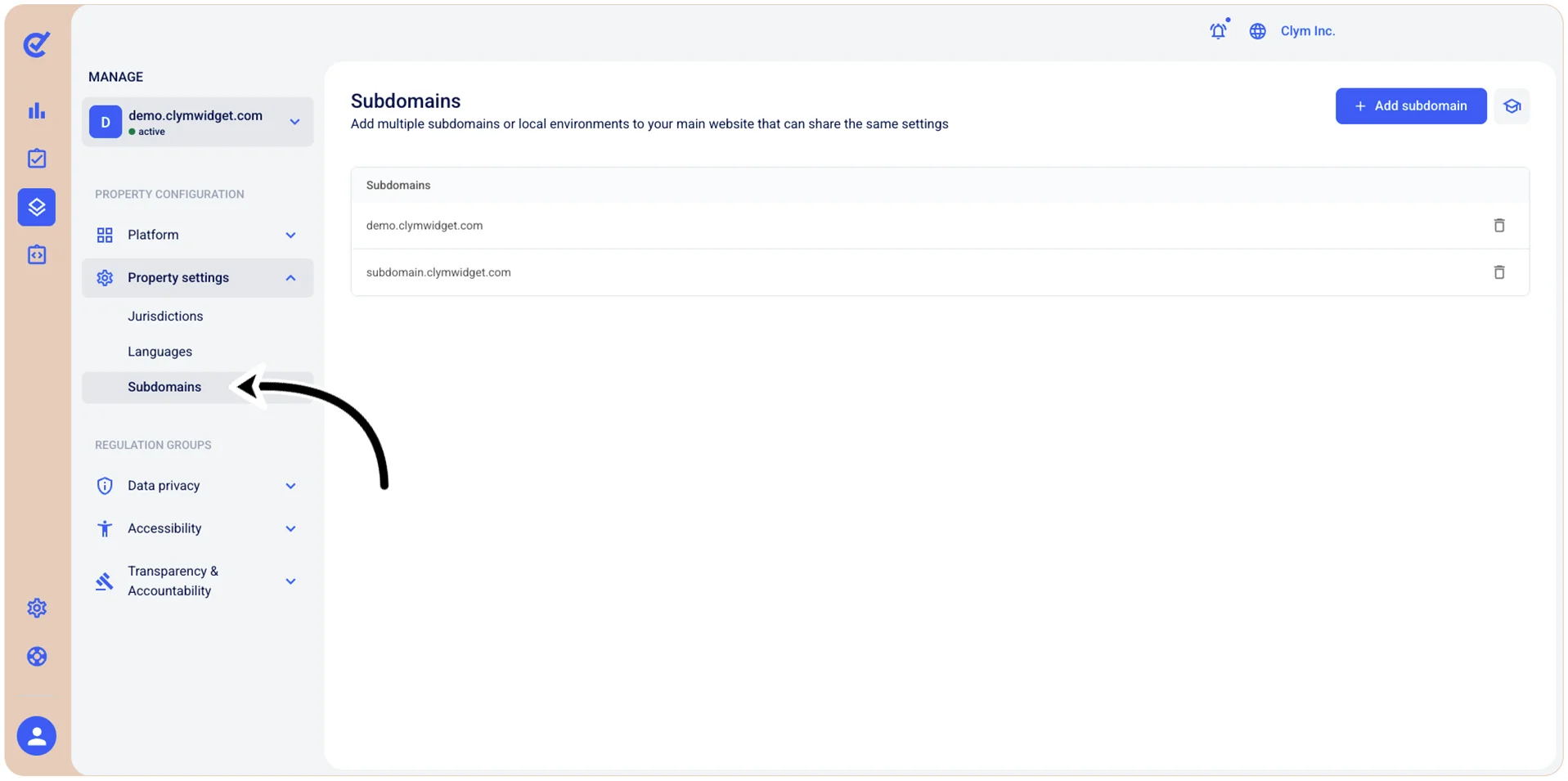
- Go to
 Manage>Property Settings>Subdomains.
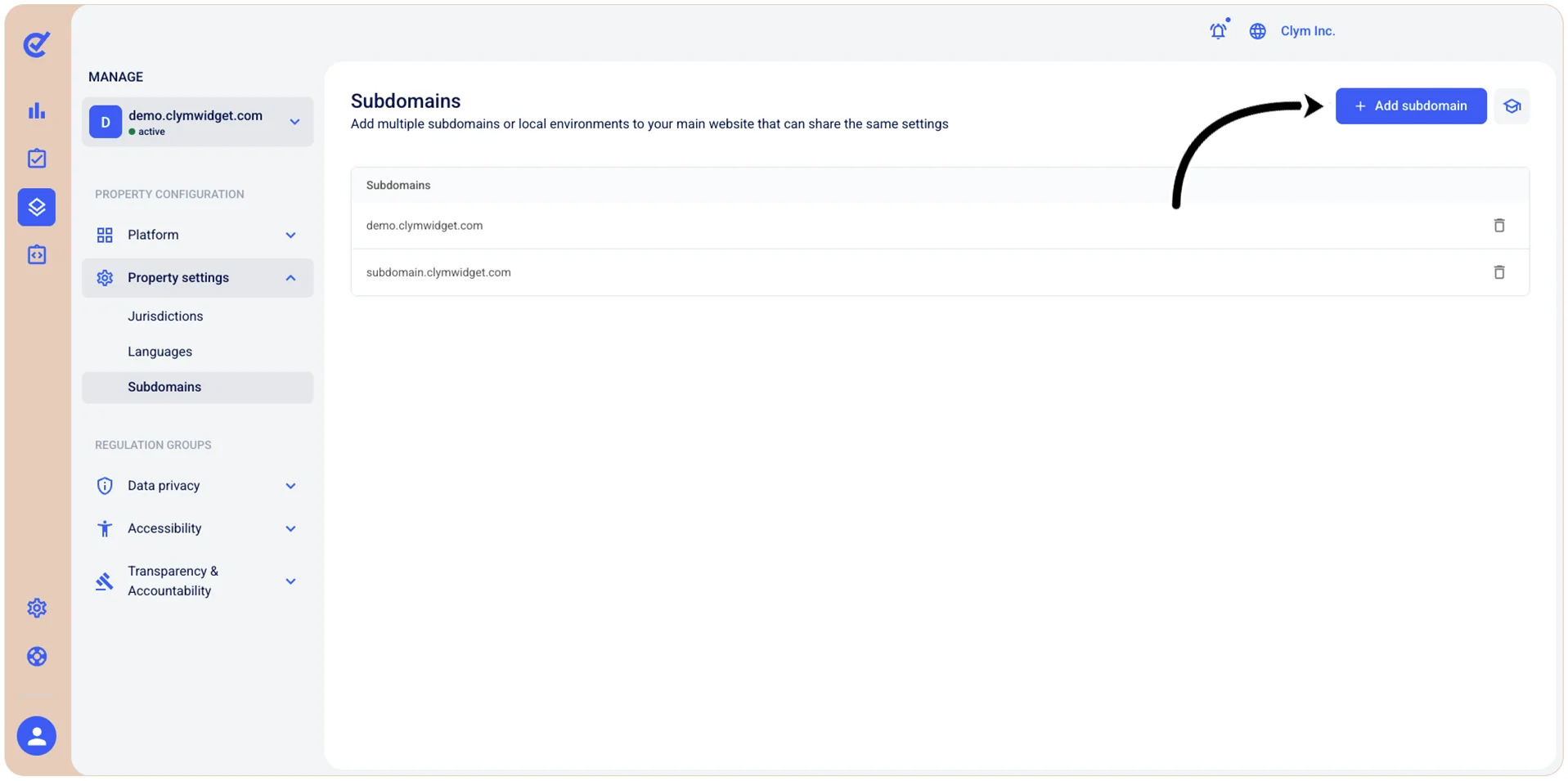
- In the Subdomains section, select +Add subdomain.
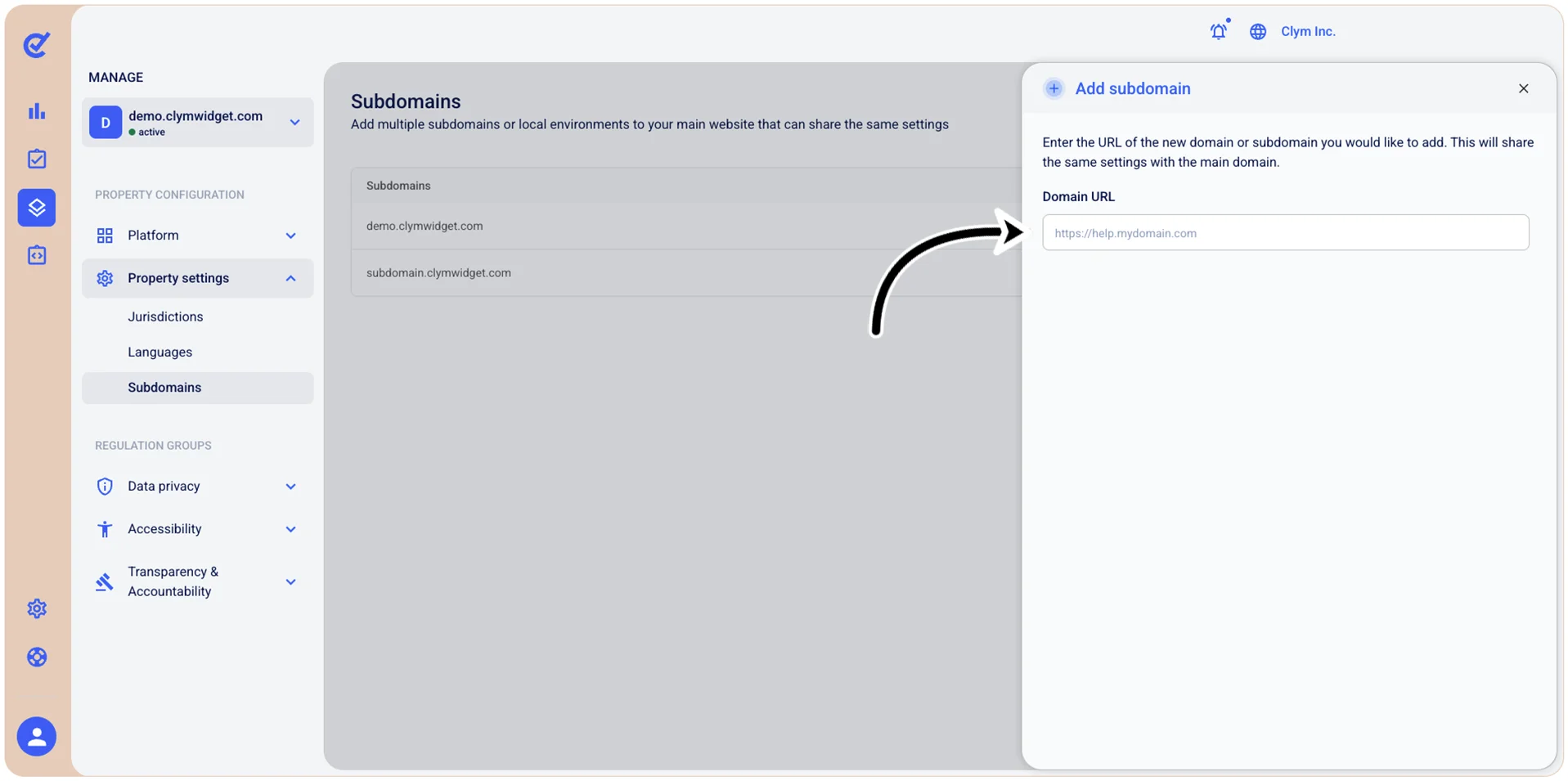
- In the Add subdomain section, in the Domain URL field, enter the desired name for your subdomain.
- When finished, select Save domain. Your newly-added subdomain is displayed in the Subdomains section.