
Data privacy: Filter vendors
To narrow down your search using filtering:
- Go to
 Manage>Data privacy>Vendors.
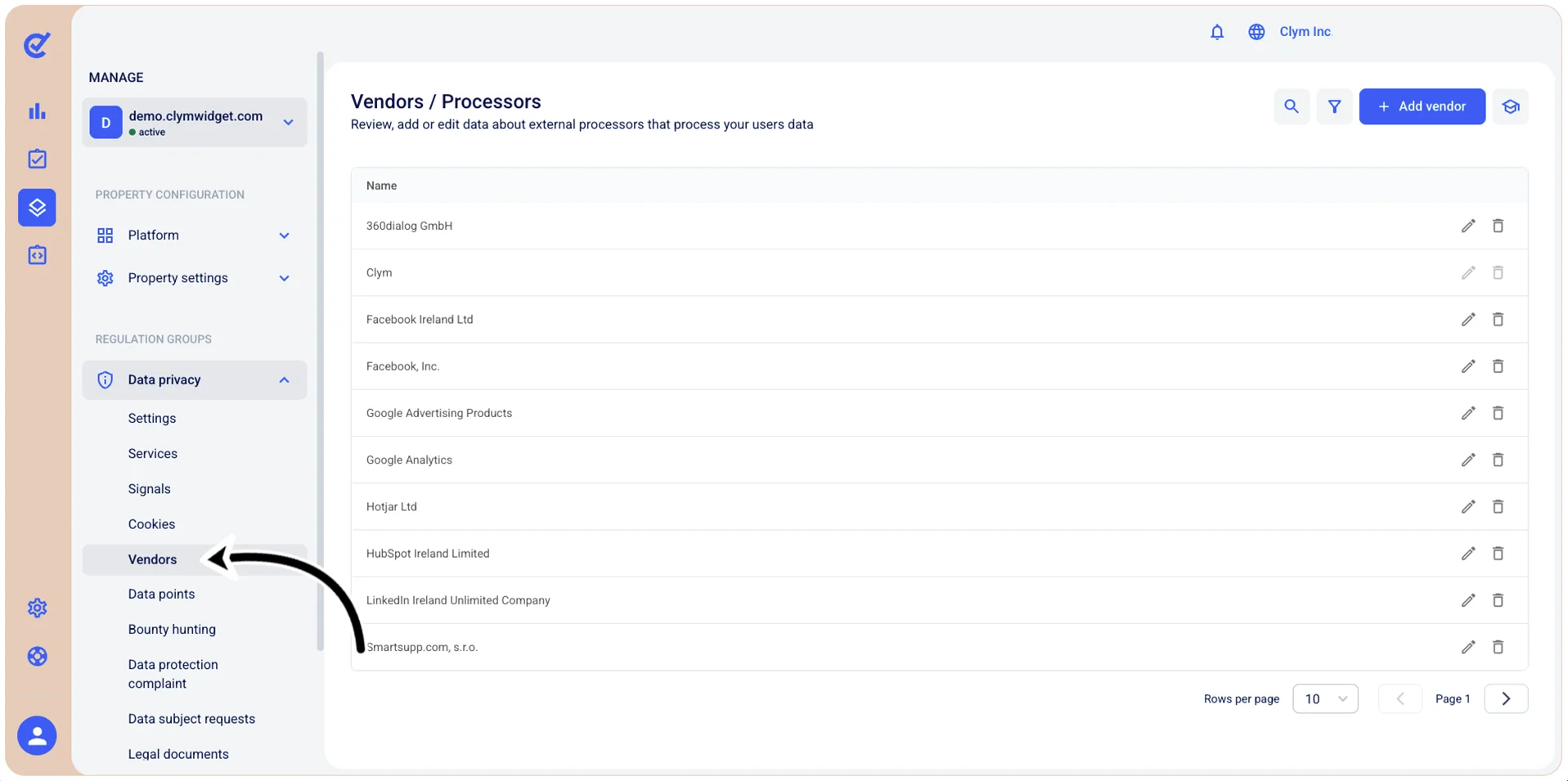
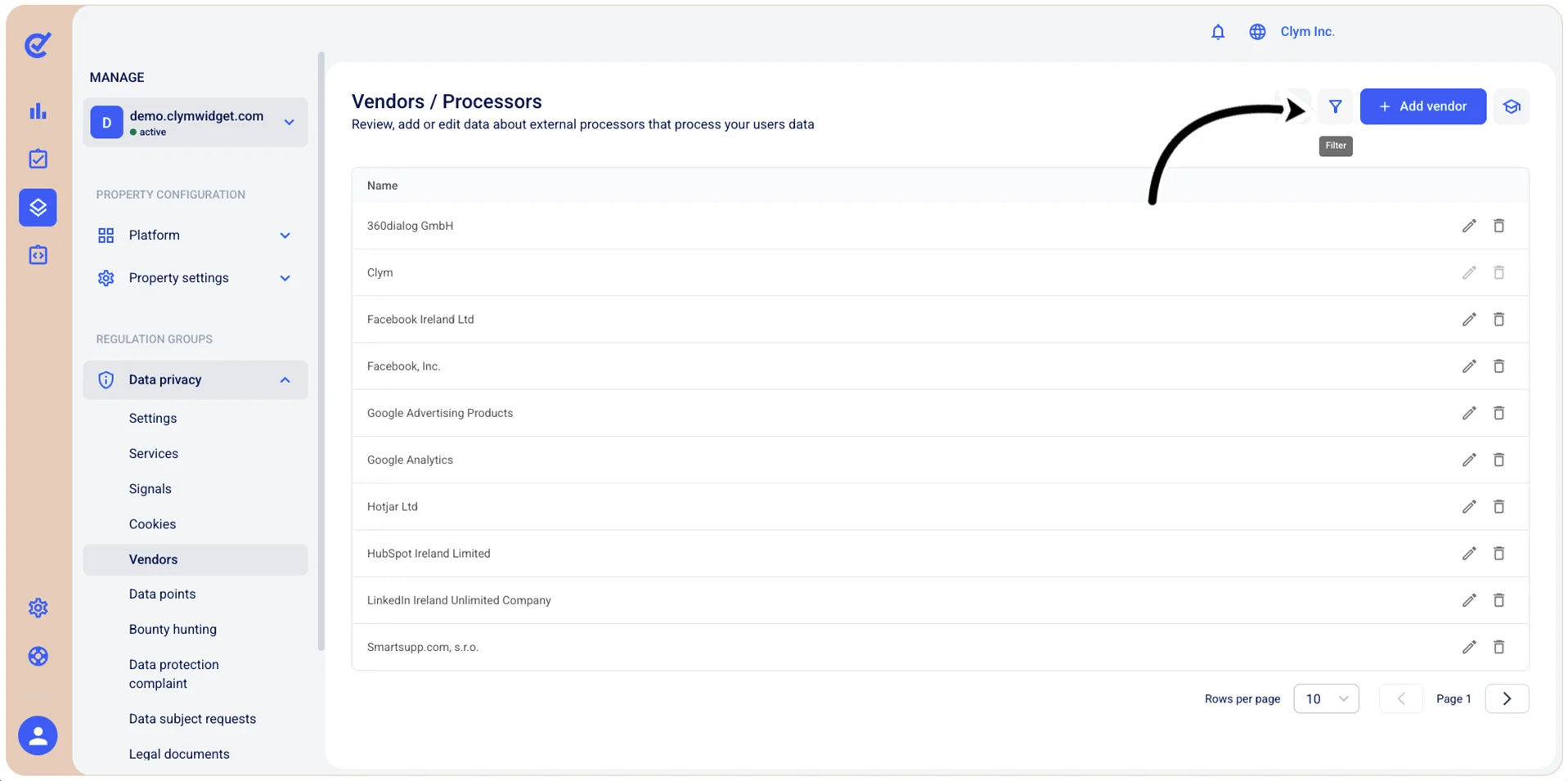
- In the Vendors section, select
 Filter.
- In the Filters section, use the filtering parameters to find cases, as follows:
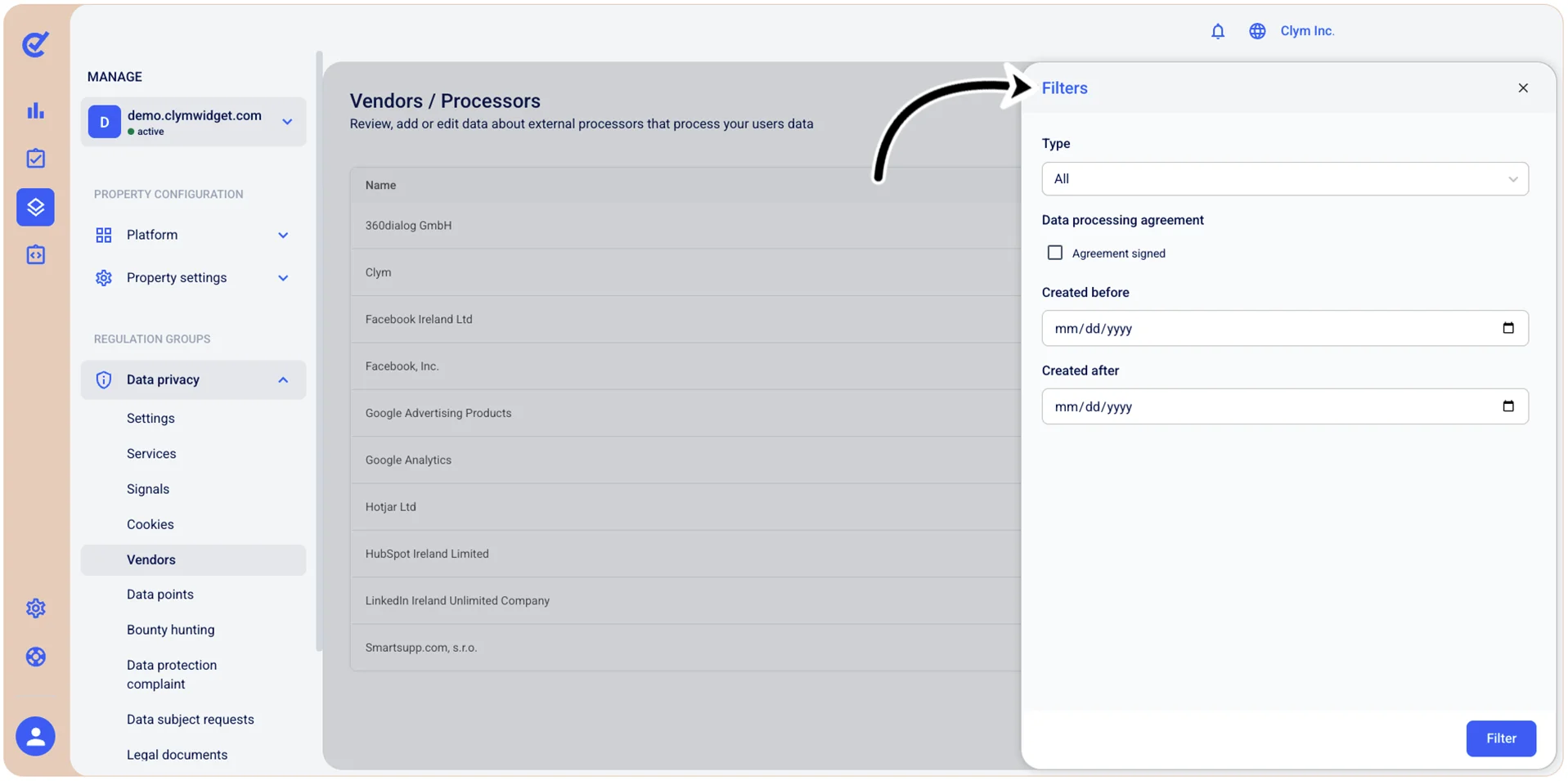
- Type: Select the desired Vendor type from the list.
- Data processing agreement: Select whether you want the Vendors to be filtered based on signed Data processing agreements.
- Created before: Use the date selector to show only the vendors created before the date you specify here.
- Created after: Use the date selector to show only the vendors created after the date you specify here.
- When finished, select Filter.
The filtered results are displayed in the Cookies section. Note that, whenever the Control Center displays filtered information, the
 filter icon is marked with a tiny green dot.