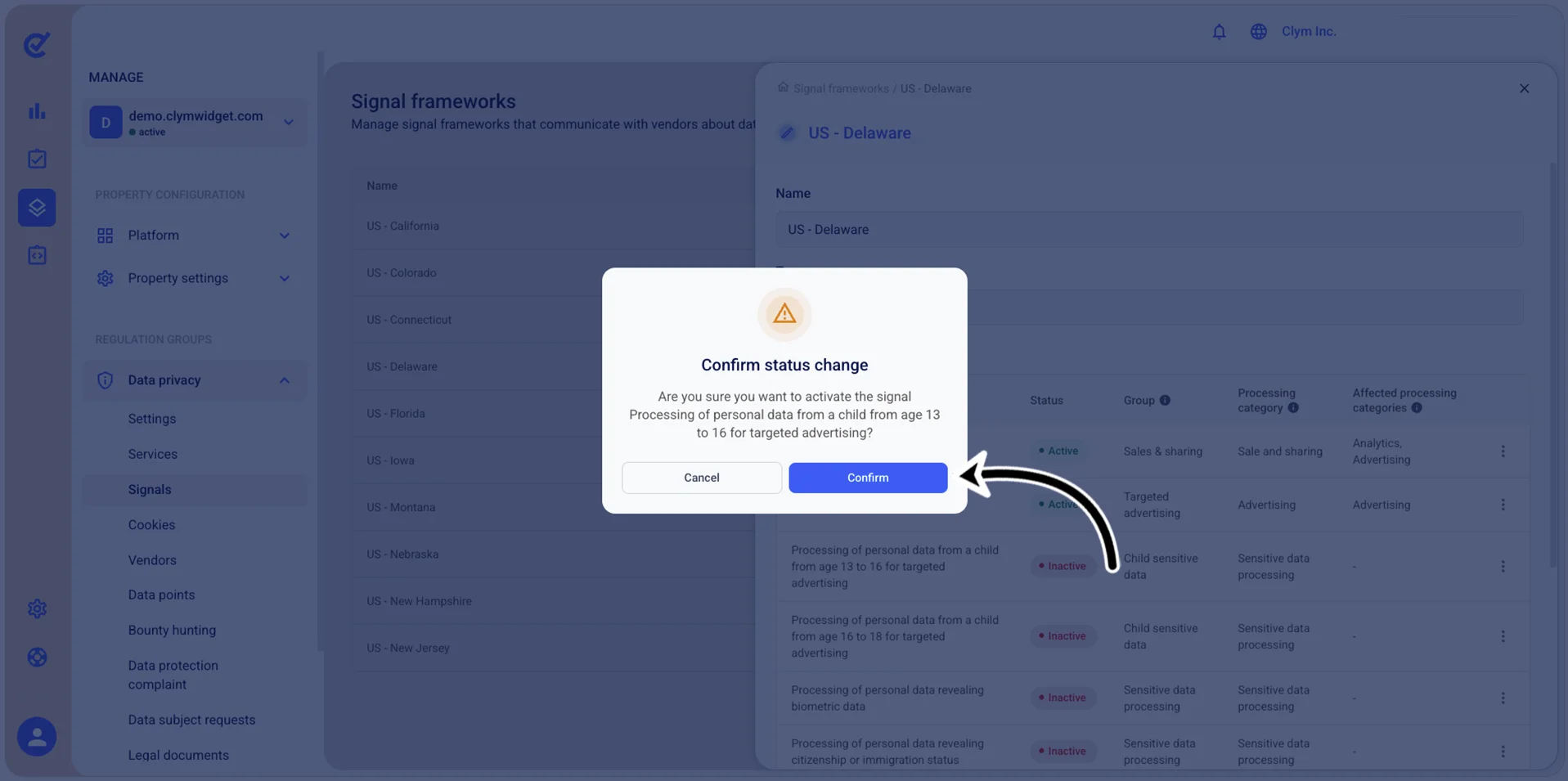
Reactivate inactive signals
To re-enable a disabled signal:
- Go to
 Manage>Data privacy>Signals.
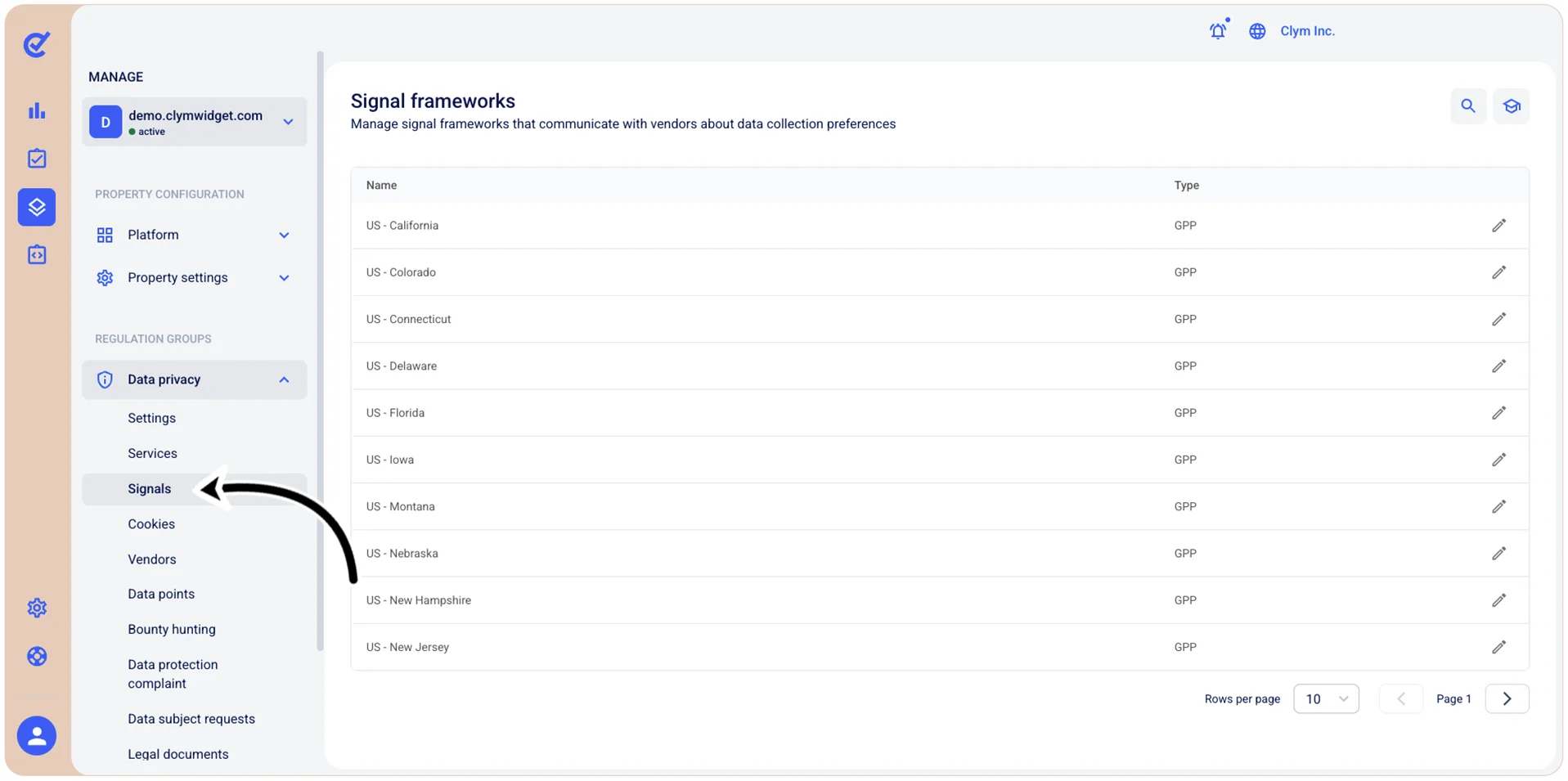
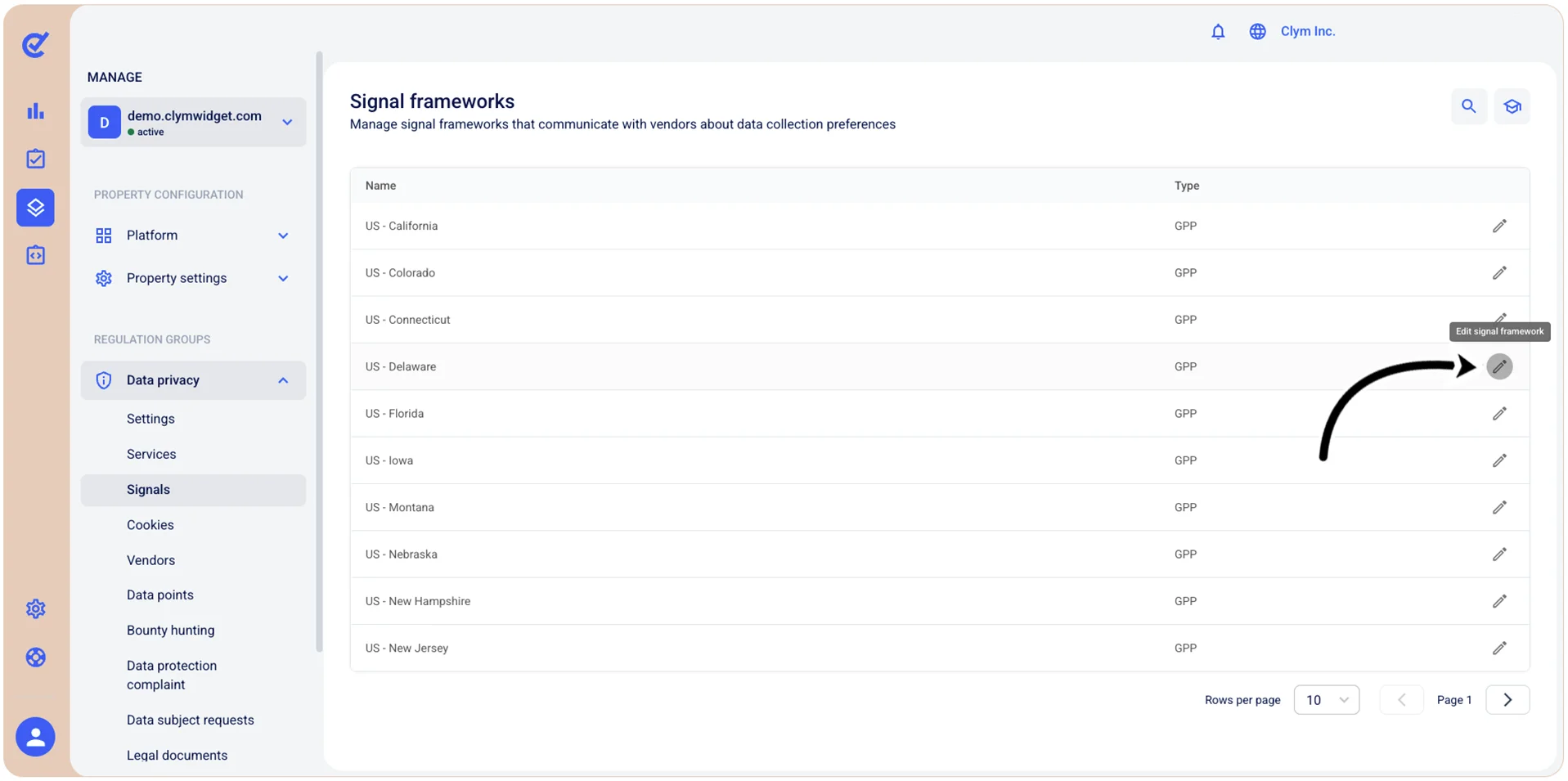
- In the Signals section, select
 Edit next to the desired signal framework.
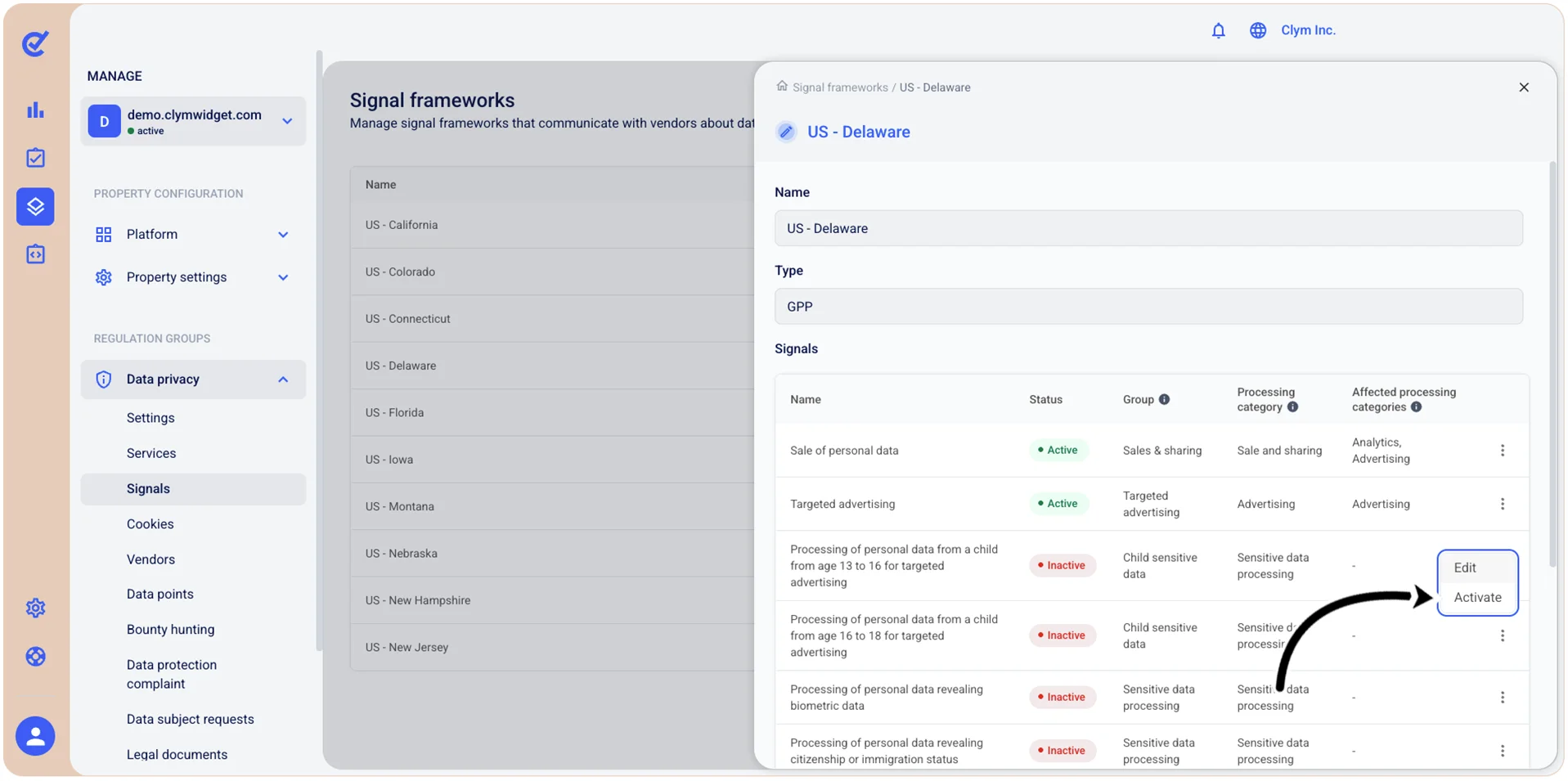
- On the shortcut menu, select Activate.
- In the confirmation message, select Confirm. The signal framework changes status to Active.