
Edit signals
To modify signals:
- Go to
 Manage>Data privacy>Signals.
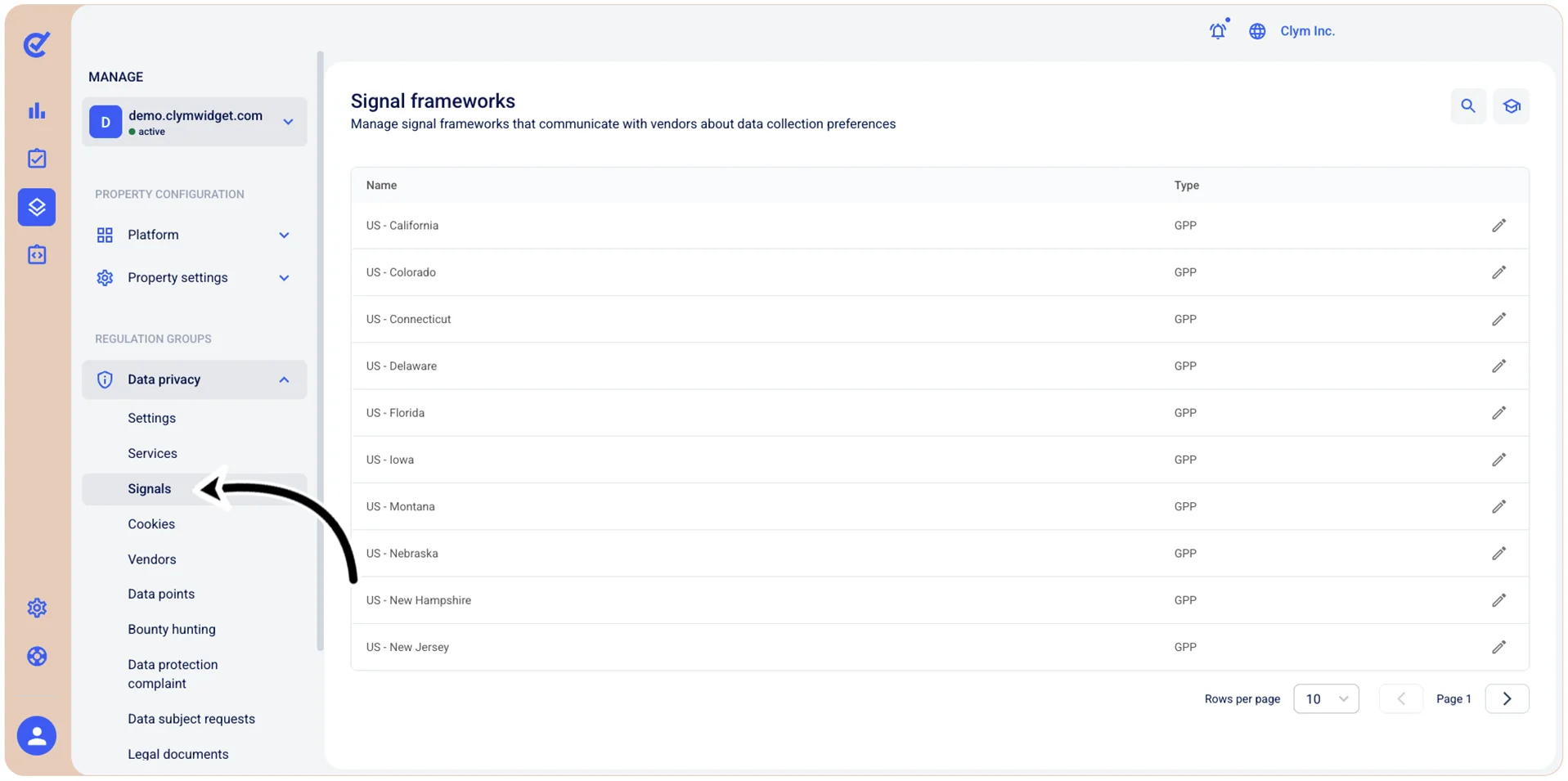
- In the Signals section, select
 Edit next to the desired signal framework.
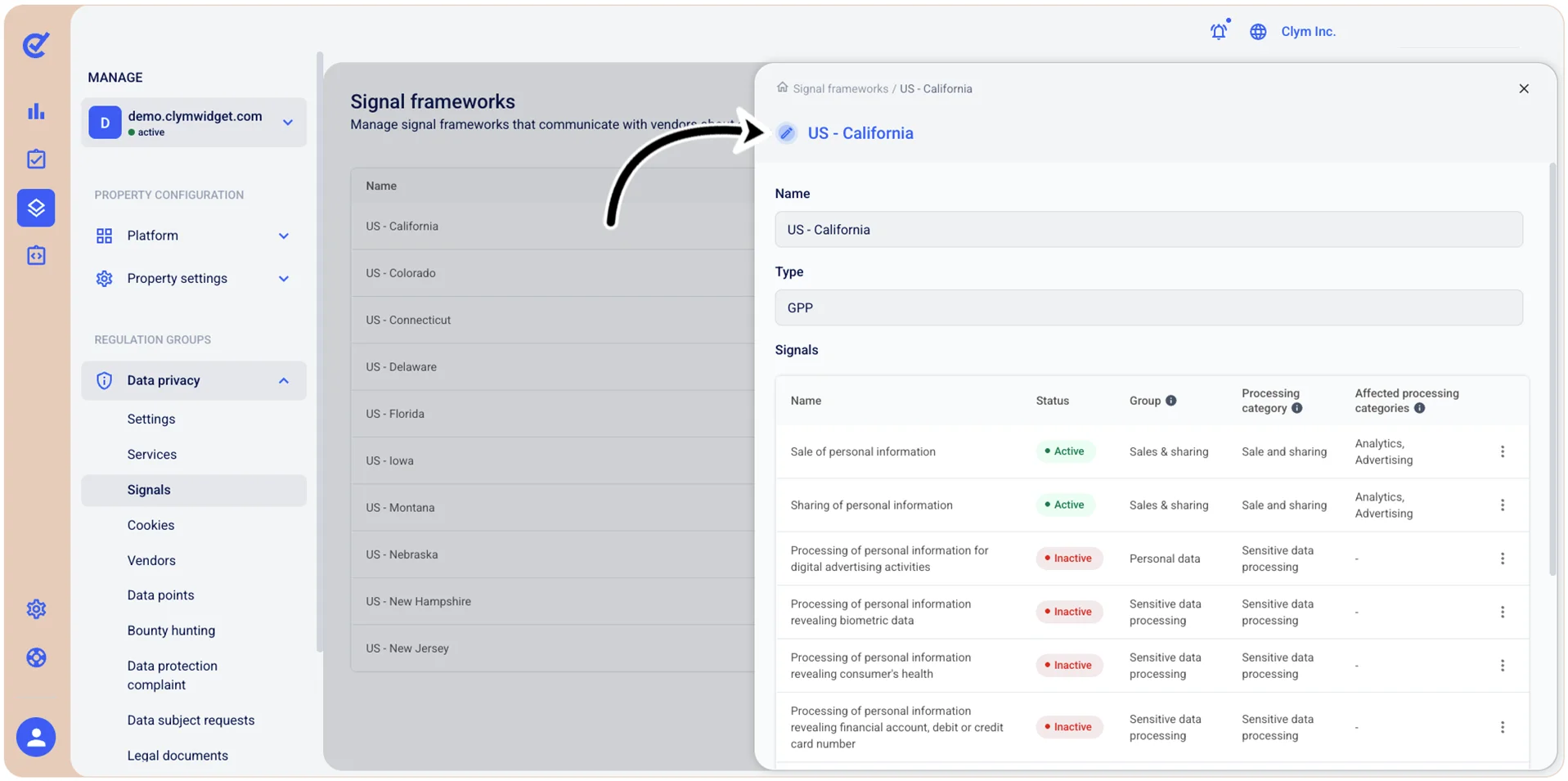
- In the
section, select Settings next to the desired signal. - In the Edit signal section, configure the signal parameters, as follows:
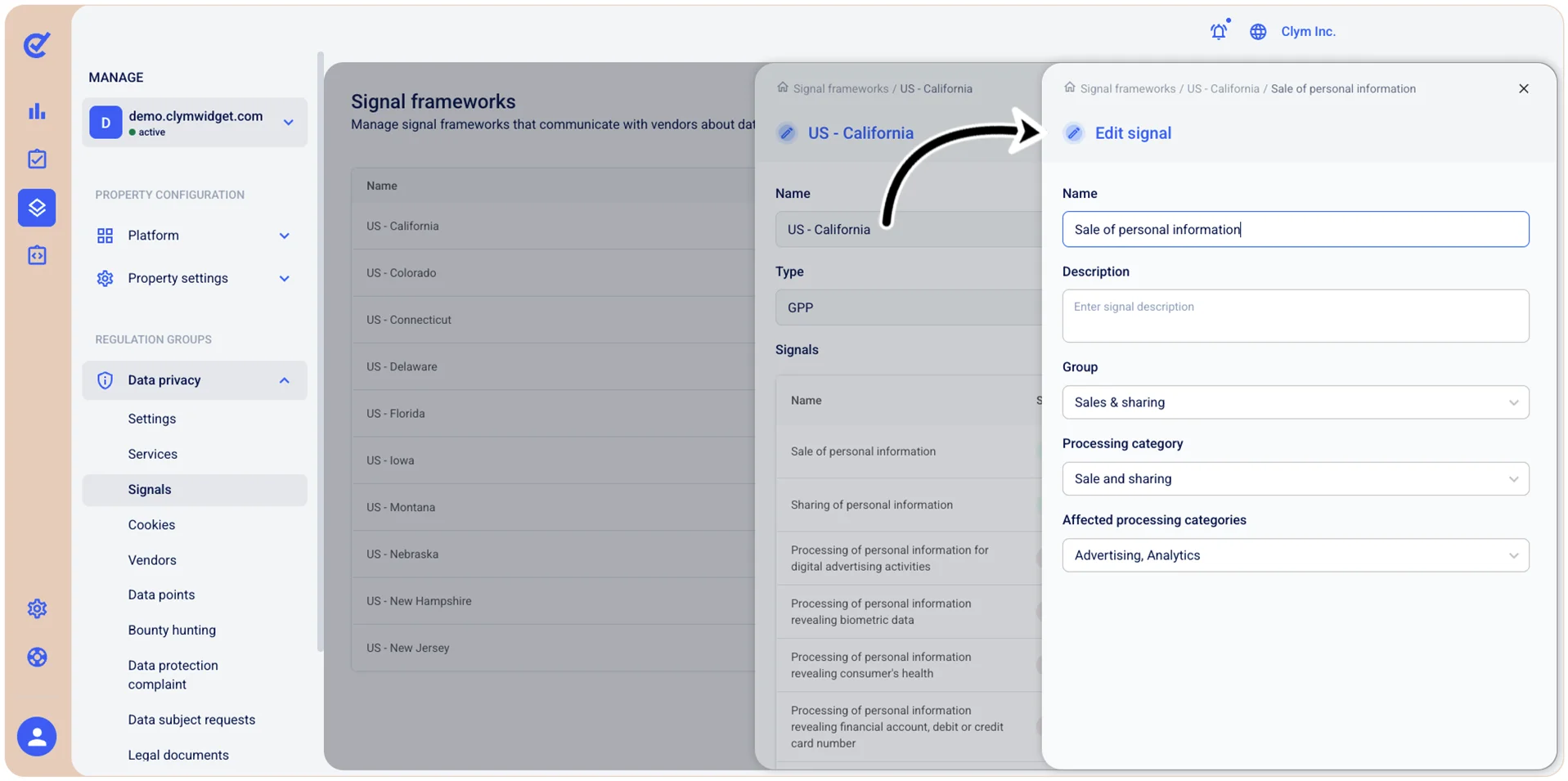
- Name: Enter a descriptive name for this consent signal.
- Description: Enter a meaningful detailed description of what this consent signal controls or represents.
- Group: Select the category or group this signal belongs to (for example, Sales & sharing/Sensitive Data processing/Targeted advertising and so on).
- Processing category: Select the primary data processing category this signal controls (for example, Sale and sharing/Entertainment/Functional and so on).
- Affected processing categories: Select one or more additional processing categories that are impacted by this consent signal (for example, Advertising/Analytics/Essential and so on).
- When finished, select Save.