
Configure the data privacy RealtimeCompliance™
With RealtimeCompliance™, you receive 24/7 website monitoring to detect any new cookies, services or consent signals, and you can receive alerts if your GTM setup is misconfigured or fails - if integrated. This service is significantly more efficient than the periodic scan of the website, which could not maintain an updated perspective of your website services.
Note: After finishing this configuration, make sure to select Save before moving on to configure another tab, otherwise your changes will not be saved.
To configure the parameters of RealtimeCompliance™:
- Go to
 Manage>Property Settings>Settings.
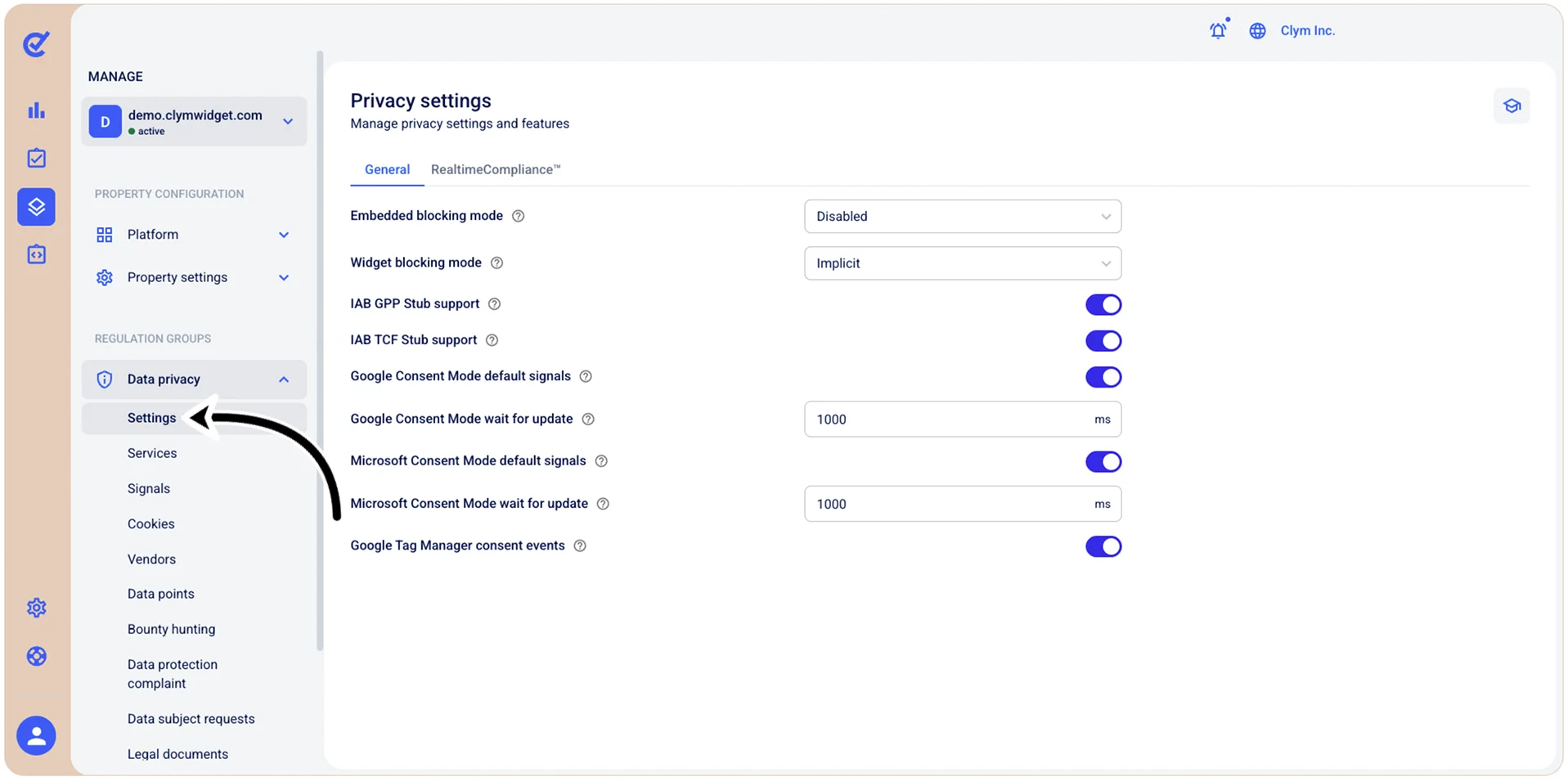
- In the Privacy settings section, in the RealtimeCompliance™ tab, configure the fields, as follows:
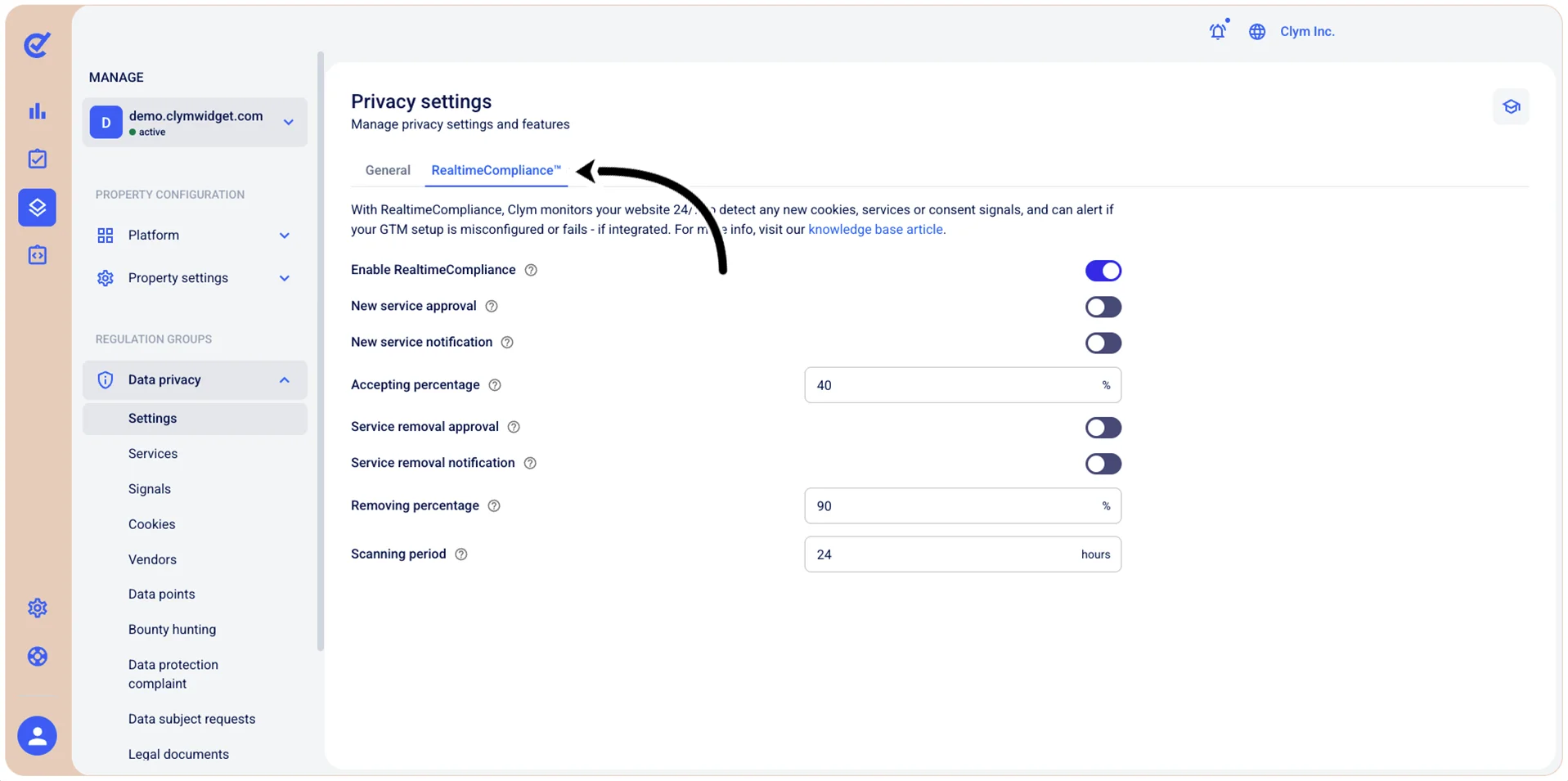
- Enable RealtimeCompliance: Toggle on to activate the RealtimeCompliance™ monitoring feature, which enables 24/7 website monitoring to detect new cookies, third-party services, or changes in consent signals. Toggling this function off deactivates the automatic update of services.
- New service approval: Toggle on to require manual approval before new detected services are added to your consent management system. No automatic changes are applied, any updates are marked with “pending” and someone in your organization will have to review those suggestions one by one.
- New service notification: Toggle on to be alerted via email whenever new third-party services are detected on your website (with or without manual approval).
- Accepting percentage: The minimum percentage of scans that must detect a service before it is added to the domain’s list.
- Service removal approval: If activated, no automatic removal will be done and any changes will be marked with “pending” until someone in your organization reviews the suggestions, giving you full control over your services in the Widget.
- Service removal notification: Toggle on to be alerted via email whenever RealtimeCompliance™ identifies that a previously detected service has been removed (with or without manual approval).
- Removing percentage: The minimum percentage of scans needed to detect a service before marking it as non-existent and removed from the website.
- Scanning period: Enter how frequently (in hours) RealtimeCompliance™ scans your website to detect any changes in services. Low numbers result in more frequent scanning, which - combined with a great number of visitors - may result in longer scan periods. The lowest number you can set here is limited by your subscription.
- When finished, select Save.