
Add a data point
To add a data point:
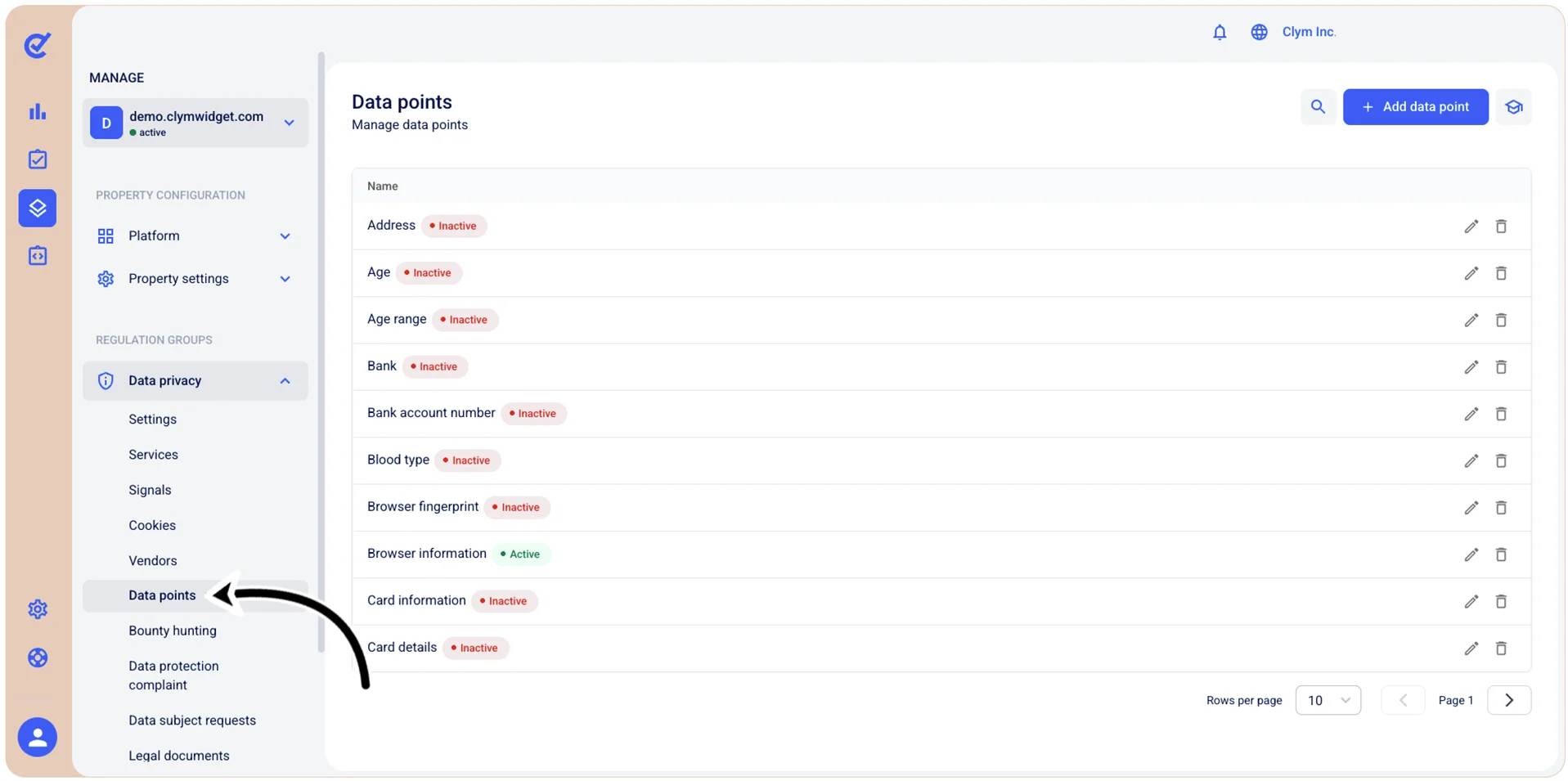
- Go to
 Manage>Data privacy>Data points.
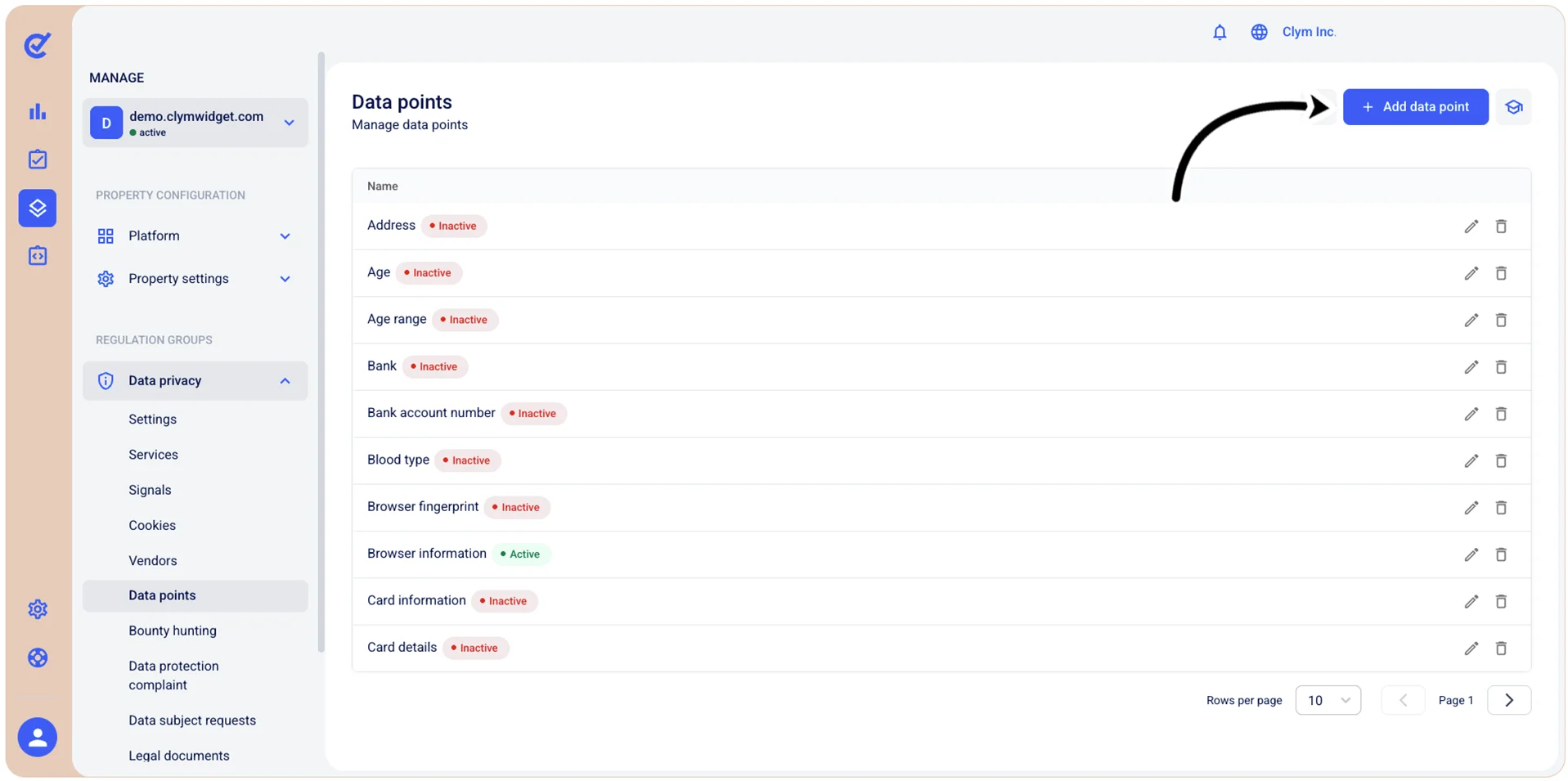
- In the Data points section, select +Add data point.
- In the Add data point section, configure the new details of the new data point, as follows:
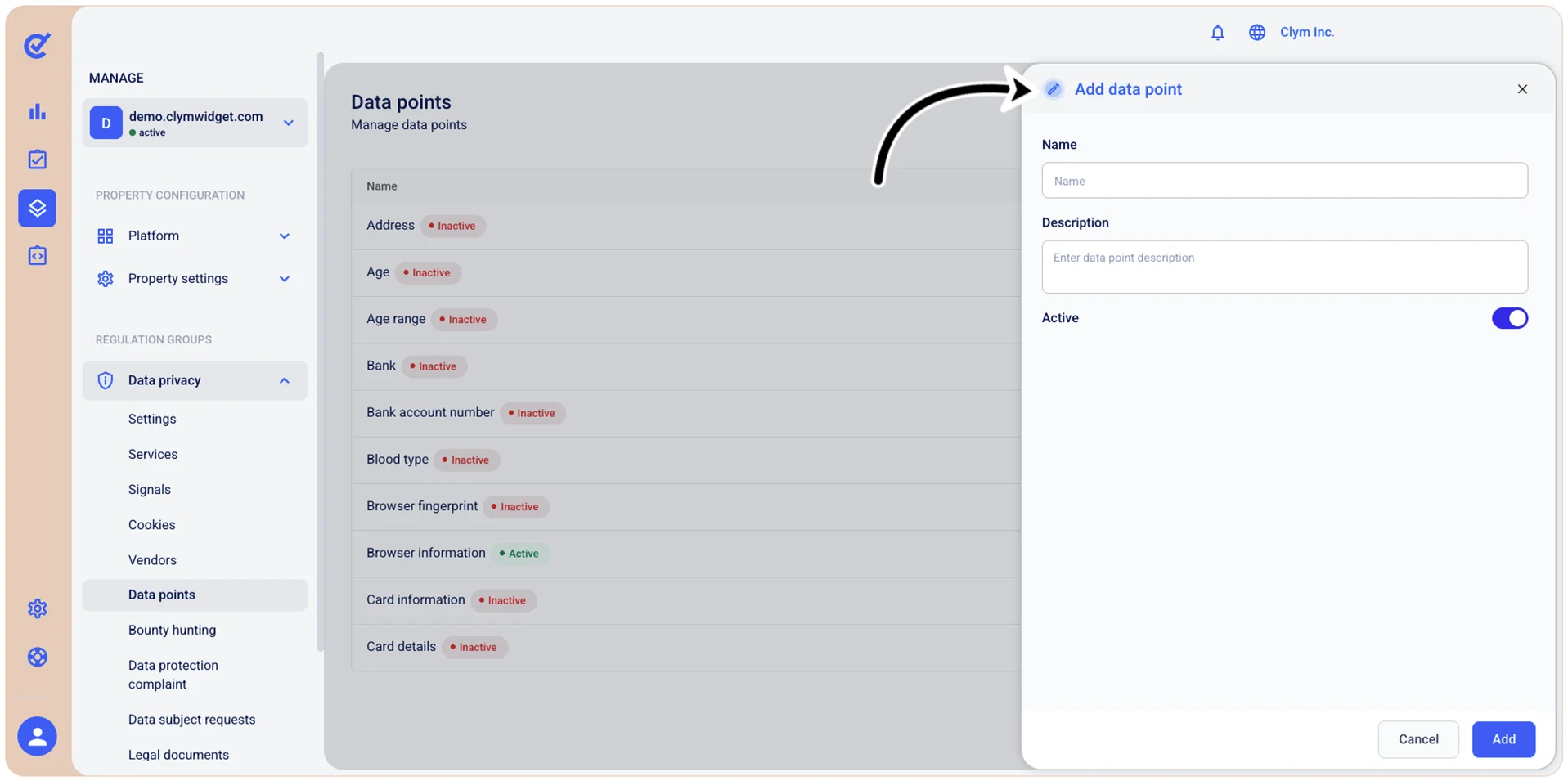
- Name: Give your data point a descriptive name.
- Description: Add a meaningful description to your data point.
- Active: Toggle on to make it active immediately.
- When finished, select Add. Your newly-added data point is displayed in the Data points section.