
Add the custom links to a HubSpot website
To integrate the custom links on a HubSpot website, first you need to add a custom HTML module to your website’s footer. To do so:
- Go to your HubSpot website and, in the website editor, go to the Footer section at the bottom of the page.
- Select the Edit module icon and select Open in global content editor from the pop-up window.
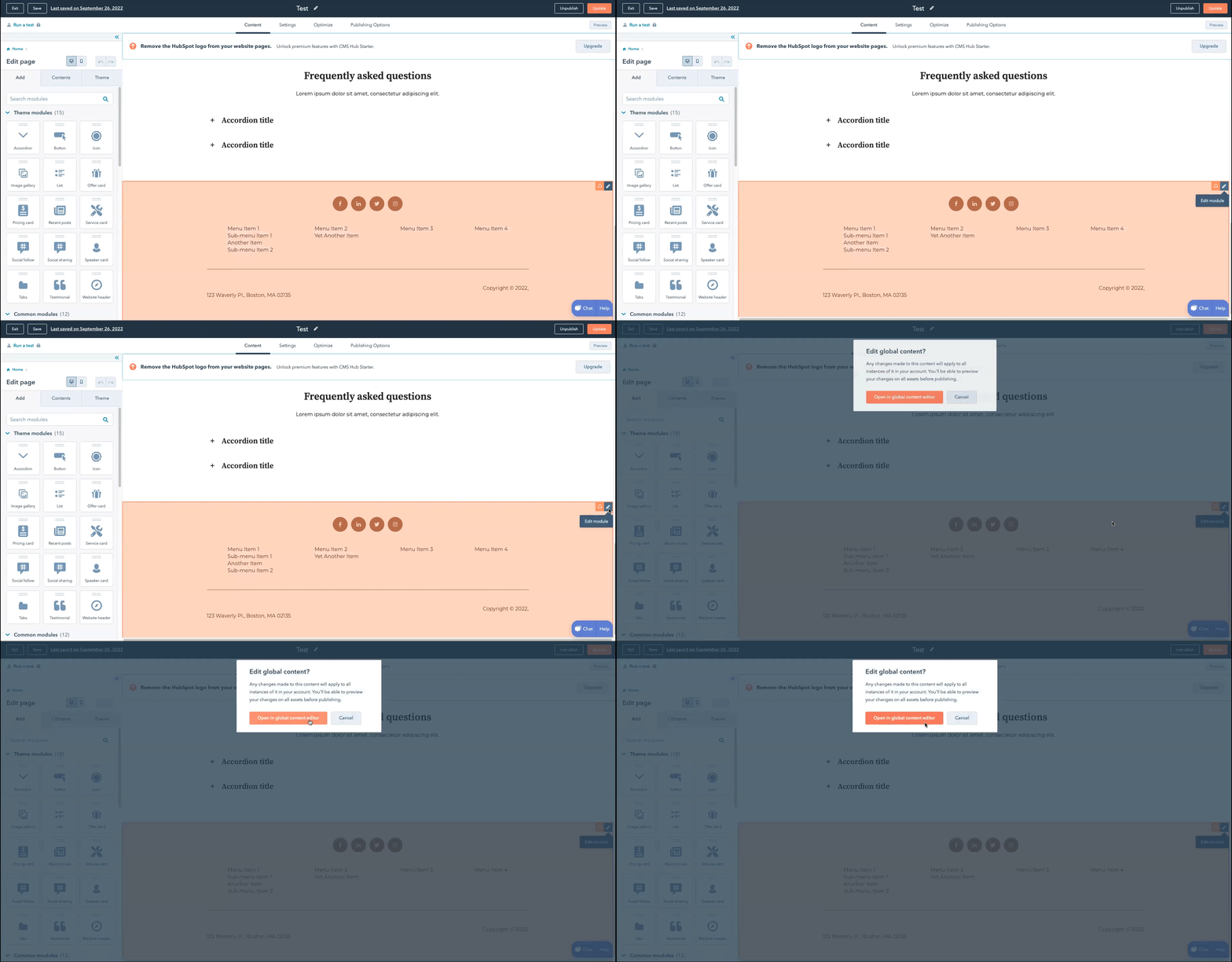
- Search for the Custom HTML module and drag it into your website's footer.
To add the custom links to your website’s footer:
- In the Custom HTML module, in the Footer HTML section, paste the custom links one at a time. Repeat the procedure as many times as needed.
- When finished, select Apply Changes to publish.