
Facilitate compliance of embedded content
If you have any third-party content embedded on your website (such as from YouTube or Vimeo), we recommend that you add it to your account so that the content is blocked from loading until the user gives their consent. For each third-party service, a unique embed code is then generated, which can be placed on your website so that you are following regulatory requirements. This embed code communicates with the widget and enables your users to view the content only after their consent has been given.
To add the embedded content to your widget:
- In the Control Center, go to Integrate>Embedded Content.
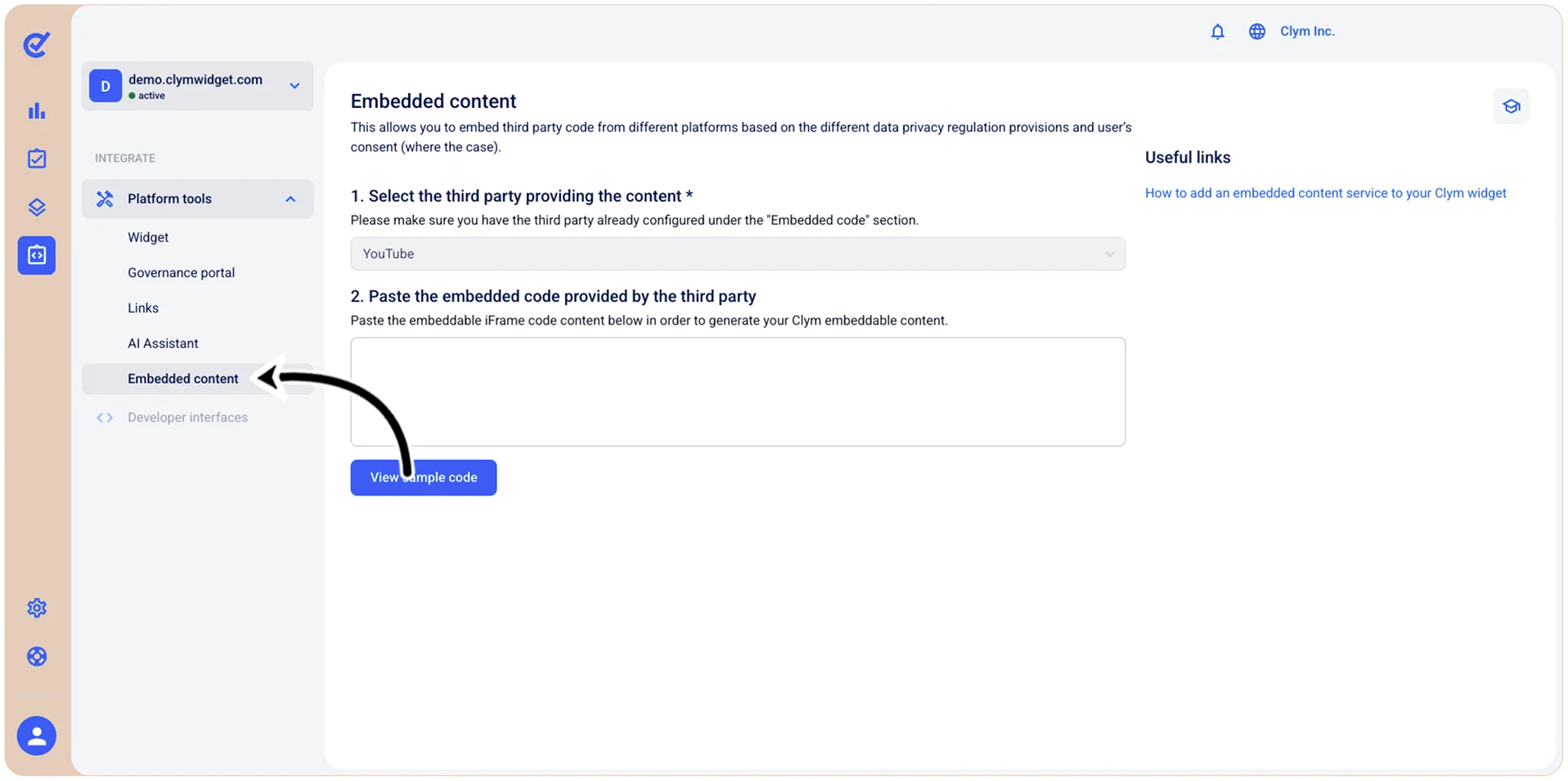
- In the Embedded content screen, under Embedded content, from the 1. Select the third party providing the content list, select the desired third-party content provider.
Note: To configure the third-party content provider available in this list, see Add a new embedded content third-party services provider .
- Select Add your content code to generate the script that you need to embed on your website.