
Set up IAB TCF 2.2 GDPR Transparency and Consent Framework
About IAB Transparency and Consent Framework (TCF)
The IAB Transparency and Consent Framework (TCF) is an initiative designed to support the digital advertising ecosystem in complying with GDPR (General Data Protection Regulation) and the ePrivacy Directive.
Flexible placement options for placing the consent widget on your website are available. This helps so your branding and website's look and feel remain consistent, enhancing user experience while maintaining compliance with data privacy regulations.
To serve ads through Google publisher products such as AdSense, Ad Manager, or AdMob within the UK or European Economic Area (EEA), you must use a Google-certified Consent Management Platform (CMP).
Only traffic from Google-certified CMP is eligible for personalized ads. Traffic from a non-certified CMP may only qualify for non-personalized ads or limited ads (including programmatic limited ads) where supported.
To align with IAB TCF v2.2, check that the consent banner includes:
- Information about data stored/accessed on user's devices (e.g., cookies, identifiers).
- Disclosure of personal data processing and its nature (for example, unique identifiers, browsing data).
- Links to the vendor list and the number of third-party vendors processing the collected information.
- List of purposes using Global Vendor List (GVL) v3 standardized or stack names.
- Highlight of vendor-specific special features.
- Functionality that allows users to withdraw consent anytime and explain how to access the UI.
- Calls to action for consent and customization.
Note: The banner text and vendor list are auto-populated. We limit possible adjustments to the banner to make sure it meets IAB requirements from a regulatory standpoint, but you can adjust the processor list according to guidelines.
Users should be able to withdraw or adjust their consent choices at any time. To do so, we recommend that you activate the Display privacy widget launcher for the locations where the IAB TCF 2.2 Initial Notification is used at all times.
Add the IAB Transparency and Consent Framework (TCF)
To set up your widget to IAB TCF 2.2:
- Go to
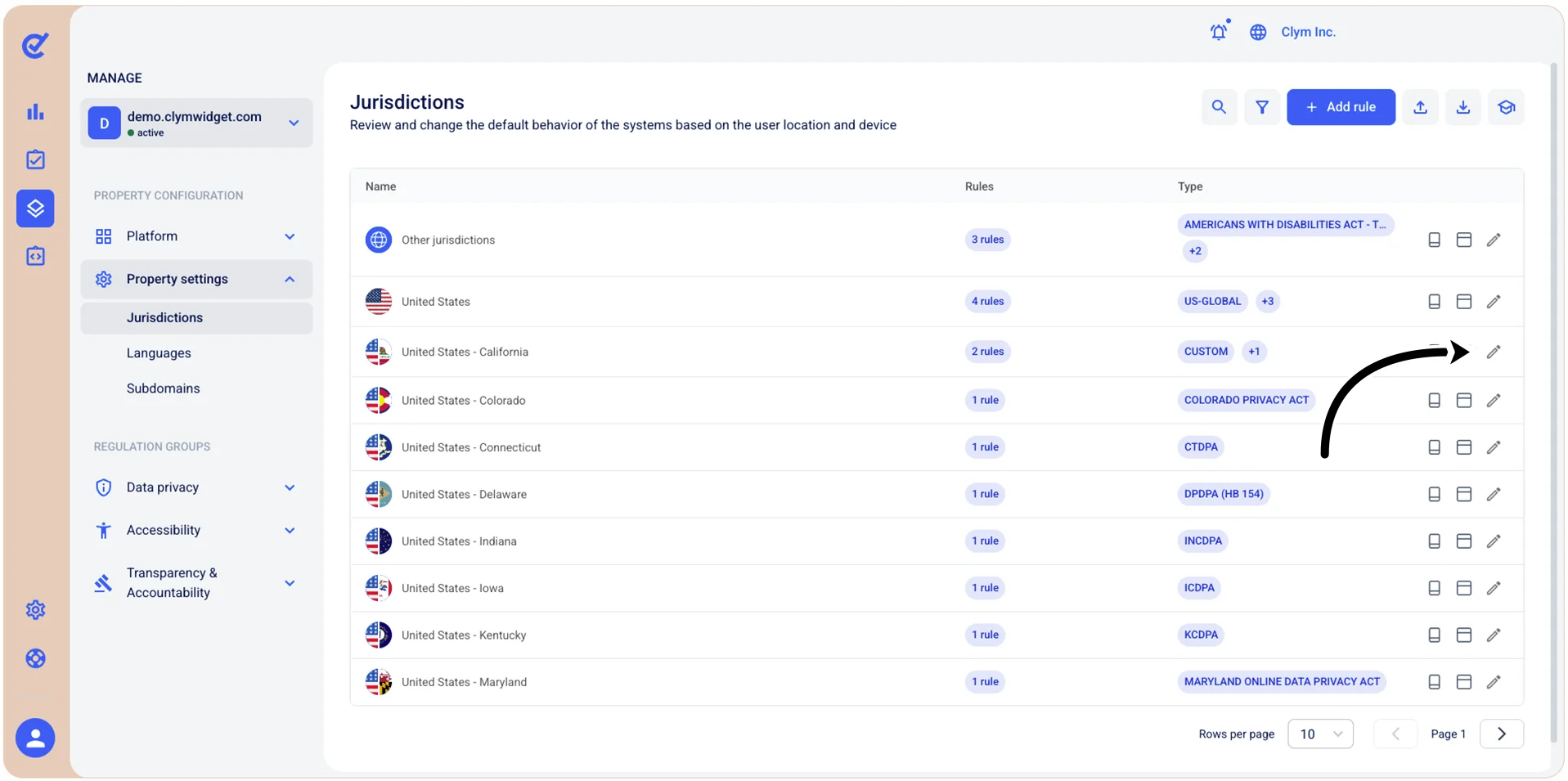
 Manage>Property Settings>Jurisdictions and select Add Rule to add a new Data Privacy rule, or, if you want to set up the position of your widget in an existing rule, go to Manage>Property Settings>Jurisdictions and select
  Edit next to the desired Rule.
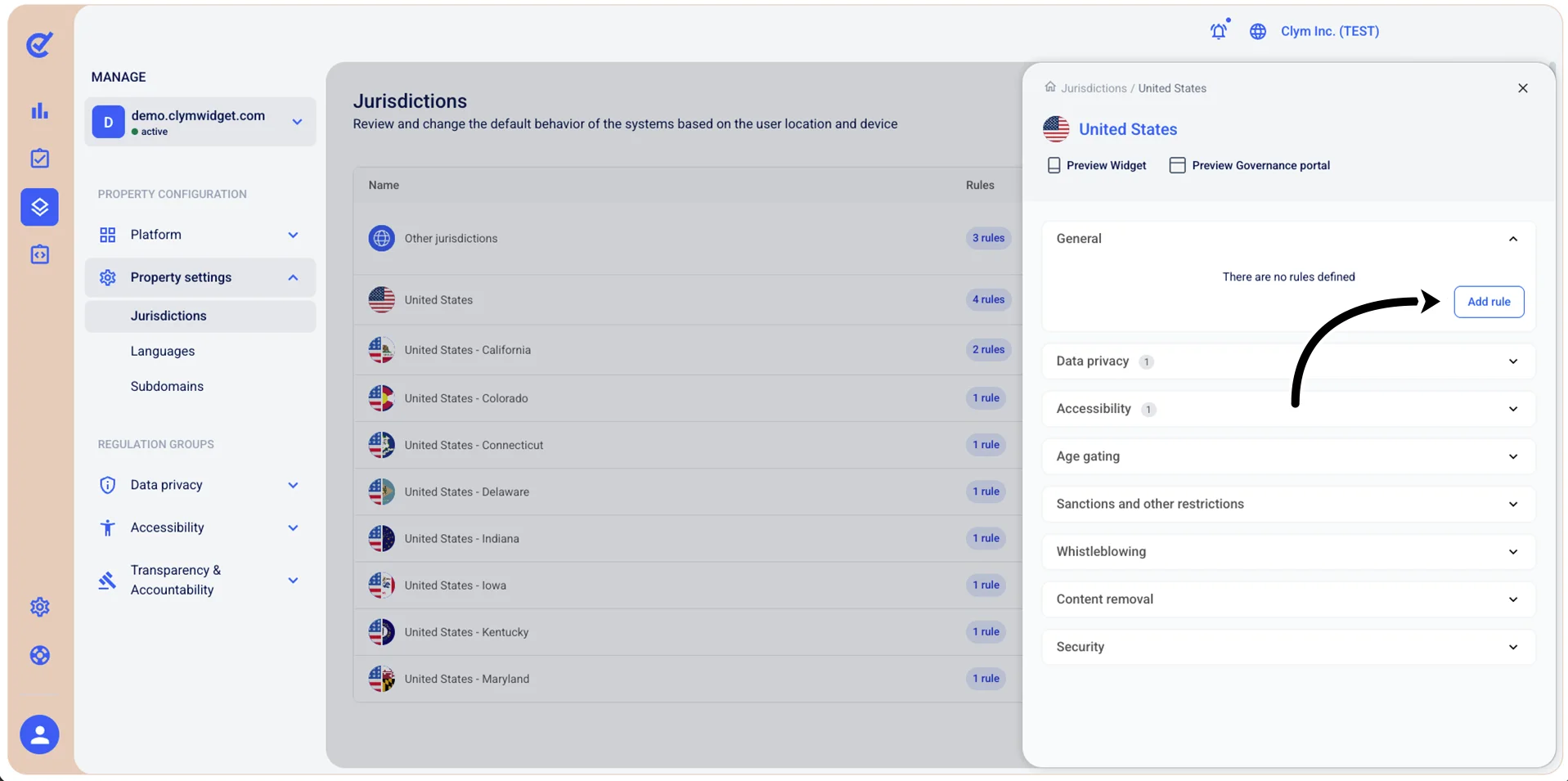
- Under <Country and State>, expand Data privacy and select Add rule (to create a rule), or, if you have an existing Data privacy rule and you want to set up your widget to IAB TCF 2.2, select Edit next to the desired Data privacy rule.
- Under Rule configuration, to configure the widget, select Widget and then select Initial notification > IAB TCF v2.3.
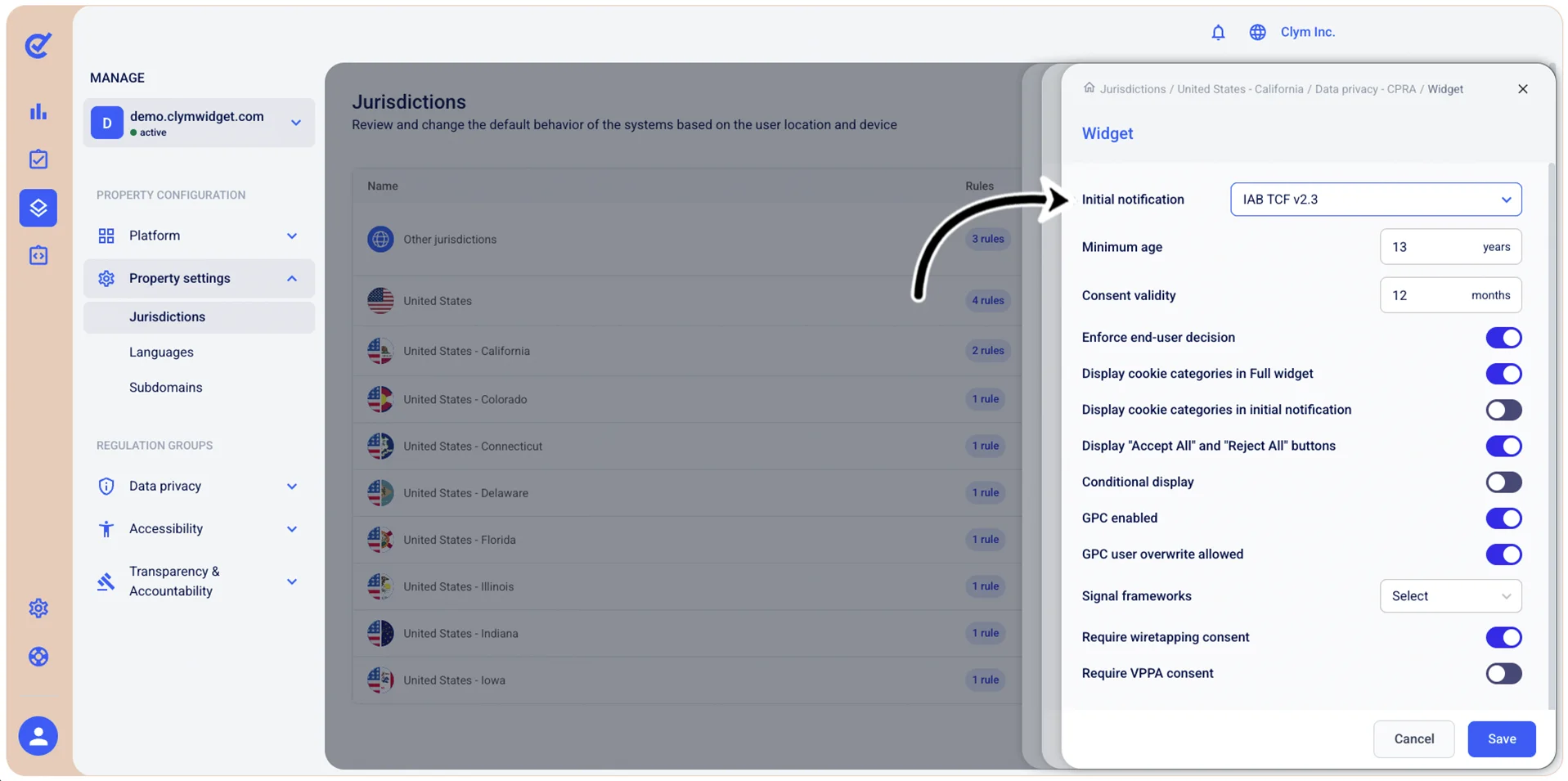
- When finished, select Save.