
Install the Widget on a Shopify website
- Go to
 Integrate>Platform Tools>Widget.

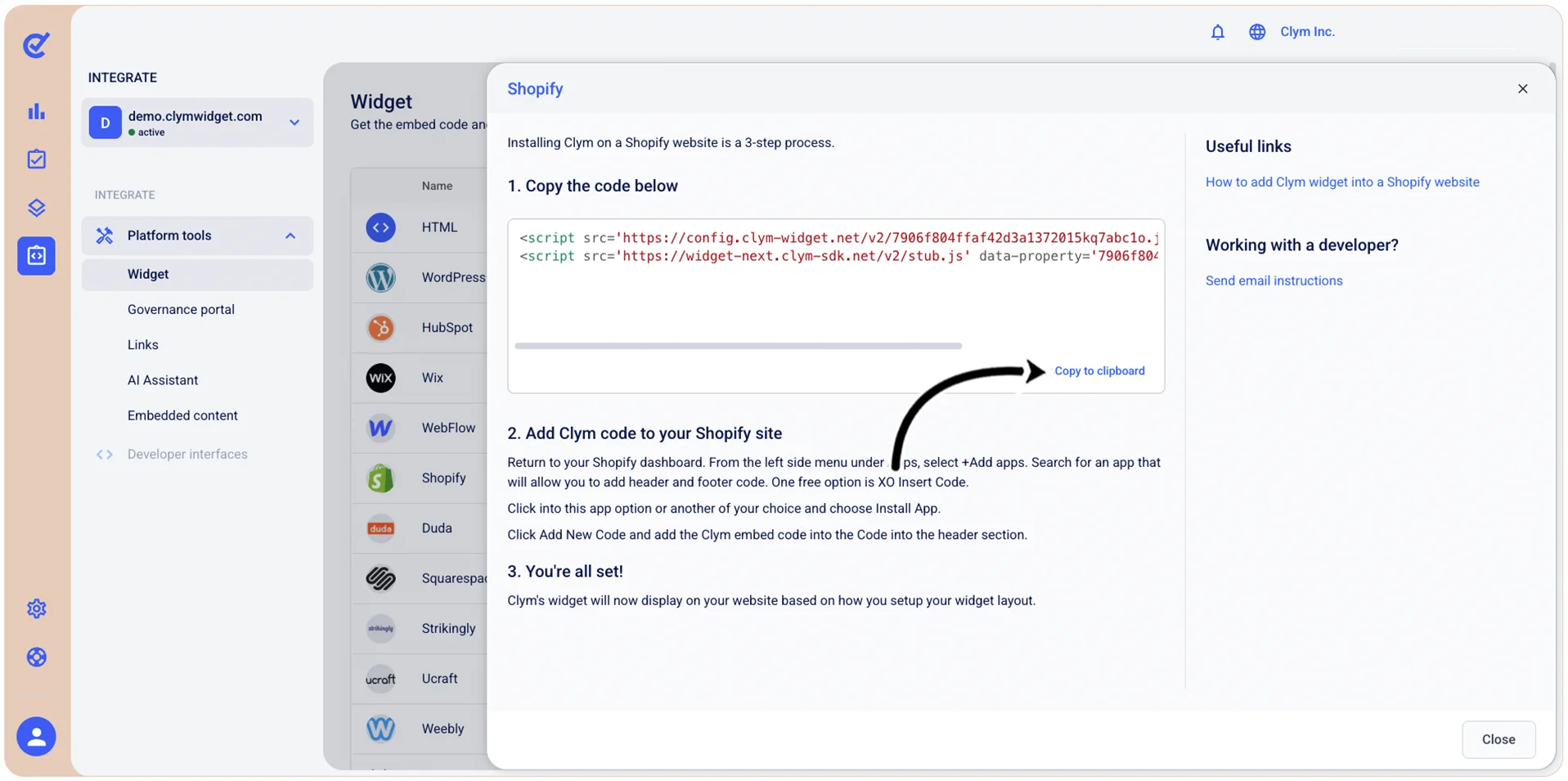
- In the Widget screen, select Shopify.

- In the Shopify screen, under 1. Copy the code below, select Copy to clipboard.

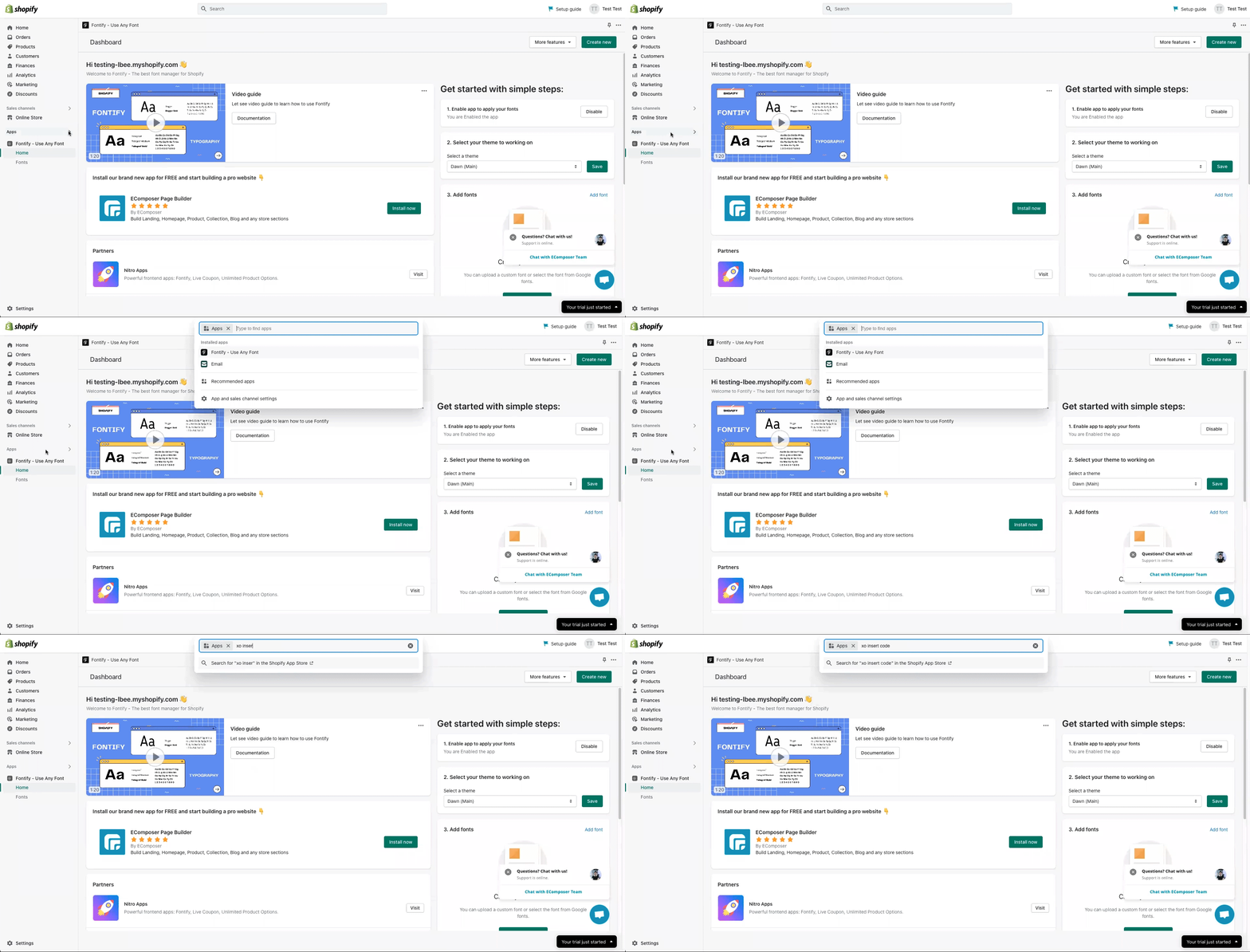
- Next, in your Shopify dashboard, from the left side menu, under Apps, select +Add apps and search for an app that will allow you to add header and footer codes—for example, XO Insert Code.
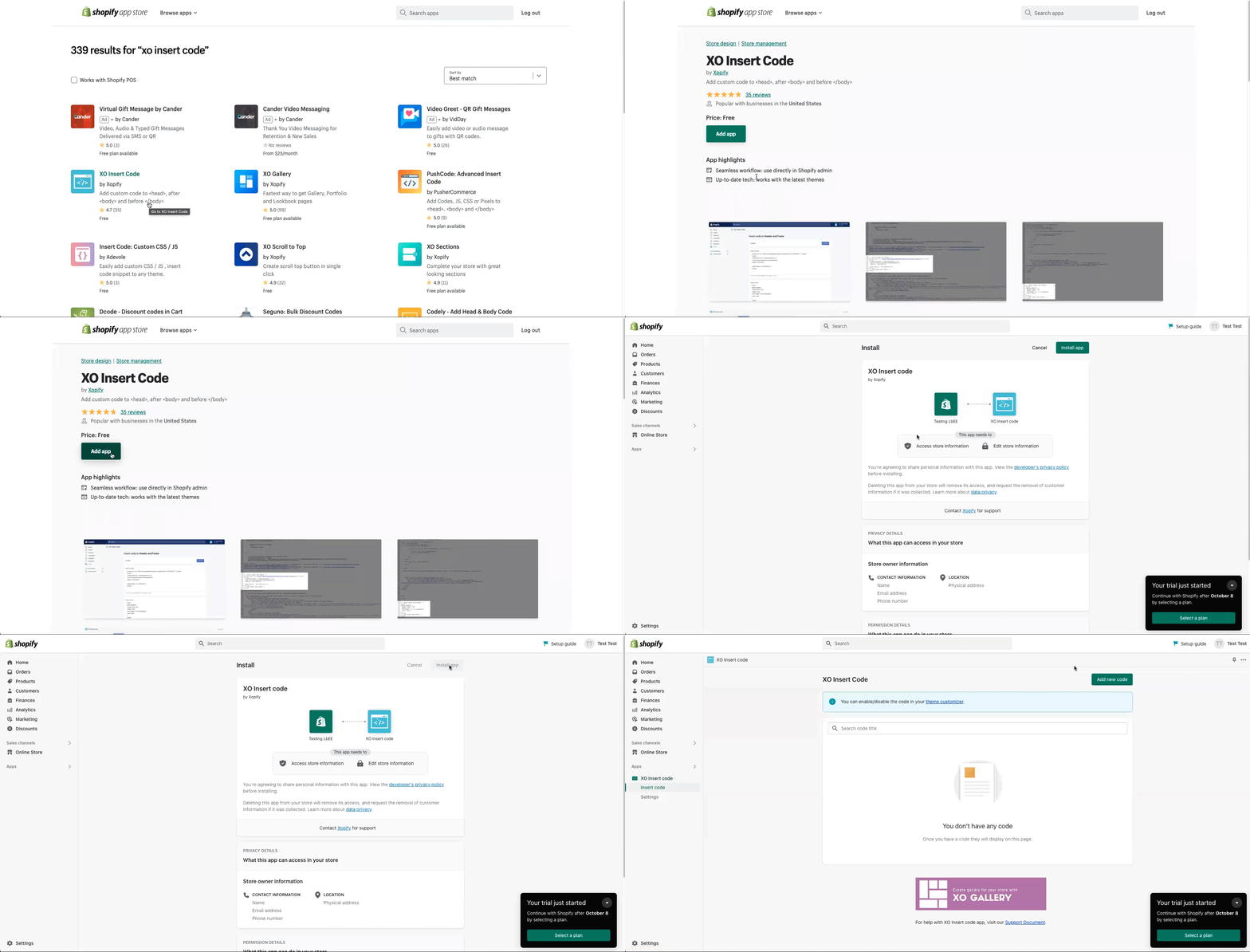
- Select Install App.
- Next, in XO Insert Code, select Add New Code and paste the embed code into the Code into the header section.
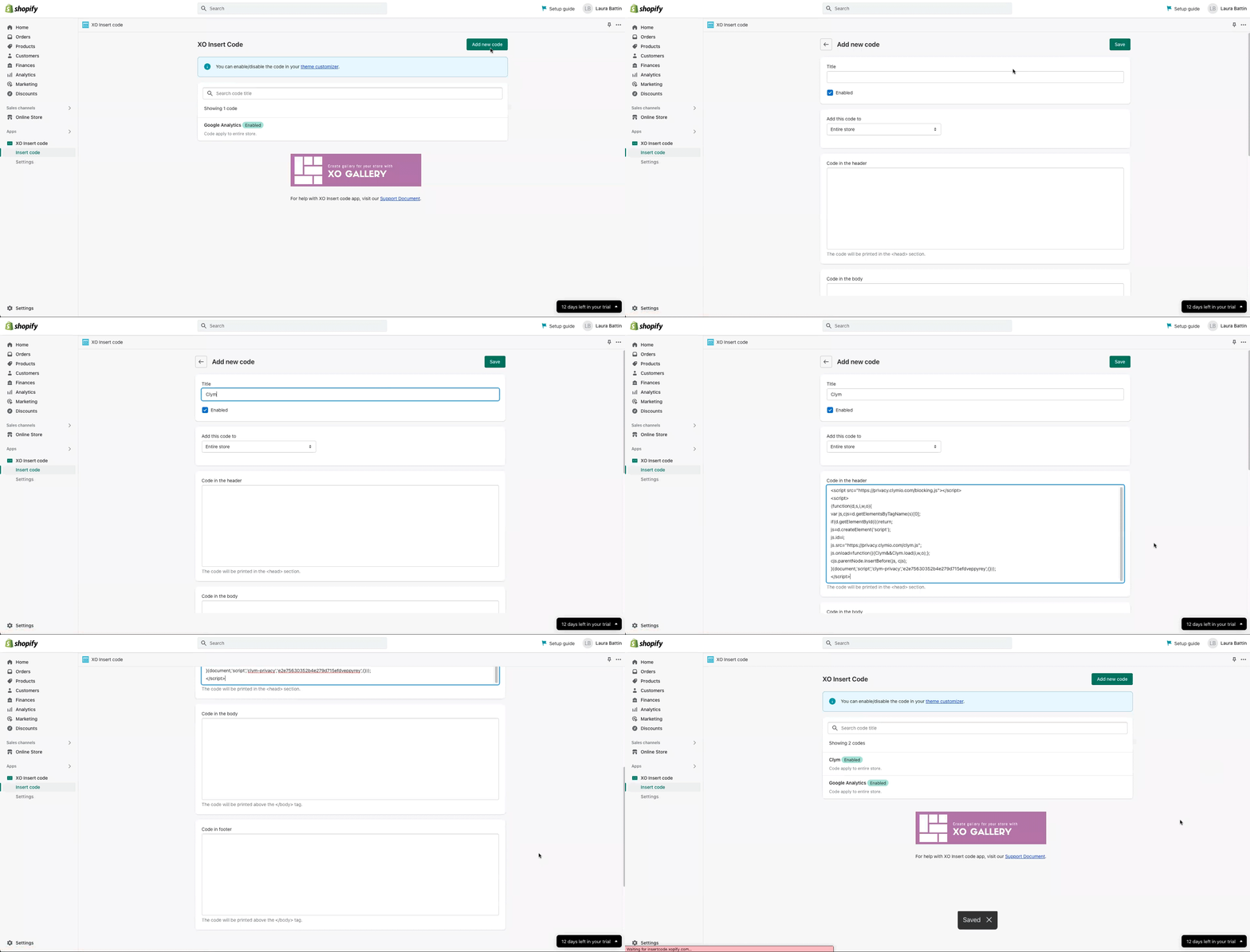
Note: To facilitate compliance, the script needs to be inserted as the first script under the header section of your website. Failure to do so might allow third-party scripts to be loaded on your website which, depending on regulation, might result in non-compliance. For a better view, leave a space between the script and any following scripts or code.
If, at any stage, you discover that your website has a different setup, consult a developer or contact our support team for assistance.