
Install the Widget on a WebFlow website
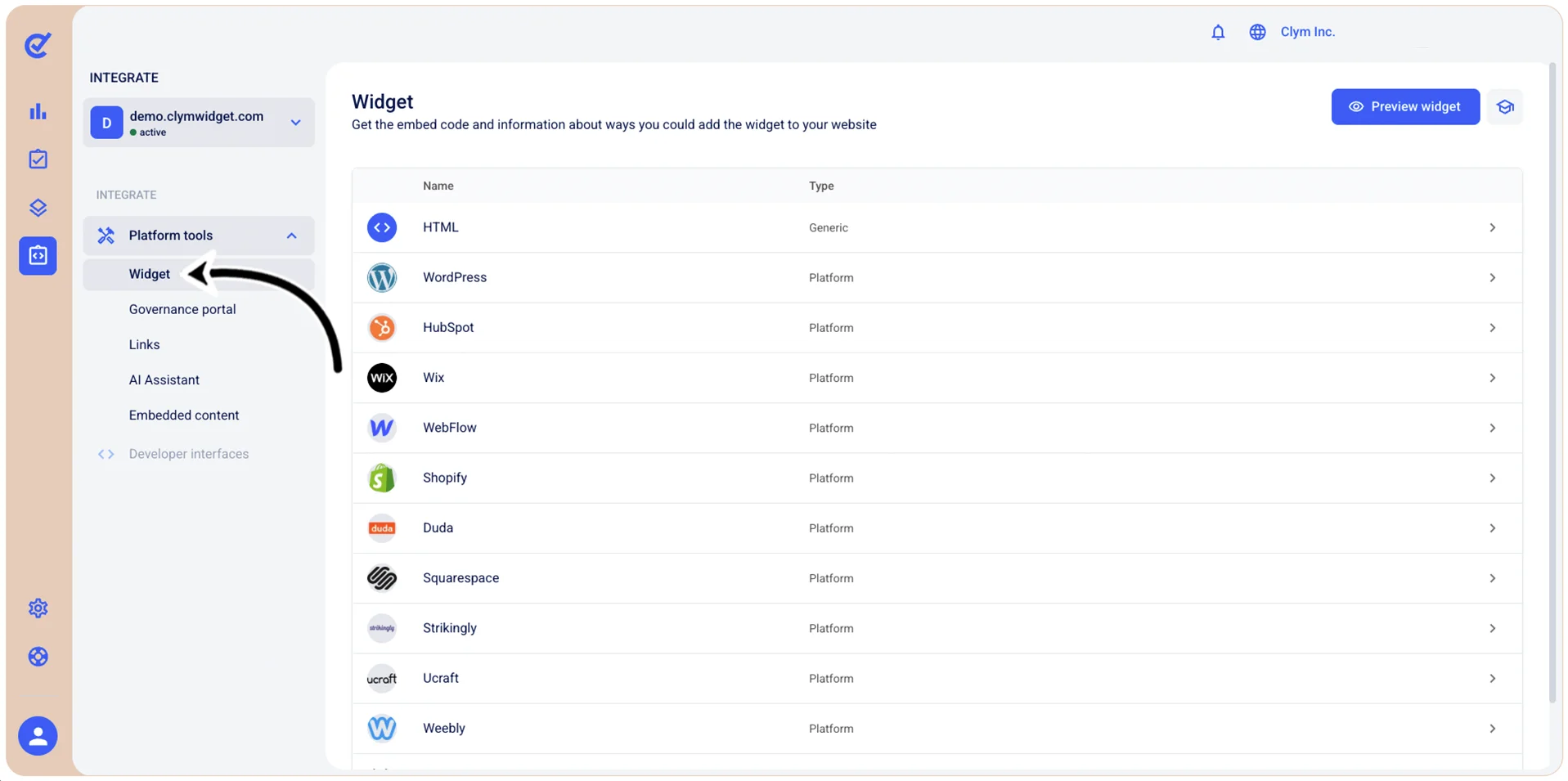
- Go to
 Integrate>Platform Tools>Widget.
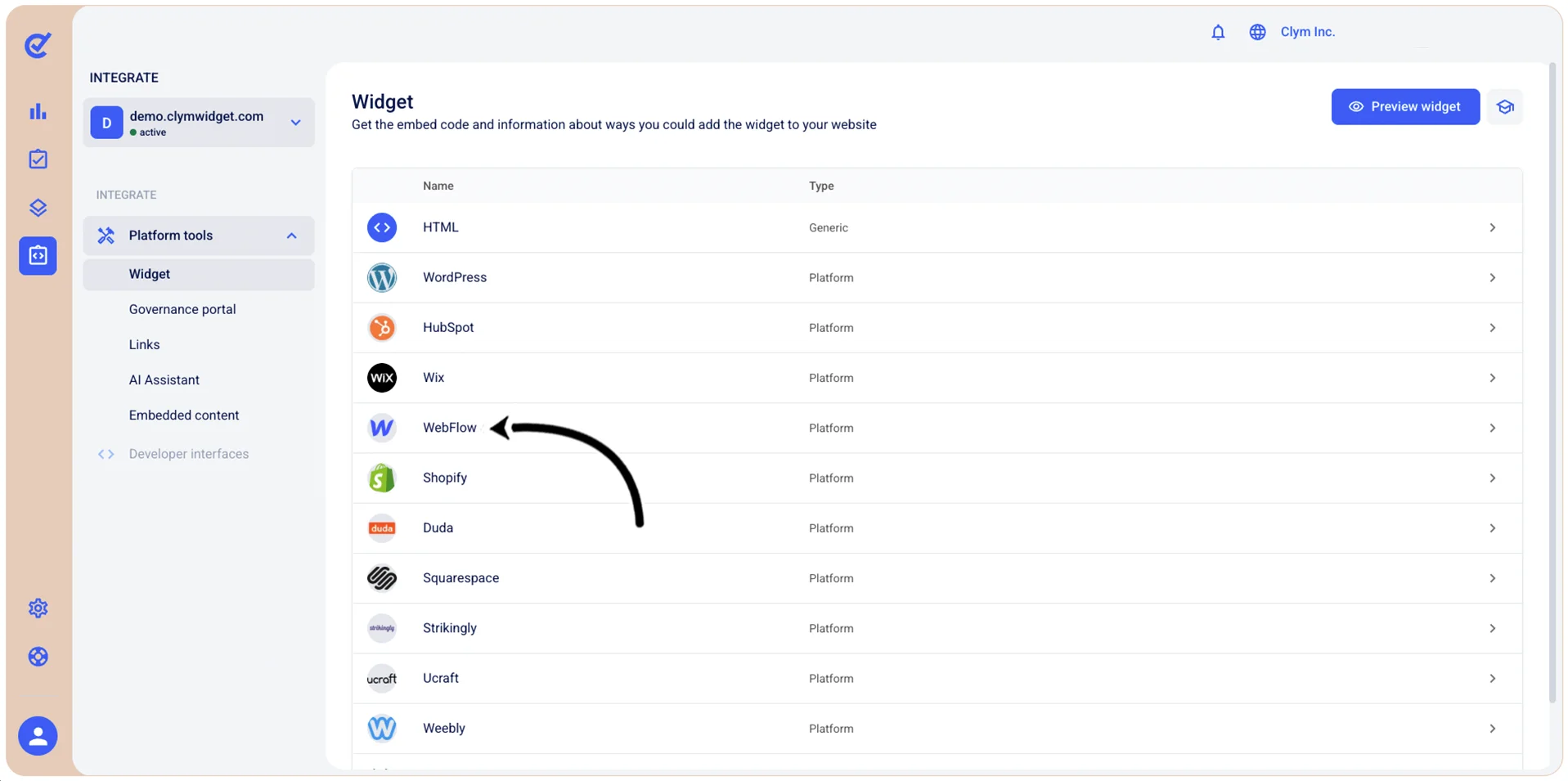
- In the Widget screen, select WebFlow.
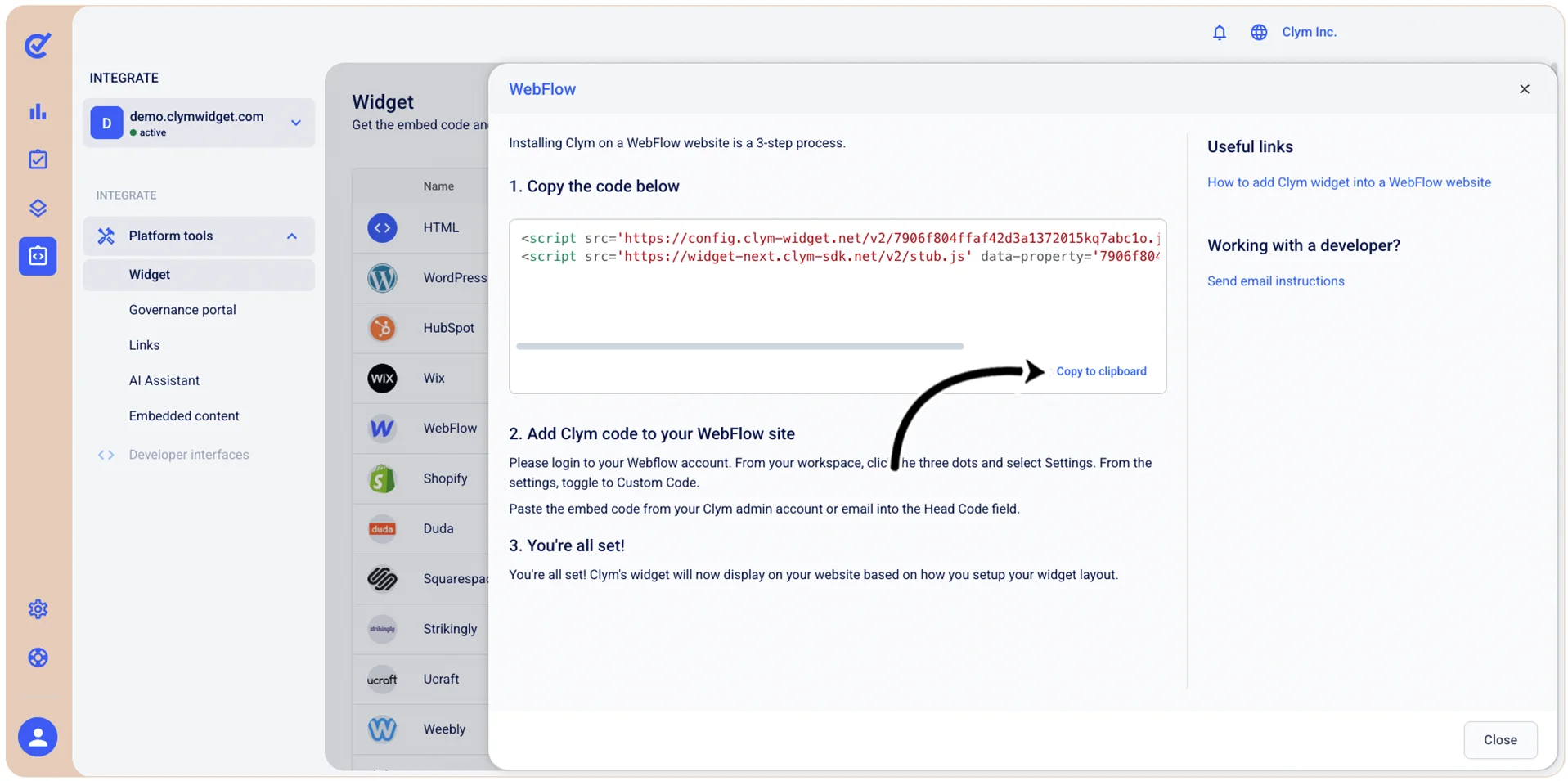
- In the WebFlow screen, under 1. Copy the code below, select Copy to clipboard.
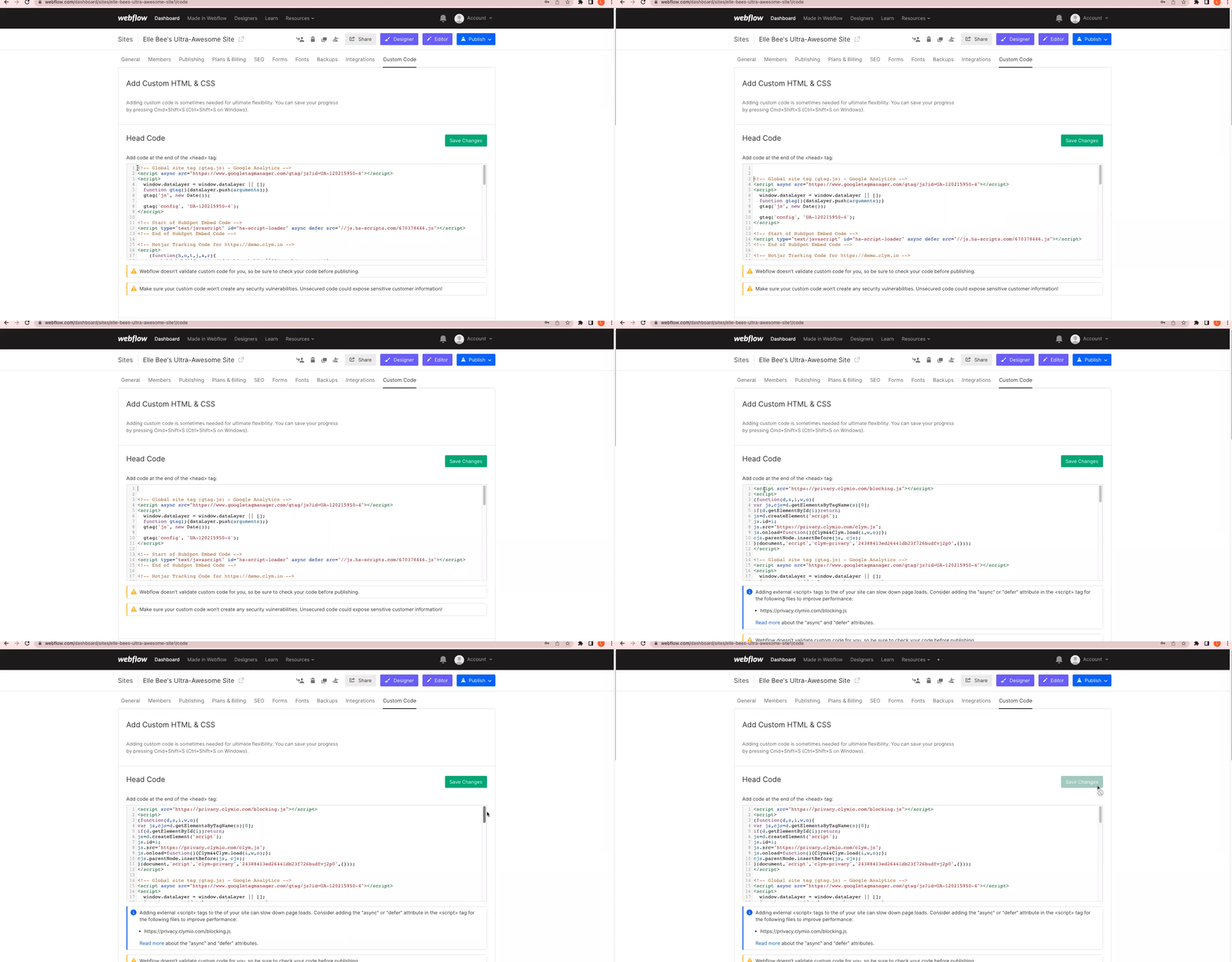
- Next, in your WebFlow account, go to ⋮ _Settings>Custom Code_.
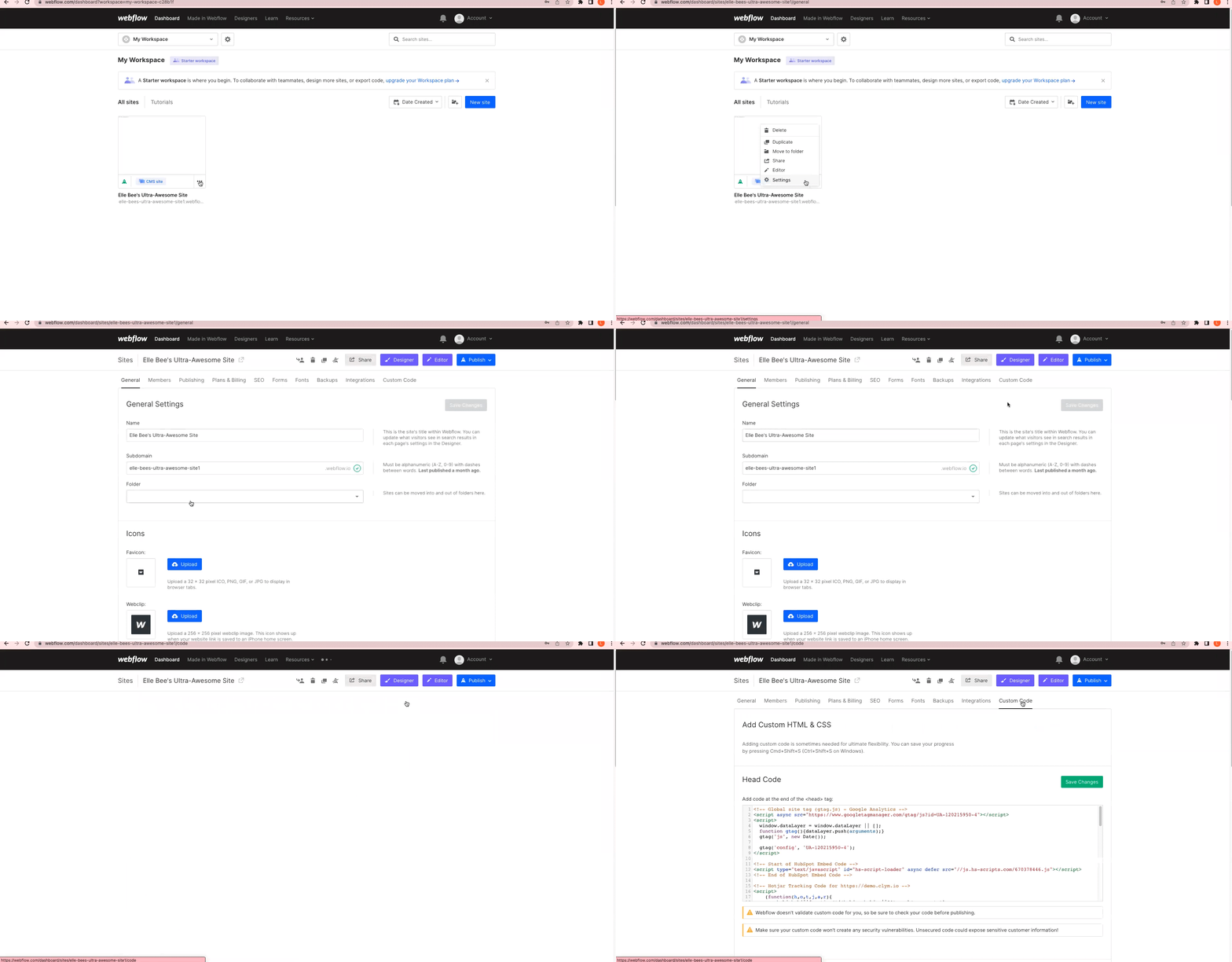
- Under Custom Code, in the Head Code field, paste the widget embed code and select Save Changes.
If, at any stage, you discover that your website has a different setup, consult a developer or contact our support team for assistance.