
Define your company’s primary contact information
The primary contact information refers to your company’s email address, fax and phone number. The data you enter here is displayed in the widget, so it is up to you to determine how much information you want to expose publicly.
Important! When configuring this section, make sure that you select Save on the tab you just configured before moving on to another tab/section.
You can add, modify and delete primary contact information.
Add primary contact information
In the Control Center, you can easily add primary contact information for your company - such as email, phone number, and more.
Important! When configuring this section, make sure that you select Save on the tab you just configured before moving on to another tab/section.
To add the email address, fax and phone number as the primary contact information:
- Go to
 Configure>Company.
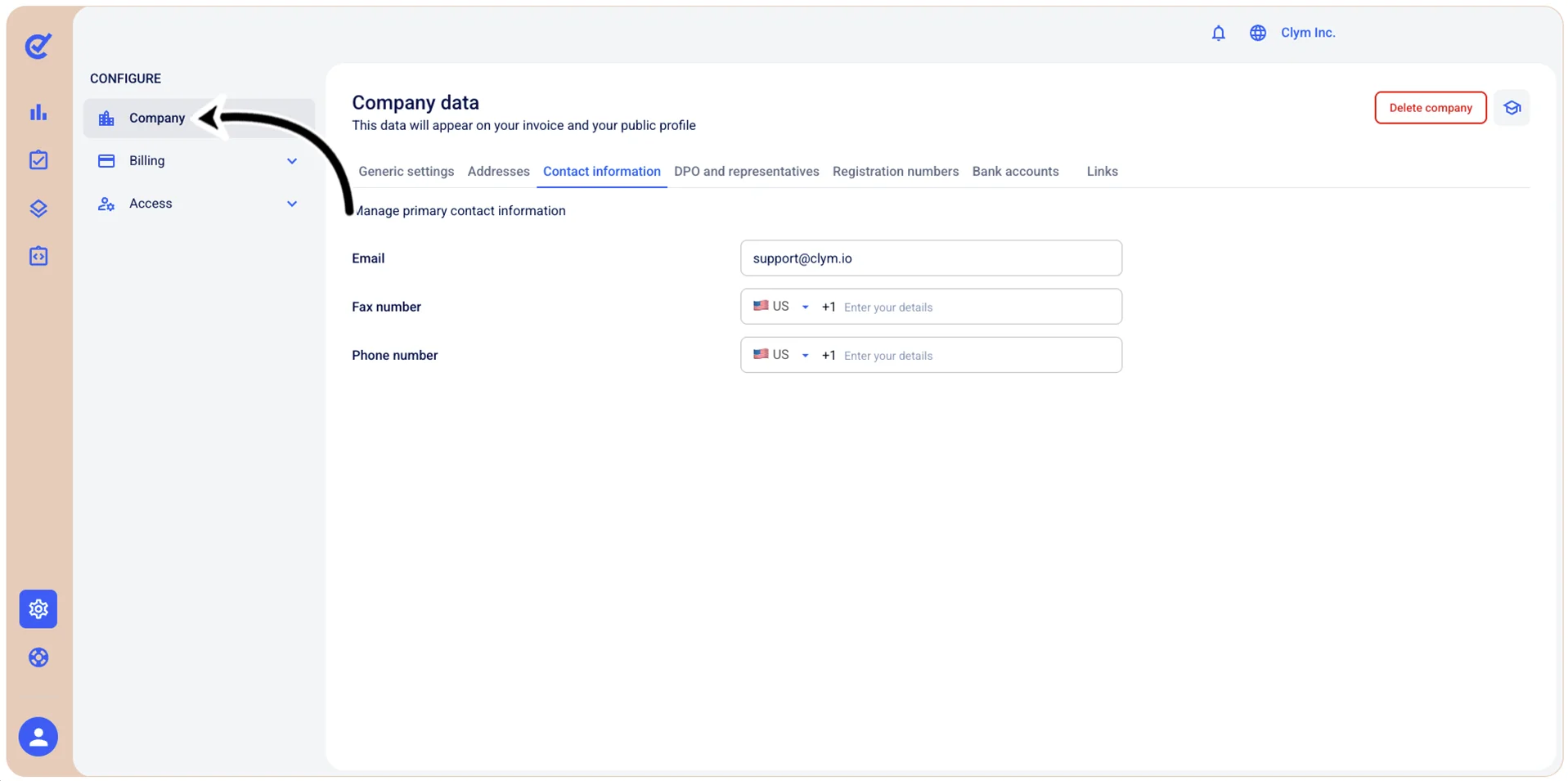
- In the Contact information tab, enter your contact email, fax and phone number.
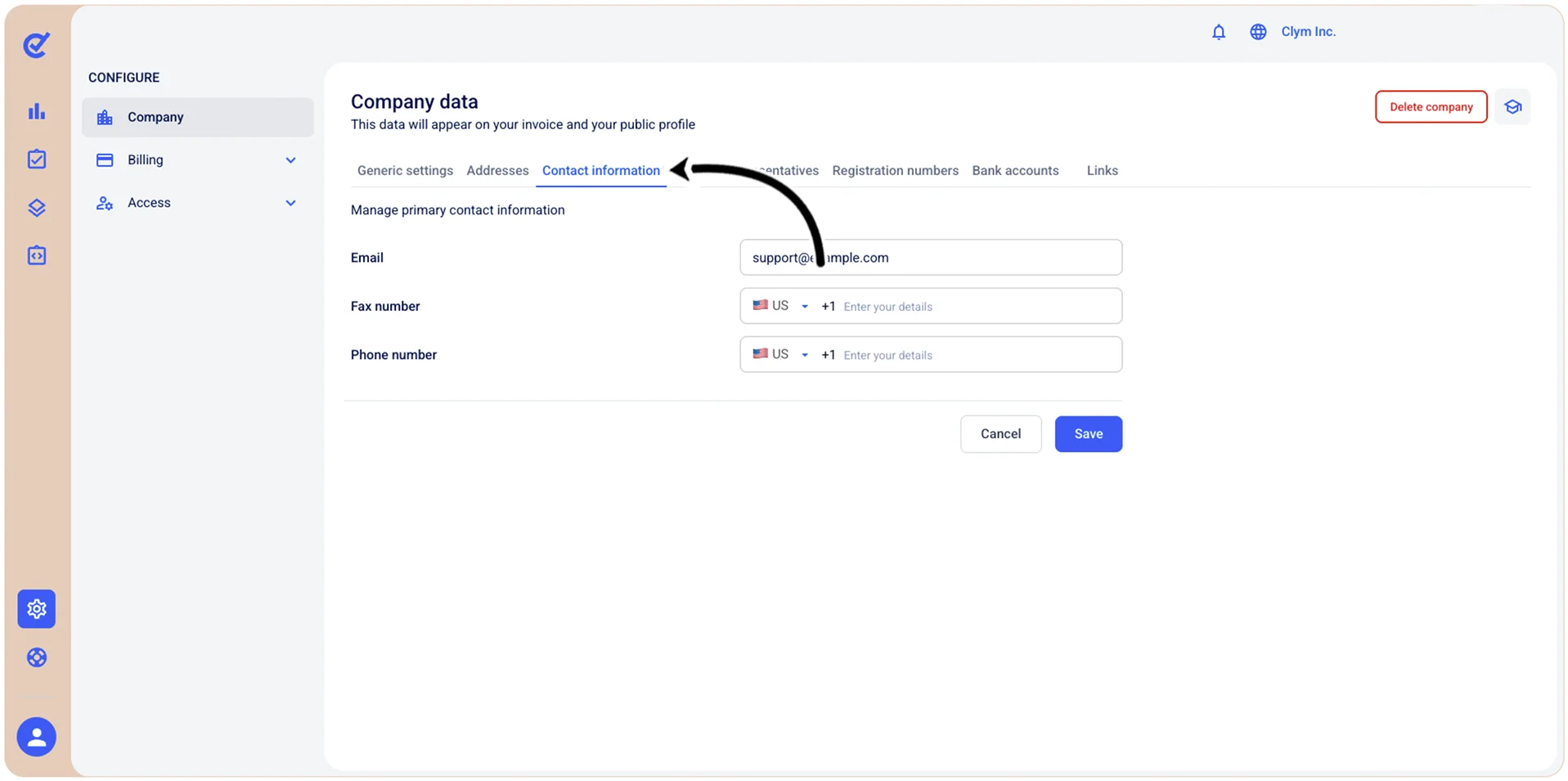
- When finished, select Save.
Edit your company's primary contact information
In the Control Center, you can easily modify the primary contact information for your company - such as email, phone number, and more.
Important! When configuring this section, make sure that you select Save on the tab you just configured before moving on to another tab/section.
To edit your company’s email address, fax and phone number as the primary contact information:
- Go to Configure>Company.
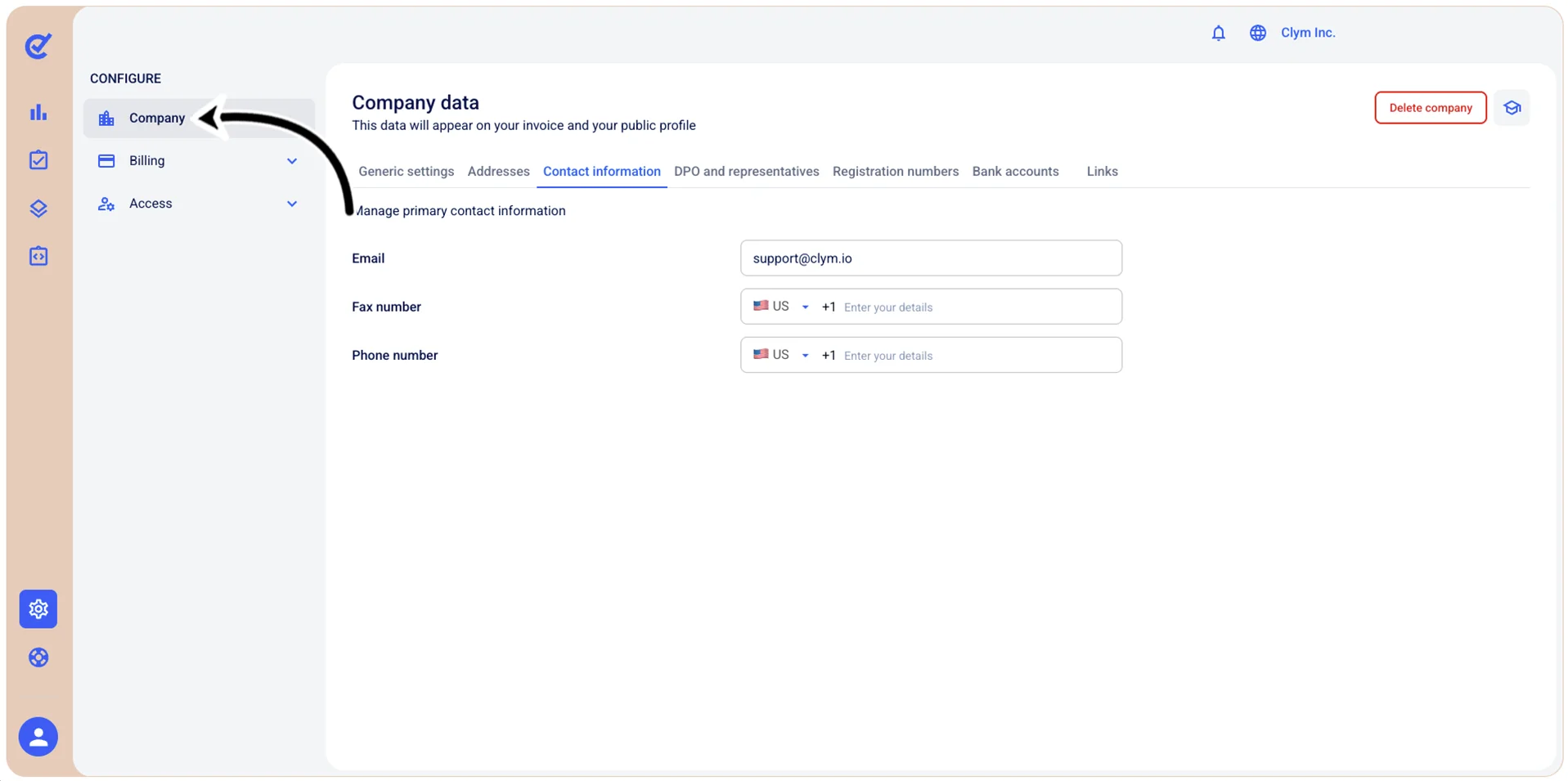
- In the Contact information tab, overwrite or enter your company’s email address, fax and phone number.
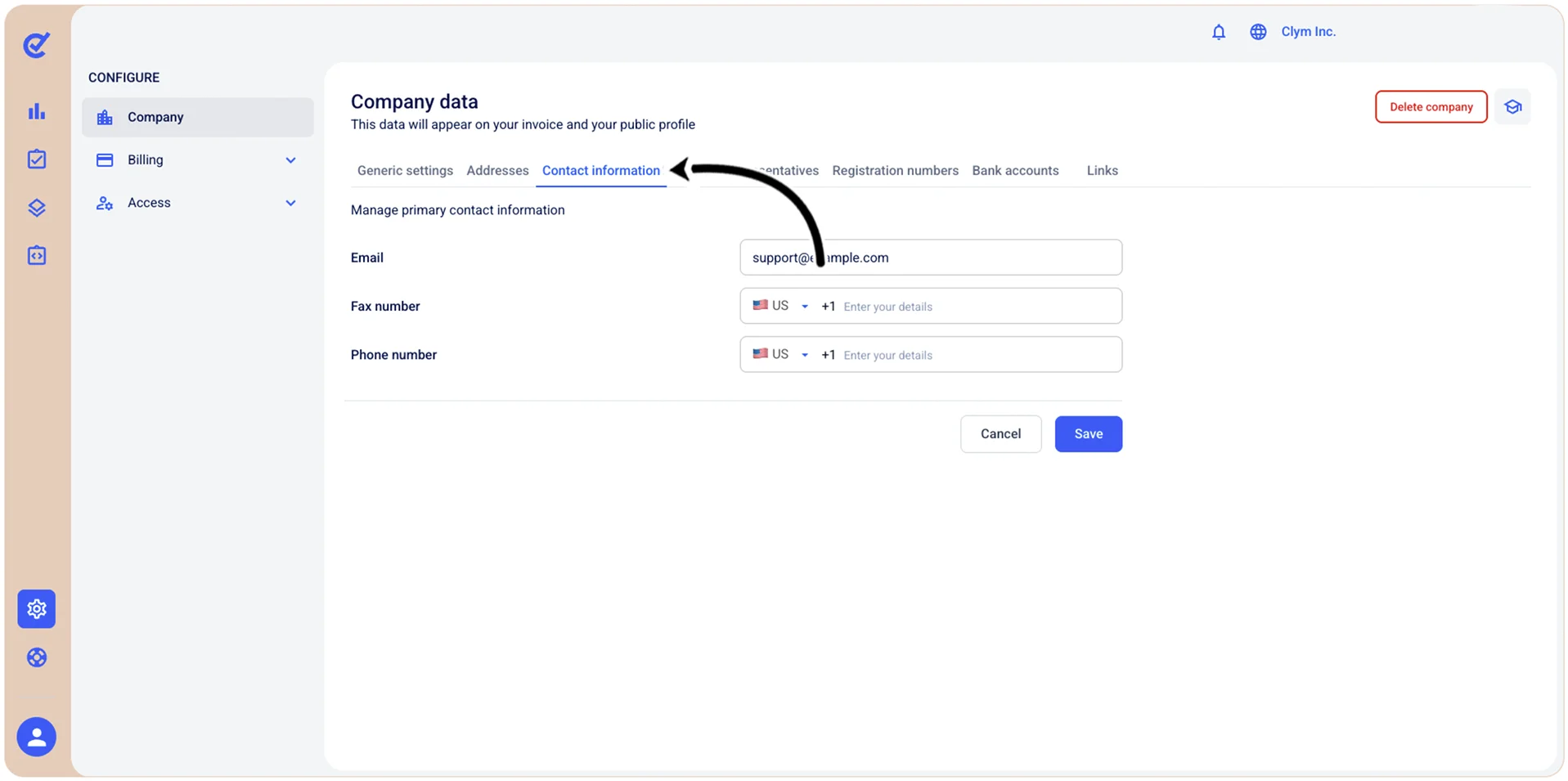
- When finished, select Save.
Delete your company's primary contact information
In the Control Center, you can easily remove the primary contact information for your company - such as email, phone number, and more.
Important! When configuring this section, make sure that you select Save on the tab you just configured before moving on to another tab/section.
To delete your company’s email address, fax and phone number as the primary contact information:
- Go to Configure>Company.
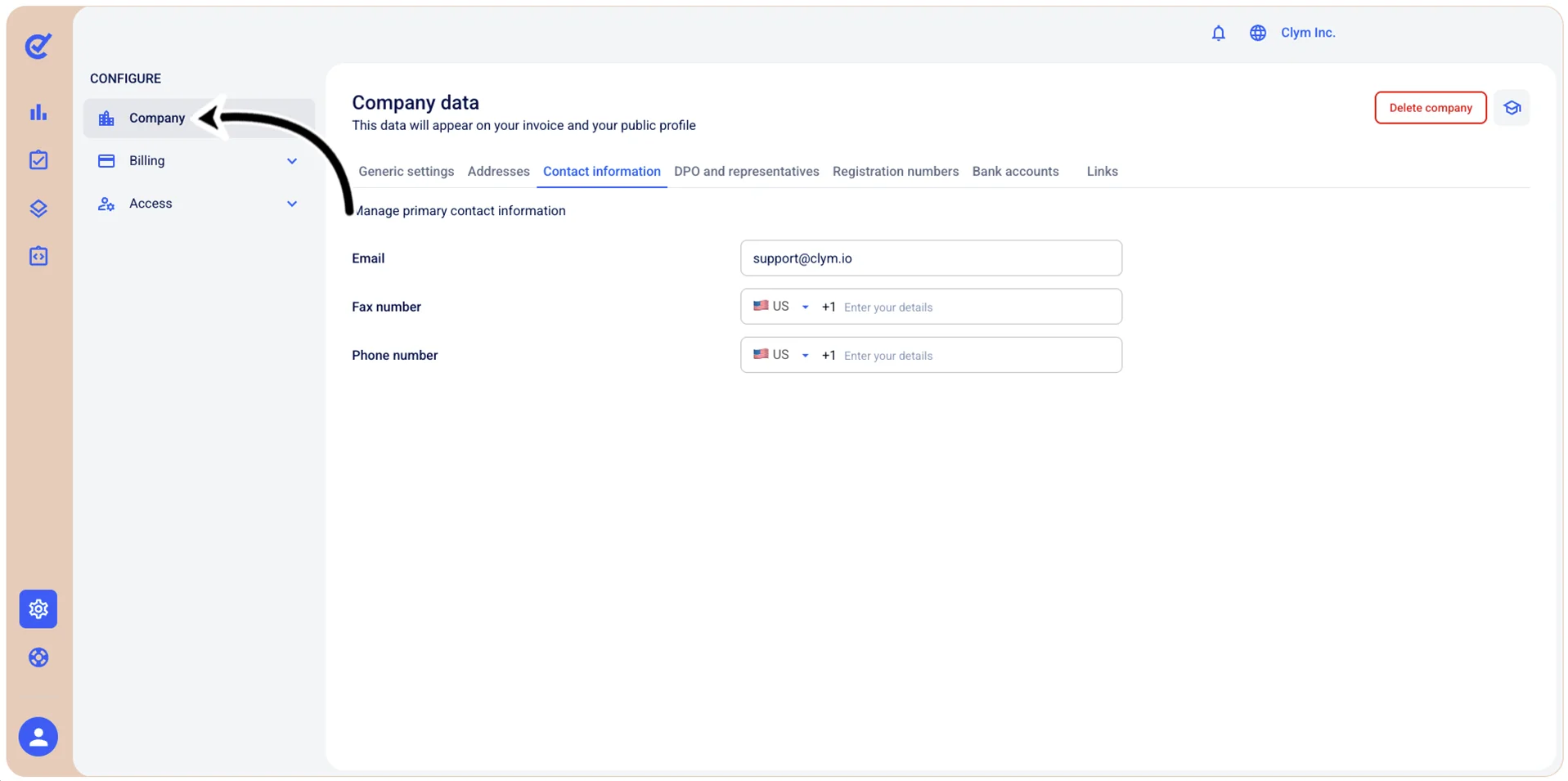
- In the Contact information tab, select and then press Delete to remove the desired primary contact details.
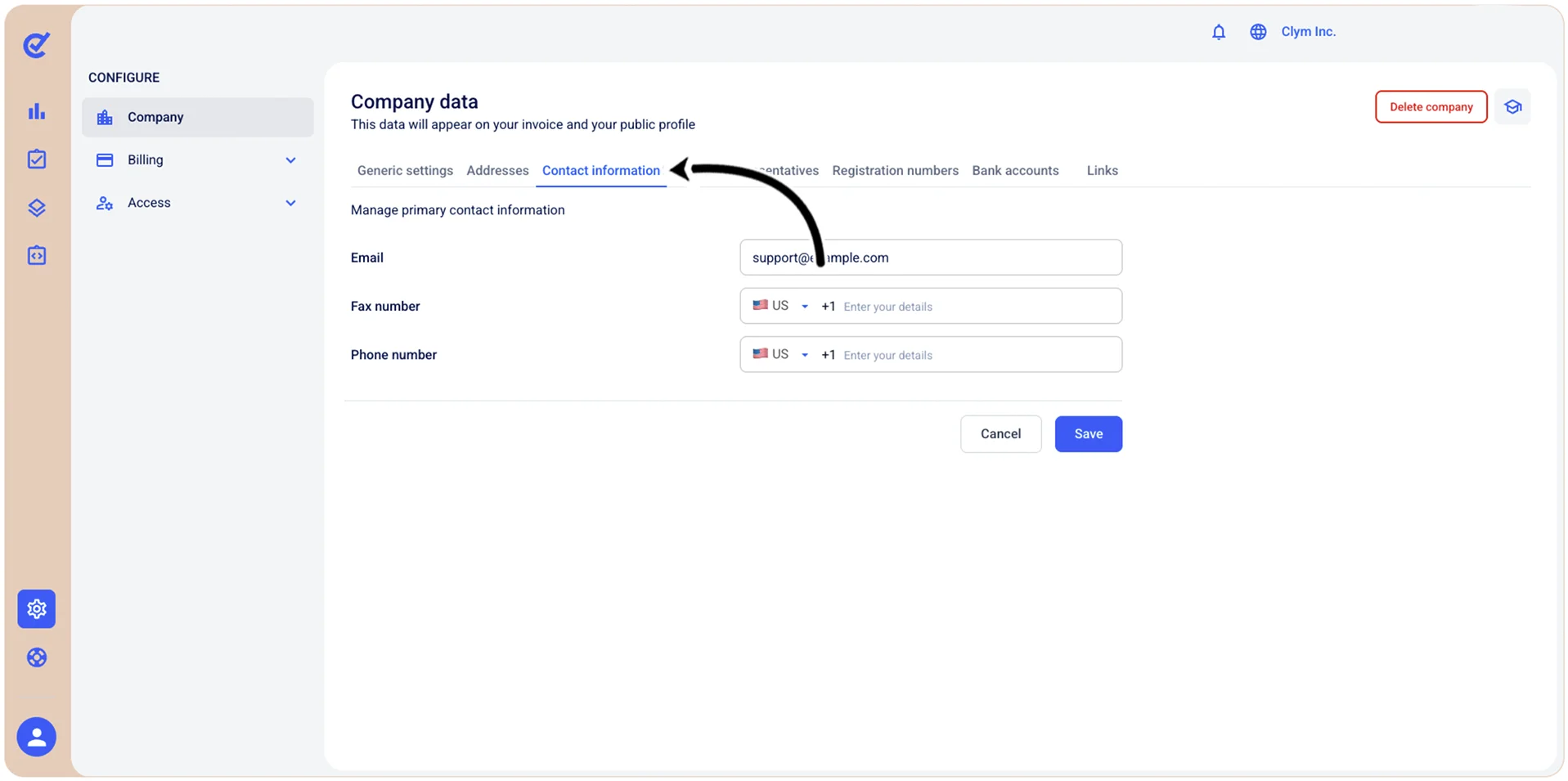
- When finished, select Save.