
Export all existing accessibility reports
In the Control Center, you can easily export all accessibility reports into a JSON file.
To run an export:
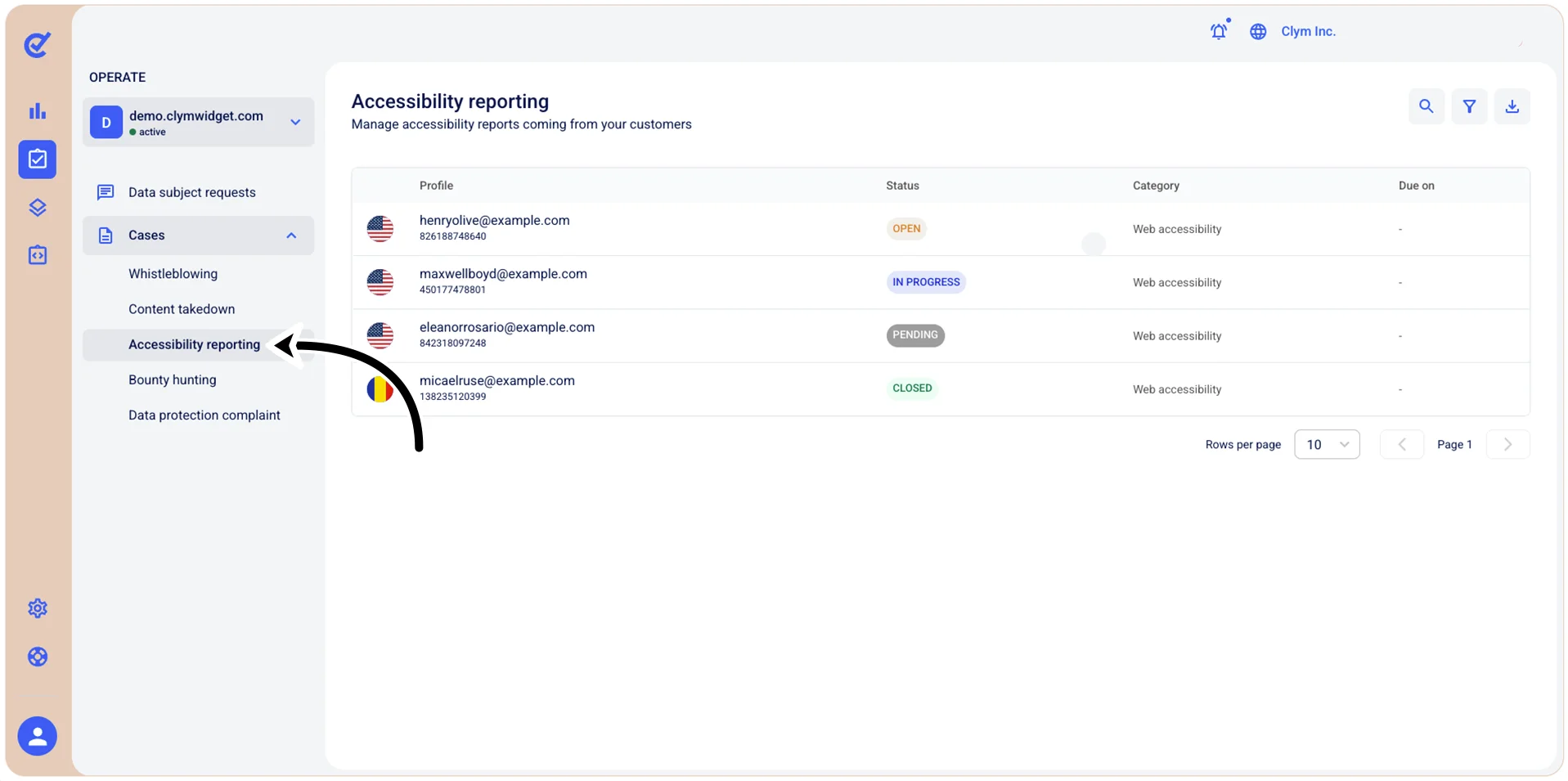
- Go to
 Operate>Cases>Accessibility reporting.
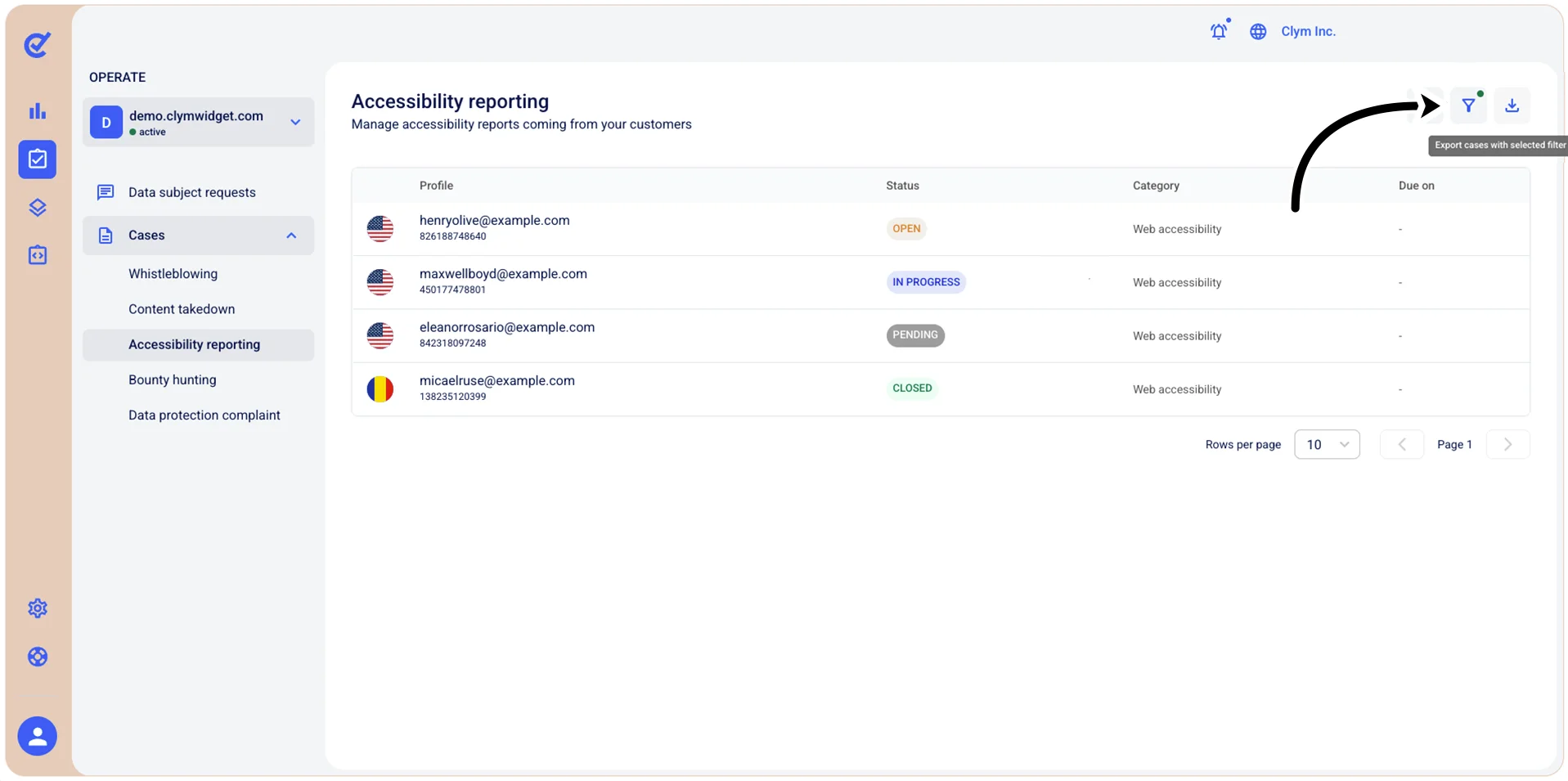
- In the Accessibility reporting section, select
 Export cases with selected filter.
- In the Export cases confirmation message, select Confirm.
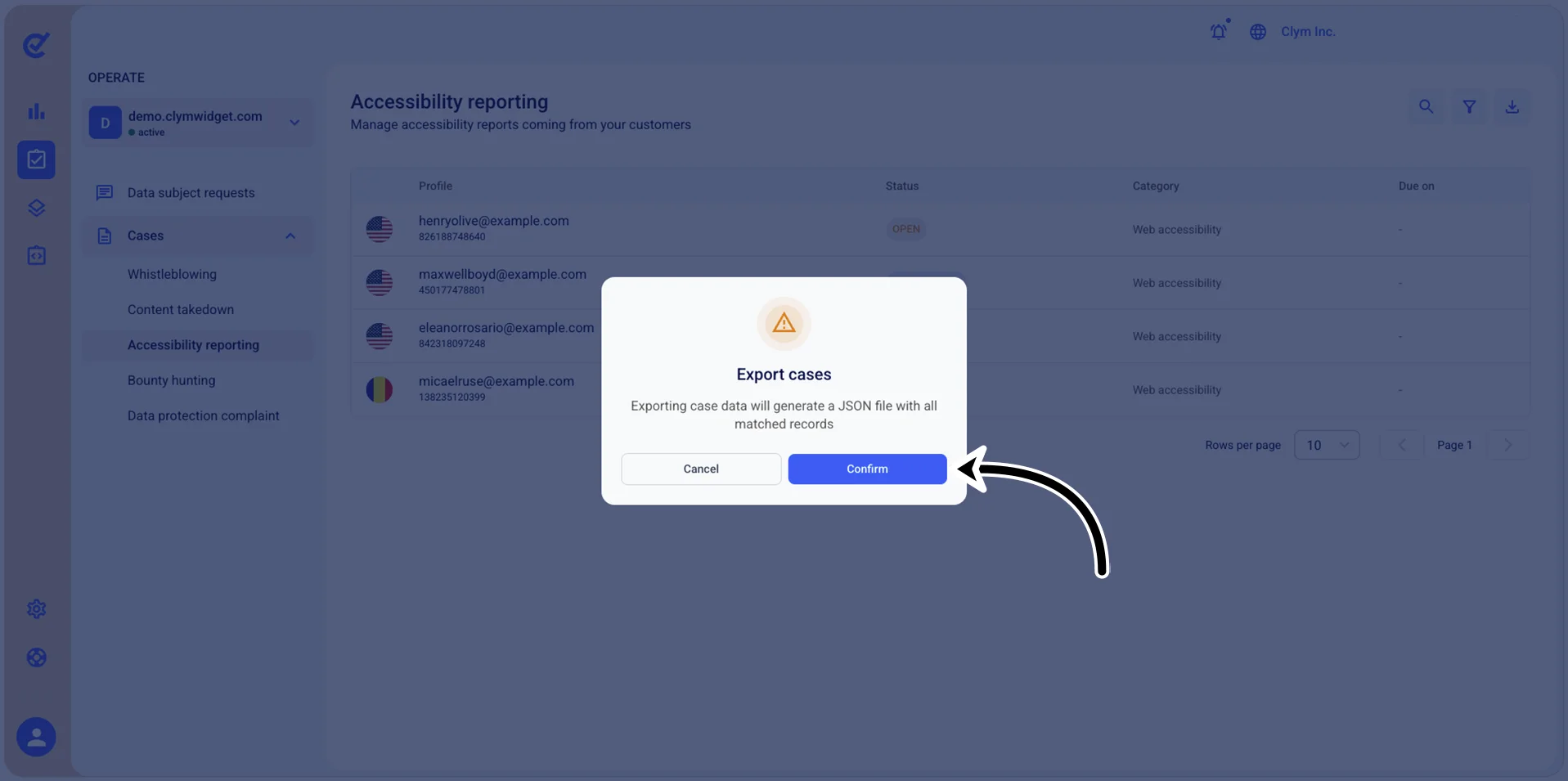
The JSON file is downloaded to your local computer.