
Purchase AI Support Assistant credits
The Control Center’s AI Assistant provides you with automated communication and support to your website visitors regarding the data privacy and accessibility regulations supported by your widget, users' rights regarding personal data, and so much more. When user requests and questions become complex, you may want to allow a human assistant to take over and assist your customers. Each question that a website visitor asks and is answered costs 1 credit. Your account receives a certain number of credits per month, depending on which plan your domain is on, as follows:
- Start: 100 credits/month
- Grow: 500 credits/month
- Perform: 1000 credits/month If you need more credits on any given month, you can purchase additional credits at 100 credits/$5.
To purchase AI Support Assistant credits:
- Go to
 Configure>Billing>AI Assistant credits.
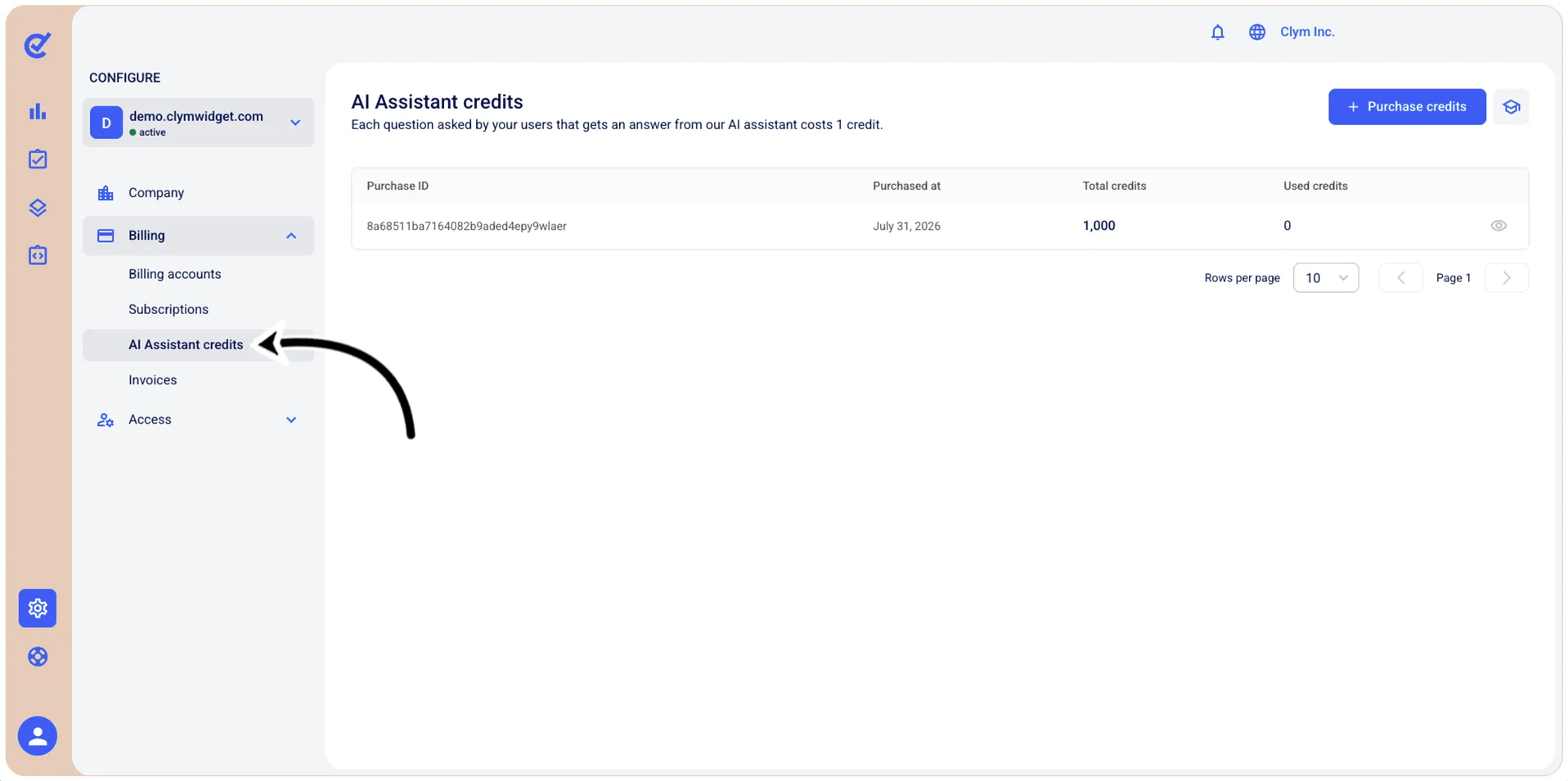
- In the AI Assistant credits section, you can see how many available credits you have (if any) as well as the associated invoice (which you can view by selecting
 View invoice. To buy credits, select +Purchase credits.
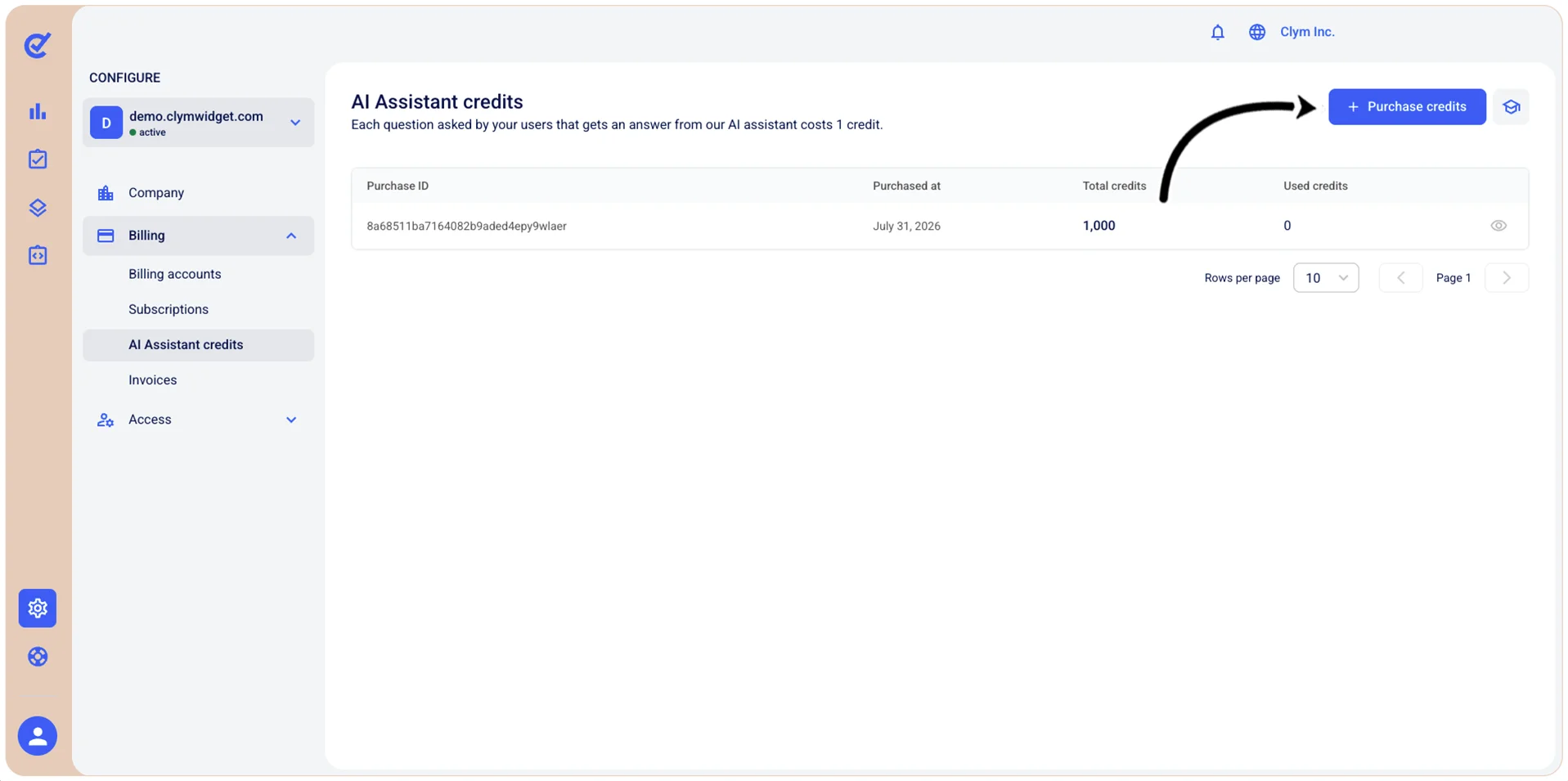
- In the Purchase AI Assistant credits section, configure the details of your purchase, as follows:
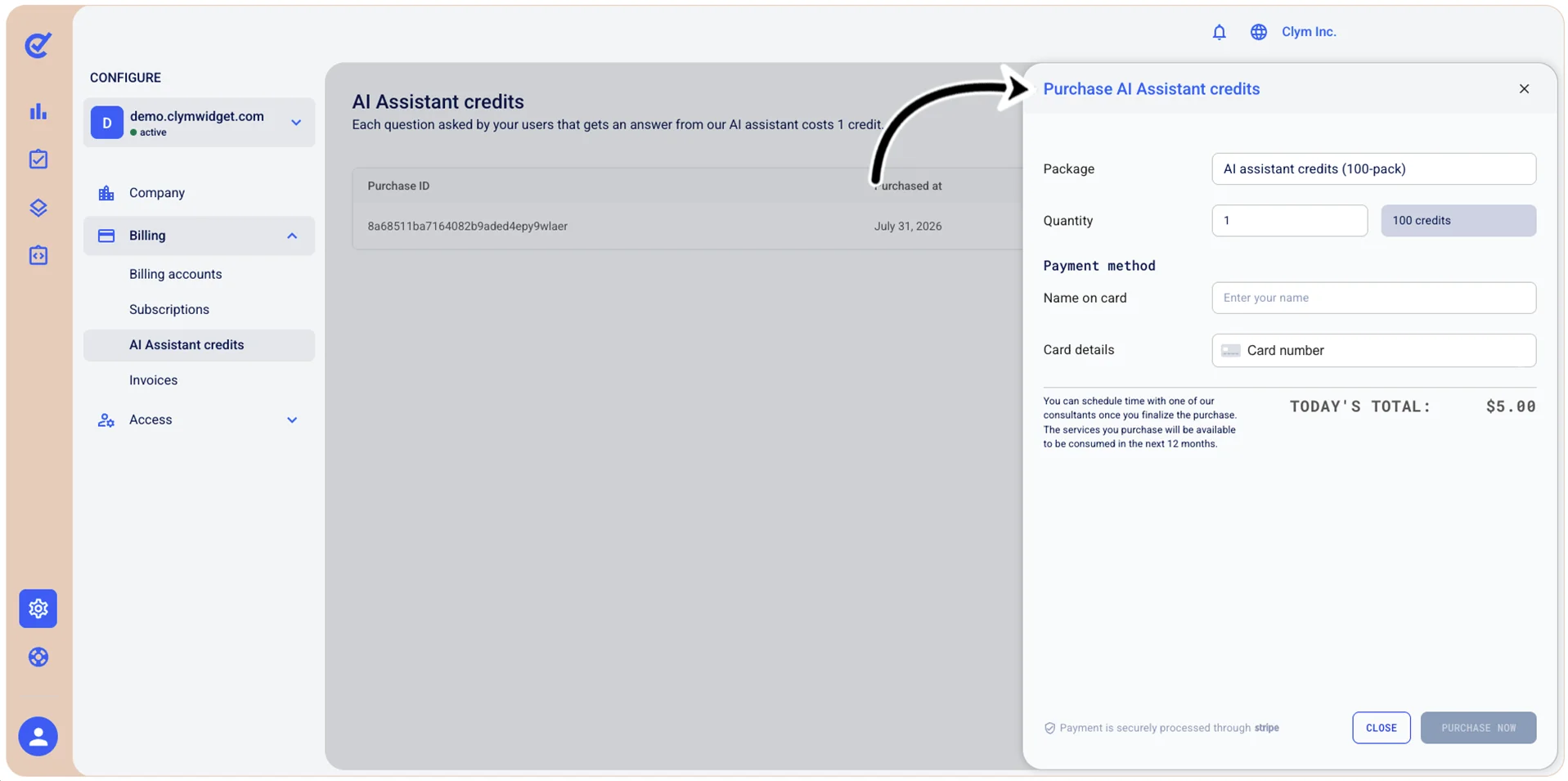
- Package: Displays the AI assistant credits package you are purchasing.
- Quantity: Enter the amount of credit packages you want to purchase.
- Name on card: Enter the cardholder's name exactly as it appears on the credit or debit card.
- Card details: Enter your payment card information in the following format (the card number, the expiration date and the CVC security code).
- To complete the purchase, select Purchase now. Purchased credits are available for use within the next 12 months. After finalizing the purchase, you can schedule a consultation with a consultant.